0
0

Delete article

Deleted articles cannot be recovered.

Draft of this article would be also deleted.

Are you sure you want to delete this article?

AWS使う時の、ネットワークの初期設定流れ(個人メモ)

0
Posted at

はじめに

AWSで環境を作るときは、まず「ネットワーク」を準備します。
基本は VPC → サブネット → ルーティングの順番です。

全体の流れ

  1. VPCを作成(論理ネットワーク)
  2. サブネットを作成
    1. パブリックサブネット
    2. プライベートサブネット
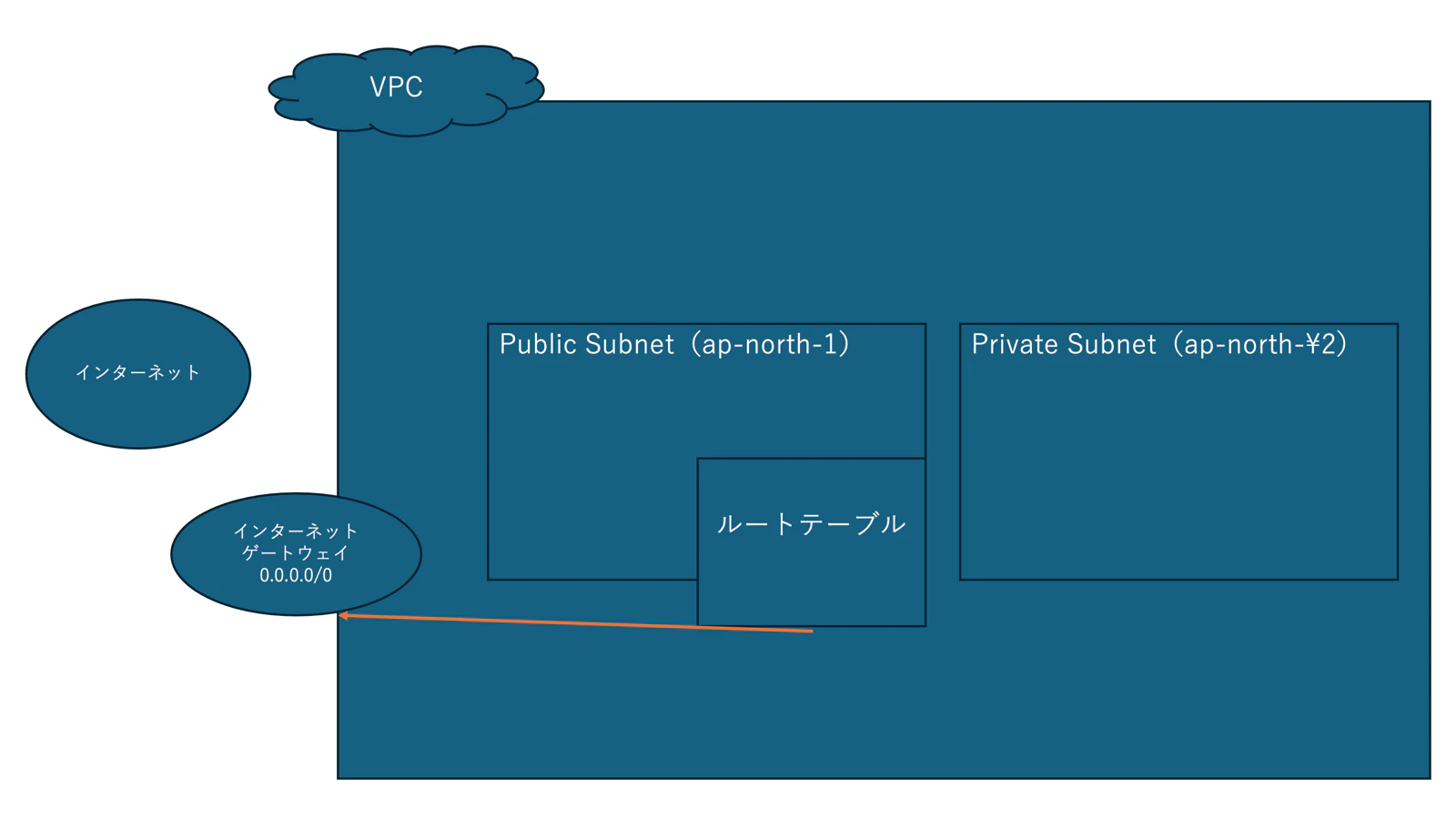
  3. ルーティングを設定
    1. VPCに、インターネットゲートウェイ(0.0.0.0/0)作成
    2. サブネットに、ルートテーブル作成
    3. ルートテーブルとインターネットゲートウェイを繋げる

image.png

  • VPCは巨大な論理ネットワーク
  • サブネットは、AZ(データセンター)ごとで、物理的にどこか一つの場所を選択する。
  • VPC:論理ネットワーク。自分の作業用のネットワークをまずはじめに作成する。
  • サブネット:VPCを使いやすいように分ける。
  • AZを分けて配置して物理的に話すことで災害に強くなる
    • 例えば、セキュリティ上の理由で、例えばwebサーバーはインターネットと繋げたいけどdbサーバーは内部に隠したいなど
  • ルーティング:VPCにインターネットゲートウェイ、サブネットごとにルートテーブルを作成。すると、サブネットごとにインターネットゲートウェイと結びつけてサブネットの中身が外に出れるようになる。
0
0
0

Register as a new user and use Qiita more conveniently

  1. You get articles that match your needs
  2. You can efficiently read back useful information
  3. You can use dark theme
What you can do with signing up
0
0

Delete article

Deleted articles cannot be recovered.

Draft of this article would be also deleted.

Are you sure you want to delete this article?