

はじめに
EKS上に、サンプルアプリを展開してみました。手順通りにすれば10分あれば終わります!EKS上にアプリを展開する簡単な流れがつかめます。
サンプルアプリ:
https://github.com/aws-containers/retail-store-sample-app
超ざっくり全体流れ
クラスターに接続している前提で、超ざっくりしたアプリ展開の流れです。
- namespace作る
- マニフェスト適用(=アプリ定義を投入)
- Kubernetesが勝手にPod/Serviceを作る
- 外部公開(LoadBalancer)でアクセス
マニフェスト適用の部分は、今回はkubectl apply -f https://というコマンドでリモートのマニフェストを直接適用しています。
デプロイ手順
1. EKS接続
aws eks update-kubeconfig --region ap-northeast-1 --name App-Cluster
kubectl get nodes
2. Namespace作成
kubectl create namespace retail-store
namespaceを作成し、紐付けてリソースを作成することで、一つのノードに異なるアプリを展開してもそれぞれ別で管理できます。
3. 公式マニフェストをデプロイ
kubectl apply -f https://github.com/aws-containers/retail-store-sample-app/releases/latest/download/kubernetes.yaml -n retail-store
4. 確認(3-5分待つ)
# Pod確認
kubectl get pods -n retail-store

# Service確認
kubectl get svc -n retail-store
期待結果:
NAME                              READY   STATUS    RESTARTS   AGE
ui-xxxxxxxxx-xxxxx                1/1     Running   0          ...
catalog-xxxxxxxxx-xxxxx           1/1     Running   0          ...
catalog-mysql-0                   1/1     Running   0          ...
carts-xxxxxxxxx-xxxxx             1/1     Running   0          ...
carts-dynamodb-xxxxxxxxx-xxxxx    1/1     Running   0          ...
orders-xxxxxxxxx-xxxxx            1/1     Running   0          ...
orders-postgresql-0               1/1     Running   0          ...
orders-rabbitmq-0                 1/1     Running   0          ...
checkout-xxxxxxxxx-xxxxx          1/1     Running   0          ...
checkout-redis-xxxxxxxxx-xxxxx    1/1     Running   0          ...
5. URL取得
kubectl get svc ui -n retail-store -o jsonpath='{.status.loadBalancer.ingress[0].hostname}{"\n"}'
6. ブラウザでアクセス
方法1: URLを表示してコピー
echo "http://$(kubectl get svc ui -n retail-store -o jsonpath='{.status.loadBalancer.ingress[0].hostname}')"
方法2: 直接curlでテスト
curl http://$(kubectl get svc ui -n retail-store -o jsonpath='{.status.loadBalancer.ingress[0].hostname}')
表示されたURLをブラウザのアドレスバーに貼り付けてアクセス。
例:
http://acaae9ff1ca1343be831e1392b484973-54160907.ap-northeast-1.elb.amazonaws.com
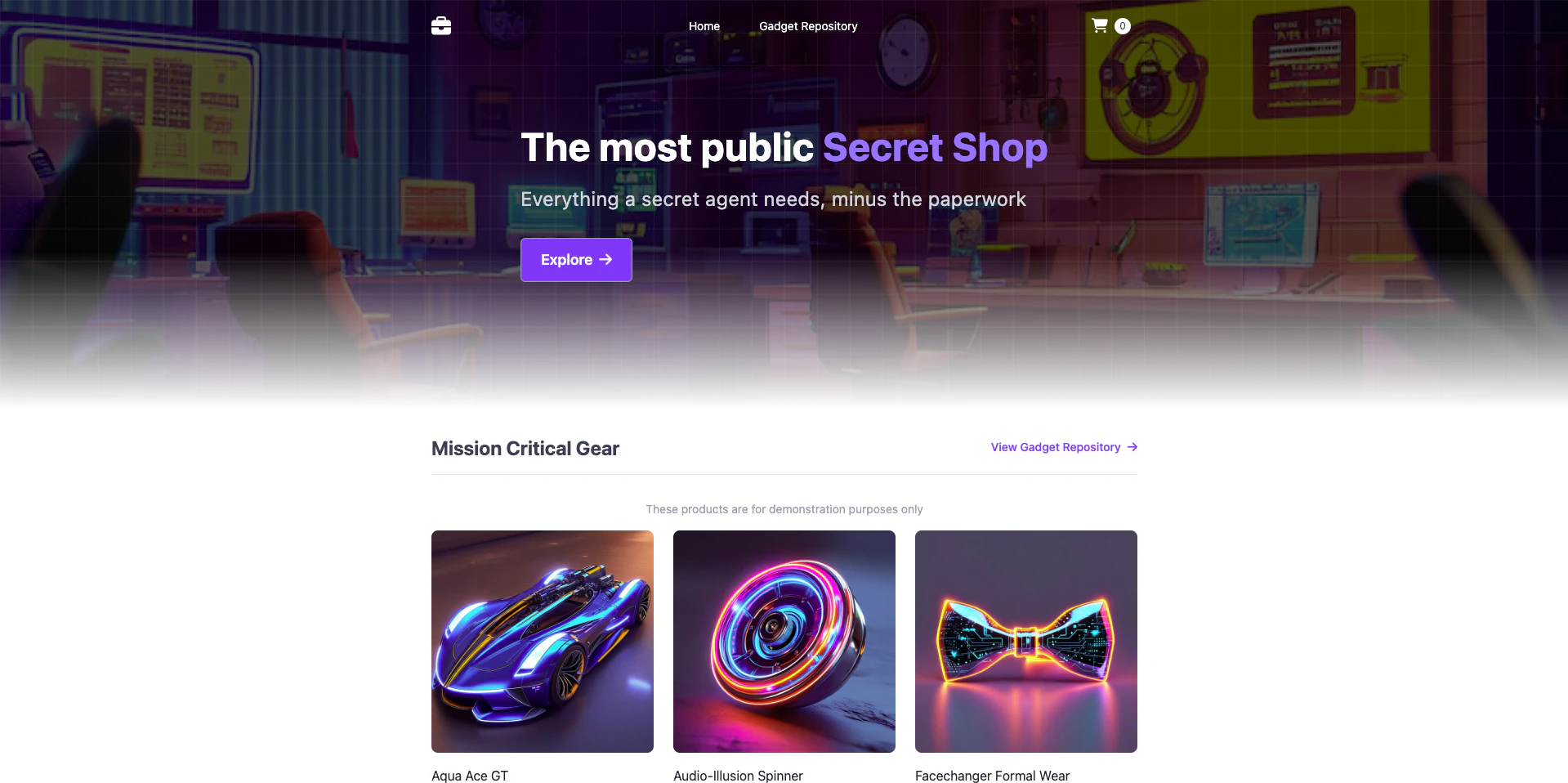
アプリケーションの機能
ブラウザでアクセスしたら、以下の機能を試してみてください:
- 商品カタログ: トップページで様々な商品を閲覧
- 商品詳細: 商品をクリックして詳細情報を表示
- カートに追加: 商品をショッピングカートに追加
- チェックアウト: カートから注文手続きを進める
- 注文完了: 配送先情報を入力して注文を完了
アーキテクチャ
このアプリケーションは以下のマイクロサービスで構成されています:
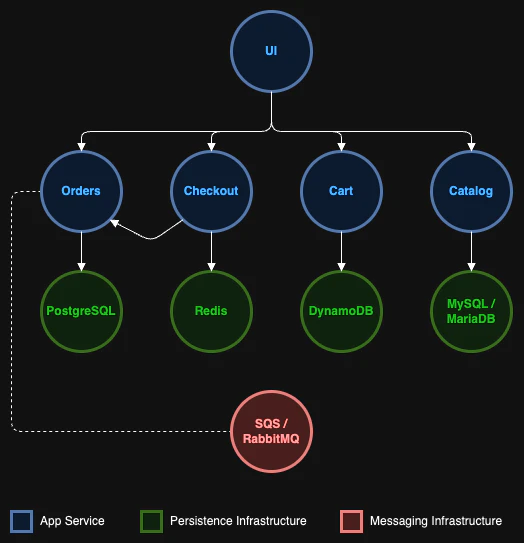
- UI: フロントエンド(Java/Spring Boot)
- Catalog: 商品カタログ(Go + MySQL)
- Carts: ショッピングカート(Java + DynamoDB)
- Orders: 注文管理(Java + PostgreSQL + RabbitMQ)
- Checkout: チェックアウト処理(Node.js + Redis)
トラブルシューティング
URLが取得できない
ELB作成直後はDNSの反映に2-3分かかります。少し待ってから再度確認してください。
# Service の状態確認
kubectl describe svc ui -n retail-store
Pod が起動しない
# Pod の詳細確認
kubectl describe pod <pod-name> -n retail-store

# ログ確認
kubectl logs <pod-name> -n retail-store
詳細情報
詳細なハンズオン資料: handson/02-retail-store/README.md
公式リポジトリ: https://github.com/aws-containers/retail-store-sample-app