

認証なしでAzure App Service上に作ったA2A AgentにEasy Authを使ってOAuthで認証を付加しました。
以下の記事前提な点に注意ください。
Steps
0. 前提
記事「A2AサーバーをAzure App ServiceにデプロイしCopilot Studio/Foundry呼出」の内容実施であること。
1. 認証追加
以下の記事のStepに準じて認証追加。
2. Python Script変更
2.1. site/auth_validator.py追加
ロール内容を検証するsite/auth_validator.pyを追加
"""
Role Validator for Azure App Service Easy Auth (Built-in Authentication)

This module validates roles from tokens already validated by Azure App Service Easy Auth.
Token validation (signature, expiration, etc.) is handled by Easy Auth.
"""
import os
import json
import base64
from typing import Dict, List, Optional
import logging

logger = logging.getLogger(__name__)


class AuthorizationError(Exception):
    """Raised when authorization fails"""
    pass


class RoleValidator:
    """Validates roles from Azure App Service Easy Auth claims"""

    def __init__(
        self,
        required_roles: Optional[List[str]] = None,
    ):
        """
        Initialize role validator

        Args:
            required_roles: List of required roles for authorization
        """
        self.required_roles = required_roles or self._get_required_roles_from_env()
        logger.info(f"Role validator initialized. Required roles: {self.required_roles or 'none'}")

    def _get_required_roles_from_env(self) -> List[str]:
        """Get required roles from environment variable"""
        roles_str = os.getenv('REQUIRED_ROLES', '')
        if roles_str:
            return [role.strip() for role in roles_str.split(',') if role.strip()]
        return []

    def extract_claims_from_headers(self, headers: Dict[str, str]) -> Dict:
        """
        Extract claims from Easy Auth headers

        Azure App Service Easy Auth provides claims in the X-MS-CLIENT-PRINCIPAL header
        as a base64-encoded JSON string.

        Args:
            headers: HTTP request headers

        Returns:
            Dictionary containing the claims

        Raises:
            AuthorizationError: If claims cannot be extracted
        """
        # Easy Auth provides claims in X-MS-CLIENT-PRINCIPAL header
        client_principal = headers.get('x-ms-client-principal') or headers.get('X-MS-CLIENT-PRINCIPAL')

        if not client_principal:
            raise AuthorizationError(
                "Missing X-MS-CLIENT-PRINCIPAL header. "
                "Ensure Azure App Service Easy Auth is enabled and configured."
            )

        try:
            # Decode base64-encoded JSON
            decoded = base64.b64decode(client_principal).decode('utf-8')
            claims_data = json.loads(decoded)
            logger.info(f"Claims extracted for user: {claims_data.get('userId', 'unknown')}")
            return claims_data
        except (ValueError, json.JSONDecodeError) as e:
            raise AuthorizationError(f"Failed to decode claims from Easy Auth: {str(e)}")

    def extract_roles_from_claims(self, claims_data: Dict) -> List[str]:
        """
        Extract roles from Easy Auth claims

        Args:
            claims_data: Claims dictionary from Easy Auth

        Returns:
            List of roles
        """
        # Easy Auth provides claims in a 'claims' array
        # Each claim has 'typ' and 'val' fields
        claims = claims_data.get('claims', [])
        roles = []

        for claim in claims:
            # Look for role claims - common types:
            # - http://schemas.microsoft.com/ws/2008/06/identity/claims/role
            # - roles (for AAD v2.0)
            claim_type = claim.get('typ', '')
            if 'role' in claim_type.lower() or claim_type == 'roles':
                role_value = claim.get('val', '')
                if role_value:
                    roles.append(role_value)

        logger.info(f"Extracted roles: {roles if roles else 'none'}")
        return roles

    def check_roles(self, roles: List[str]) -> None:
        """
        Check if user has all required roles

        Args:
            roles: List of roles from the token

        Raises:
            AuthorizationError: If required roles are missing
        """
        if not self.required_roles:
            # No role requirement configured
            logger.info("No required roles configured, access granted")
            return

        missing_roles = set(self.required_roles) - set(roles)

        if missing_roles:
            raise AuthorizationError(
                f"Missing required roles: {', '.join(missing_roles)}. "
                f"User has roles: {', '.join(roles) if roles else 'none'}"
            )

        logger.info(f"Role validation passed. User has all required roles: {', '.join(self.required_roles)}")

    def validate_request(self, headers: Dict[str, str]) -> Dict:
        """
        Complete validation: extract claims and check roles

        Args:
            headers: HTTP request headers from Easy Auth

        Returns:
            Claims data from Easy Auth

        Raises:
            AuthorizationError: If any validation step fails
        """
        claims_data = self.extract_claims_from_headers(headers)
        roles = self.extract_roles_from_claims(claims_data)
        self.check_roles(roles)
        return claims_data
2.2. site/agent_executor.py変更
site/agent_executor.pyを変更
import logging
from a2a.server.agent_execution import AgentExecutor, RequestContext
from a2a.server.events import EventQueue
from a2a.utils import new_agent_text_message
from auth_validator import RoleValidator, AuthorizationError

logger = logging.getLogger(__name__)


class HelloWorldAgent:
    """Hello World Agent."""

    async def invoke(self) -> str:
        print("出力: 晴れ時々曇りで最高気温は18度です")
        return '晴れ時々曇りで最高気温は18度です'


class HelloWorldAgentExecutor(AgentExecutor):
    """AgentExecutor with Azure App Service Easy Auth role validation."""

    def __init__(self):
        logger.info("Initializing HelloWorldAgentExecutor")
        self.agent = HelloWorldAgent()
        # Initialize role validator (no exceptions - always created)
        self.role_validator = RoleValidator()

    async def execute(
        self,
        context: RequestContext,
        event_queue: EventQueue,
    ) -> None:
        print("Executing HelloWorldAgentExecutor")
        # Validate roles from Easy Auth claims
        if self.role_validator.required_roles:
            try:
                # Extract headers from request context
                if context.call_context and context.call_context.state:
                    headers = context.call_context.state.get('headers', {})

                    # Validate roles from Easy Auth claims
                    claims_data = self.role_validator.validate_request(headers)
                    logger.info(f"Request authorized for user: {claims_data.get('userId', 'unknown')}")
                else:
                    raise AuthorizationError("No request context available")

            except AuthorizationError as e:
                error_msg = f"Authorization failed: {str(e)}"
                logger.error(error_msg)
                await event_queue.enqueue_event(new_agent_text_message(error_msg))
                return
            except Exception as e:
                error_msg = f"Unexpected authorization error: {str(e)}"
                logger.error(error_msg)
                await event_queue.enqueue_event(new_agent_text_message(error_msg))
                return
        else:
            logger.info("No required roles configured, skipping role validation")

        # Execute agent logic if authorization passed
        result = await self.agent.invoke()
        await event_queue.enqueue_event(new_agent_text_message(result))

    async def cancel(
        self, context: RequestContext, event_queue: EventQueue
    ) -> None:
        raise Exception('cancel not supported')
3. Agent Cardを認証除外
/.well-known/agent-card.jsonのパスは認証除外対象にします。
CLIを使って、認証設定を取得。
SUB="<subscription-id>"
RG="<resource-group>"
APP="<app-name>"

az rest --method get \
  --url "https://management.azure.com/subscriptions/$SUB/resourceGroups/$RG/providers/Microsoft.Web/sites/$APP/config/authsettingsV2?api-version=2025-03-01" \
  > authsettingsV2.json
手でファイルauthsettingsV2.json の properties.globalValidation.excludedPaths に"/.well-known/agent-card.json"を入れます:
  "properties": {
    "clearInboundClaimsMapping": "false",
    "globalValidation": {
      "excludedPaths": ["/.well-known/agent-card.json"],
      "requireAuthentication": true,
      "unauthenticatedClientAction": "Return401"
    },
az restで設定更新。
az rest --method put \
  --url "https://management.azure.com/subscriptions/$SUB/resourceGroups/$RG/providers/Microsoft.Web/sites/$APP/config/authsettingsV2?api-version=2025-03-01" \
  --body @authsettingsV2.json
更新後、App ServiceをAzure Portalから再起動します。
ブラウザからURLhttps://<resource name>.azurewebsites.net/.well-known/agent-card.jsonに直接アクセスするとAgent Cardが取得可能。
4. Python Clientから呼出確認
PythonでA2Aサーバーを呼び出し。
固定値に各適切な値を入れましょう。
実行結果は、記事「A2AサーバーをAzure App ServiceにデプロイしCopilot Studio/Foundry呼出」と同じなので省略。
import httpx
import os
import requests

from a2a.client import A2ACardResolver, ClientConfig, ClientFactory, create_text_message_object
from a2a.types import TransportProtocol
from a2a.utils.message import get_message_text

from dotenv import load_dotenv
load_dotenv("site/.env", override=True)

TENANT_ID = ""
CLIENT_ID = "" # 呼び出し側アプリの Client ID
CLIENT_SECRET = "" # 呼び出し側アプリの Secret
API_APP_ID = "" # API側アプリの Client ID(GUID)
API_URL = os.getenv('AGENT_PUBLIC_URL', 'http://localhost:8000/')
TOKEN_URL = f"https://login.microsoftonline.com/{TENANT_ID}/oauth2/v2.0/token"
SCOPE = f"api://{API_APP_ID}/.default"           # Client Credentials は .default

def get_access_token() -> str:
    data = {
        "client_id": CLIENT_ID,
        "client_secret": CLIENT_SECRET,
        "grant_type": "client_credentials",
        "scope": SCOPE,
    }
    resp = requests.post(TOKEN_URL, data=data, timeout=30)
    resp.raise_for_status()
    return resp.json()["access_token"]
token = get_access_token()
headers = {"Authorization": f"Bearer {token}"}

# Test: Try accessing agent-card without authentication
async with httpx.AsyncClient() as test_client:
    response = await test_client.get(f"{API_URL}/.well-known/agent-card.json")
    print(f"Status: {response.status_code}")
    if response.status_code == 200:
        print("Agent card is publicly accessible")
        print(response.json())
    else:
        print(f"Error: {response.text}")

async with httpx.AsyncClient(headers=headers) as httpx_client:
    resolver = A2ACardResolver(
        httpx_client=httpx_client,
        base_url=API_URL,
        # agent_card_path uses default, extended_agent_card_path also uses default
    )
    agent_card = await resolver.get_agent_card()

    factory = ClientFactory(
        ClientConfig(
            supported_transports=[
                TransportProtocol.http_json,
                TransportProtocol.jsonrpc
                ],
            use_client_preference=True,
            httpx_client=httpx_client
            ),
        )
    a2a_client = factory.create(agent_card)
    request = create_text_message_object(content="Hi")
    async for response in a2a_client.send_message(request):
        if response.kind == "message":
            print(response.parts[0].root.text)
5. Copilot Studio
Copilot StudioでAgentを作ります。
インストラクションは前記事と同じ
天気に関するトピックはエージェントを使って調べて。エージェントの内容をそのまま出力して。
モデル内知識使用やエージェント回答の補足・修正厳禁。
そのAgentからエージェントを追加。

A2AをOAuthで作成。基本的には、client_remote_auth.ipynbで使ったIDなどを埋めていきます。
「認証URL」と「更新URL」はスクリーンショットの値を、「リダイレクトURL」はブランクに設定して「作成」。

リダイレクトURLを確認
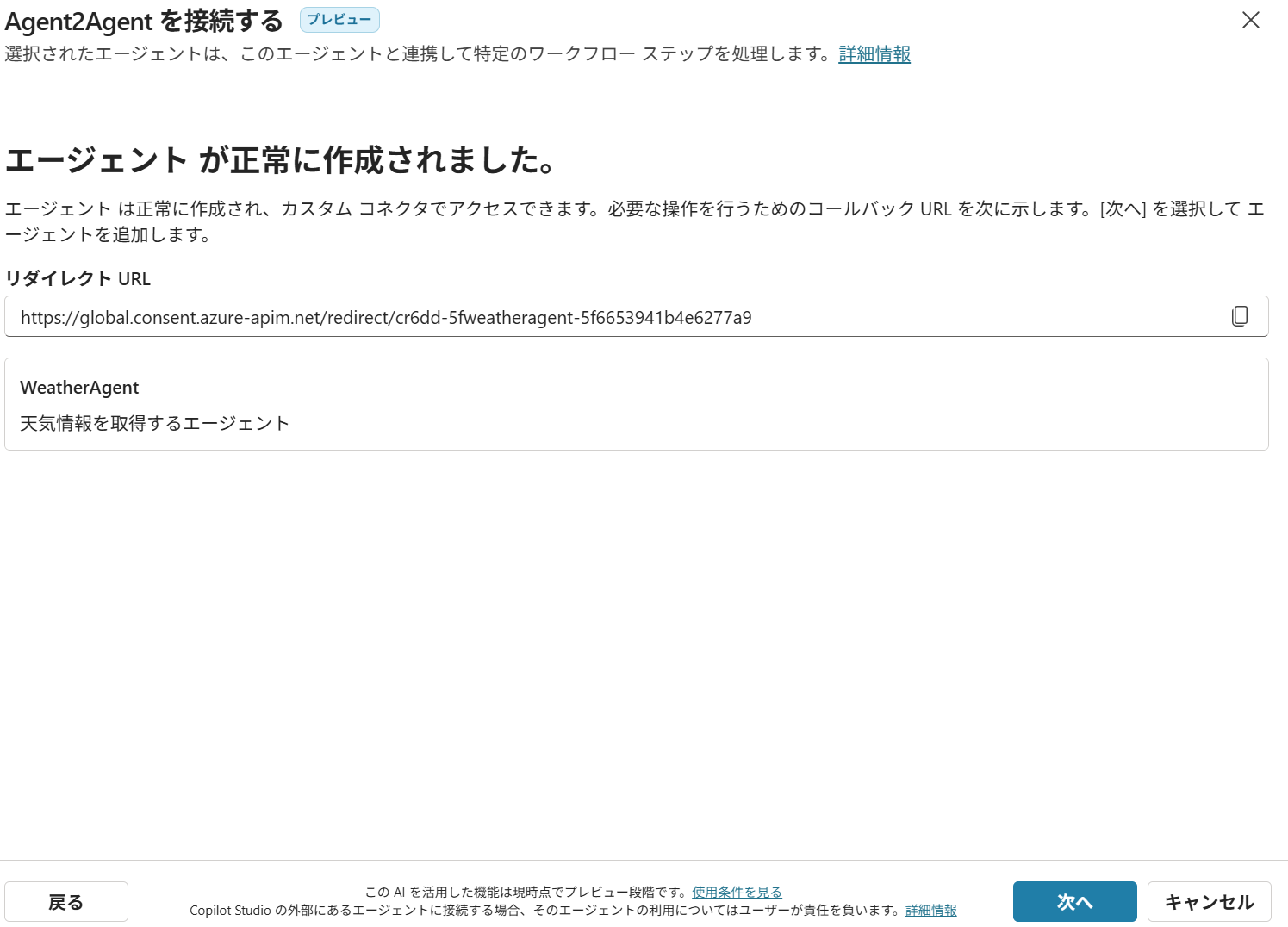
Entra 画面を開き、Client側のアプリケーションでメニュー 管理 -> Authentication (Preview) で「+リダイレクト URIの追加」をクリックしてWebに対して画面のように設定。

Copilot Studioの画面に戻り、新しい接続を作成し、次画面で「作成」ボタンをクリック。
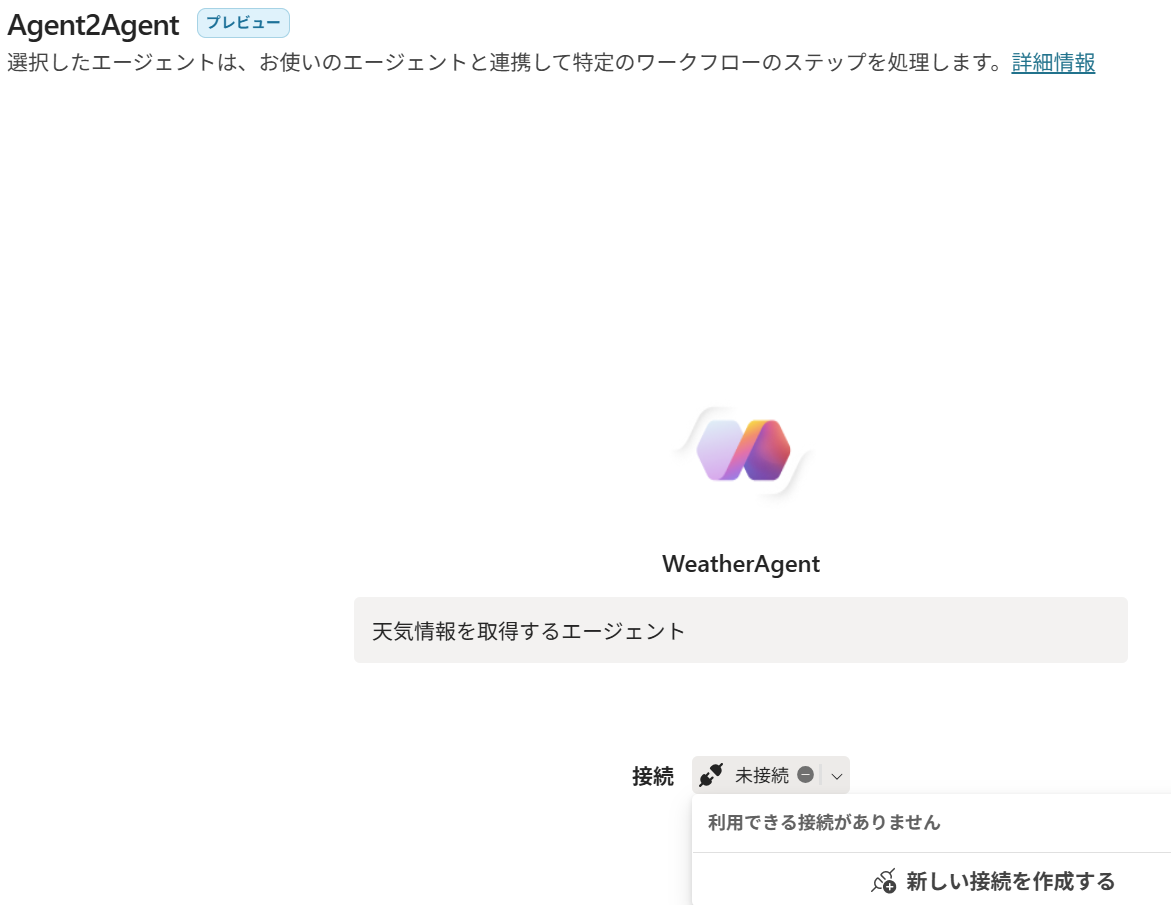
「追加と構成」をクリック

テストを実行(最初の接続マネージャーでの接続は省略)。回答にいろいろ自動で編集かけていて、オリジナル回答と異なりますが、実際に呼ばれているのは確認済
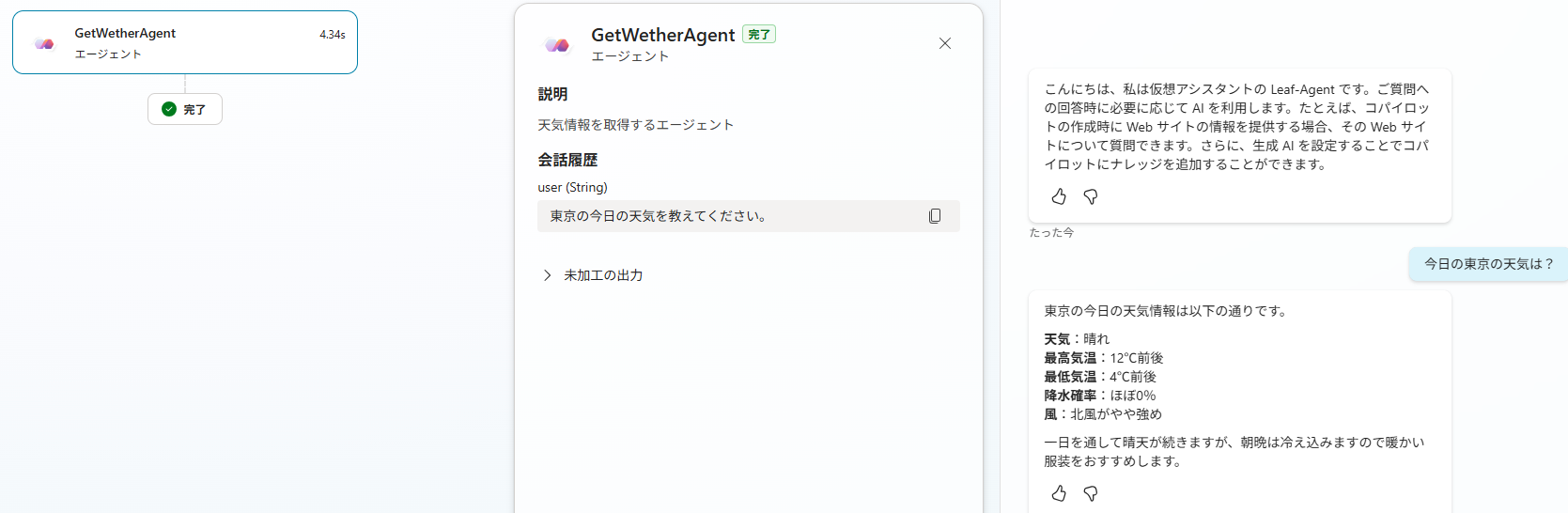
App Serviceのログ上では呼ばれていることを確認
