

下記の公式A2Aで作ったA2AサーバーをAzure App ServiceにデプロイしてMicrosoft FoundryとCopilot Studioから呼んでみます。
認証を付けていないので注意してください。
以下のデプロイ方法に準じています。
認証付与はこちらの記事で。
Steps
0. 前提
WSL で Ubuntu 24.04 を使ってPython3.13で動かしています。
1. Python環境準備
uv で管理をしています。
まずはRepository作成
uv init <project name> -p 3.13
パッケージインストール。Jupyterはテスト用に使っています。
uv add a2a-sdk[http-server] uvicorn python-dotenv jupyterlab python-dotenv
dependencies = [
    "a2a-sdk[http-server]>=0.3.22",
    "gunicorn>=22.0.0",
    "jupyterlab>=4.5.1",
    "python-dotenv>=1.2.1",
    "uvicorn>=0.38.0",
]
2. Python Script
プロジェクトのDirectory全体です。
site以下をAzure App Serviceへデプロイしています。pyproject.tomlとuv.lockはデプロイ用にルートと同じものをsiteへコピーしているだけです。
.
├── .vscode
│   └── settings.json
├── README.md
├── client_local.ipynb
├── client_cloud.ipynb
├── pyproject.toml
├── site
│   ├── agent_executor.py
│   ├── main.py
│   ├── pyproject.toml
│   └── uv.lock
└── uv.lock
.envにApp ServiceのURLを入れています。
AGENT_PUBLIC_URL=https://<resoorce name>.azurewebsites.net
2.1. agent_executor.py
Agentを実行するScript。もともとは固定文言"Hello World"を返すAgentにしていたのですが、それを受け取ったモデルが意味のない言葉として無視する動きを見せたので、少しだけ意味ありそうな天気を返すようにしました。
import logging
from a2a.server.agent_execution import AgentExecutor, RequestContext
from a2a.server.events import EventQueue
from a2a.utils import new_agent_text_message

logger = logging.getLogger(__name__)


class HelloWorldAgent:
    """Hello World Agent."""

    async def invoke(self) -> str:
        print("出力: 晴れ時々曇りで最高気温は18度です")
        return '晴れ時々曇りで最高気温は18度です'


class HelloWorldAgentExecutor(AgentExecutor):
    """AgentExecutor with Azure App Service Easy Auth role validation."""

    def __init__(self):
        logger.info("Initializing HelloWorldAgentExecutor")
        self.agent = HelloWorldAgent()

    async def execute(
        self,
        context: RequestContext,
        event_queue: EventQueue,
    ) -> None:
        print("Executing HelloWorldAgentExecutor")

        # Execute agent logic if authorization passed
        result = await self.agent.invoke()
        await event_queue.enqueue_event(new_agent_text_message(result))

    async def cancel(
        self, context: RequestContext, event_queue: EventQueue
    ) -> None:
        raise Exception('cancel not supported')
2.2. main.py
メインのスクリプト
import os

import uvicorn

from a2a.server.apps import A2AStarletteApplication
from a2a.server.request_handlers import DefaultRequestHandler
from a2a.server.tasks import InMemoryTaskStore
from a2a.types import AgentCapabilities, AgentCard, AgentSkill
from site.agent_executor import HelloWorldAgentExecutor  # type: ignore[import-untyped]
from dotenv import load_dotenv
load_dotenv(override=True)

def create_app():
    public_url = os.getenv('AGENT_PUBLIC_URL', 'http://localhost:9999/')

    skill = AgentSkill(
        id='hello_world',
        name='Returns hello world',
        description='just returns hello world',
        tags=['hello world'],
        examples=['hi', 'hello world'],
    )

    public_agent_card = AgentCard(
        name='Hello World Agent',
        description='Just a hello world agent',
        url=public_url,
        version='1.0.0',
        default_input_modes=['text'],
        default_output_modes=['text'],
        capabilities=AgentCapabilities(streaming=True),
        skills=[skill],
        supports_authenticated_extended_card=True,
    )

    request_handler = DefaultRequestHandler(
        agent_executor=HelloWorldAgentExecutor(),
        task_store=InMemoryTaskStore(),
    )

    server = A2AStarletteApplication(
        agent_card=public_agent_card,
        http_handler=request_handler,
    )

    return server.build()


app = create_app()


def main():
    # Azure App Service exposes the port via WEBSITES_PORT; fall back to PORT or 9999.
    port = int(os.getenv('WEBSITES_PORT', os.getenv('PORT', '9999')))
    uvicorn.run(app, host='0.0.0.0', port=port)

if __name__ == "__main__":
    main()
3. ローカルテスト
ローカルで起動テストをします。
uv run site/main.py
ローカルでA2AでAgentを呼び出します。
import httpx

from a2a.client import A2ACardResolver, ClientConfig, ClientFactory, create_text_message_object
from a2a.types import TransportProtocol
from a2a.utils.message import get_message_text


async with httpx.AsyncClient() as httpx_client:
    resolver = A2ACardResolver(
        httpx_client=httpx_client,
        base_url='http://localhost:8000',
    )
    agent_card = await resolver.get_agent_card()

    factory = ClientFactory(
        ClientConfig(
            supported_transports=[
                TransportProtocol.http_json,
                TransportProtocol.jsonrpc
                ],
            use_client_preference=True,
            httpx_client=httpx_client
            ),
        )
    a2a_client = factory.create(agent_card)
    request = create_text_message_object(content="今日の東京の天気は?")
    async for response in a2a_client.send_message(request):
        if response.kind == "message":
            print(response.parts[0].root.text)
固定文言が返されます。
晴れ時々曇りで最高気温は18度です
以下を参考にしています。
3. デプロイ
3.1. settings.json設定
デプロイの設定を書き込みます。
{
    "appService.zipIgnorePattern": [
        "__pycache__{,/**}",
        "*.py[cod]",
        "*$py.class",
        ".Python{,/**}",
        "build{,/**}",
        "develop-eggs{,/**}",
        "dist{,/**}",
        "downloads{,/**}",
        "eggs{,/**}",
        ".eggs{,/**}",
        "files{,/**}",
        ".files{,/**}",
        "lib{,/**}",
        "lib64{,/**}",
        "parts{,/**}",
        "sdist{,/**}",
        "var{,/**}",
        "wheels{,/**}",
        "share/python-wheels{,/**}",
        "*.egg-info{,/**}",
        ".installed.cfg",
        "*.egg",
        "MANIFEST",
        ".env{,/**}",
        ".venv{,/**}",
        "env{,/**}",
        "venv{,/**}",
        "ENV{,/**}",
        "env.bak{,/**}",
        "venv.bak{,/**}",
        ".vscode{,/**}"
    ],
    "appService.defaultWebAppToDeploy": "/subscriptions/<subscription id>/resourceGroups/<resource group name>/providers/Microsoft.Web/sites/<app service name>",
    "appService.deploySubpath": "site",
    "python-envs.pythonProjects": []
}
3.2. デプロイ実施
pyproject.tomlとuv.lockはデプロイ用にルートと同じものをsiteへコピー。
リンク先「4. Azure Deploy」手順に従ってデプロイ。
Azure Portalのデプロイセンターのログで問題ないことを確認。

3.3. デプロイ確認
ブラウザ上からAgent Cardを確認。
https://<resoruce name>.azurewebsites.net/.well-known/agent-card.json を開きます。
以下のJSONが見えることを確認。
{
  "capabilities": {
    "streaming": true
  },
  "defaultInputModes": [
    "text"
  ],
  "defaultOutputModes": [
    "text"
  ],
  "description": "Just a hello world agent",
  "name": "Hello World Agent",
  "preferredTransport": "JSONRPC",
  "protocolVersion": "0.3.0",
  "skills": [
    {
      "description": "just returns hello world",
      "examples": [
        "hi",
        "hello world"
      ],
      "id": "hello_world",
      "name": "Returns hello world",
      "tags": [
        "hello world"
      ]
    }
  ],
  "supportsAuthenticatedExtendedCard": true,
  "url": "https://<resource name>.azurewebsites.net",
  "version": "1.0.0"
}
ローカルのPythonからも確認。
import httpx
import os

from a2a.client import A2ACardResolver, ClientConfig, ClientFactory, create_text_message_object
from a2a.types import TransportProtocol
from a2a.utils.message import get_message_text
from dotenv import load_dotenv

load_dotenv("site/.env", override=True)

public_url = os.getenv('AGENT_PUBLIC_URL', 'http://localhost:8000/')

# Test: Try accessing agent-card without authentication
async with httpx.AsyncClient() as test_client:
    response = await test_client.get(f"{public_url}/.well-known/agent-card.json")
    print(f"Status: {response.status_code}")
    if response.status_code == 200:
        print("Agent card is publicly accessible")
        print(response.json())
    else:
        print(f"Error: {response.text}")

async with httpx.AsyncClient() as httpx_client:
    resolver = A2ACardResolver(
        httpx_client=httpx_client,
        base_url=public_url,
        # agent_card_path uses default, extended_agent_card_path also uses default
    )
    agent_card = await resolver.get_agent_card()

    factory = ClientFactory(
        ClientConfig(
            supported_transports=[
                TransportProtocol.http_json,
                TransportProtocol.jsonrpc
                ],
            use_client_preference=True,
            httpx_client=httpx_client
            ),
        )
    a2a_client = factory.create(agent_card)
    request = create_text_message_object(content="Hi")
    async for response in a2a_client.send_message(request):
        if response.kind == "message":
            print(response.parts[0].root.text)
今度はAgent CardのアクセスとAgentへの通信もしました。
Status: 200
Agent card is publicly accessible
{'capabilities': {'streaming': True}, 'defaultInputModes': ['text'], 'defaultOutputModes': ['text'], 'description': 'Just a hello world agent', 'name': 'Hello World Agent', 'preferredTransport': 'JSONRPC', 'protocolVersion': '0.3.0', 'skills': [{'description': 'just returns hello world', 'examples': ['hi', 'hello world'], 'id': 'hello_world', 'name': 'Returns hello world', 'tags': ['hello world']}], 'supportsAuthenticatedExtendedCard': True, 'url': 'https://<resoruce name>.azurewebsites.net', 'version': '1.0.0'}

晴れ時々曇りで最高気温は18度です
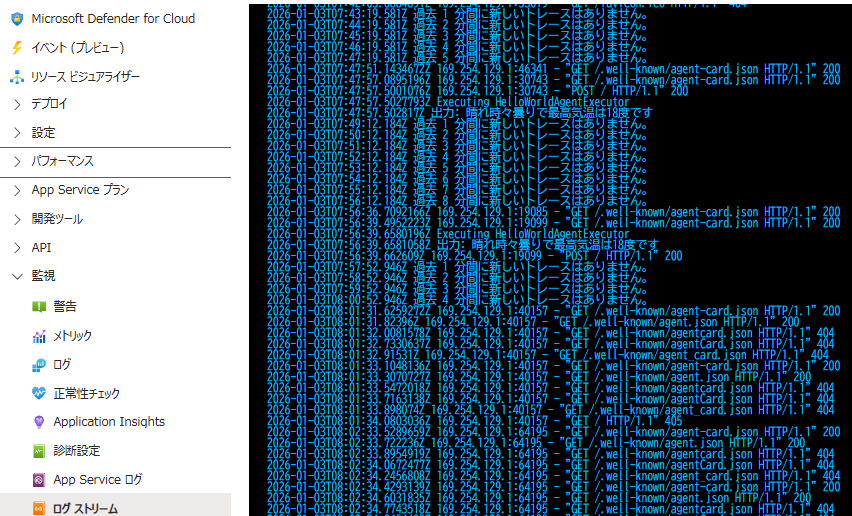
ログストリームをPortalから見て出力ログを確認。
4. Microsoft Foundryから呼出
Foundry Portal上からAgent定義
Instructionsを埋めておきます。
天気に関するトピックはエージェントを使って調べて。エージェントの内容をそのまま出力して。
モデル内知識使用やエージェント回答の補足・修正厳禁。
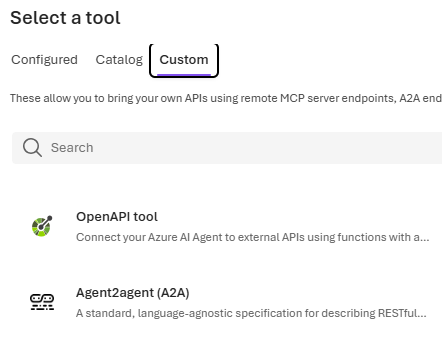
Toolsで「+Add」をクリック

Custom タブでAgent2agent(A2A)を選択して「Create」ボタンクリック
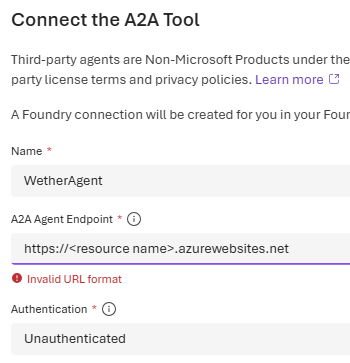
URLなどを入力して作成。
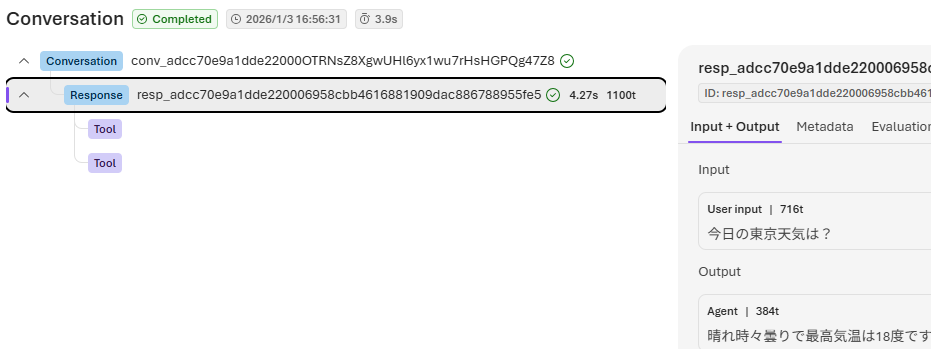
天気を聞くと答えてくれます 。

デバッグ画面でも問題ないことを確認。
5. Copilot Studioから呼出
Copilot StudioからもAgentを作成。指示はMicrosoft Foundryと同じもの。
エージェントタブで「+追加」をクリック

「外部エージェントに接続する」から「Agent2Agent」を選択
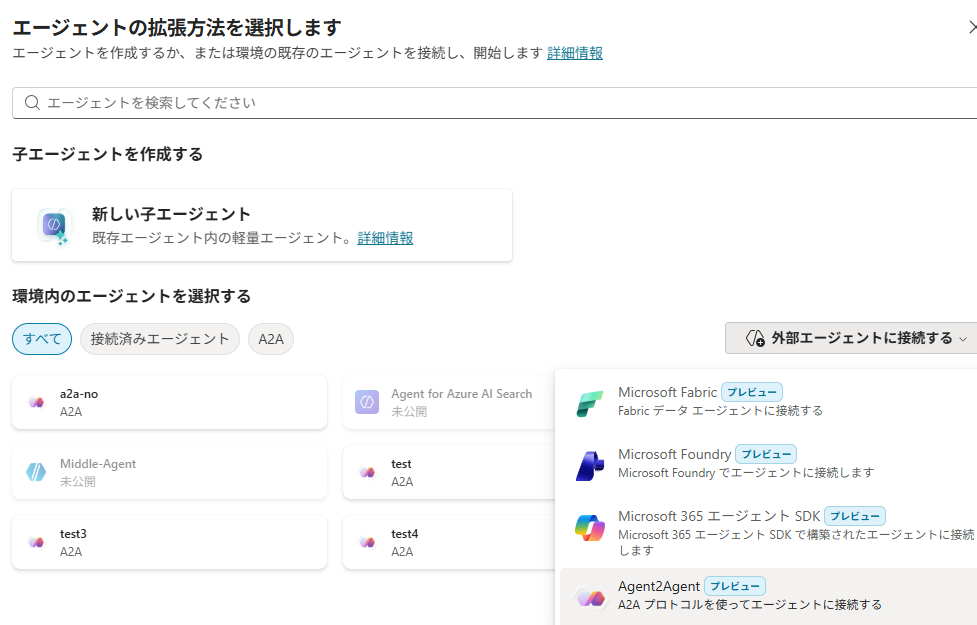
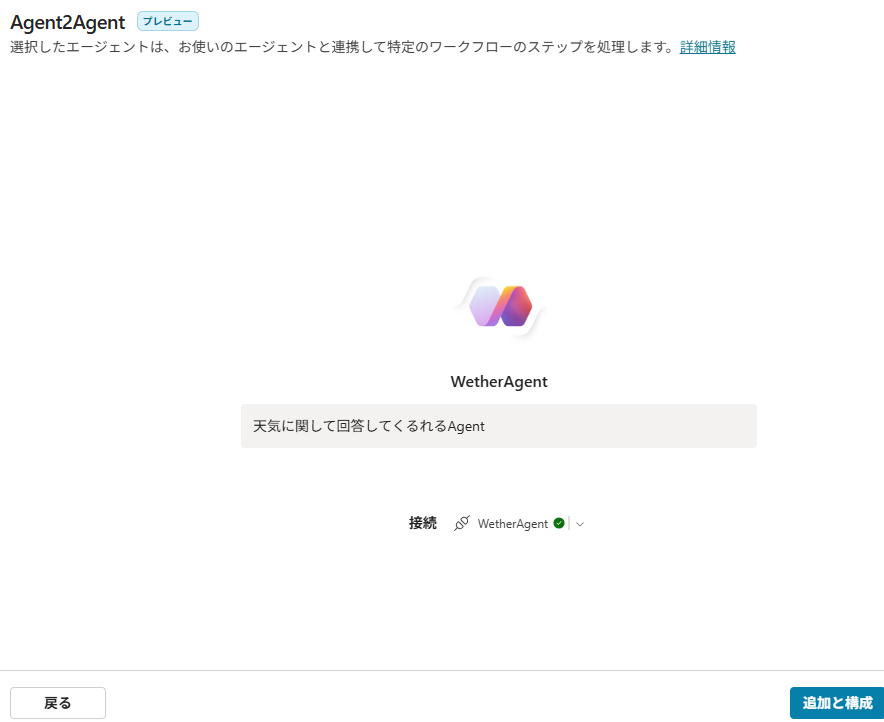
定義を入力。名前を「天気回答Agent」にするとエラーが起きたので、ASCII文字だけの名前に変更。

新しい接続を作成。このあと「作成」ボタンクリック

「追加と構成」をクリック。
テストを実行(最初の接続マネージャーでの接続は省略)。回答にいろいろ自動で編集かけていて、オリジナル回答と異なりますが、実際に呼ばれているのは確認済
