
WSLの導入手順
- Microsoft StoreからUbuntuをインストール

- Ubuntuを開く
- ユーザー名とパスワードの初期設定を行う
- Ubuntuを最新に更新するため、以下のコマンドを実行
- cd
- sudo apt update
- 初期設定で設定したパスワードを入力
- sudo apt upgrade -y
- sudo auto remove
Dockerの導入手順
- Microsoft StoreからDocker Desktopをインストール

- Docker Desktopを開く
- 歯車アイコンをクリック
- GeneralのStart Docker Desktop when you sign in to your computerにチェック
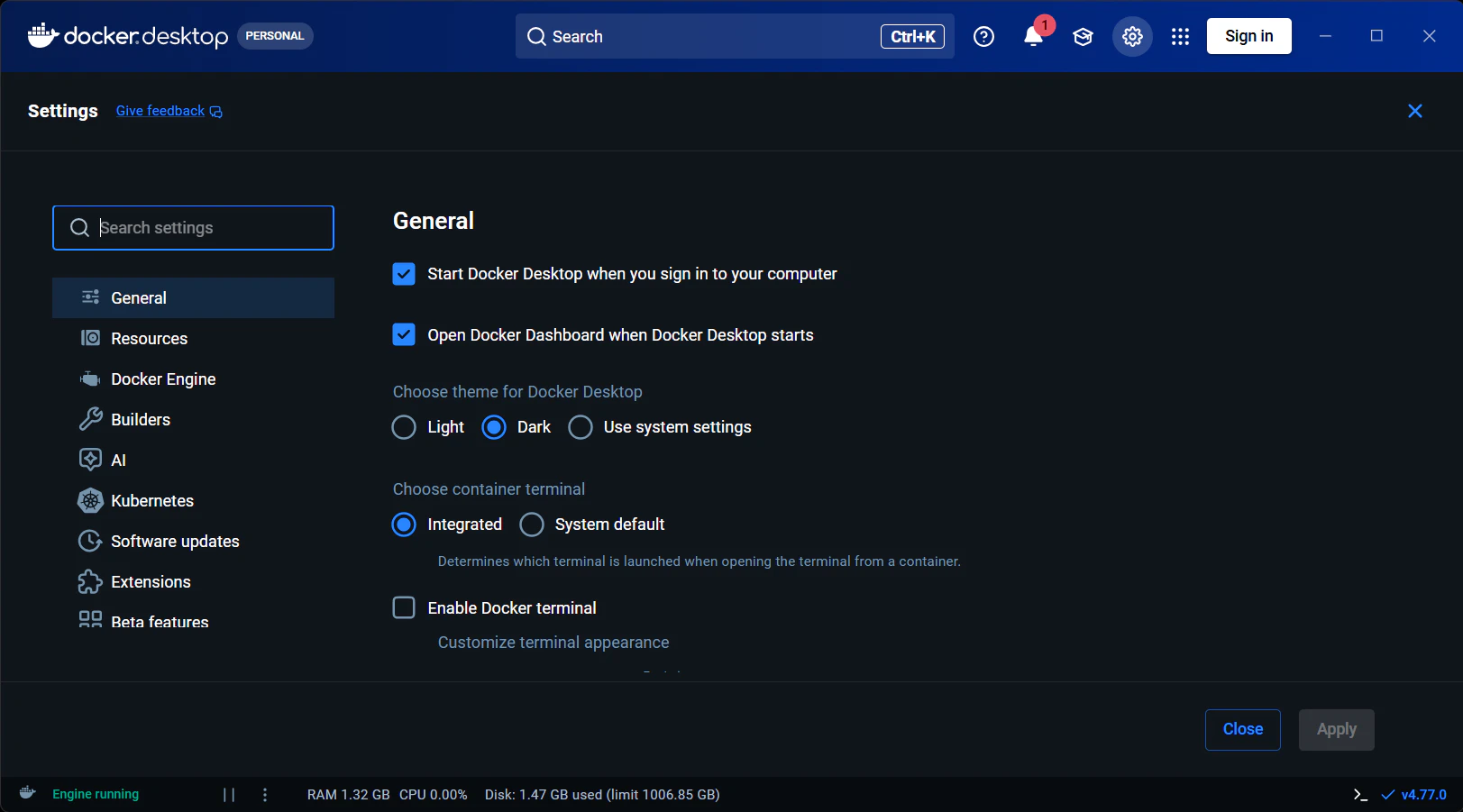
※Docker DesktopをPC起動時に起動させるようにすると、後で起動させる手間が減るため - GeneralのUse the WSL 2 based engineにチェック

- ResourcesのWSL integrationにある、Enable integration with my default WSLとUbuntu にチェック

- 右下のApplyをクリック
Docker権限の設定
- Ubuntuを起動
-
docker psコマンドを実行
※CONTAINER ID IMAGE COMMAND CREATED STATUS PORTS NAMESが表示されていたら3はスキップ - sudo usermod -aG docker $USERコマンドを実行
- docker psコマンドを実行したら、CONTAINER ID IMAGE COMMAND CREATED STATUS PORTS NAMESが表示される
Claude Codeの導入手順
- Ubuntuを開く
- sudo apt install -y nodejs npmコマンドを実行して、Node.jsをインストール
- curl -fsSL https://claude.ai/install.sh | bashコマンドを実行して、Claude Codeをインストール
Claude Codeを開く
- Ubuntuを開く
- 以下の順でコマンドを実行
- sudo apt update
- 初期設定で設定したパスワードを入力
- sudo apt upgrade -y
- sudo auto remove
- claude update
- cd /mnt/※作業場所
- claude
- sudo apt update
- 初期設定を行う
- (企業開発向け)/privacy-settingsで学習設定をオフにする
- 作業開始!
(番外編)Antigravity CLIのインストール方法
curl -fsSL https://antigravity.google/cli/install.sh | bashコマンドを実行して、Antigravity CLIをインストール
(番外編)Antigravity CLIを開く
- Ubuntuを開く
- 以下の順でコマンドを実行
- sudo apt update
- 初期設定で設定したパスワードを入力
- sudo apt upgrade -y
- sudo auto remove
- agy update
- cd /mnt/※作業場所
- agy
- sudo apt update
- 初期設定を行う
- (企業開発向け)/privacyで学習設定をオフにする
- 作業開始!