

はじめに
スマホは画面の四隅が丸くなっています。一方で、Composable はデフォルトでは四角いです。画面遷移アニメーションを作っている時にその形状の差を埋めたいと考えました。これを実現するには、各画面の Composable も端末に合わせて形状を変更する必要があります。
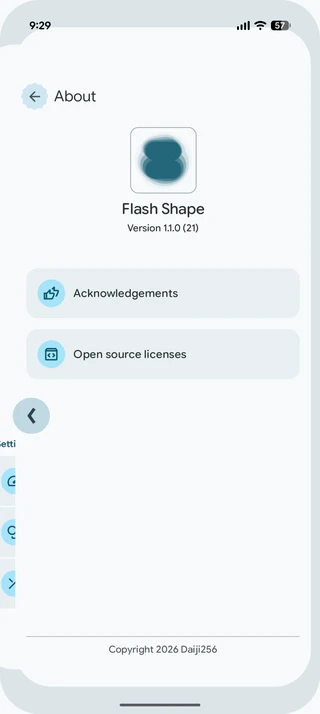
アプローチ
角丸の半径は WindowInsets.getRoundedCorner(position: Int)1 により取得できます。今回は、LayoutDirection を考慮した上で取得した半径を使って Shape を作成します。
この形状をさまざまな場所から参照するため、ここでは compositionLocalWithComputedDefaultOf を使って実装します。compositionLocalWithComputedDefaultOf を使うことで、デフォルト値に LocalView などを参照できます。
実装コード
Scaffold(
    modifier = Modifier
        .clip(shape = LocalWindowShape.current),
) {
    // ...
}
val LocalWindowShape = compositionLocalWithComputedDefaultOf<Shape> {
    val view = LocalView.currentValue
    val insets = view.rootWindowInsets
    val topLeftCorner = insets?.getRoundedCorner(RoundedCorner.POSITION_TOP_LEFT)
    val topRightCorner = insets?.getRoundedCorner(RoundedCorner.POSITION_TOP_RIGHT)
    val bottomRightCorner = insets?.getRoundedCorner(RoundedCorner.POSITION_BOTTOM_RIGHT)
    val bottomLeftCorner = insets?.getRoundedCorner(RoundedCorner.POSITION_BOTTOM_LEFT)
    AbsoluteRoundedCornerShape(
        topLeft = topLeftCorner?.radius?.toFloat() ?: 0f,
        topRight = topRightCorner?.radius?.toFloat() ?: 0f,
        bottomRight = bottomRightCorner?.radius?.toFloat() ?: 0f,
        bottomLeft = bottomLeftCorner?.radius?.toFloat() ?: 0f,
    )
}
参考文献
- Insets: Apply rounded corners | Views | Android Developers
- WindowInsets | API reference | Android Developers
- LocalWindowShape.kt | Daiji256/android-showcase | GitHub
-
WindowInsets.getRoundedCorner(position: Int)はAndroid 12(API 31)以降に利用可能です。 ↩