
動作概要
AtomS3(ESP32S3)を使い、電圧と抵抗が測定できる小型テスターの製作例です。
電圧はDC:0~30V、抵抗は0~15kΩ程度までの測定範囲となる簡易テスターです。
AtomS3の使い方、ADCの使い方の入門用としてもお使い頂けるのではと思います。
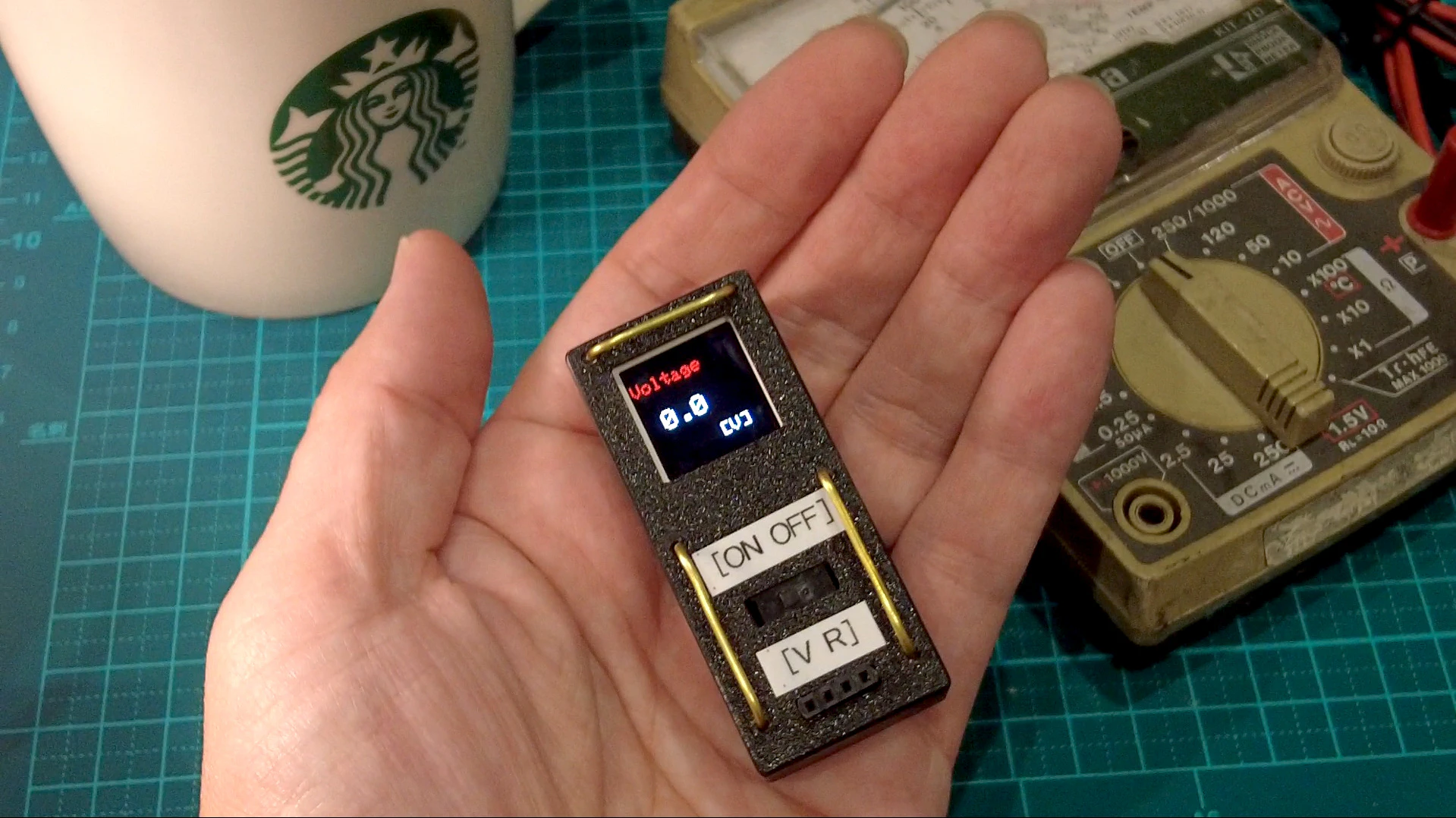
以下リンクで製作工程や動作を紹介しております。
動作動画:https://youtu.be/QakuN59XoTw
回路図
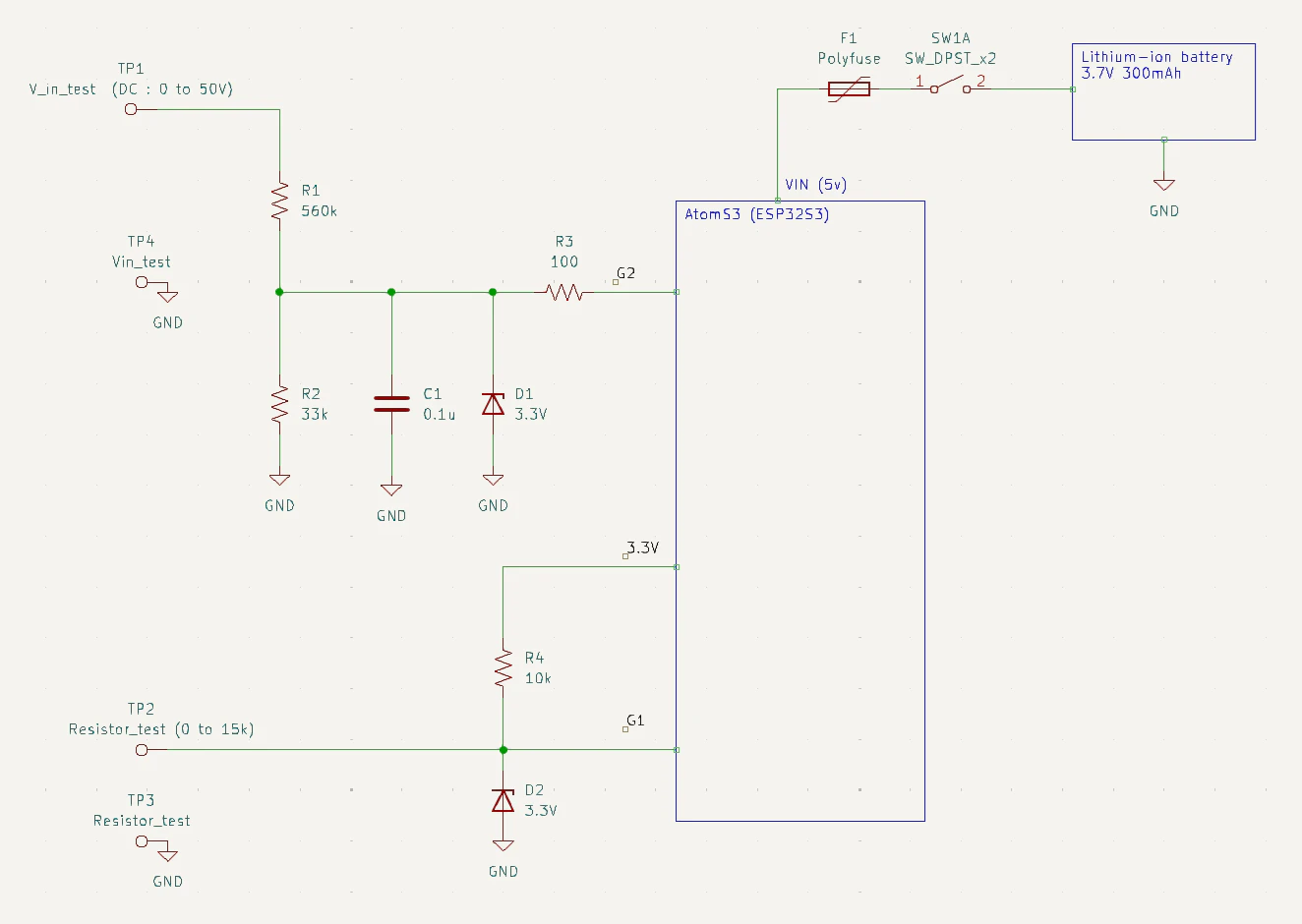
回路は以下のようになります。上側が電圧測定部分、下側が抵抗測定部分になります。
AtomS3のG1,G2へそれぞれ入力し、ADCされた電圧値を使って値を計算します。
それぞれチェナー3.3Vを入れて、入力オーバーしないように保護しています。
プログラム
以下にプログラムを示します。
起動すると電圧測定モードで始まります。
画面プッシュで抵抗測定モードに変わります。
また、実際には抵抗バラツキなどがあるため、キャリブレーションが必要です。
例えば10Vなどを入力し、表示が10Vとなるよう、以下Adjust Valuesと書かれた部分の係数を調整してください。
#include <Arduino.h>
#include "M5AtomS3.h"

int mode=0;
int sensorPin1 = G1;
int sensorPin2 = G2;
const float Rref = 10800.0f;  // Adjust values. 10kΩ Reference resistance


//////// Measurement Voltage //////////////
void V_test(){
  long sum = 0;
  for (int i = 0; i < 50; i++) {
    sum += analogRead(sensorPin2);
    delay(2);
  }
  int adcValue = sum / 50;
  float Vadc = (float)adcValue*(3.3/4095.0)*(593.0/29.0); //Adjust values
  M5.Lcd.fillScreen(TFT_BLACK);
  M5.Lcd.setCursor(0, 0);
  M5.Lcd.setTextColor(TFT_RED, TFT_BLACK);
  M5.Lcd.setTextSize(2);
  M5.Lcd.printf("\nVoltage\n");
  M5.Lcd.setTextColor(TFT_WHITE, TFT_BLACK);
  M5.Lcd.setTextSize(3);
  M5.Lcd.printf("\n %.1f \n", Vadc);
  M5.Lcd.setTextSize(2);
  M5.Lcd.printf("\n      [V]\n");
}

//////// Measurement Resistance //////////////
void R_test(){
  long sum = 0;
  for (int i = 0; i < 50; i++) {
    sum += analogRead(sensorPin1);
    delay(2);
  }
  int adcValue = sum / 50;
  float Vadc = adcValue * (3.3f / 4095.0f);
  float Rx = Rref * (Vadc / (3.3f - Vadc));
  if(Rx>50000.0)Rx=50000.0;
  M5.Lcd.fillScreen(TFT_BLACK);
  M5.Lcd.setCursor(0, 0);
  M5.Lcd.setTextColor(TFT_ORANGE, TFT_BLACK);
  M5.Lcd.setTextSize(2);
  M5.Lcd.printf("\nResistance\n");
  M5.Lcd.setTextColor(TFT_WHITE, TFT_BLACK);
  M5.Lcd.setTextSize(3);
  M5.Lcd.printf("\n %.1f k\n", Rx/1000.0);
  M5.Lcd.setTextSize(2);
  M5.Lcd.printf("\n     [ohm]\n");
}

void setup() {
  M5.begin();
  M5.Display.setBrightness(100);
  M5.Display.fillScreen(BLACK);
  M5.Lcd.setTextSize(2);
  M5.Display.setRotation(0);
  Serial.begin(115200);
  delay(50);
}

void loop() {
  M5.update();
  if(M5.BtnA.wasPressed()){
    mode=mode+1;
    if(mode>1)mode=0;
  }
  if(mode==0)V_test();
  if(mode==1)R_test();
  delay(100);
}