
「共有メールボックス」の操作はできるけどメールの送信しないでほしい、下書きにとどめてほしい…
そういったことってありますよね。でも規定のアクションはない。
では、Microsoft Graph APIではどうでしょうか。
探してみたんですが、明白で「共有メールボックス」の下書きにできるという記述はありませんでした。
基本の概念が「権限あればできる」なのでできるのではない?という疑問から
今回は、共有メールボックスに対してGraph APIを使用し、メールの下書きを作成する方法を試してみました。
前提条件
1.実行には、対象共有メールボックスへのフルアクセス
2.使用する認証方式に応じた適切なGraph APIのアクセス許可が必要。
Graph APIで下書きを作成する
まずは、共有メールボックスに下書きを作成します。
POST
エンドポイント
https://graph.microsoft.com/v1.0/users/{共有メールボックスのメールアドレス}/messages
リクエストボディ
{
  "subject": "Graph APIの動作検証",
  "body": {
    "contentType": "HTML",
    "content": "<p>これは下書き作成の検証です。</p><p><strong>HTMLの表示テスト</strong></p><ul><li>項目1</li><li>項目2</li></ul><p><a href=\"https://www.microsoft.com/\">Microsoft公式サイト</a></p>"
  },
  "toRecipients": [
    {
      "emailAddress": {
        "address": "example@example.com"
      }
    }
  ]
}
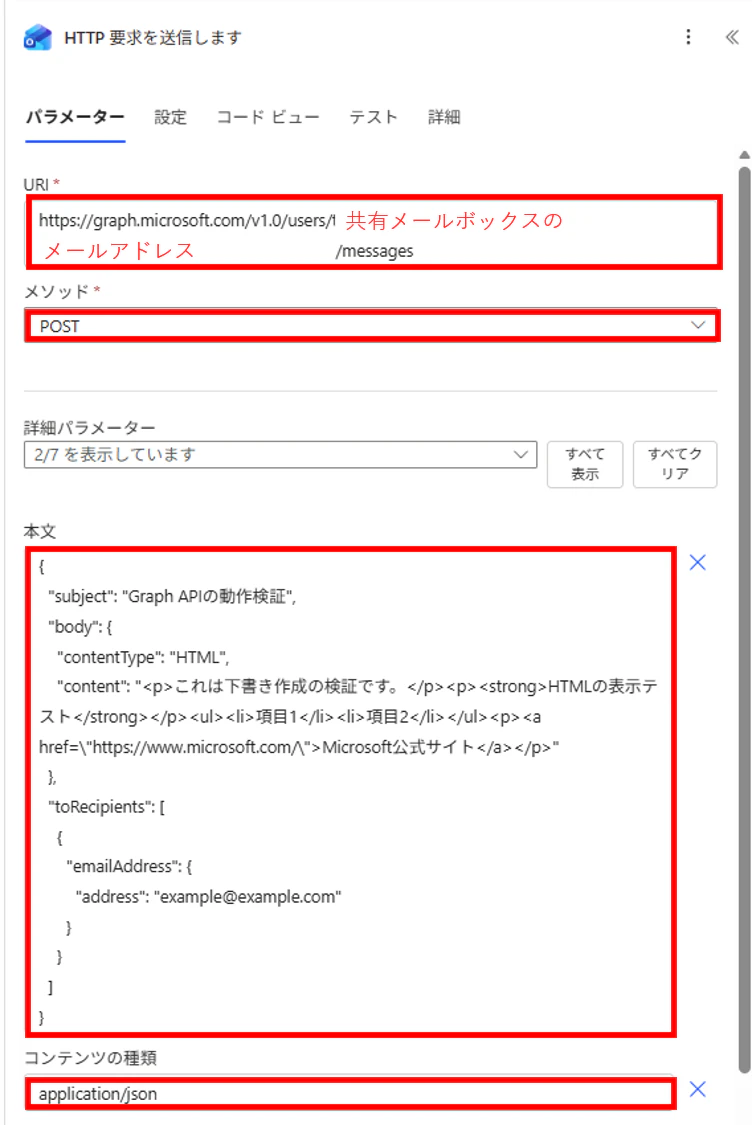
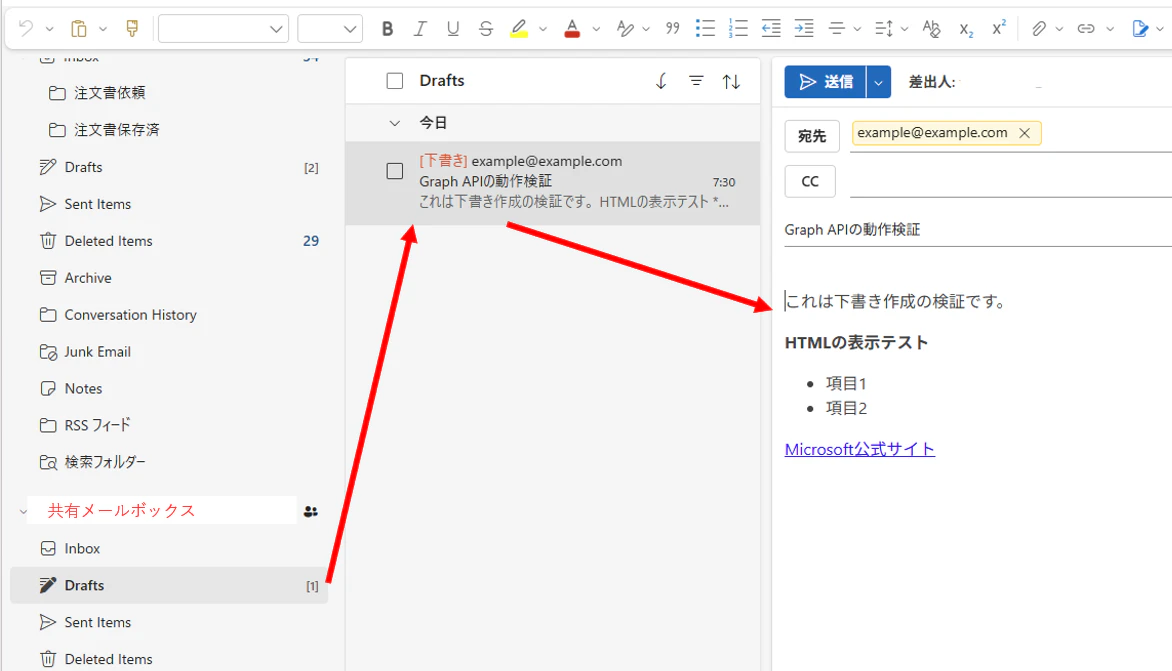
実行結果
やはり、きちんとできました。
現在、Power AutomateとPower Automate for desktop両方でGraph APIを利用することができるのでどちらでも共有メールの下書きフォルダにメールを作成可能です。
最後に
「できるかどうか」の記載がなくても一度試してみる、ということは本当に必要なことですね。
今回の検証を通じて、そのことを改めて実感しました。