10
10

Delete article

Deleted articles cannot be recovered.

Draft of this article would be also deleted.

Are you sure you want to delete this article?

Google Antigravityに自分用のMCPサーバーをインストールする方法【Custom MCP Server】外部URL MCP

10
Last updated at Posted at 2025-11-25

1. 右上からMCP Serversを開く
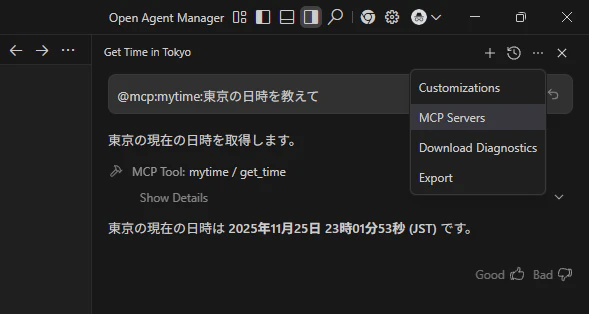
image.png

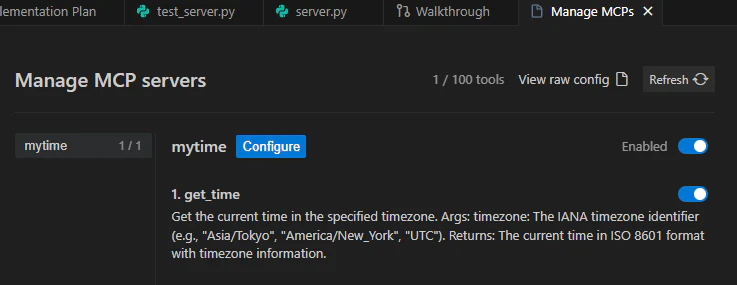
2. Manage MCP Serversを押す

MCP Storeからも追加できるよ
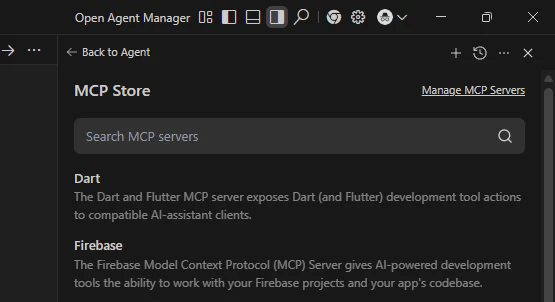
image.png

3. View raw Configを押す

image.png

4. MCPサーバーを追加する

好きなMCPサーバーのURLを入れてね

{
  "mcpServers": {
    "mytime": {
      "serverUrl": "https://mytime.fastmcp.app/mcp"
    }
  }
}

ソースコード https://github.com/GitHub30/time-mcp

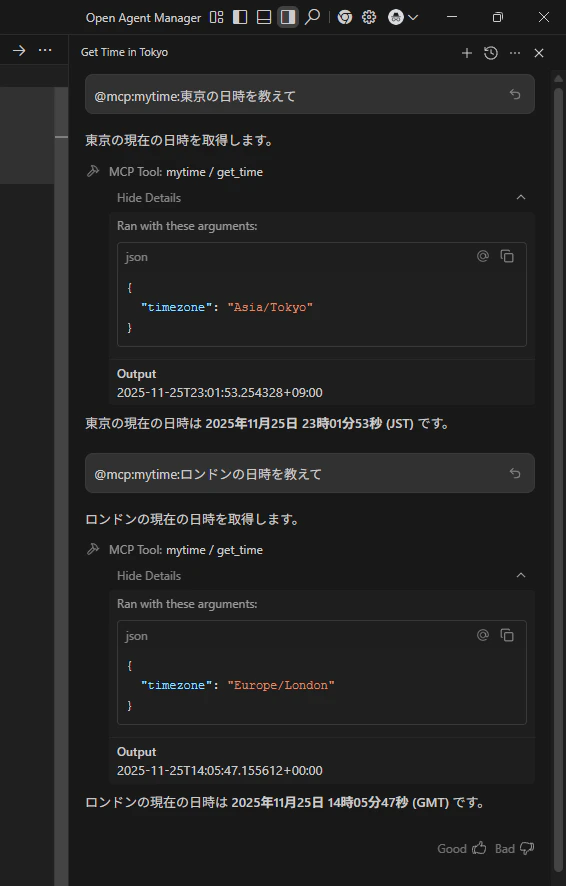
5. MCPサーバーを使う
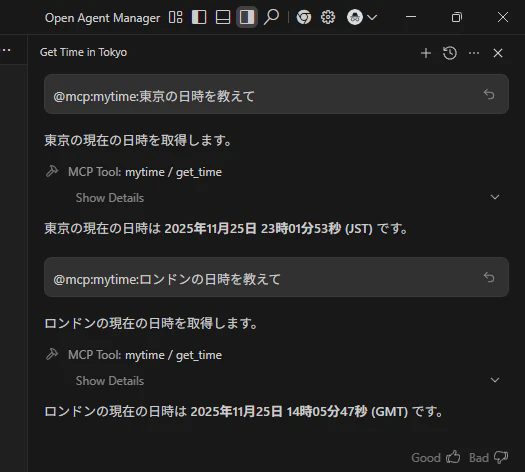
image.png

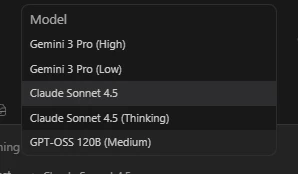
SonnetとかOSSとか使える。gemini 3だと少し時間がかかる

image.png

image.png

GitHub Copilotでも使えます! in GitHub Codespaces
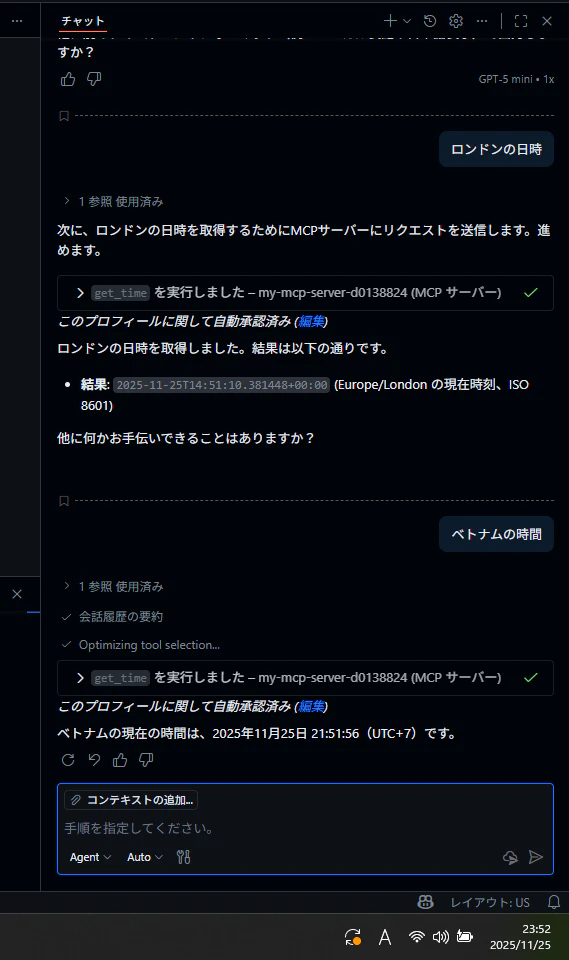
image.png

ワークスペースにMCPサーバーを追加してください
https://mytime.fastmcp.app/mcp
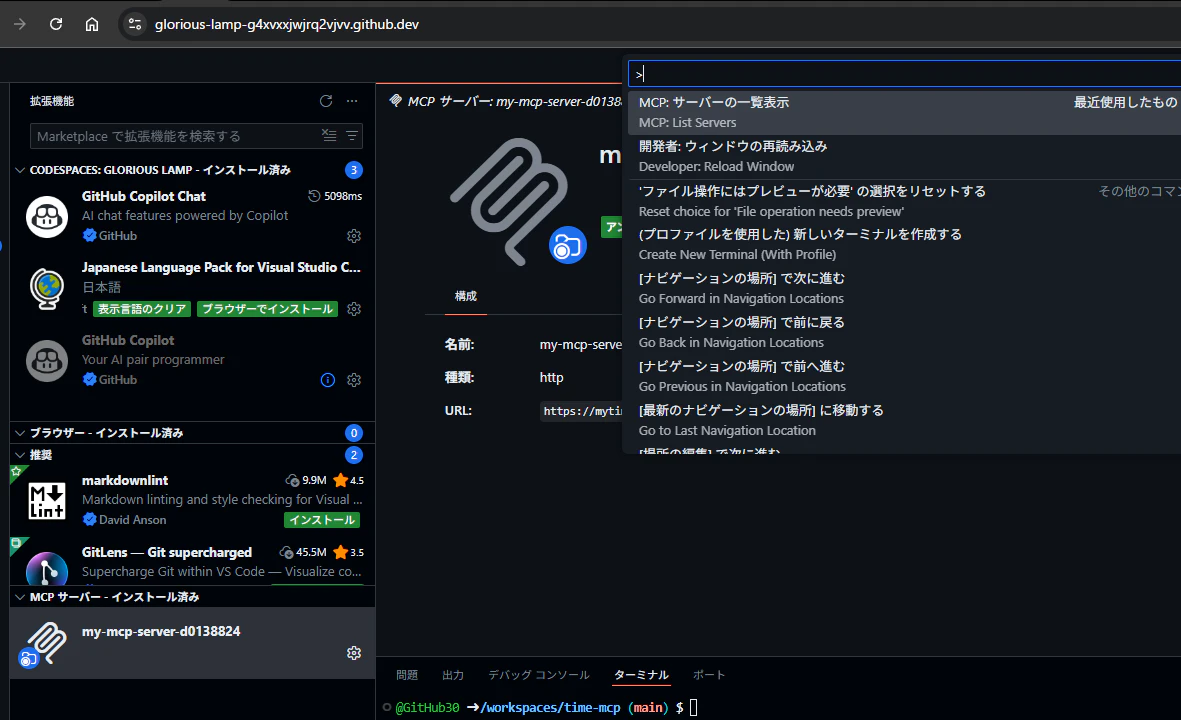
image.png

10
10
0

Register as a new user and use Qiita more conveniently

  1. You get articles that match your needs
  2. You can efficiently read back useful information
  3. You can use dark theme
What you can do with signing up
10
10

Delete article

Deleted articles cannot be recovered.

Draft of this article would be also deleted.

Are you sure you want to delete this article?