2
0

Delete article

Deleted articles cannot be recovered.

Draft of this article would be also deleted.

Are you sure you want to delete this article?

More than 1 year has passed since last update.

箱ひげ図を表示する(SPSS Modeler データ加工逆引き10-10)

Last updated at Posted at 2022-11-29

箱ひげ図を表示する(新グラフ)

スクリーンショット 2022-11-11 15.22.13.png

1.想定される利用目的

・ばらつきのあるグループの比較

2.サンプルストリームのダウンロード

3.サンプルストリームの説明
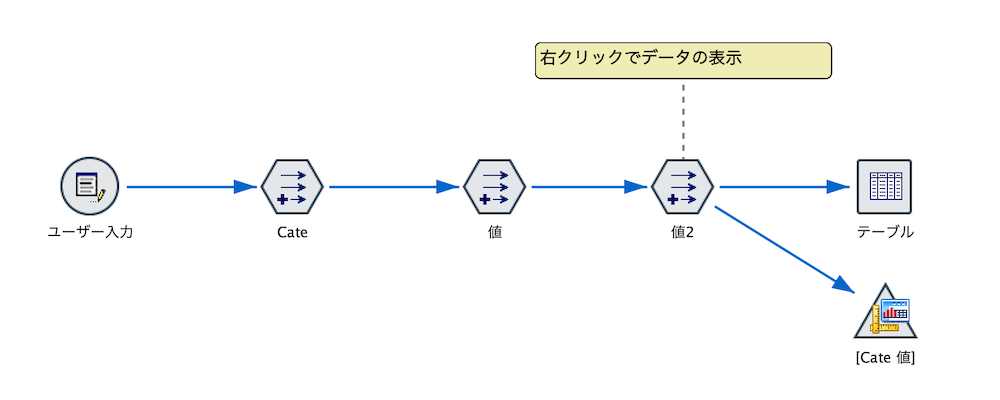
スクリーンショット 2022-11-11 15.24.26.png

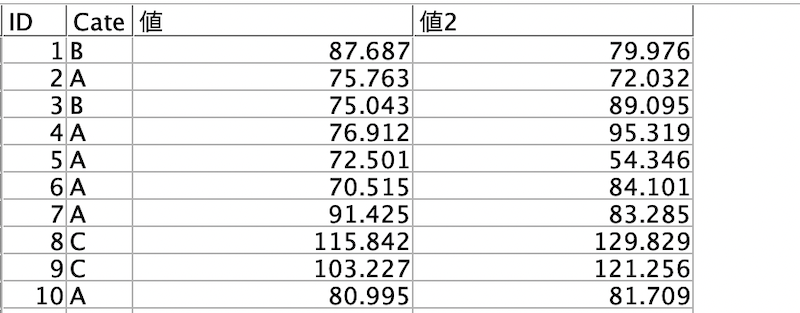
入力するデータを確認するため[テーブル]を実行します。
スクリーンショット 2022-11-11 15.28.21.png

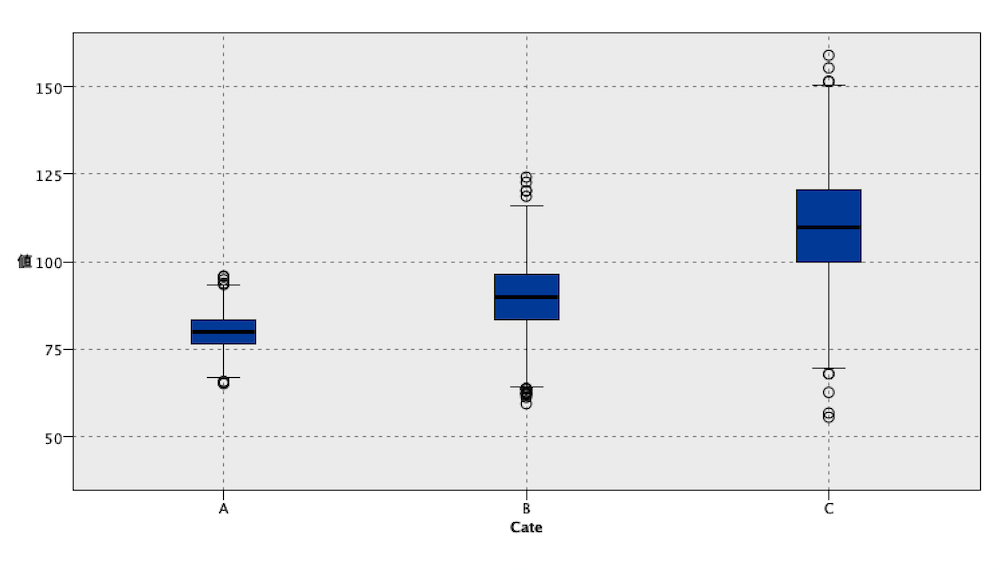
[グラフボード]ノードで従来の箱ひげ図を表示します。
スクリーンショット 2022-11-11 15.23.55.png

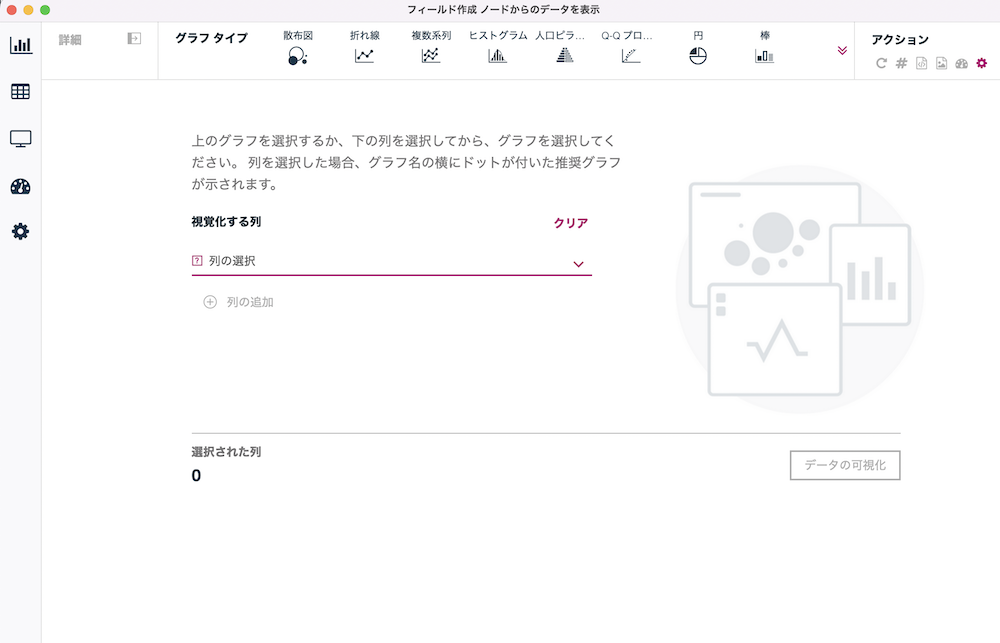
[値2]ノードを右クリックして[データの表示]を選択します。
スクリーンショット 2022-11-11 14.15.57.png

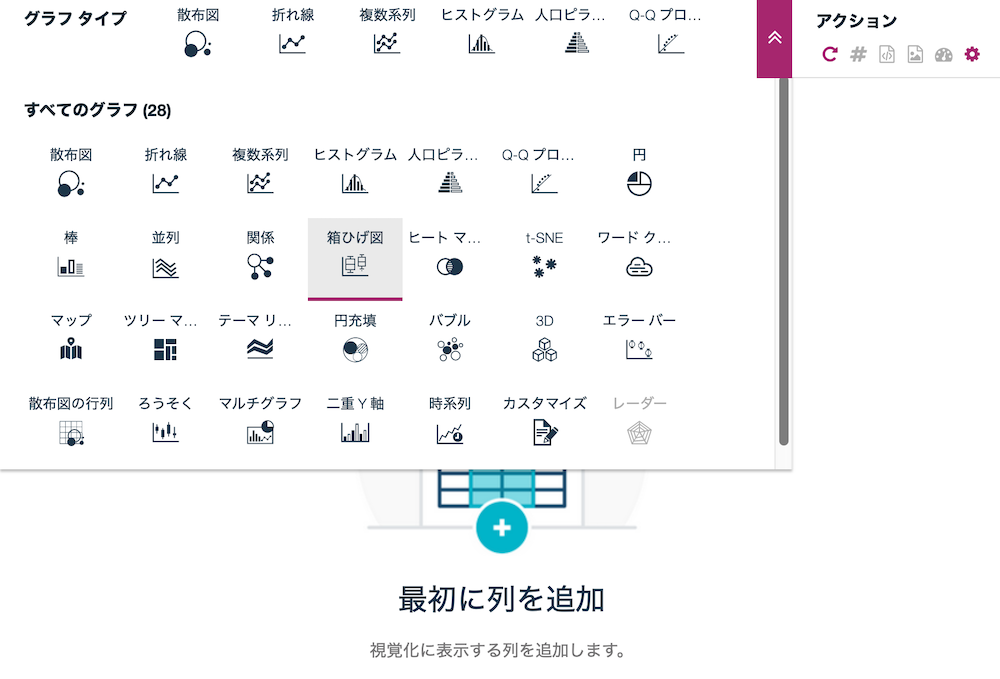
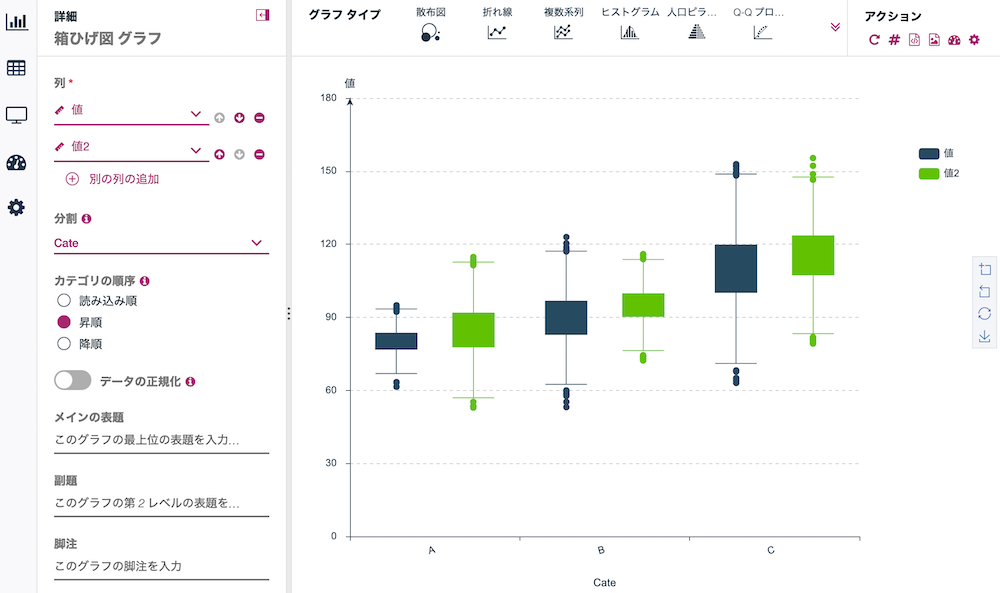
箱ひげ図を選択します。
スクリーンショット 2022-11-11 15.12.43.png

以下の画面左の設定に従いセットします。

スクリーンショット 2022-11-11 15.19.30.png

スクリーンショット 2022-11-11 15.20.14.png

注意事項

新グラフ機能はバージョン18.1以降で装備されました。

4.参考情報

新グラフを解説した記事

SPSS Modeler ノードリファレンス目次

SPSS Modeler 逆引きストリーム集(データ加工)

2
0
0

Register as a new user and use Qiita more conveniently

  1. You get articles that match your needs
  2. You can efficiently read back useful information
  3. You can use dark theme
What you can do with signing up
2
0

Delete article

Deleted articles cannot be recovered.

Draft of this article would be also deleted.

Are you sure you want to delete this article?