
店舗の数だけファイルを分割するpython拡張ノードをBobに作らせる

解説動画(90sec)
1.想定される利用目的
・店舗毎にレポートできるようにファイルを分割してCSVファイルで保存する
2.サンプルストリームとデータのダウンロード
ストリーム
3.サンプルストリームの説明

a.入力するデータは以下の通りです。

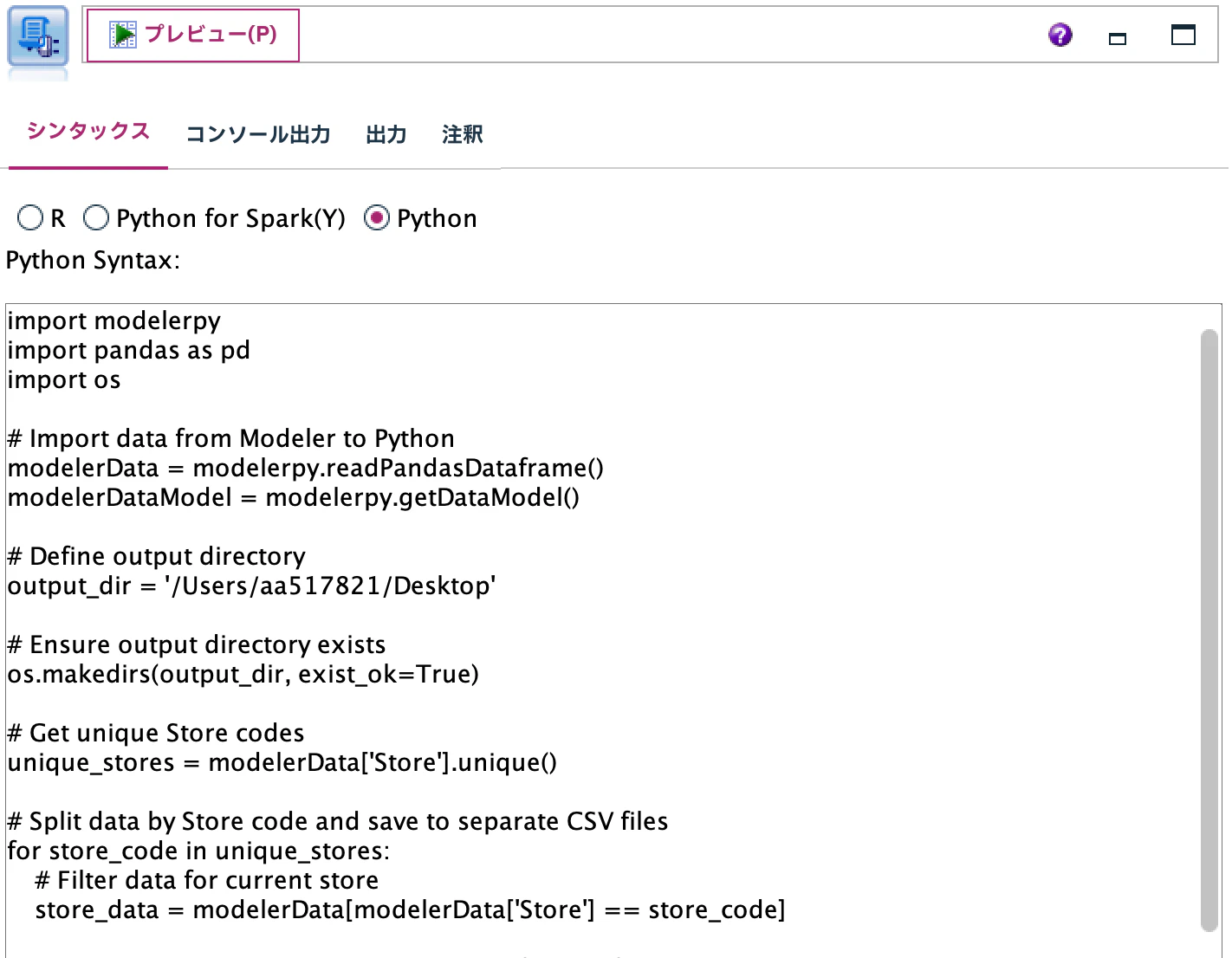
b.[拡張のエクスポート]ノードを編集します。スクリプトをどのようにBobに書かせたかは後述します。
出力するパスを変更して利用します。
[実行]します。168の店舗別のテキストデータに出しわけられました。

Bobによるスクリプトの作成手順
1.Bobを起動して、作業フォルダを指定します。

2.SPSS Modeler[拡張のエクスポート]ノードからサンプル構文をコピーします。

3.プロンプトを作成します。サンプル構文をペーストします。
プロンプト
サンプルデータ.csvを読み込み
SPSS Modelerの拡張のエクスポートノードでStoreコードごとにファイルを分割するネイティブPython APIスクリプトを書いてください。
結果はCSVファイルにして
/Users/aa517821/Desktop
に保存してください。

Dateの表記はYYYY-MM-DDです

- 拡張のエクスポートノードのスクリプトの解説として
@https://www.ibm.com/docs/ja/spss-modeler/18.6.0?topic=spark-native-python-apis を参考にしてください。
- シバンは不要です。

###Use this code to import data from Modeler to Python
#import modelerpy
#modelerData = modelerpy.readPandasDataframe()
#modelerDataModel = modelerpy.getDataModel()
4.プロンプトを実行します。

5.Bobの以下の出力を[拡張のエクスポート]にそのまま利用します。
Pythonスクリプト
import modelerpy
import pandas as pd
import os

# Import data from Modeler to Python
modelerData = modelerpy.readPandasDataframe()
modelerDataModel = modelerpy.getDataModel()

# Define output directory
output_dir = '/Users/aa517821/Desktop'

# Ensure output directory exists
os.makedirs(output_dir, exist_ok=True)

# Get unique Store codes
unique_stores = modelerData['Store'].unique()

# Split data by Store code and save to separate CSV files
for store_code in unique_stores:
    # Filter data for current store
    store_data = modelerData[modelerData['Store'] == store_code]

    # Convert Date column to YYYY-MM-DD format if it's not already
    if 'Date' in store_data.columns:
        store_data['Date'] = pd.to_datetime(store_data['Date']).dt.strftime('%Y-%m-%d')

    # Define output filename
    output_filename = os.path.join(output_dir, f'Store_{store_code}.csv')

    # Save to CSV
    store_data.to_csv(output_filename, index=False, encoding='utf-8')

    print(f"Exported {len(store_data)} records for Store {store_code} to {output_filename}")

print(f"\nTotal stores processed: {len(unique_stores)}")
print(f"Files saved to: {output_dir}")

# Made with Bob
注意事項
ストリームでは日付は文字列で扱う必要があります。
1度きりの単純なファイル分割でしたらBobに直接それを依頼すると実行可能ですが、今回はModelerの処理の後続で繰り返し利用が想定されるプロセスである前提で紹介しています。
4.参考情報
GUIループを使ってファイルを出し分ける
Modelerスクリプトでループ処理を実行する
SPSS Modeler ノードリファレンス目次
SPSS Modeler 逆引きストリーム集(データ加工)