
ref: https://mastra.ai/ja/docs/rag/overview
Mastra フレームワークと PostgreSQL + pgvector を用いて、最小構成の RAG エージェントを構築する手順と解説するよ🐦🐦
それぞれの用語については自分で一生懸命お調べしてね!
全体像
https://github.com/11bluetree/mastra-rag 確認してねー
主要コンポーネント:
| 役割 | ファイル |
|---|---|
| RAGエージェント | src/mastra/agents/rag-agent.ts |
| ベクトルストア初期化 | src/mastra/rag/pg-vector.ts |
| Ingest 処理 (テキスト → チャンク/埋め込み/保存) | src/mastra/rag/ingest.ts |
| Ingest ツール | src/mastra/tools/rag-ingest-tool.ts |
| Query ツール | src/mastra/tools/rag-query-tool.ts |
| Mastra ルート初期化 | src/mastra/index.ts |
データフロー:
- ユーザ「この文章を保存」→ ingest ツール (
rag-ingest) - 文章をチャンク化 → 埋め込み生成 → pgvector に upsert
- ユーザ質問 → エージェントが必要なら検索ツール (
rag-query) 実行 - 関連チャンクをコンテキストとして回答生成 + ソース列挙
セットアップ
mastraプロジェクト作成
https://mastra.ai/ja/docs/getting-started/installation みて構築してね。
今回はopenaiをモデルに選択。
pgvector コンテナ起動
docker-compose.ymlにPostgreSQL17のpgvectorイメージを使ったコンテナサービスを設定する。
version: '3.9'
services:
  pgvector:
    image: pgvector/pgvector:pg17
    container_name: pgvector
    environment:
      POSTGRES_USER: postgres
      POSTGRES_PASSWORD: postgres
      POSTGRES_DB: mastra
    ports:
      - "5433:5432"
    volumes:
      - pgvector_data:/var/lib/postgresql/data
      - ./init:/docker-entrypoint-initdb.d
    healthcheck:
      test: ["CMD-SHELL", "pg_isready -U postgres"]
      interval: 5s
      timeout: 5s
      retries: 5
volumes:
  pgvector_data:
コンテナ起動する
docker compose -f docker/docker-compose.yml up -d
ライブラリ追加
以下追加
- @mastra/pg: mastraのPostgreSQL/pgvectorクライアント
- @mastra/rag: mastraのrag構築ユーティリティ
- ai: Vercel様のAI SDK
npm i @mastra/pgvector @mastra/rag ai
"@mastra/pg": "^0.14.2",
"@mastra/rag": "^1.1.0",
"ai": "^4.0.22",
環境変数設定
.env 例:
OPENAI_API_KEY=sk-...
# 任意(未設定時はデフォルト: postgres://postgres:postgres@localhost:5433/mastra)
POSTGRES_CONNECTION_STRING=postgres://postgres:postgres@localhost:5433/mastra
以下、コードの要点解説。
pgvector インデックス初期化
開発目的だし、ensurePgVectorIndex() が Mastra インスタンス生成前に呼ばれ、documents インデックスが無ければ作成するようにしたよ🚗
// src/mastra/rag/pg-vector.ts 抜粋
const INDEX_NAME = 'documents';
const DIMENSION = 1536; // text-embedding-3-small
export async function ensurePgVectorIndex() {
  const indexes = await pgVector.listIndexes();
  if (!indexes.includes(INDEX_NAME)) {
    await pgVector.createIndex({ indexName: INDEX_NAME, dimension: DIMENSION });
  } else {
    const info = await pgVector.describeIndex({ indexName: INDEX_NAME });
    if (info.dimension !== DIMENSION) throw new Error('dimension mismatch');
  }
}
Ingest 処理の流れ
ingestText() :
- バリデーション(長さ / 空)
MDocument.fromText()- チャンク化 (strategy
recursive/sentence選択) -
embedManyで一括埋め込み -
pgVector.upsertでベクトル + メタデータ保存 - 見積トークン数返却
// src/mastra/rag/ingest.ts (概要)
const chunks = await doc.chunk({ strategy: 'recursive', maxSize: 512, overlap: 50 });
const { embeddings } = await embedMany({
  model: openai.embedding('text-embedding-3-small'),
  values: chunks.map(c => c.text),
});
await pgVector.upsert({
  indexName: 'documents',
  vectors: embeddings,
  metadata: chunks.map((c,i)=>({ text: c.text, docId, chunkId: `${docId}-${i}`, partIndex: i }))
});
メタデータ例:
{
  "text": "チャンク本文...",
  "docId": "a1b2-...",
  "chunkId": "a1b2-...-0",
  "partIndex": 0,
  "source": "user",
  "createdAt": "2025-08-24T...Z",
  "strategy": "recursive"
}
ツール定義
Ingest ツール
// src/mastra/tools/rag-ingest-tool.ts
export const ragIngestTool = createTool({
  id: 'rag-ingest',
  inputSchema: { text, source?, strategy? },
  outputSchema: { docId, chunks, tokensEstimate },
  execute: ({ context }) => ingestText(context.text, {...})
});
Query ツール
createVectorQueryTool を利用し、質問文を埋め込み→類似検索→統合文脈を返却!
export const ragQueryTool = createVectorQueryTool({
  id: 'rag-query',
  vectorStoreName: 'pgVector',
  vectorStore: pgVector,
  indexName: 'documents',
  model: openai.embedding('text-embedding-3-small'),
  databaseConfig: { pgvector: { minScore: 0.15 } }
});
エージェント指示設計
ragAgent の instructions ポイント:
- 保存指示語("保存", "覚えて", "ingest", "store" 等)→ ingest ツール
- 質問時はまず関連知識必要性を判断し
rag-query - 0件なら推測せず通知
- 回答末尾
Sources: [docId#chunkIndex score=0.xxx] ...
これによりハルシネーションンの抑制と出典元の担保した。
開発サーバ起動
npm run dev
会話確認
http://localhost:4111/agents/ragAgent/chat/new からplaygroundを開く。
今回はWikipediaのワオキツネザルの記事を突っ込んで検証した。
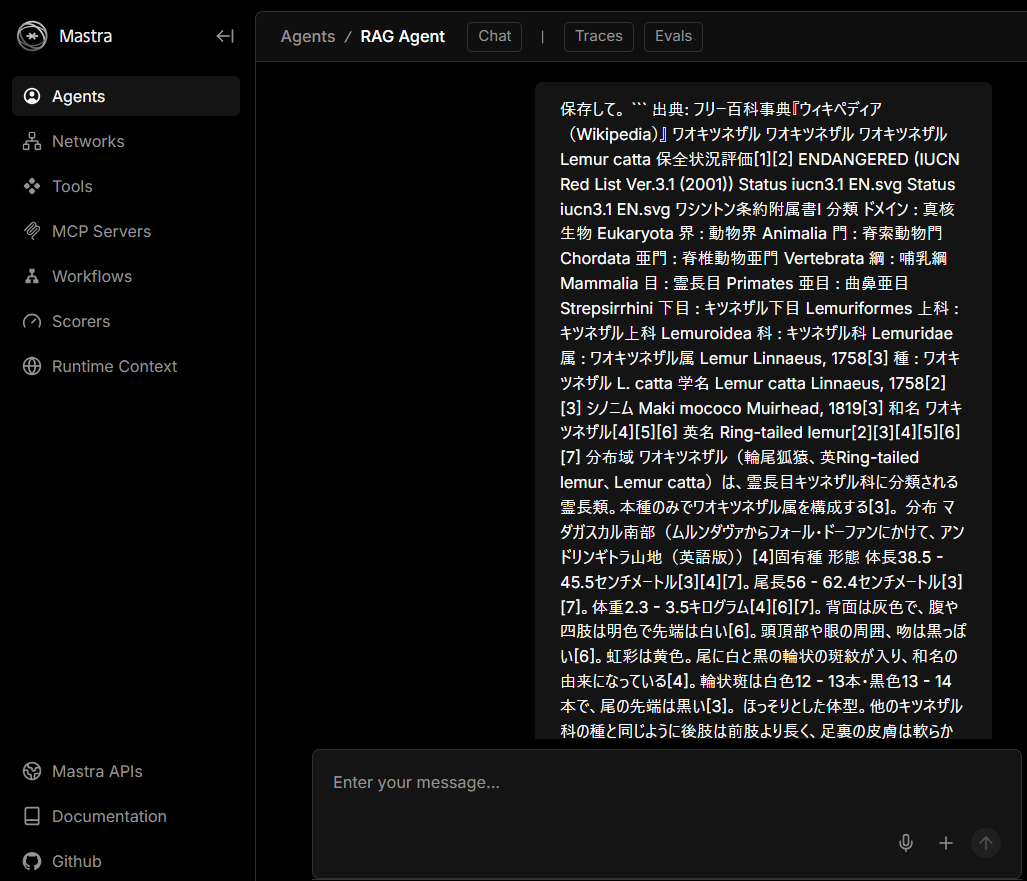
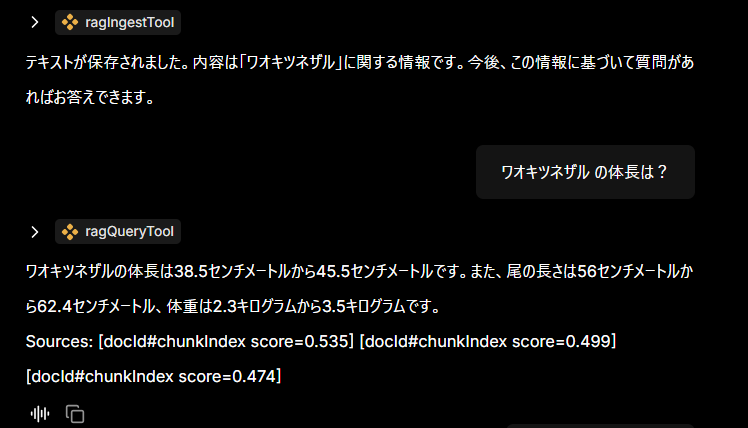
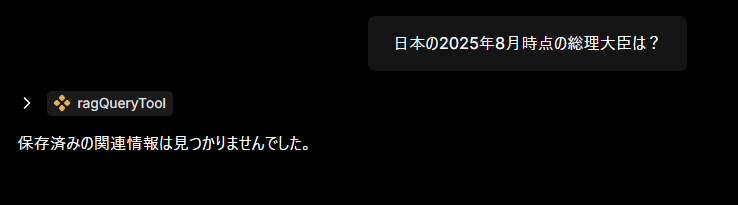
ちゃんと保存した内容にそって会話できているみたい🥳
. まとめ
最小 RAG のコア原則:
- 一貫した埋め込みモデル (text-embedding-3-small)
- pgvector 単一インデックス
documents - ingest / query ツール分離で責務明確化
- ソース列挙による透明性
Mastra + pgvector で「保存→検索→根拠付き回答」の最小 RAG が動く形になりましたとさ。
余談
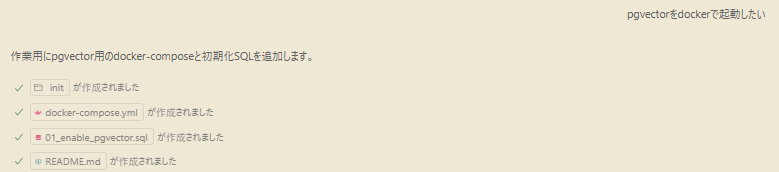
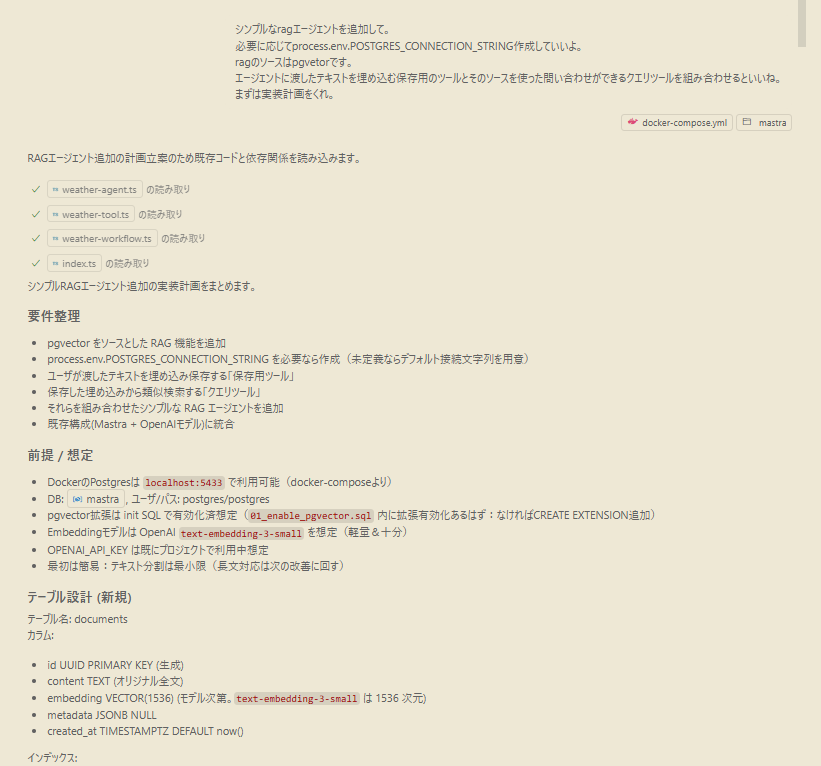
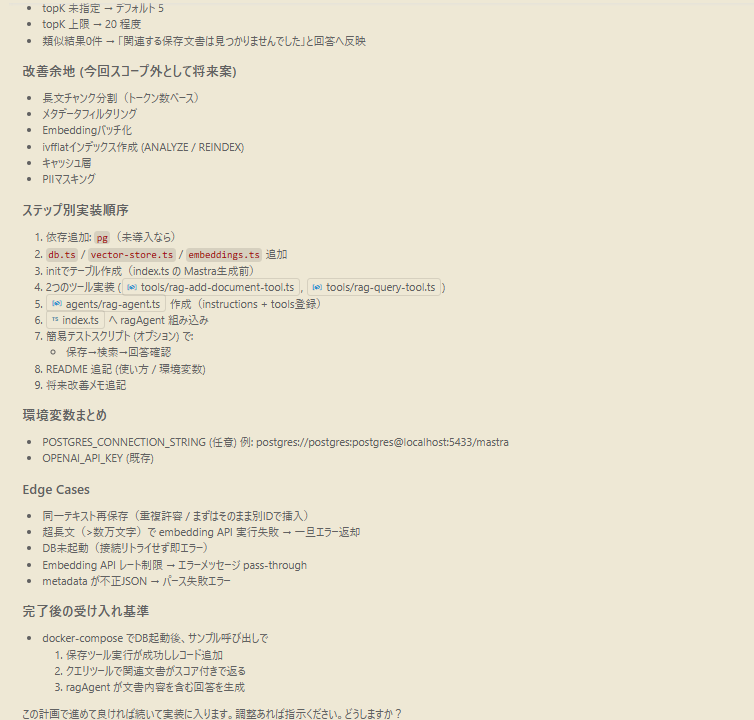
Github Copilot(GPT-5)で大体かいてもらった。
実装計画は最近のKiroみたいに仕様と受け入れ条件も出すようになってくれていて裏側で結構アップデートできているんだなーと実感。
一部キャプチャしたやつ貼っておく
以上!!