0
0

Delete article

Deleted articles cannot be recovered.

Draft of this article would be also deleted.

Are you sure you want to delete this article?

Zsh + iTerm2 で Command キーにショートカットを割り当てる方法

0
Last updated at Posted at 2026-01-02

Zsh 側の設定

たとえば Command + f で「次の単語に進む」としたい場合。

# Command + f
bindkey '^[f' forward-word

# Ctrl + f の場合はこう
bindkey '^f' forward-char

# ちなみに Ctrl + Command + f ならこう
bindkey "^[^f" forward-word

iTerm2 側の設定

このままだと Ctrl + Command + f を叩いても iTerm2 標準のショートカット(フルスクリーン化)が呼ばれてしまうので……

1. Option で Meta (ESC+) が送信されるようにする

Profiles > Keys > General にあります。

スクリーンショット 2026-01-02 18.01.07.png

2. Command キーの動作を Option に変更する

Keys > RemapModifiers にあります。

スクリーンショット 2026-01-02 18.02.46.png

Remap modifies globally を有効にしてしまうと、この変更が OS 全体で有効になってしまうので、外します。

スクリーンショット 2026-01-02 18.03.40.png

3. 必要なショートカットを修復する

Command キーが Meta になったことで、iTerm2 標準のショートカット(Command + C でコピーなど)が逆に使えなくなっているので、適宜設定し直します。

Keys > KeyBindings
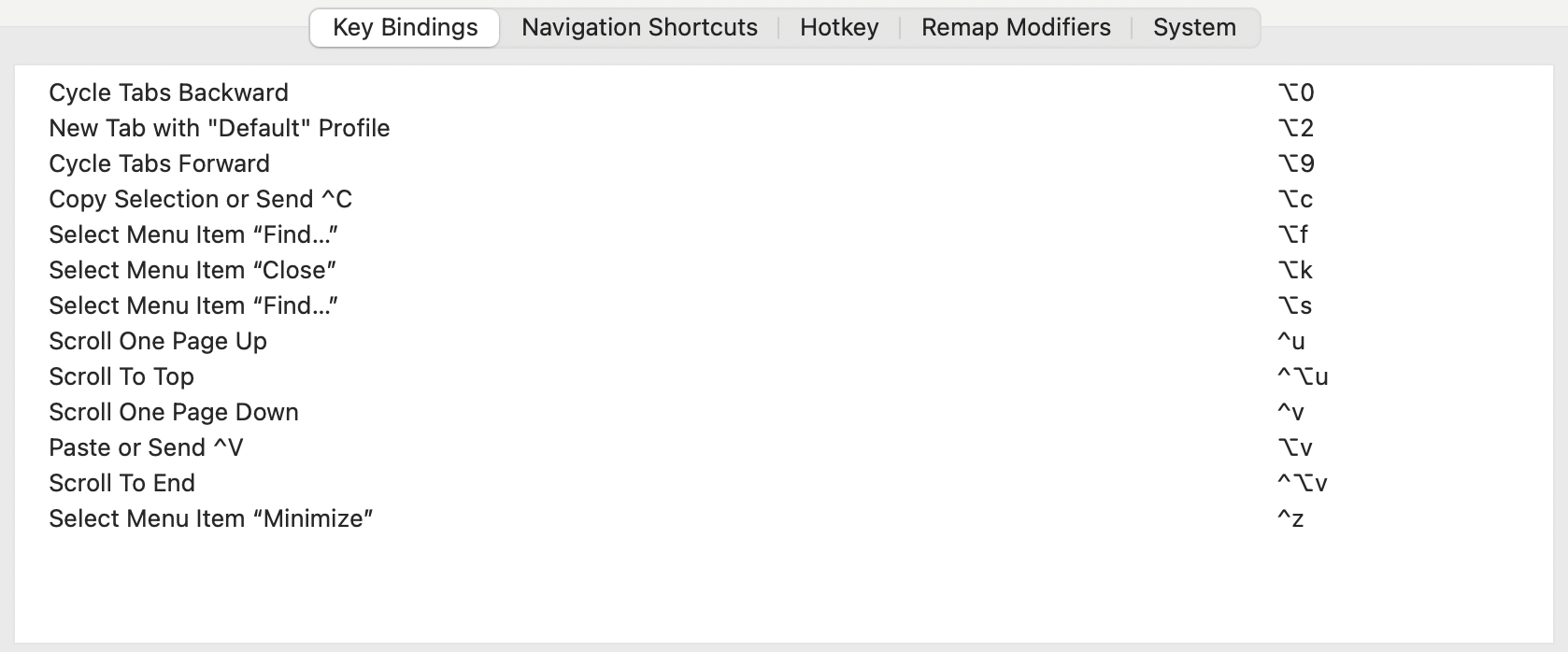
スクリーンショット 2026-01-02 18.06.39.png

コピー・ペースト、最小化など一部のアクションは Select Menu Item の中にあることに注意してください。
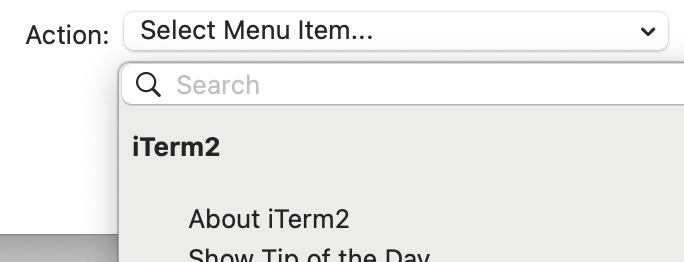
スクリーンショット 2026-01-02 18.08.01.png

0
0
0

Register as a new user and use Qiita more conveniently

  1. You get articles that match your needs
  2. You can efficiently read back useful information
  3. You can use dark theme
What you can do with signing up
0
0

Delete article

Deleted articles cannot be recovered.

Draft of this article would be also deleted.

Are you sure you want to delete this article?