0
0

Delete article

Deleted articles cannot be recovered.

Draft of this article would be also deleted.

Are you sure you want to delete this article?

More than 5 years have passed since last update.

目次プラグインである「Table of Contents Plus」を導入した際に勝手に追加されるfront.min.jsを削除

0
Posted at

Table of Contents Plusを導入

まずは目次のプラグインである「Table of Contents Plus」を導入。 ![tcp.png](https://qiita-image-store.s3.amazonaws.com/0/292492/737cf400-71fc-8d72-81f2-5fb868699c25.png)
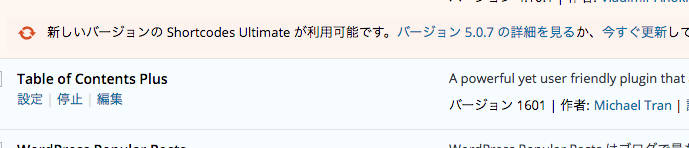
無事プラグインを導入完了!

ページのソースに謎のfront.min.jsが、、

ソースをみてみたら謎のjsが読み込まれていた。
パスに「Table of Contents Plus」と記載されているので、目次プラグインを導入したら現れたので
犯人は「Table of Contents Plus」と確定!

<script type='text/javascript' src='/plugins/table-of-contents-plus/front.min.js?ver=1509'></script>

どうにかしてjsを消すことが出来ないかといろいろ調べてたら、下記のコードをfunction.phpに記述すればいけるらしいので コードを記述。
function onze_toc() {
	wp_deregister_script('toc-front');
	if (is_single()) {
		if (class_exists('doc')) {
			wp_register_script( 'toc-front', plugins_url( 'front.min.js', __FILE__ ) , array('jquery'), false, true );
		}
	}
}
add_action( 'wp_enqueue_scripts', 'onze_toc');

上記は条件分岐で投稿ページにだけfront.min.jsを出力するような記述です。

0
0
0

Register as a new user and use Qiita more conveniently

  1. You get articles that match your needs
  2. You can efficiently read back useful information
  3. You can use dark theme
What you can do with signing up
0
0

Delete article

Deleted articles cannot be recovered.

Draft of this article would be also deleted.

Are you sure you want to delete this article?