0
0

Delete article

Deleted articles cannot be recovered.

Draft of this article would be also deleted.

Are you sure you want to delete this article?

AWS 練習 備忘録 自分用

0
Posted at

EC2インスタンスにApacheをインストールし、ウェブサーバーにアクセスする方法をまとめる。
①EC2インスタンスを起動する。この時、パブリックIPアドレスは有効化しておくこと。
②インバウンドルールで、SSHとhttp接続を有効化する。
③Cloudshellへアクセスする
④鍵をアップロードする
⑥ssh接続を行う。コマンドは以下。
sudo -i 鍵名 ec2-user@パブリックIPアドレス

⑦セキュリティアップデートを行う。コマンドは以下。
sudo dnf update -y

⑧Apacheをインストールする。
sudo yum install -y httpd

⑨Apacheを起動する。
sudo systemctl start httpd

⑩起動が成功したことを確認する。
sudo systemctl status httpd
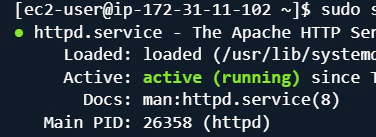
image.png

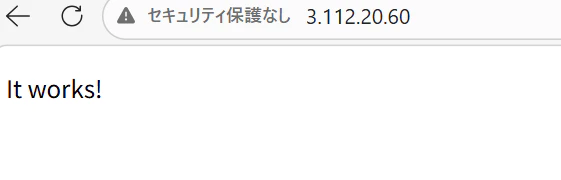
⑪パブリックIPアドレスをブラウザに張り付けて検索。
image.png

忘れがちな点
・セキュリティグループのインバウンド・アウトバウンドルールの設定
・セキュリティアップデート

0
0
0

Register as a new user and use Qiita more conveniently

  1. You get articles that match your needs
  2. You can efficiently read back useful information
  3. You can use dark theme
What you can do with signing up
0
0

Delete article

Deleted articles cannot be recovered.

Draft of this article would be also deleted.

Are you sure you want to delete this article?