
※本記事は2026年4月時点の情報です。
今後Trailheadの内容が修正される可能性があります。
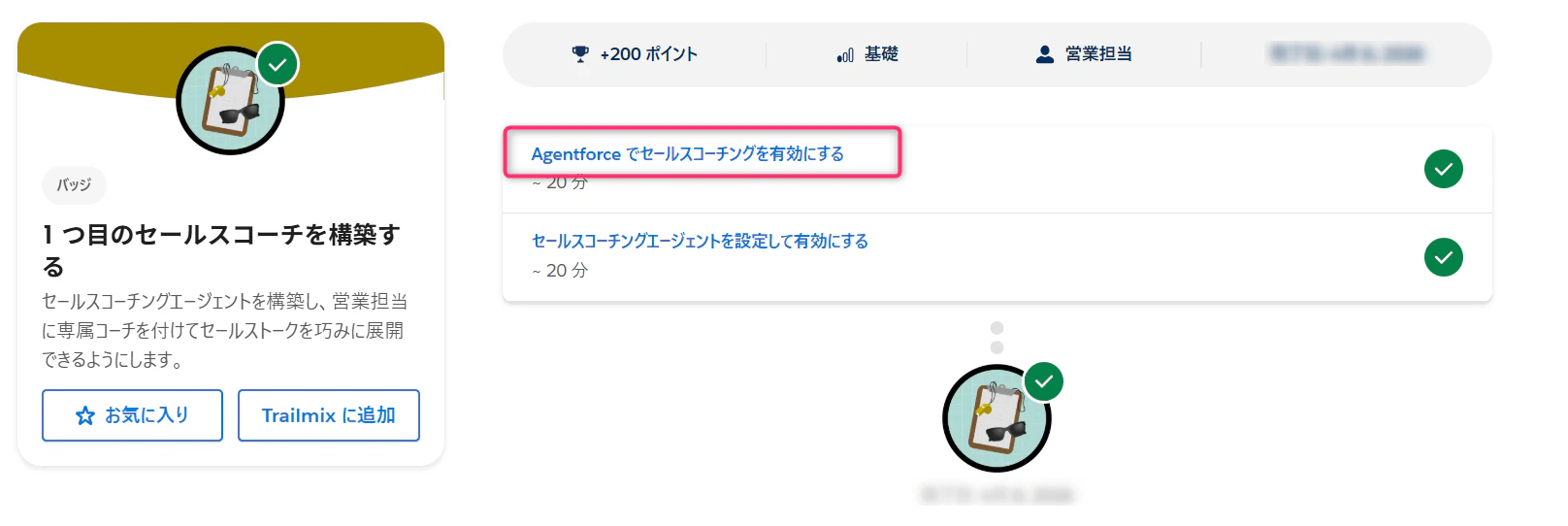
■ 発生したバッチ及び単元
-
バッジ名
- 日本語:1 つ目のセールスコーチを構築する
- 英語:Build Your First Sales Coach
-
単元名
- 日本語:Agentforce でセールスコーチングを有効にする
- 英語:Enable Sales Coaching in Agentforce
■ 発生したエラー
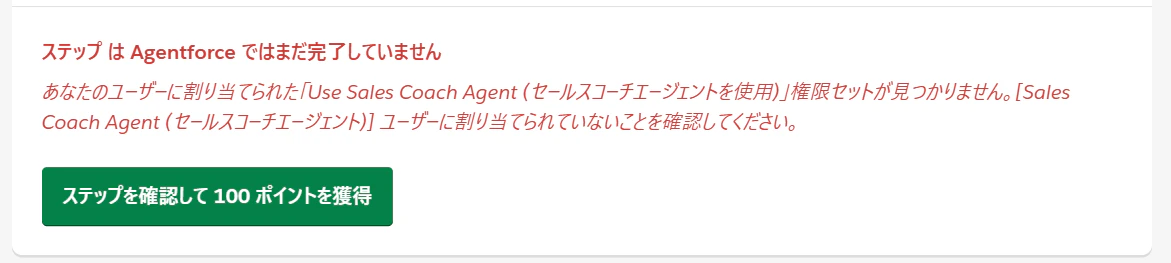
Trailheadで以下のエラーが表示されてクリアできない場合の対処方法です。
日本語:
あなたのユーザーに割り当てられた「Use Sales Coach Agent (セールスコーチエージェントを使用)」権限セットが見つかりません。[Sales Coach Agent (セールスコーチエージェント)] ユーザーに割り当てられていないことを確認してください。
英語:
We can't find the Use Sales Coach Agent permission set assigned to your user. Make sure it's not assigned to the Sales Coach Agent user.
■ 結論
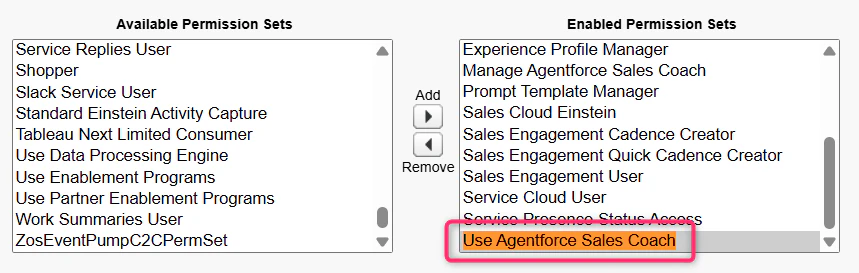
👉 自分のユーザー(管理者)に Use Agentforce Sales Coach 権限セットの付与が必要。
権限セットを付与する対象は、Trailheadの手順で作成した
Sales Coach Agent ユーザーではなく、自分のユーザー(管理者)です。
また、エラーメッセージに表示される
Use Sales Coach Agent という名前の権限セットは実際には存在せず、
正しくは Use Agentforce Sales Coach です。
■ 手順
-
設定(Setup) を開く
-
ユーザー(Users) → 自分のユーザー(管理者)を選択
-
画面下方の「権限セットの割り当て(Permission Set Assignments)」セクションから「割り当ての編集(Edit Assignments)」ボタンを押下

-
有効化された権限セット(Enabled Permission Sets)に
Use Agentforce Sales Coachを追加
-
追加ができたら保存ボタン押下
-
これで完了!
■ まとめ
Trailheadの手順には明確に記載されておらず、エラーメッセージに表示される権限名とも若干差異があるため、分かりづらいポイントになっています。
同じ箇所でハマった方の参考になれば幸いです 👍