
はじめに
ちょっと調べる機会があったのでAmazon Linux 2023をSORACOM Arc接続について自己メモをまとめました。
Soracom Arcの設定
バーチャルSIMの作成
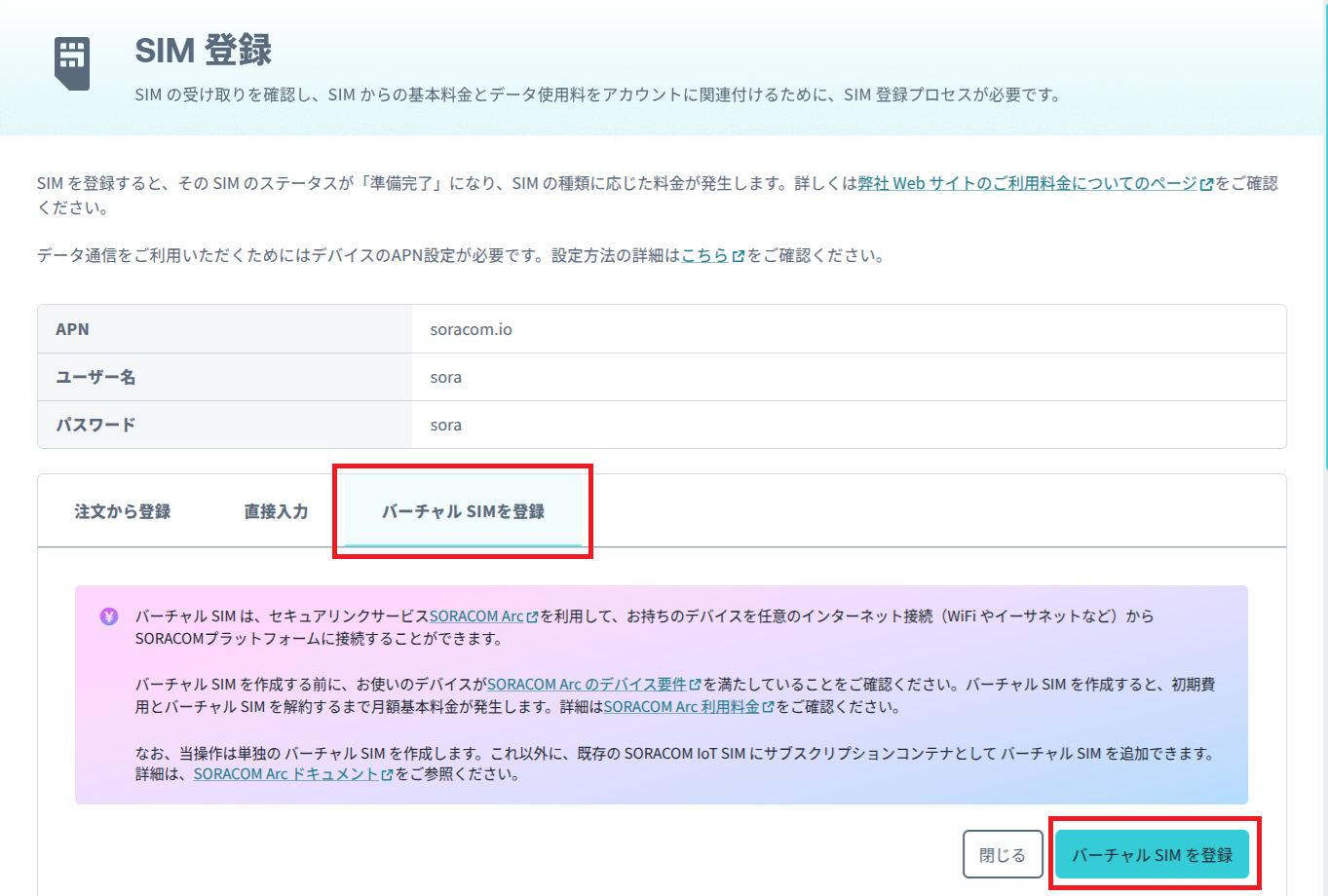
SORACOM Arcを利用するため、以下を参考にバーチャルSIMを作成します。
SIM登録で「バーチャルSIMを登録」のタブを選択、「バーチャルSIMを登録」ボタンを押すだけ。
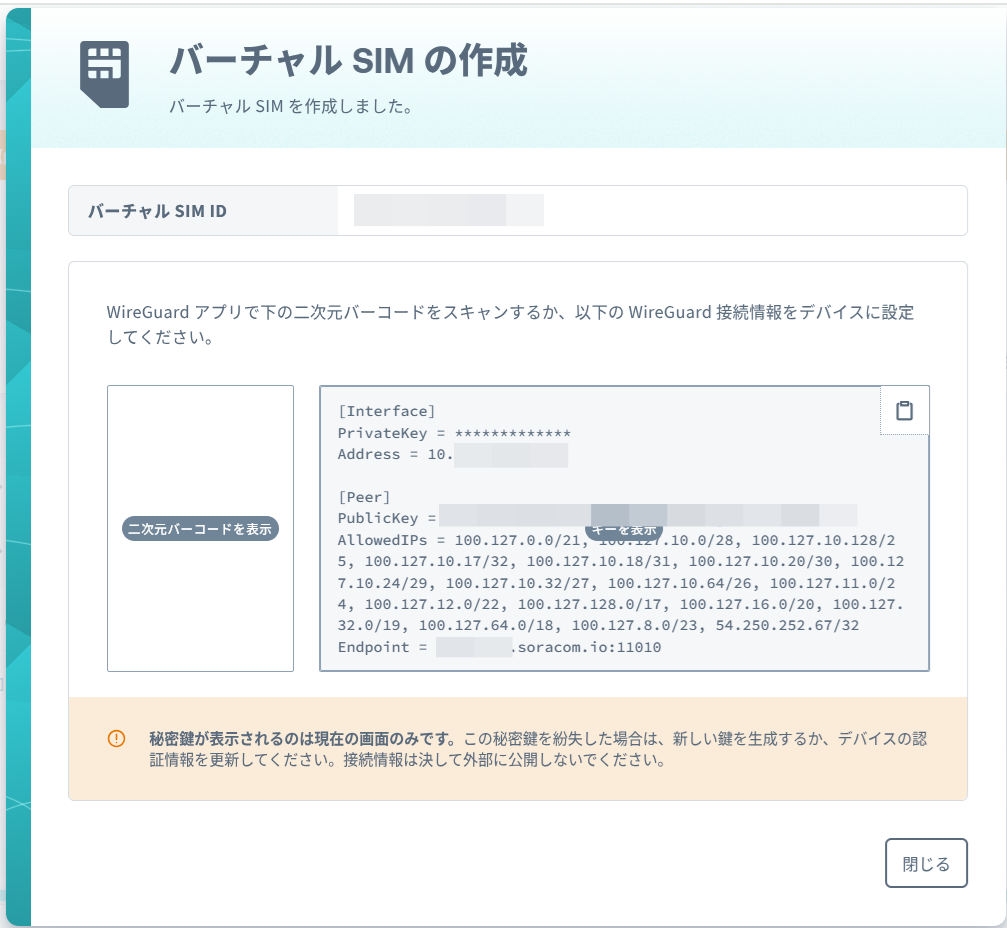
以下のWireGuard接続情報をコピペで控える。
Amazon Linux 2023の設定
Amazon EC2インスタンス作成
Amazon Linux 2023 x86_64でt3.microの最小構成でインスタンスを立ち上げる。
インスタンス起動後の作業はセキュリティグループのインバウンドルールはSSHのみ設定して行い、作業完了後は何も追加しない(外部から遮断された)状態で運用。
Amazon Linux 2023でWireGuardを設定
Amazon Linux 2023のWireGuard設定を実施。
作業内容は以下。
#-----------------------------------------
# WireGuardのインストールと確認
#-----------------------------------------
$ sudo dnf update -y
$ sudo dnf install -y wireguard-tools
$ wg --version
wireguard-tools v1.0.20210914 - https://git.zx2c4.com/wireguard-tools/

#-----------------------------------------
# WireGuardのVPN接続設定
#-----------------------------------------
$ sudo nano /etc/wireguard/wg0.conf

#SORACOMコンソールで表示された内容をコピペ
#[Peer]最終行の後に以下1行を追加
PersistentKeepalive = 25

#-----------------------------------------
# WireGuardのVPN接続を起動、確認
#-----------------------------------------
$ sudo wg-quick up wg0
[#] ip link add wg0 type wireguard
[#] wg setconf wg0 /dev/fd/63
[#] ip -4 address add 10.XXX.XXX.XXX/32 dev wg0
[#] ip link set mtu 8921 up dev wg0
[#] ip -4 route add XXX.XXX.XXX.XXX/32 dev wg0
(中略)
[#] ip -4 route add 100.127.128.0/17 dev wg0

$ route
Kernel IP routing table
Destination     Gateway         Genmask         Flags Metric Ref    Use Iface
default         ip-XXX-XXX-XXX-XXX.a 0.0.0.0         UG    512    0        0 ens5
ec2-XXX-XXX-XXXX- 0.0.0.0         255.255.255.255 UH    0      0        0 wg0
100.127.0.0     0.0.0.0         255.255.248.0   U     0      0        0 wg0
(中略)
ip-XXX-XXX-XXX-XXX.a 0.0.0.0         255.255.255.255 UH    512    0        0 ens5

#-----------------------------------------
# WireGuardのVPN接続の自動起動設定
#-----------------------------------------
$ sudo systemctl enable wg-quick@wg0
Created symlink /etc/systemd/system/multi-user.target.wants/wg-quick@wg0.service → /usr/lib/systemd/system/wg-quick@.service.

#-----------------------------------------
# WireGuardのVPN接続の設定を確認
#-----------------------------------------
$ sudo wg
interface: wg0
  public key: *************************************
  private key: (hidden)
  listening port: 48574

peer: QIuOQv70QX+Bzvf9ZM/OwqayQBPKQYgXX62xrxpqBh4=
  endpoint: XXX.XXX.XXX.XXX:11010
  allowed ips: 100.127.0.0/21, 100.127.10.0/28, 100.127.10.128/25, 100.127.10.17/32, 100.127.10.18/31, 100.127.10.20/30, 100.127.10.24/29, 100.127.10.32/27, 100.127.10.64/26, 100.127.11.0/24, 100.127.12.0/22, 100.127.128.0/17, 100.127.16.0/20, 100.127.32.0/19, 100.127.64.0/18, 100.127.8.0/23, 54.250.252.67/32

#-----------------------------------------
# 再起動(再起動後WireGuardのVPN接続を確認)
#-----------------------------------------
$ reboot
Soracom Arcの接続確認
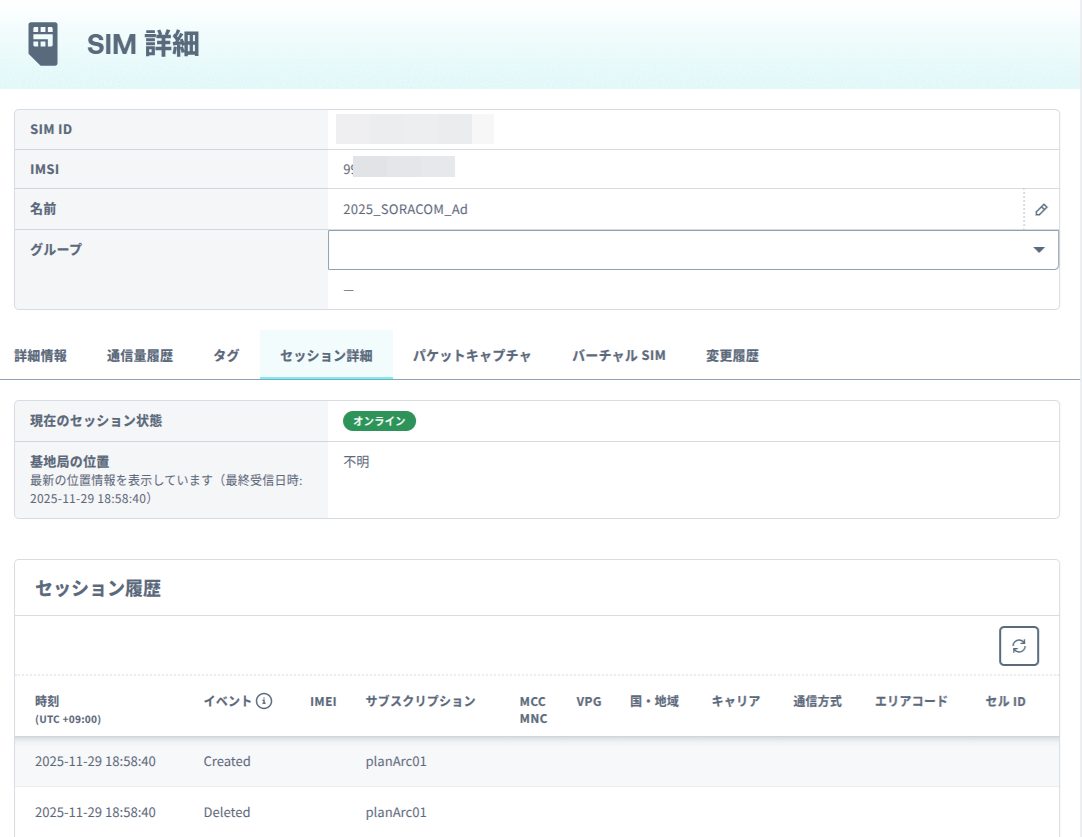
コンソールのSIM管理でSORACOM Arcの接続を確認。

SIM詳細でセッション状況を確認。
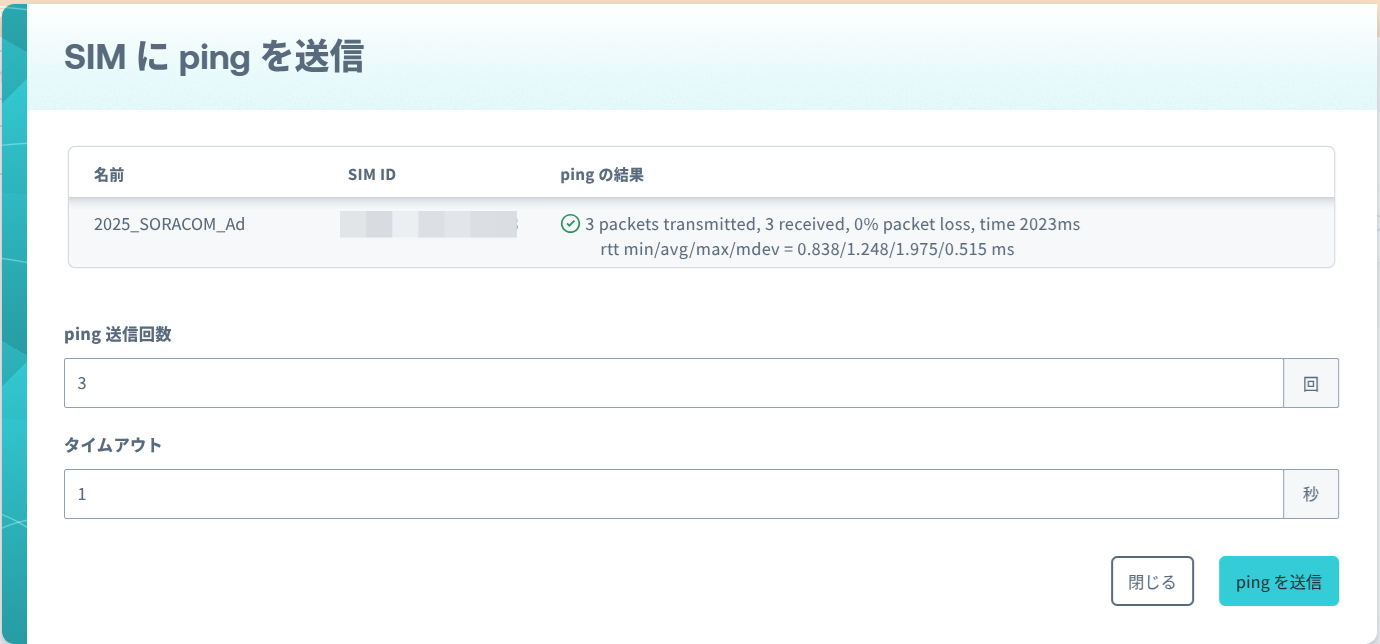
PingでAmazonLinux2023との接続を確認。
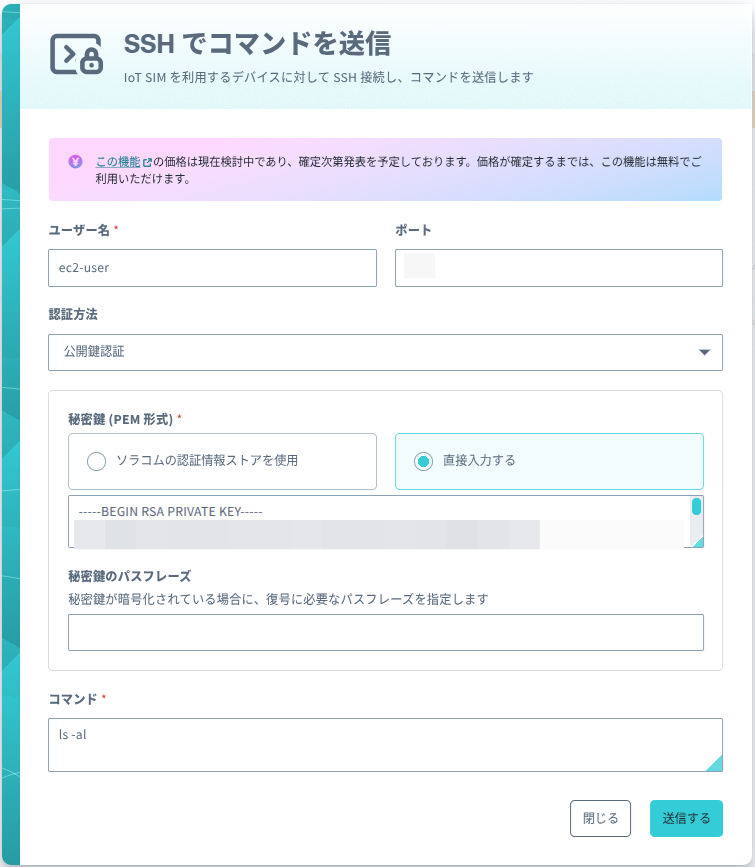
以下のSSHコマンドを送信。
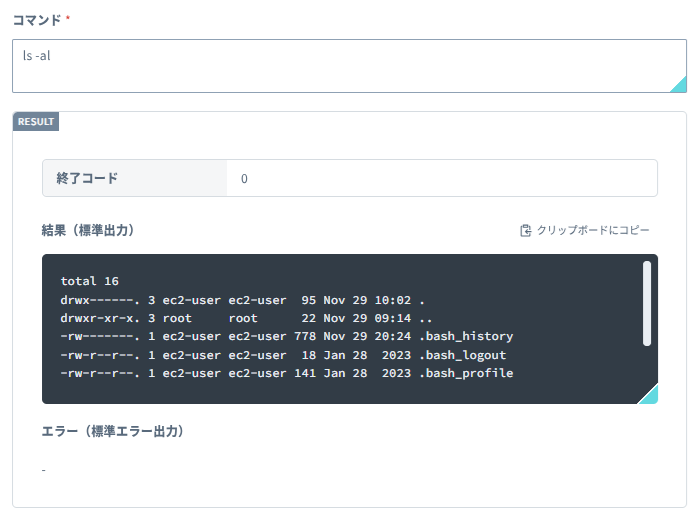
レスポンスを確認。
参考情報
・ChatGPT
・Linux / macOS / Windows の WireGuard 実装で WireGuard インターフェースを作成する
https://users.soracom.io/ja-jp/docs/arc/activate-wireguard-interface-with-wireguard/
・SORACOM Arc を使って EC2 に セキュリティグループを超えて SORACOM Napter でリモートアクセスしてみた
https://dev.classmethod.jp/articles/soracom-arc-soracom-napter-for-ec2/
・WireGuard
https://wiki.archlinux.jp/index.php/WireGuard