
※本記事は 2026/03/05 時点の公開情報 と、コンソールに表示される新メニュー(「体制管理」「Extended plan」)の意味を整理したものです。
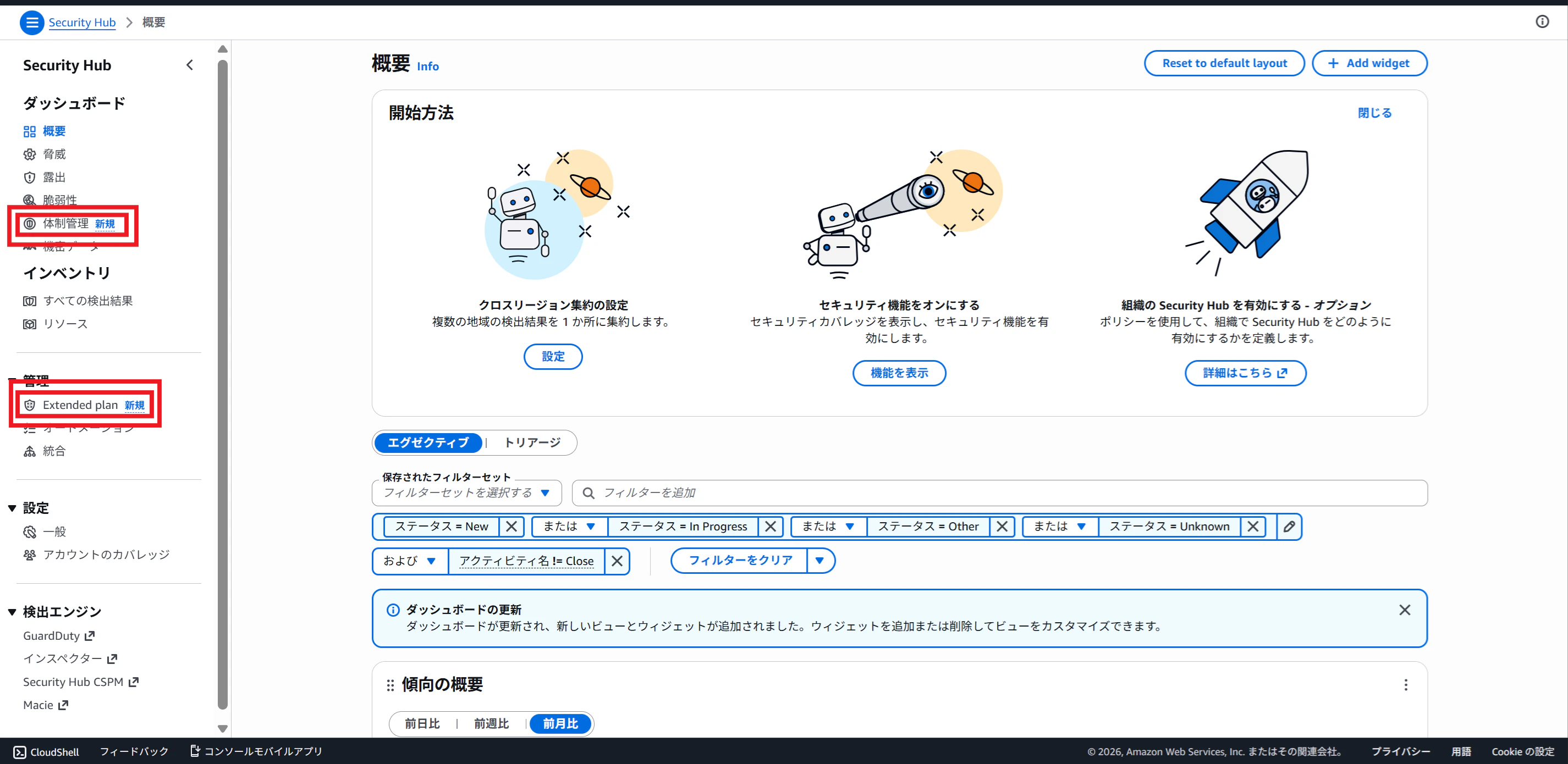
1.アイスブレイク(体制管理の日本語訳)
AWSコンソールの Security Hub で、
- 「体制管理」
- 「Extended plan」
が出てくるのに、「体制管理」のアップデート情報が見つからない…
公式発表・公開情報では主に 英語名称(Posture management / Security Hub Extended) でした。
コンソールの日本語UIでは 「体制管理」 のような訳語になり、検索ワードが一致しづらいです。
この記事では、その2つが 何の機能で、どこに繋がるのか を短時間で理解できるように整理します。
2. 「Extended plan」って何?(公式発表:Security Hub Extended が GA)
「Extended plan」は、正式には AWS Security Hub Extended(拡張プラン)です。
AWSが 2026/02/26(現地)に GA(一般提供) を発表しています。
-
What’s New(GA発表)
https://aws.amazon.com/about-aws/whats-new/2026/02/sec-hub-extended/
2-1. 何がうれしいの?
Extended plan のコンセプトは「Security Hub を統合セキュリティ運用の入口にする」です。
- Security Hub から パートナー製品(厳選されたソリューション) を選んで導入
- AWSが Seller of record(販売主体) になり、調達や請求を単純化
- 参加ソリューションの検出結果は OCSF で出力され、Security Hub に集約される(公式ブログで言及)
つまり「Security Hub = AWSサービスの検出統合」に留まらず、
パートナーも含めた統合体験(調達〜運用の入口) を目指してる、という変化です。
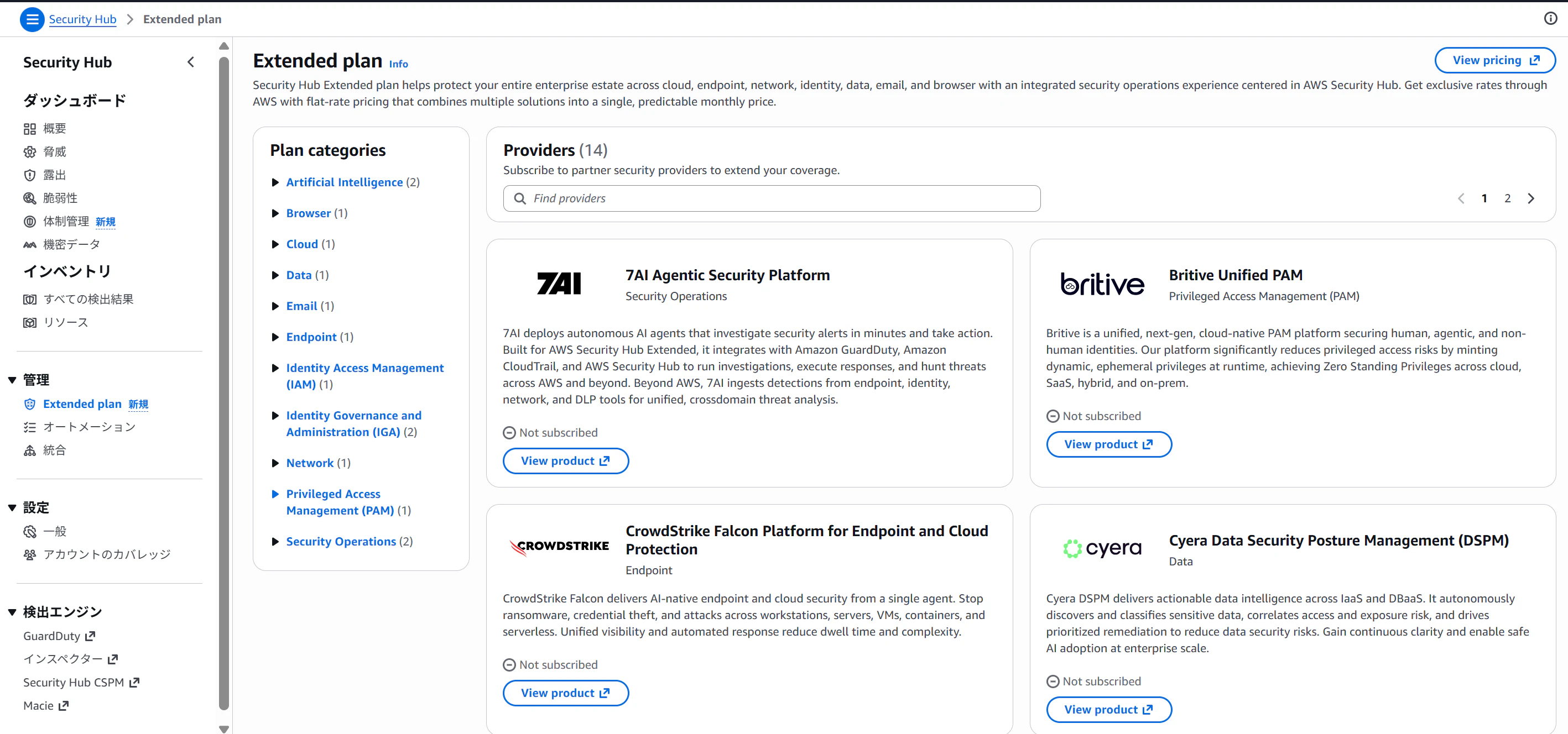
2-2. コンソール上の場所(あなたが見ている表示の正体)
公式日本語ブログでも、次の導線が明示されています。
現在(2026/03/05)、14個のパートナー製品が選択可能です。(基本どのリージョンも14個選択できました)
- [管理] メニュー配下 → [Extended plan]
3. 「体制管理」って何?(= Posture management)
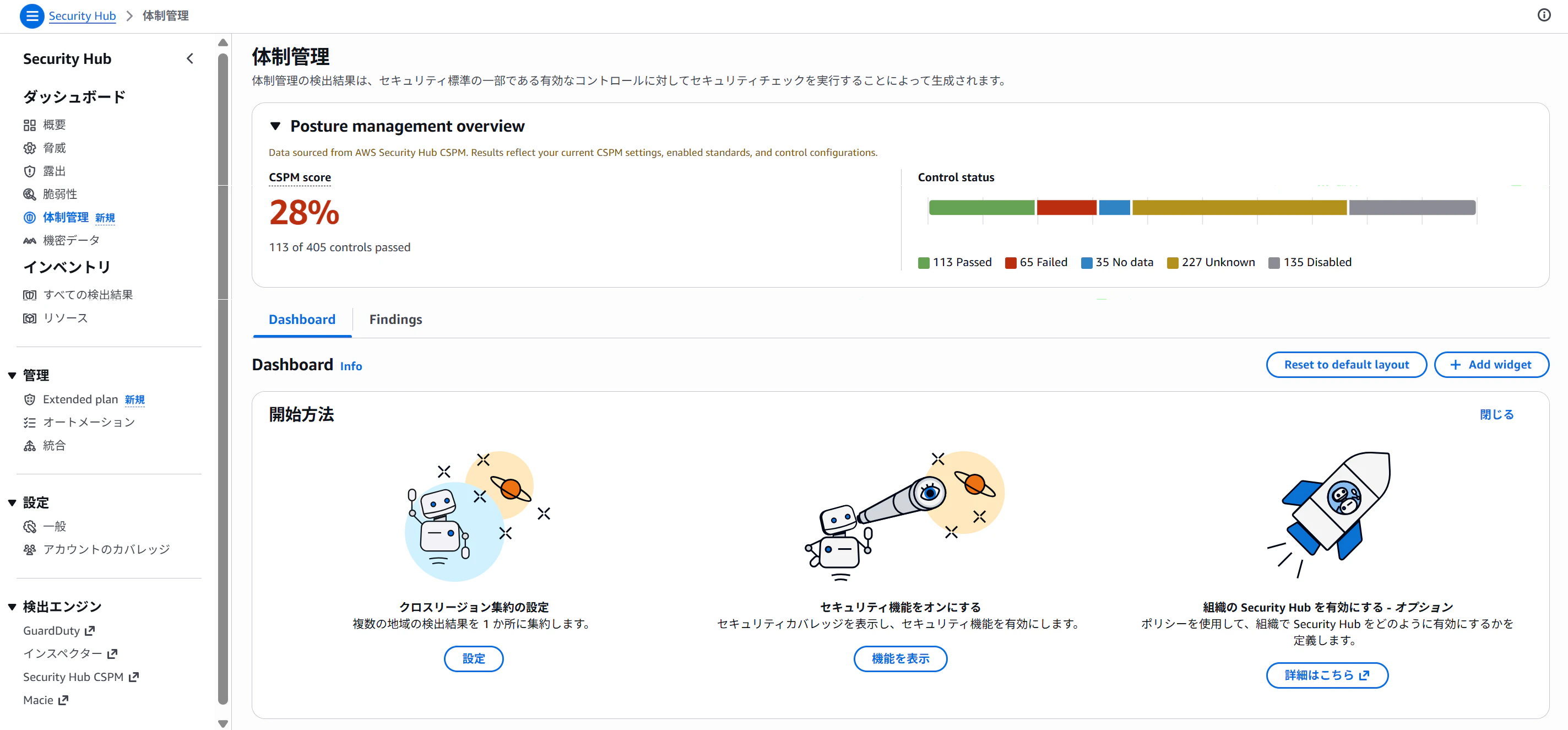
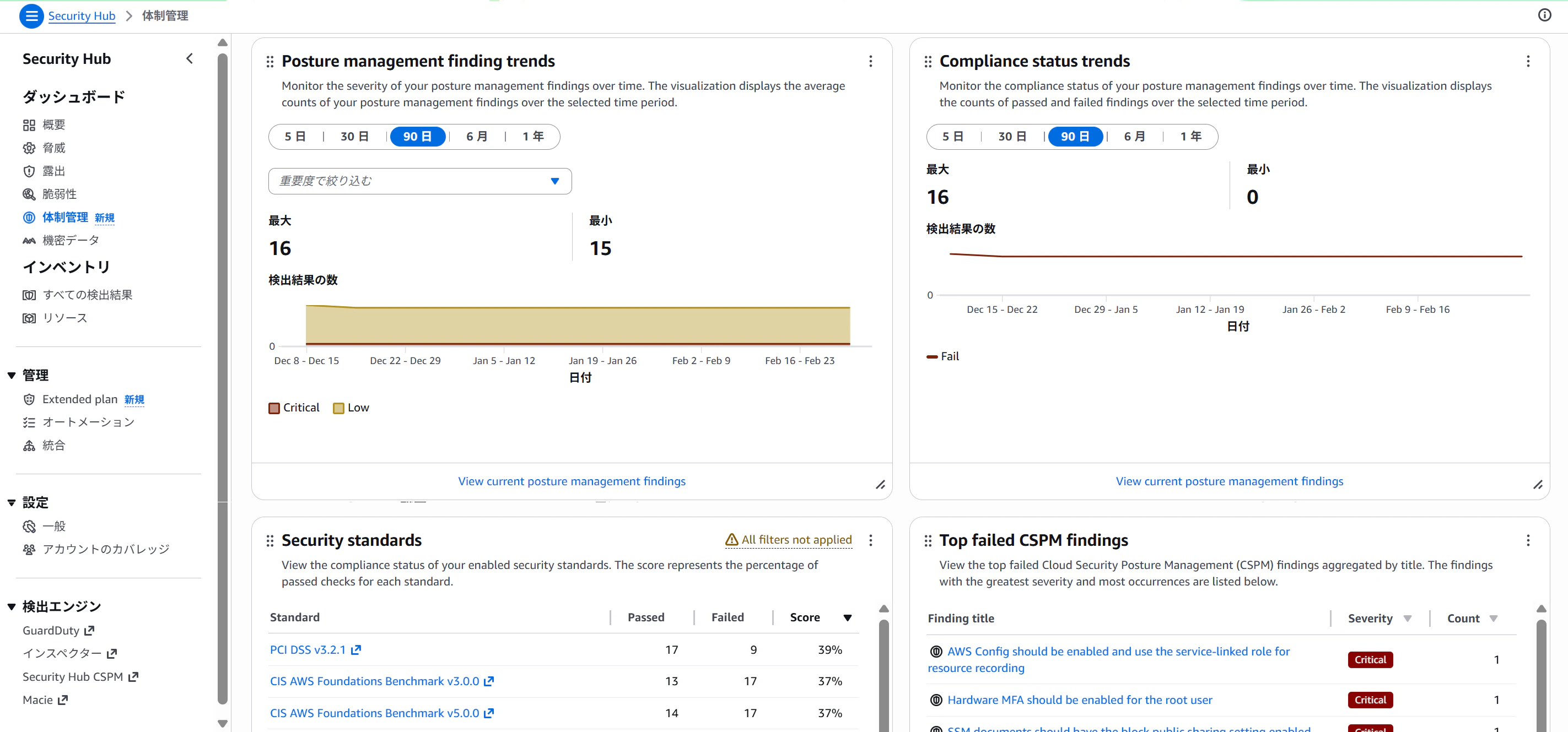
「体制管理」は、英語UIだと概ね Posture management の文脈で登場します。
ここでの 体制 は組織体制の話ではなく、クラウド設定の健全性(CSPM領域) を指すと捉えるのが近いです。
このカテゴリは、新しい Security Hub(v2/Advanced)の体験の中で、
- Security Hub CSPM(= posture)
- Inspector(脆弱性)
- GuardDuty(脅威)
- Macie(機密データ)
などのシグナルを 統合して扱う 方向に寄せている流れの一部として自然に出てきます。
参考(新しい Security Hub 体験の方向性:相関・可視化・優先度付け)
-
日本語ブログ(プレビューの紹介)
https://aws.amazon.com/jp/blogs/news/unify-your-security-with-the-new-aws-security-hub-for-risk-prioritization-and-response-at-scale-preview/ -
What’s New(Enhanced Security Hub の紹介)
https://aws.amazon.com/about-aws/whats-new/2025/06/aws-security-hub-risk-prioritization-response-scale/
4. 料金・注意点(ここだけは先に押さえる)
Extended plan は Security Hub そのものの従来課金 とは別に、
有効化するパートナーソリューションの価格モデル(従量/定額など) が絡むため、導入前に必ず確認が必要です。
5 まとめ(Security Hub がまた進化!?の正体)
-
「Extended plan」 は、AWS Security Hub Extended(GA: 2026/02/26) の導線
→ パートナーも含めた 統合セキュリティ運用の入口 を Security Hub で提供する流れ -
「体制管理」 は、Posture management(CSPM領域の見え方) のカテゴリ
→ 設定リスクを中心に、他シグナルと統合して 優先度付け・可視化 する流れ
「見慣れないメニューが増えた」のは、Security Hub が
AWS内の検出統合 → フルスタック統合体験(AWS + パートナー) に踏み込み始めたサインかなと考えます。