

以前買っていた、以下のセンサーのお試しです。
●Gravity: 64×8 Matrix DTOF LiDAR Sensor for Robotics | DFRobot Wiki
https://wiki.dfrobot.com/sen0682/
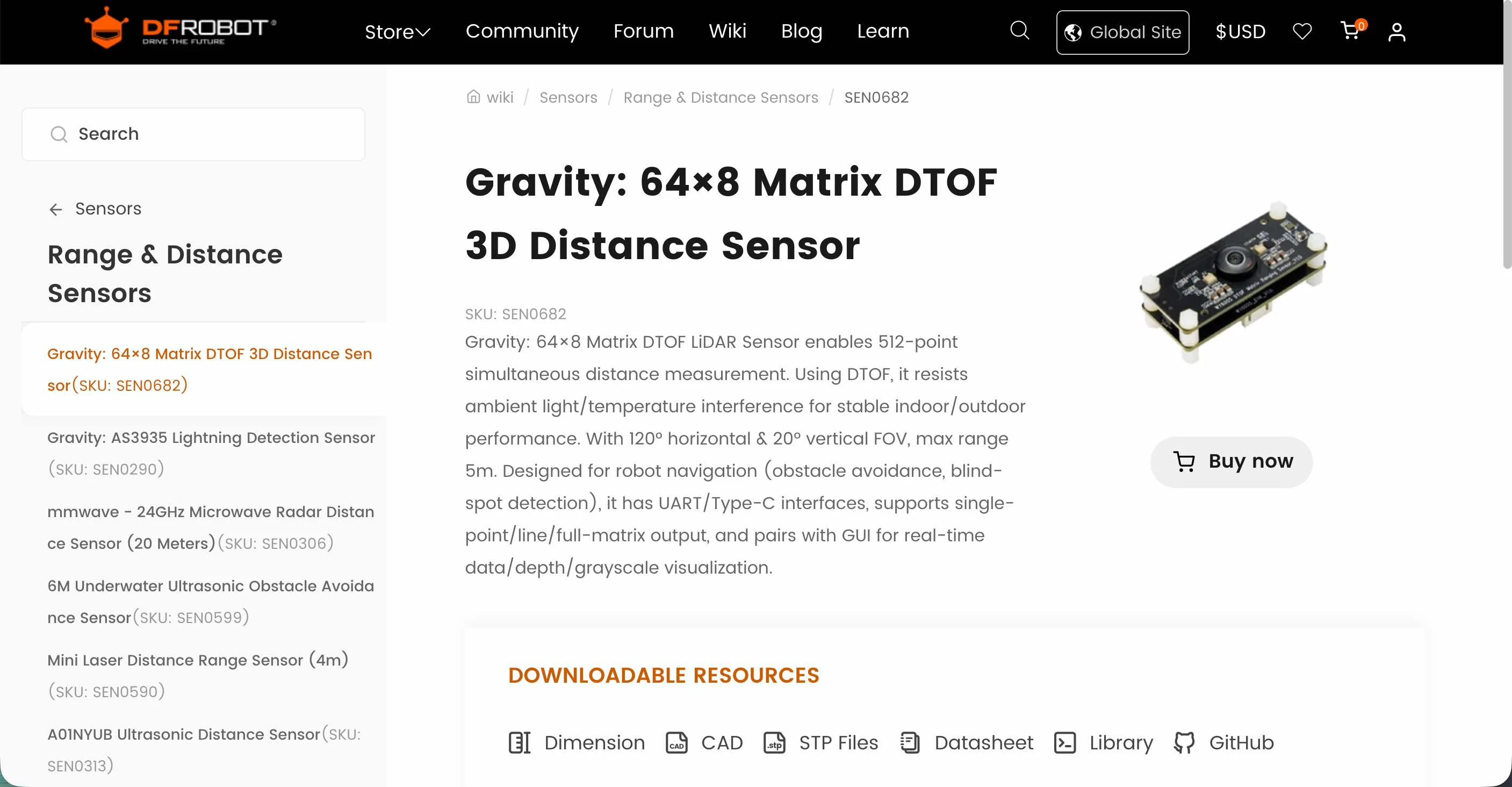
自分は 2026年5月に、Aamzon で買っていました。
●Amazon.co.jp: Gravity:64×8マトリックスDTOF 3Dレーザー測距センサー(120°視野角・5m測定範囲) : パソコン・周辺機器
https://www.amazon.co.jp/dp/B0GJD9Z7X7
また、スイッチサイエンスさんでも販売されています。
●Gravity - 64x8マトリックスDTOF 3Dレーザー距離センサ — スイッチサイエンス
https://www.switch-science.com/products/11170
お試しの内容
公式の情報を見て試す
公式の情報を見て試していきます。
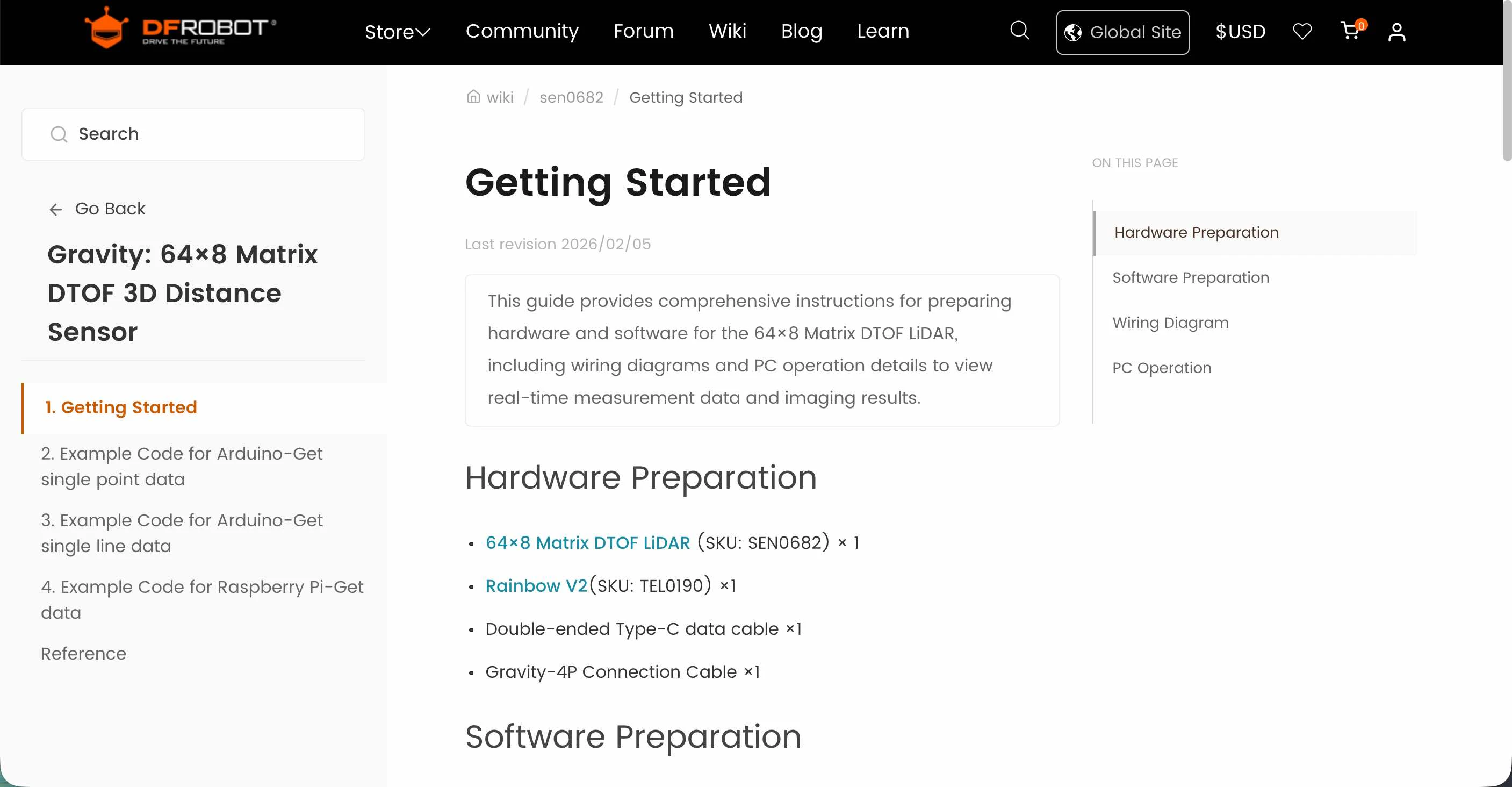
以下が「Getting Started」のページにようです。
●Getting Started with Gravity: 64×8 Matrix DTOF 3D Laser Ranging Sensor | DFRobot Wiki
https://wiki.dfrobot.com/sen0682/docs/23353
関連ソフト
関連するソフトウェアは、以下の部分からたどって入手できるようです。
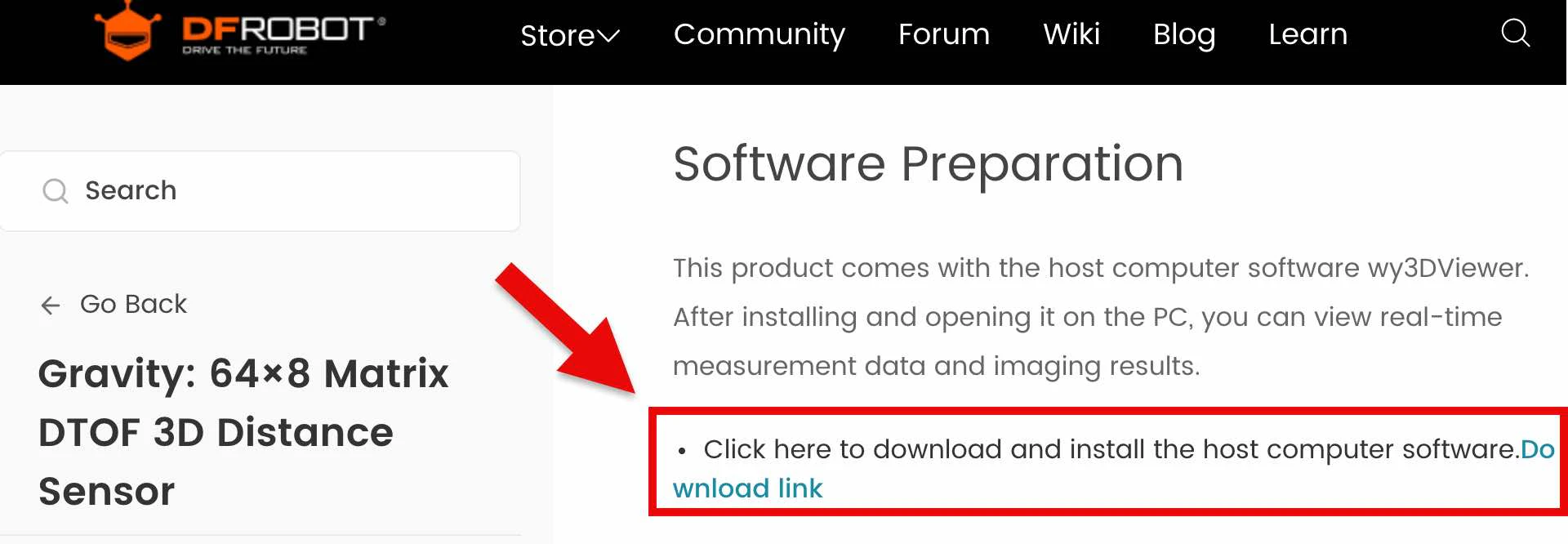
上記のリンク先は 404 になりましたが、リポジトリにはとべていたので、そこから以下のページを開きました。
●DFRobot_64x8DTOF/resources/HostComputer at main · DFRobot/DFRobot_64x8DTOF
https://github.com/DFRobot/DFRobot_64x8DTOF/tree/main/resources/HostComputer
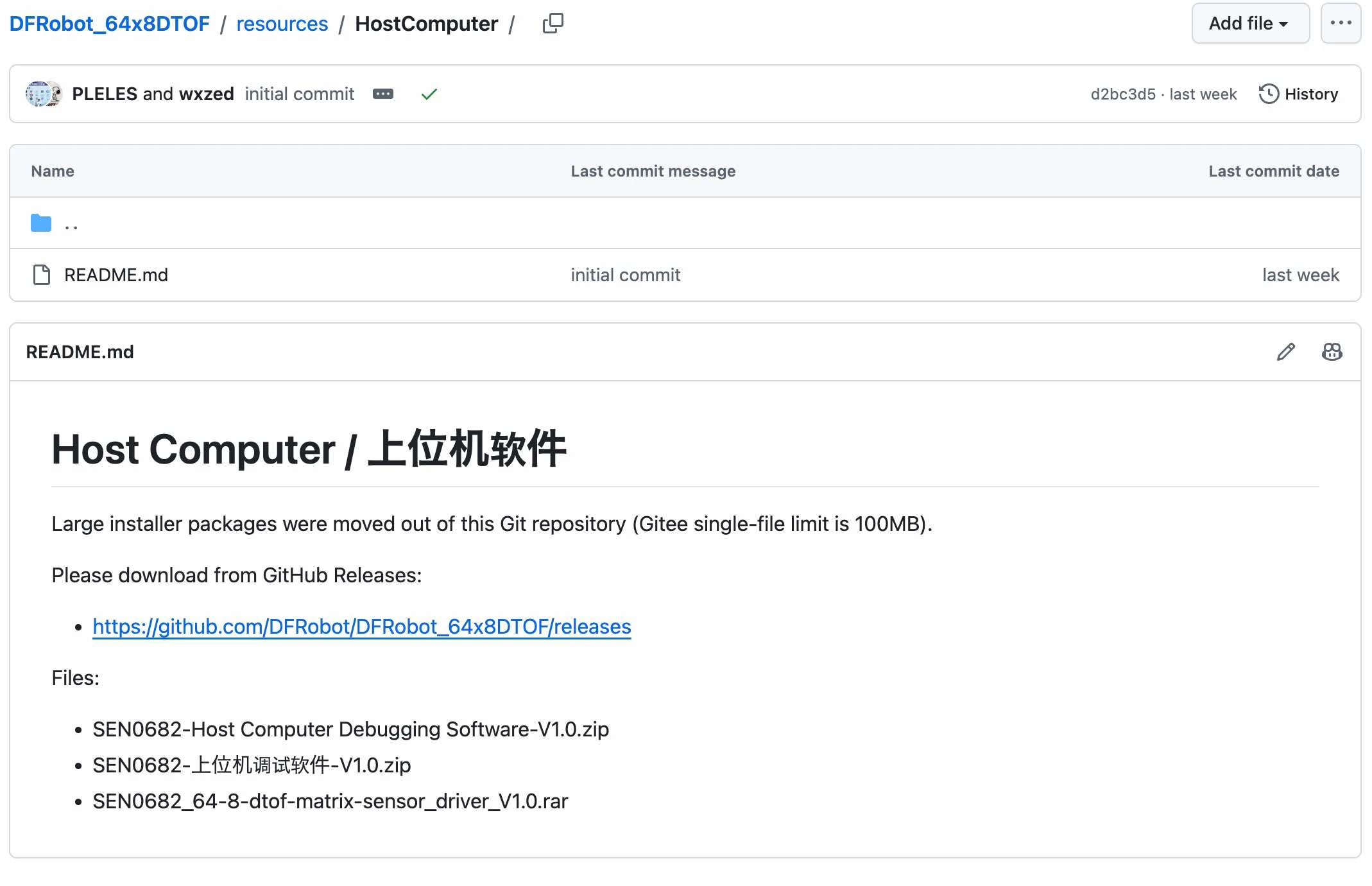
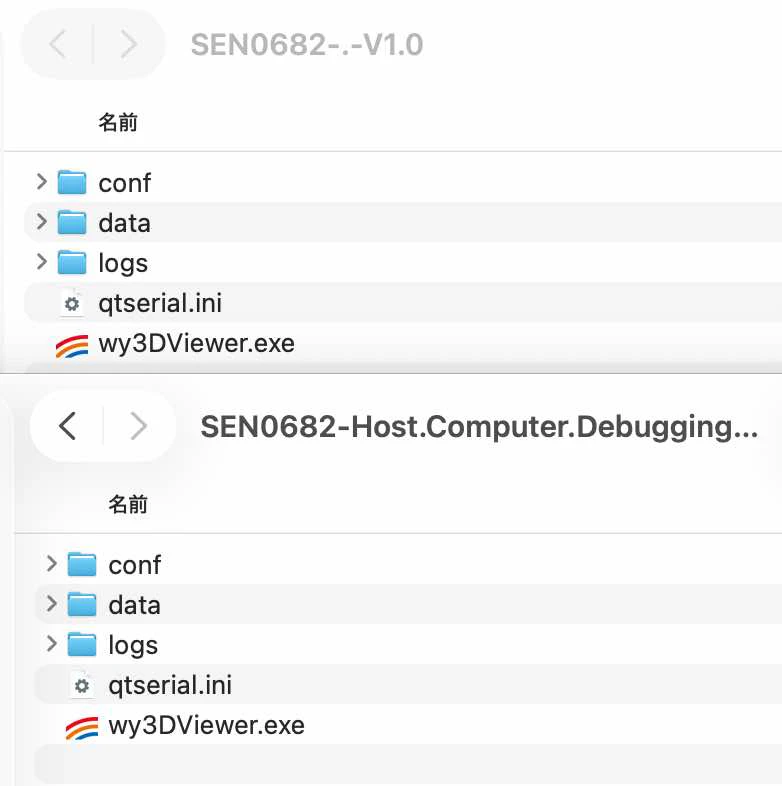
2つの ZIPファイルをダウンロードしてみたところ、これらは公式の可視化ツールのようですが Windows用のみのようでした。
サンプルコード
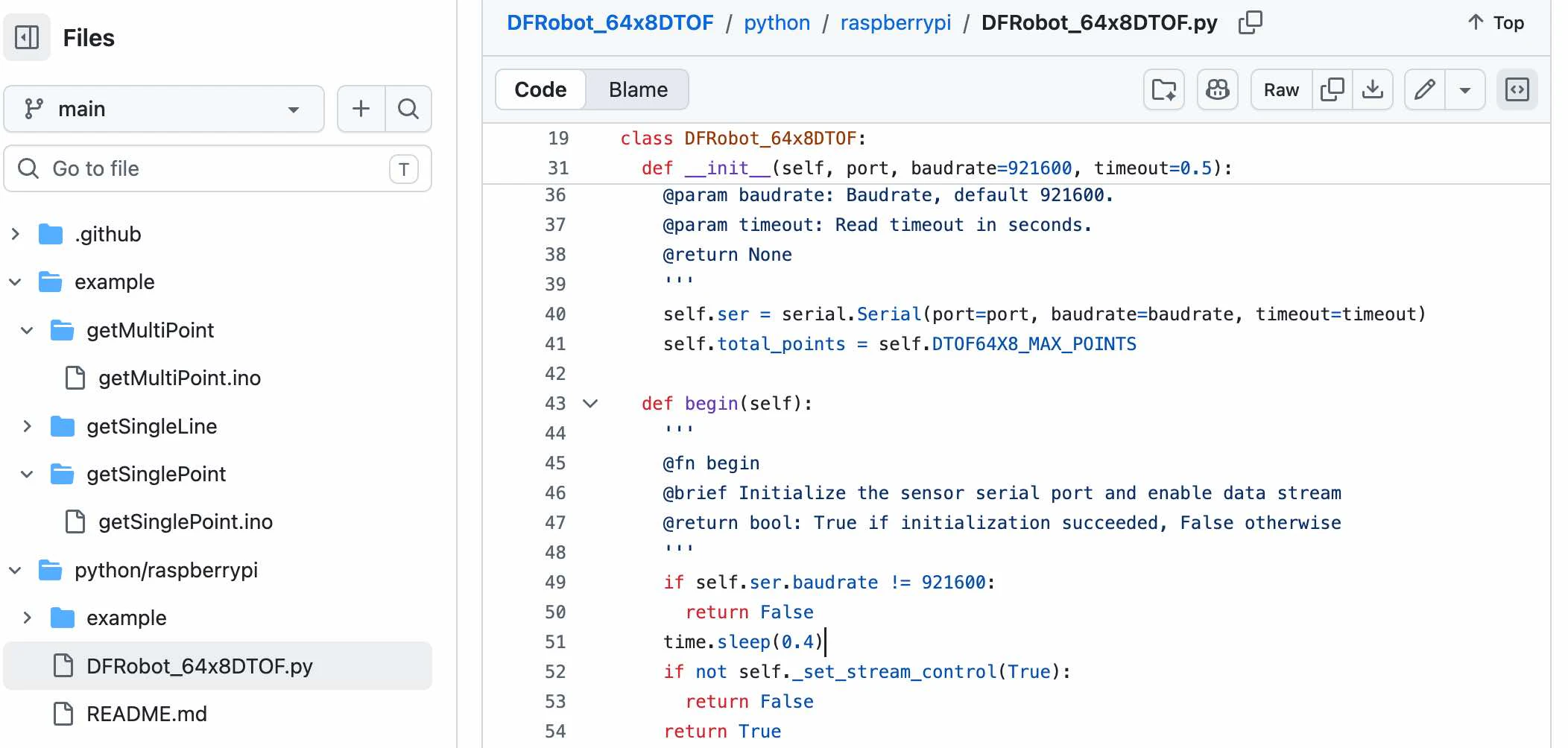
自分は Mac で試そうとしていて、以下のサンプルなどを参考にして進めるのが良さそうでした。
●DFRobot_64x8DTOF/example at main · DFRobot/DFRobot_64x8DTOF
https://github.com/DFRobot/DFRobot_64x8DTOF/tree/main/example
●DFRobot_64x8DTOF/python/raspberrypi at main · DFRobot/DFRobot_64x8DTOF
https://github.com/DFRobot/DFRobot_64x8DTOF/tree/main/python/raspberrypi
Python のコードを少し見てみたところ、シリアル通信が扱えれば大丈夫そうです。
PC とデバイスの接続
PC との接続は、USBケーブルでの直接接続でも良いようです。
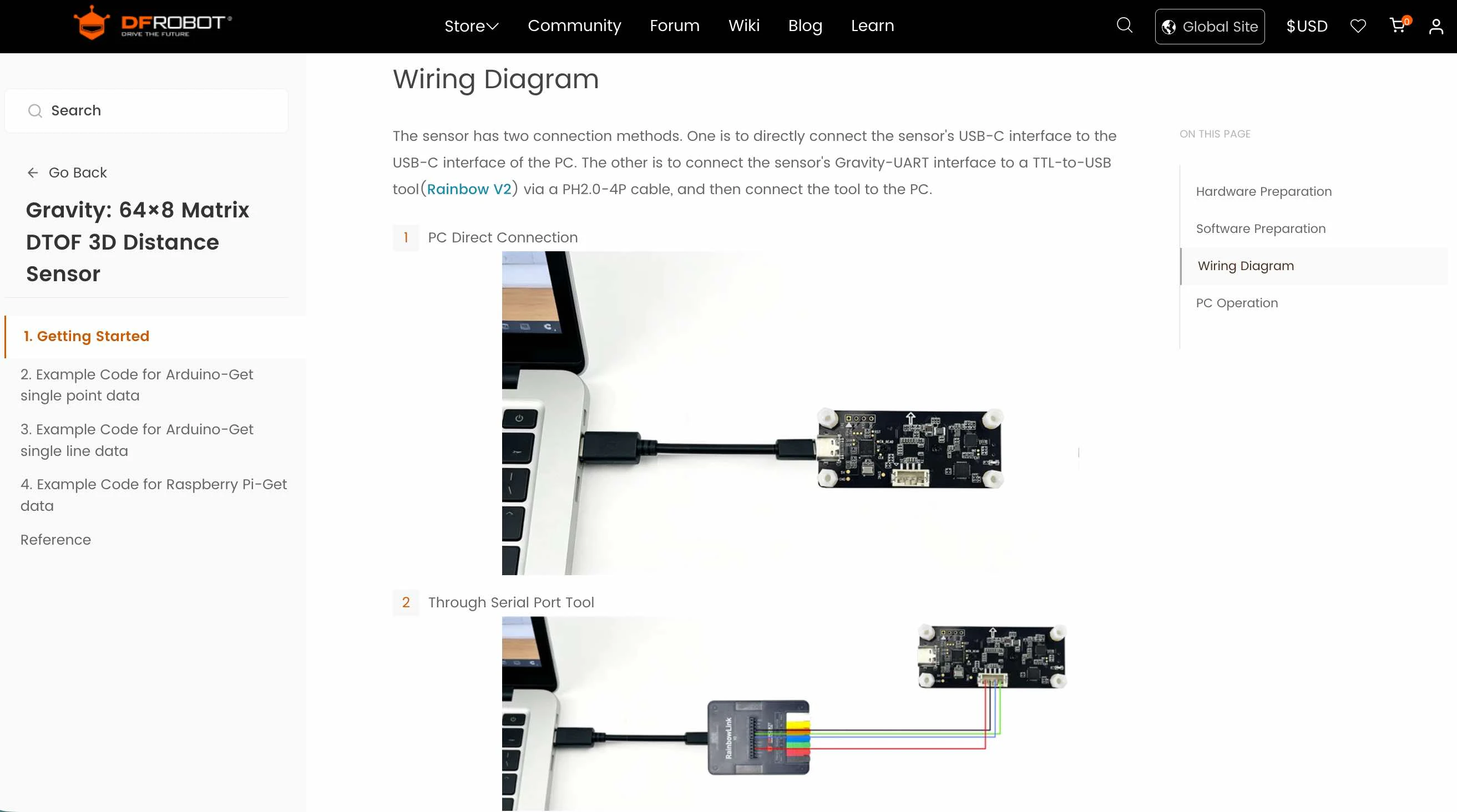
当初、とある C to C の USBケーブルでつないだところ、動作しませんでした。その後、USBハブを介して、とある A to C の USBケーブルでつないだところ、無事に動作しました(この時、デバイスの LED も点灯した状態になりました)。
とりあえず版のコード
以下はとりあえず版のコードです(コード部分は折りたたんでいます)。自分の場合、以下を p5.js Web Editorで動かしました。
(コード掲載部分の折りたたみ)
const COLS = 64;
const ROWS = 8;
const NUM_POINTS = COLS * ROWS;

const BYTES_PER_POINT = 8;
const FRAME_BYTES = NUM_POINTS * BYTES_PER_POINT;

const DEPTH_MIN = 100;
const DEPTH_MAX = 5000;

let port = null;
let reader = null;
let writer = null;

let connected = false;
let running = false;

let connectButton;

const encoder = new TextEncoder();

let rxBuffer = [];
let rxPos = 0;

let points = null;

let statusText = "未接続";

let sensorFPS = 0;
let fpsFrames = 0;
let fpsStart = 0;

function setup() {
  createCanvas(1024, 470);
  pixelDensity(1);
  textFont("monospace");

  connectButton = createButton("SEN0682 接続");

  connectButton.mousePressed(async () => {
    if (connected) {
      await disconnectSensor();
    } else {
      await connectSensor();
    }
  });
}

function draw() {
  background(18);

  fill(255);
  noStroke();

  textSize(16);
  text("SEN0682 64×8 DTOF LiDAR", 10, 25);

  textSize(13);
  text(`状態: ${statusText}`, 10, 48);
  text(`Sensor FPS: ${sensorFPS.toFixed(1)}`, 350, 48);
  text(`RX: ${availableBytes()} bytes`, 520, 48);

  const top = 80;
  const cellW = width / COLS;
  const cellH = 40;

  noStroke();

  for (let y = 0; y < ROWS; y++) {
    for (let x = 0; x < COLS; x++) {
      const index = y * COLS + x;

      let depthShade = 10;

      if (points) {
        const z = points[index].z;

        if (z > 0) {
          const d = constrain(
            z,
            DEPTH_MIN,
            DEPTH_MAX
          );

          depthShade = map(
            d,
            DEPTH_MIN,
            DEPTH_MAX,
            255,
            20
          );
        }
      }

      fill(depthShade);

      rect(
        x * cellW,
        top + y * cellH,
        cellW + 0.5,
        cellH + 0.5
      );
    }
  }

  if (
    points &&
    mouseX >= 0 &&
    mouseX < width &&
    mouseY >= top &&
    mouseY < top + ROWS * cellH
  ) {
    const col = floor(mouseX / cellW);
    const row = floor((mouseY - top) / cellH);

    const index = row * COLS + col;
    const p = points[index];

    noFill();
    stroke(255, 0, 0);
    strokeWeight(2);

    rect(
      col * cellW,
      top + row * cellH,
      cellW,
      cellH
    );

    noStroke();
    fill(255);

    textSize(14);

    text(
      `row=${row + 1} col=${col + 1}  ` +
      `X=${p.x}mm Y=${p.y}mm Z=${p.z}mm I=${p.i}`,
      10,
      430
    );
  } else {
    fill(170);
    noStroke();
    textSize(13);

    text(
      "セルにマウスを重ねると X / Y / Z / Intensity を表示",
      10,
      430
    );
  }

  fill(150);
  noStroke();

  textSize(12);

  text(
    `白 = ${DEPTH_MIN}mm(近い)  黒 = ${DEPTH_MAX}mm(遠い)`,
    10,
    455
  );
}

async function connectSensor() {
  try {
    if (!("serial" in navigator)) {
      statusText =
        "Web Serial API非対応。";
      return;
    }

    statusText = "ポート選択中...";

    port = await navigator.serial.requestPort();

    await port.open({
      baudRate: 921600,
      dataBits: 8,
      stopBits: 1,
      parity: "none",
      flowControl: "none",
      bufferSize: 16384
    });

    reader = port.readable.getReader();
    writer = port.writable.getWriter();

    connected = true;

    connectButton.html("切断");

    statusText = "Serial接続成功";

    serialReadStep();

    await sleep(500);

    statusText = "SEN0682設定中...";

    await configureSensor();

    statusText = "計測中";

    running = true;

    fpsFrames = 0;
    fpsStart = performance.now();

    measurementStep();

  } catch (error) {
    console.error(error);

    statusText =
      "接続エラー: " + error.message;

    await disconnectSensor();
  }
}

async function configureSensor() {
  console.log("Setting SEN0682...");

  await sendCommand(
    "AT+STREAM_CONTROL=0",
    2000
  );

  await sleep(300);

  await sendCommand(
    "AT+SPAD_OUTPUT_LINE_DATA=0,1,64"
  );

  await sleep(300);

  await sendCommand(
    "AT+SPAD_FRAME_MODE=1"
  );

  await sleep(300);

  await sendCommand(
    "AT+STREAM_CONTROL=1"
  );

  await sleep(300);

  console.log("SEN0682 configured");
}

async function measurementStep() {
  if (!running || !connected) {
    return;
  }

  try {
    const frame = await getFrame();

    points = frame;

    fpsFrames++;

    const now = performance.now();
    const elapsed = now - fpsStart;

    if (elapsed >= 1000) {
      sensorFPS =
        fpsFrames * 1000 / elapsed;

      fpsFrames = 0;
      fpsStart = now;
    }

    statusText = "計測中";

  } catch (error) {
    console.error("Frame:", error);

    statusText =
      "Frame error: " + error.message;
  }

  if (running && connected) {
    setTimeout(
      measurementStep,
      10
    );
  }
}

async function getFrame() {
  clearRx();

  await sendCommand(
    "AT+SPAD_TRIG_ONE_FRAME=1",
    2000,
    false
  );

  const raw = await readExact(
    FRAME_BYTES,
    2000
  );

  return parseFrame(raw);
}

function parseFrame(raw) {
  const view = new DataView(
    raw.buffer,
    raw.byteOffset,
    raw.byteLength
  );

  const frame =
    new Array(NUM_POINTS);

  for (let i = 0; i < NUM_POINTS; i++) {
    const offset =
      i * BYTES_PER_POINT;

    frame[i] = {
      x: view.getInt16(
        offset + 0,
        true
      ),

      y: view.getInt16(
        offset + 2,
        true
      ),

      z: view.getInt16(
        offset + 4,
        true
      ),

      i: view.getInt16(
        offset + 6,
        true
      )
    };
  }

  return frame;
}

async function sendCommand(
  command,
  timeout = 1500,
  clear = true
) {
  if (!writer) {
    throw new Error(
      "Serial writer unavailable"
    );
  }

  if (clear) {
    clearRx();
  }

  console.log(
    "TX:",
    command
  );

  await writer.write(
    encoder.encode(
      command + "\n"
    )
  );

  await waitForOK(timeout);

  console.log(
    "RX: OK"
  );
}

async function waitForOK(
  timeout = 1500
) {
  const deadline =
    performance.now() + timeout;

  return waitForOKStep(deadline);
}

async function waitForOKStep(
  deadline
) {
  const pattern = [
    0x0A,
    0x4F,
    0x4B,
    0x0A
  ];

  const index =
    findSequence(pattern);

  if (index >= 0) {
    rxPos =
      index + pattern.length;

    compactRx();

    return;
  }

  if (
    performance.now() >
    deadline
  ) {
    throw new Error(
      "OK response timeout"
    );
  }

  await sleep(5);

  return waitForOKStep(
    deadline
  );
}

async function readExact(
  length,
  timeout = 2000
) {
  const deadline =
    performance.now() + timeout;

  await waitForBytes(
    length,
    deadline
  );

  const result =
    new Uint8Array(length);

  for (
    let i = 0;
    i < length;
    i++
  ) {
    result[i] =
      rxBuffer[rxPos++];
  }

  compactRx();

  return result;
}

async function waitForBytes(
  length,
  deadline
) {
  if (
    availableBytes() >=
    length
  ) {
    return;
  }

  if (
    performance.now() >
    deadline
  ) {
    throw new Error(
      `Frame timeout: ${availableBytes()}/${length} bytes`
    );
  }

  await sleep(5);

  return waitForBytes(
    length,
    deadline
  );
}

async function serialReadStep() {
  if (
    !connected ||
    !reader
  ) {
    return;
  }

  try {
    const result =
      await reader.read();

    if (result.done) {
      return;
    }

    if (result.value) {
      const value =
        result.value;

      for (
        let i = 0;
        i < value.length;
        i++
      ) {
        rxBuffer.push(
          value[i]
        );
      }
    }

    if (
      connected &&
      reader
    ) {
      // 次のread()
      serialReadStep();
    }

  } catch (error) {
    console.error(
      "Serial read error:",
      error
    );

    if (connected) {
      statusText =
        "Serial read error: " +
        error.message;
    }
  }
}

function availableBytes() {
  return (
    rxBuffer.length -
    rxPos
  );
}

function clearRx() {
  rxBuffer = [];
  rxPos = 0;
}

function findSequence(
  pattern
) {
  const last =
    rxBuffer.length -
    pattern.length;

  for (
    let i = rxPos;
    i <= last;
    i++
  ) {
    let match = true;

    for (
      let j = 0;
      j < pattern.length;
      j++
    ) {
      if (
        rxBuffer[i + j] !==
        pattern[j]
      ) {
        match = false;
        break;
      }
    }

    if (match) {
      return i;
    }
  }

  return -1;
}

function compactRx() {
  if (rxPos === 0) {
    return;
  }

  if (
    rxPos >=
    rxBuffer.length
  ) {
    rxBuffer = [];
    rxPos = 0;
    return;
  }

  if (
    rxPos > 8192 ||
    rxPos >
      rxBuffer.length / 2
  ) {
    rxBuffer =
      rxBuffer.slice(rxPos);

    rxPos = 0;
  }
}

async function disconnectSensor() {
  running = false;

  try {
    if (reader) {
      await reader.cancel();
      reader.releaseLock();
    }
  } catch (e) {
    console.warn(e);
  }

  try {
    if (writer) {
      writer.releaseLock();
    }
  } catch (e) {
    console.warn(e);
  }

  try {
    if (port) {
      await port.close();
    }
  } catch (e) {
    console.warn(e);
  }

  reader = null;
  writer = null;
  port = null;

  connected = false;

  clearRx();

  statusText = "未接続";

  if (connectButton) {
    connectButton.html(
      "SEN0682 接続"
    );
  }
}

function sleep(ms) {
  return new Promise(
    resolve =>
      setTimeout(
        resolve,
        ms
      )
  );
}
とりあえず版のコードの実行結果
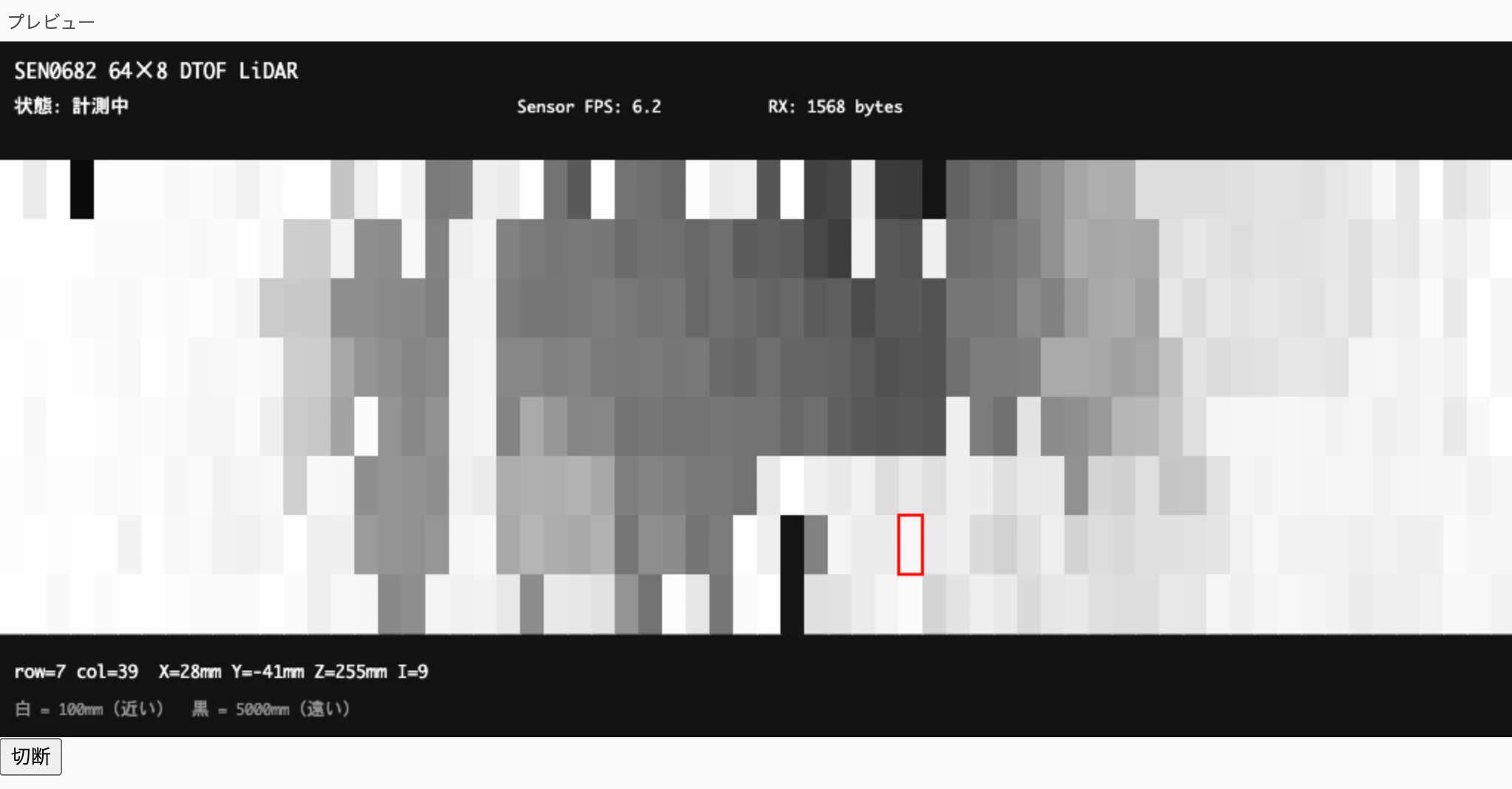
上記を Mac の Chrome で動作させてみたところ、以下のように可視化ができたことは確認できました。
その他
デバイスを買ったきっかけ
今回の記事に書いたデバイスを買ったきっかけは、以下のポストでした。