0
0

Delete article

Deleted articles cannot be recovered.

Draft of this article would be also deleted.

Are you sure you want to delete this article?

Pleasanterにアクセスできなくなった時の対処

0
Last updated at Posted at 2026-07-21

基本環境

Pleasanterバージョン:1.5.2.0
Windows Server 2025 Standard 24H2
SQL Server 16.0.1

Pleasanterにアクセスできない
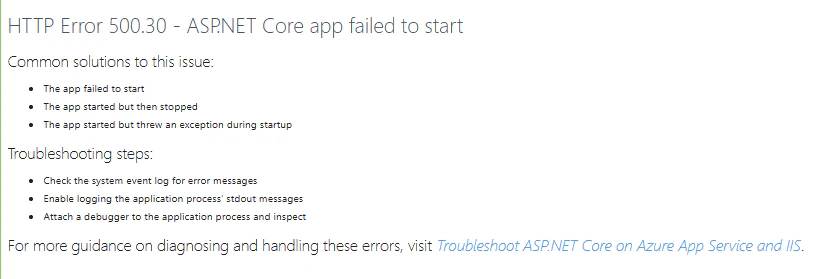
スクリーンショット 2026-07-21 232811.png

Windows11 イベントビューアーでログ確認

Windowsメニューバー検索「イベントビューアー」
左カラム>Windowsログ>Application
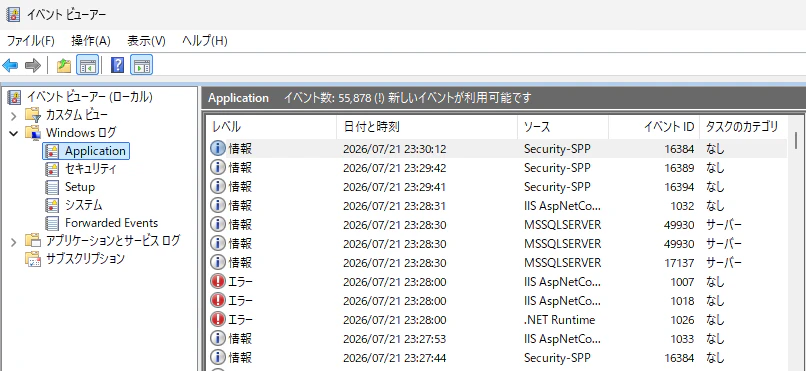
スクリーンショット 2026-07-21 233309.png
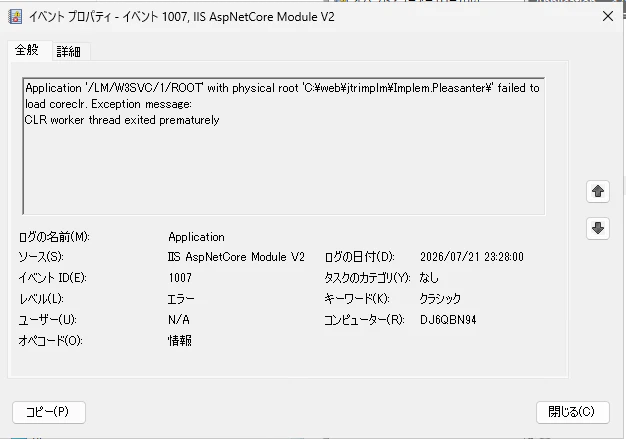
エラー行をクリック
スクリーンショット 2026-07-21 233400.png
原因を調査

パラメータを書き換えた時にチェックしたいこと

xxxxx.json のJSON構文にエラーがないかチェック

値の設定は” ”で囲う

URLの正規表現
https://xxx.xxx.xx.xx/ の場合は、
https:\/\/xxx\.xxx\.xx\.xx\/

パスの正規表現
C:\Users\Administrator\Documents の場合は、
C:\\Users\\Administrator\\Documents

IISで再起動
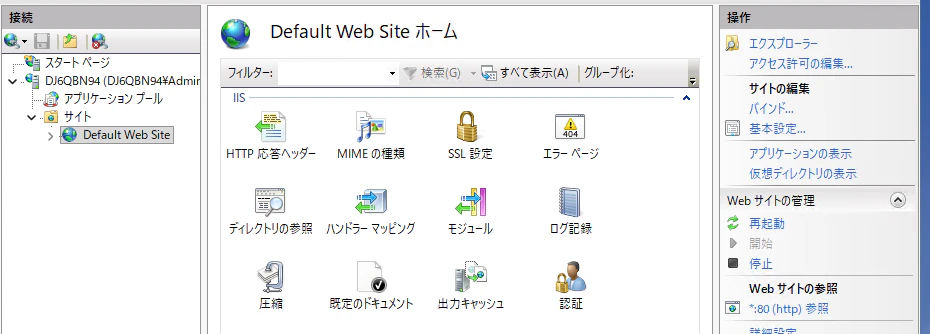
スクリーンショット 2026-07-21 234524.png

Windows ServerのUpdateを確認

SQL Serverの容量チェック

「レポート」→「標準レポート」→「テーブルごとのディスク使用量」

SQL ServerLogデータの削除

TRUNCATE TABLE "SysLogs";

インストールサーバーフォルダの属性

PleasanterをインストールしたC:\web 以下のフォルダを隠しフォルダ表示の設定にするとブラウザが真っ白になる

参考記事

0
0
0

Register as a new user and use Qiita more conveniently

  1. You get articles that match your needs
  2. You can efficiently read back useful information
  3. You can use dark theme
What you can do with signing up
0
0

Delete article

Deleted articles cannot be recovered.

Draft of this article would be also deleted.

Are you sure you want to delete this article?