
はじめに
需要が多いとは思えないけど、特定の状況でかなり都合のいい運用ができたので。
なお、WSL上で実行できればPHP以外のスクリプトでも同じことができるはず。
想定環境
- Windows10 1803以降 (Windows上でwslコマンドが使えること)
- PHPを実行できるWSL環境を構築済み
想定利用ケース
- Windows上で実行したいけど、Windows上に実行環境を構築したくない時
- 既存の資産をWindows上に移行して処理を実行したい時/実行させたい時
- プロンプト操作ではなく、アイコンクリックで処理を実行したい時/させたい時
サンプル
用意するファイル
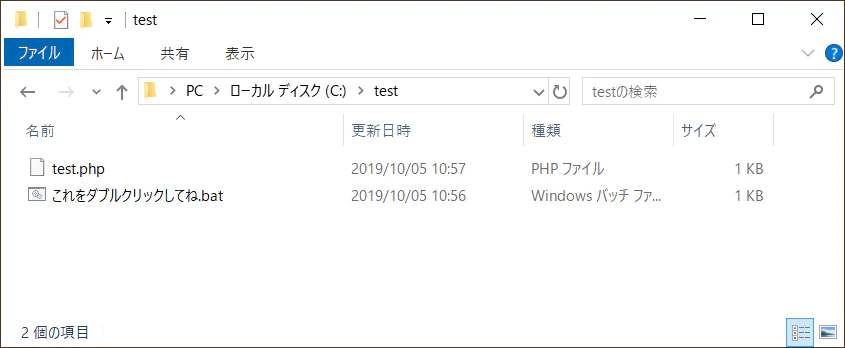
これをダブルクリックしてね.bat
@set dt=%date%
@set tm=%time: =0%
@set FileName=%dt:~0,4%%dt:~5,2%%dt:~8,2%_%tm:~0,2%%tm:~3,2%%tm:~6,2%_log.txt

@wsl php test.php 2>&1 | wsl tee %FileName%
@pause
test.php
<?php

echo "なにか入力してください" . PHP_EOL;
$stdin = trim(fgets(STDIN));

echo PHP_EOL;
echo PHP_EOL;
echo "入力内容は、、、" . PHP_EOL;
echo $stdin . PHP_EOL;
実行結果
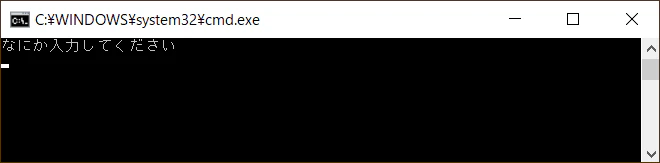
これをダブルクリックしてね.batをダブルクリック(Windowsの設定によってはクリック)するとコマンドプロンプトが表示される。
実運用するときは入力内容を示唆したり、重要な場所には色を付けたりすると良いんじゃないかな。
コマンドプロンプト上で入力結果が表示されて、logファイルも出力される。
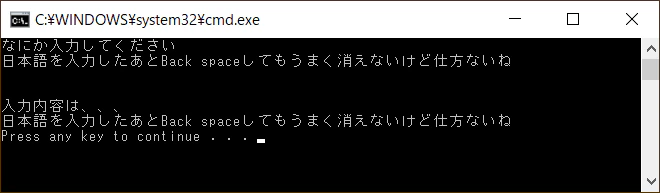
20191005_112251_log.txt
なにか入力してください


入力内容は、、、
日本語を入力したあとBack spaceしてもうまく消えないけど仕方ないね