
はじめに
こんにちは、最近FF14にはまった エンジニアの わた です。
AWSでリソースを作成したことを忘れて、気づいたらめっちゃ請求されていたなんてこと皆さんありますでしょうか。
先日僕も作成したことを忘れていて、金額がやばいことになっていました。
(勉強のための投資だと思うようにしました)
そこで、作成したことを忘れても気づける仕組みを今回作りました。
目的
- 作成してあるリソース一覧を通知させ、削除忘れを防止する。
- 当月の現時点までの料金を通知させ、想定外の利用料になっていないことを確認する。
- 通知先はLINEとし、スマホからでも簡単に確認できるようにする。
実現方法
- 作成しているリソース一覧を確認
⇒ AWS Resource Mangaer を利用 - 当月の現時点でのAWS利用料金を確認
⇒ AWS Cost Explorer を利用 - その結果をLINEに通知
⇒ LambdaでLINE Message API を呼び出し通知させる - 特定の時間に実行させる
⇒ Event Bridgeのcronを利用
構成図

やってみる
流れ
- LINE Message APIを作成
- Resource Explorerの設定
- Cost Explorerの設定
- Lambdaの作成
- EventBrigdeスケジュール設定
LINE Message APIの作成
ここの LINE Message APIの作成が一番大変でした。
ここで記載すると本筋からずれるのとボリュームがやばいことになるので、
また別の記事で記載します。(気力があれば)
ざっと以下のことを行っています。
- LINE Message APIの作成
- 通知先LINEユーザのID取得用アプリの作成
- 通知用公式アカウントの作成
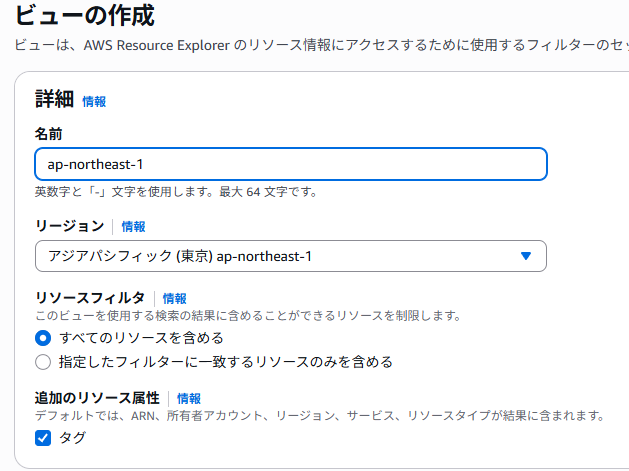
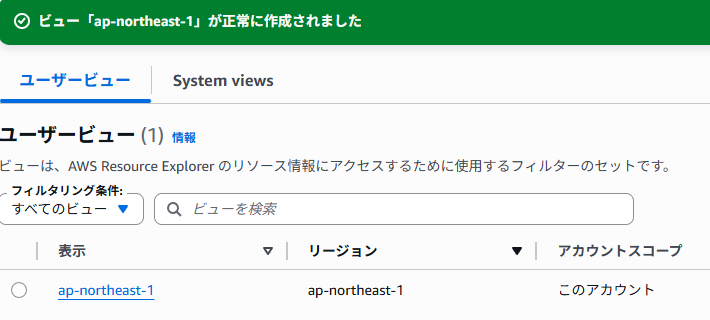
Resource Explorerの設定
リソースを作成するリージョンのビューを作成します。

Cost Explorerの設定
「Billing and Cost Management」の「Cost Explorer」にて有効化を行います。
ここでは有効化するだけで大丈夫です。
Lambdaの作成
私自身インフラエンジニアでコーディングは疎いため、Lambdaの作成はCopilot大先生に頑張ってもらいました。
言語はpythonを使用しています。
内容はざっと以下の通りです。
- LINE Message APIのアクセストークンと通知先のLINEユーザIDを設定
※今回はとりあえず動けばいいの精神でアクセストークンについてもひとまずハードコーディングしていますが、セキュリティ上非推奨ですので、実際にやる場合はSecret Managerなどの利用をおすすめします - Cost Explorer で確認する料金の範囲を設定
- Resource Explorerで確認するリソースのリージョンを設定
- LINE通知用テンプレートの作成
import boto3
import json
import requests
from datetime import datetime

def lambda_handler(event, context):
    # LINE設定
    CHANNEL_ACCESS_TOKEN = "LINE Message APIのアクセストークン"
    USER_ID = "通知先ユーザID"

    # 日付設定(当月1日〜今日)
    today = datetime.utcnow().date()
    start = today.replace(day=1)
    end = today

    # Cost Explorerクライアント
    ce = boto3.client('ce')
    total_response = ce.get_cost_and_usage(
        TimePeriod={'Start': start.strftime('%Y-%m-%d'), 'End': end.strftime('%Y-%m-%d')},
        Granularity='MONTHLY',
        Metrics=['UnblendedCost']
    )
    total_amount = float(total_response['ResultsByTime'][0]['Total']['UnblendedCost']['Amount'])

    service_response = ce.get_cost_and_usage(
        TimePeriod={'Start': start.strftime('%Y-%m-%d'), 'End': end.strftime('%Y-%m-%d')},
        Granularity='MONTHLY',
        Metrics=['UnblendedCost'],
        GroupBy=[{'Type': 'DIMENSION', 'Key': 'SERVICE'}]
    )
    service_costs = service_response['ResultsByTime'][0]['Groups']
    service_lines = []
    for group in service_costs:
        service = group['Keys'][0]
        amount = float(group['Metrics']['UnblendedCost']['Amount'])
        if amount > 0:
            service_lines.append(f"{service}: ${amount:.2f}")

    # Resource Explorerクライアント(リージョン指定)
    rex = boto3.client('resource-explorer-2', region_name='ap-northeast-1')
    default_view = 'arn:aws:resource-explorer-2:ap-northeast-1:<アカウントID>:view/ap-northeast-1/9271cc44-f591-4999-a150-a39781a436f1'

    def extract_identifier(name, arn):
        if name and name.strip():
            return name
        if arn and '/' in arn:
            return arn.split('/')[-1]
        return '(識別名なし)'

    resource_lines = []
    try:
        search_response = rex.search(
            ViewArn=default_view,
            QueryString="",
            MaxResults=50
        )
        print("search_response:", json.dumps(search_response, indent=2, default=str))
        resources = search_response.get('Resources', [])
        for res in resources:
            service = res.get('Service', 'Unknown')
            resource_type = res.get('ResourceType', 'Unknown')
            name = res.get('Name')
            arn = res.get('Arn')
            identifier = extract_identifier(name, arn)
            resource_lines.append(f"■サービス名:{service}\n ・リソースタイプ:{resource_type}\n ・識別名:{identifier}")
    except Exception as e:
        resource_lines.append(f"※ ViewArn による検索でエラーが発生しました: {str(e)}")

    # LINE通知用メッセージテンプレートの作成
    message_lines = [
        f"【AWSリソース&料金レポート】{today.strftime('%Y/%m/%d')}",
        f"▶ 合計料金(当月): ${total_amount:.2f}",
        "▶ サービス別料金:",
        *service_lines,
        "",
        "▶ 現在のリソース一覧(最大50件):",
        *resource_lines
    ]
    message = "\n".join(message_lines[:20])  # LINE制限対策

    headers = {
        "Authorization": f"Bearer {CHANNEL_ACCESS_TOKEN}",
        "Content-Type": "application/json"
    }
    payload = {
        "to": USER_ID,
        "messages": [{"type": "text", "text": message}]
    }
    line_response = requests.post(
        "https://api.line.me/v2/bot/message/push",
        headers=headers,
        data=json.dumps(payload)
    )

    print("LINE response:", line_response.status_code, line_response.text)
    return {
        "statusCode": line_response.status_code,
        "body": line_response.text
    }
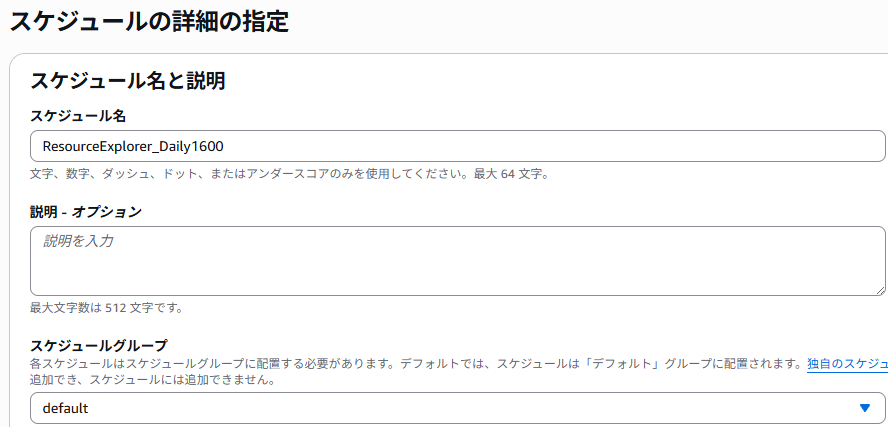
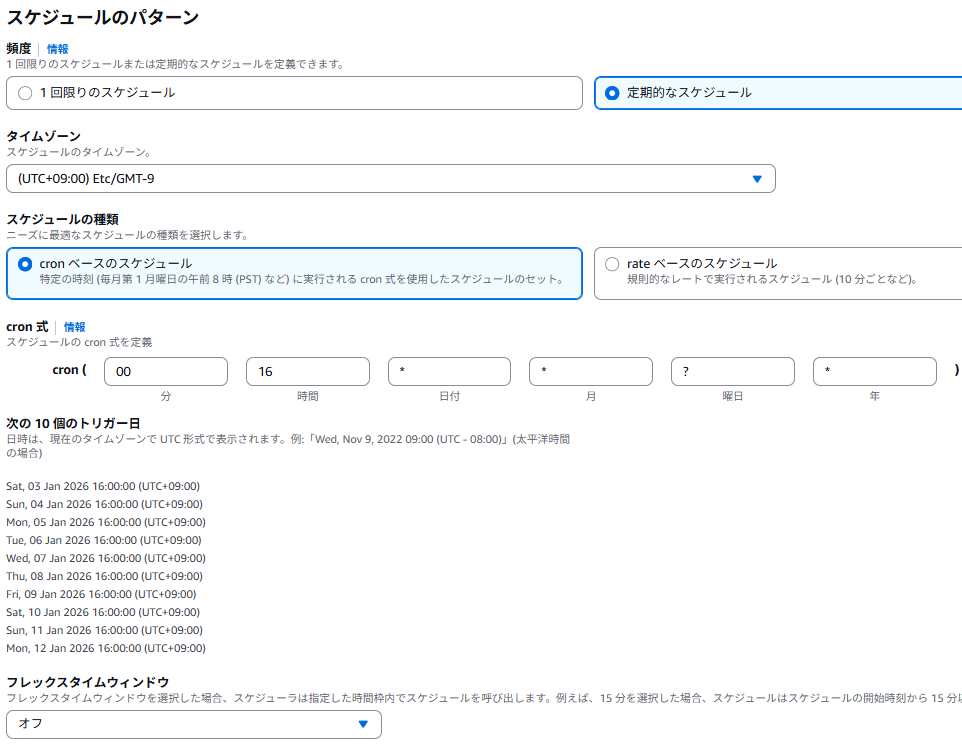
EventBridgeスケジュール設定
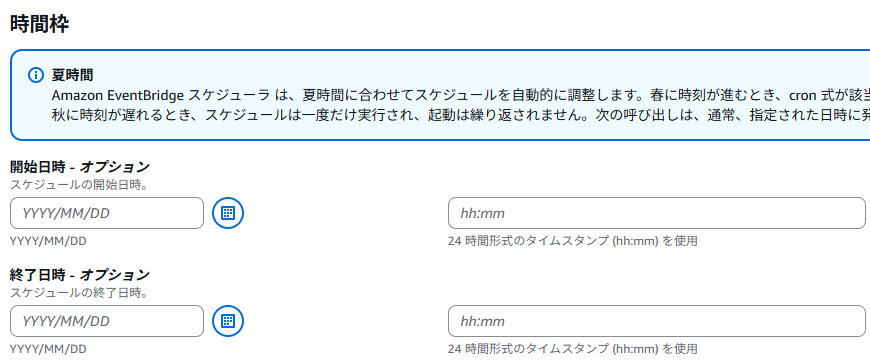
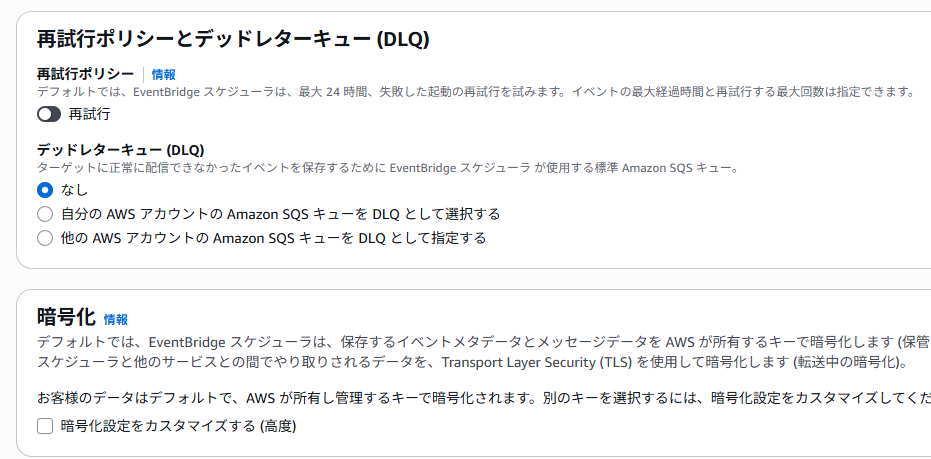
毎日16時にLambdaを実行し、通知が来るようにしたいので以下の設定を行います。



動作確認
以下の通り無事LINEで作成したリソースと料金が通知されることを確認できました。

まとめ
今回は作成したリソース一覧とその料金をLINEで通知するプロダクトを作ってみました。
これにより作りっぱなしになることを防ぐことができ、毎月末の請求額に震えなくなりました。
ただ今回はセキュリティレベルが低いので、Secret ManagerによるLINE APIアクセストークン管理や、通知内容をよりわかりやすくするための整形、LINE以外のプラットフォームへの対応などもできればと思います。
今回は通知先をLINEにしましたが、Eメールやslackなどであれば、LINE APIの部分をSNS(Simple Notification Service)で代替できるのでそのほうが構築は楽になるかと思います。
ではでは。