0
0

Delete article

Deleted articles cannot be recovered.

Draft of this article would be also deleted.

Are you sure you want to delete this article?

More than 3 years have passed since last update.

Windows10にインストールしたMariaDBのバージョン確認

0
Last updated at Posted at 2020-11-04

やり方

コマンドプロンプト起動して下記コマンドでMariaDB起動。

"C:\Program Files\MariaDB 10.5\bin\mariadb" -u root -p

『MariaDB 10.5』は適宜読み替えて。
その後は、ユーザーのパスワードを入力。(今回の例はrootユーザー)

んでもって下記SQL。

SELECT VERSION();

っていうかログインした時点でバージョン出とるがな(´・ω・`)
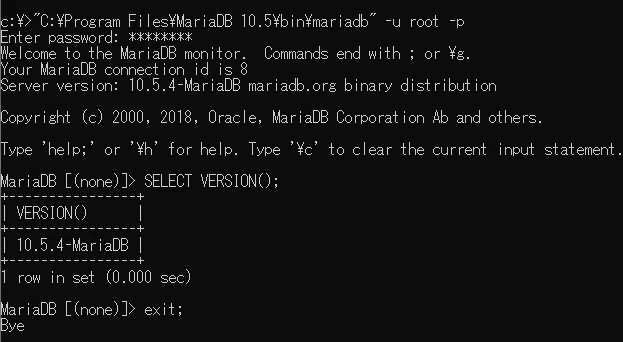
image.png

蛇足

普通はコマンドプロンプトからじゃなくて、HeidiSQLとかでSQL実行した方が楽。
まあ、できるだけWindows10の標準機能で確認するっていうことで…。

バージョン

Windows 10 Pro 21H2 OSビルド 19044.1889

0
0
0

Register as a new user and use Qiita more conveniently

  1. You get articles that match your needs
  2. You can efficiently read back useful information
  3. You can use dark theme
What you can do with signing up
0
0

Delete article

Deleted articles cannot be recovered.

Draft of this article would be also deleted.

Are you sure you want to delete this article?