
Redis Caching in Node.js のメモです。
まずは以下のようにRedisを用いずにGitHubのレポジトリの数を表示します。
const express = require("express");
const fetch = require("node-fetch");

const PORT = process.env.PORT || 5000;

const app = express();

function setResponse(username, repos) {
  return `<h2>${username} has ${repos} Github repos</h2>`;
}

async function getRepos(req, res, next) {
  try {
    console.log("Fetching Data...");

    const { username } = req.params;

    const response = await fetch(`https://api.github.com/users/${username}`);

    const data = await response.json();

    const repos = data.public_repos;

    res.send(setResponse(username, repos));
  } catch (err) {
    console.error(err);
    res.status(500);
  }
}

app.get("/repos/:username", getRepos);

app.listen(5000, () => {
  console.log(`App listening on port ${PORT}`);
});
http://localhost:5000/repos/wafuwafu13 にアクセスして計測すると、421msかかっていました。

リロードする度にAPIを叩いているので何度しても結果はあまり変わりません。
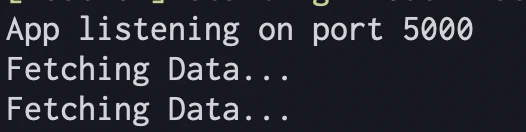
次に、Redisを用いてレポジトリの数をキャッシュしてみます。
const express = require("express");
const fetch = require("node-fetch");
const redis = require("redis"); // 1

const PORT = process.env.PORT || 5000;
const REDIS_PORT = process.env.PORT || 6379; // 2

const client = redis.createClient(REDIS_PORT); // 3

const app = express();

function setResponse(username, repos) {
  return `<h2>${username} has ${repos} Github repos</h2>`;
}

async function getRepos(req, res, next) {
  try {
    console.log("Fetching Data...");

    const { username } = req.params;

    const response = await fetch(`https://api.github.com/users/${username}`);

    const data = await response.json();

    const repos = data.public_repos;

    client.setex(username, 3600, repos); // 4

    res.send(setResponse(username, repos));
  } catch (err) {
    console.error(err);
    res.status(500);
  }
}

// 5
function cache(req, res, next) {
  const { username } = req.params;

  client.get(username, (err, data) => {
    if (err) throw err;

    if (data !== null) {
      res.send(setResponse(username, data));
    } else {
      next();
    }
  });
}

app.get("/repos/:username", cache, getRepos); // 6

app.listen(5000, () => {
  console.log(`App listening on port ${PORT}`);
});
1でRedisをインポートして、2,3でポートの設定をします。
4のsetexで、usernameをkey,reposをvalueにして3600秒間で設定します。
get usernameをするとvalueが取り出せるようになります。

5のgetでそのvalueを取り出し、レスポンスを返しています。
6でその関数を呼び出しています。
結果は、1回目のロード時はキャッシュが効いていないので変わらないですが、2回目のリロードからはキャッシュが効くので8msとだいぶ速くなります。

APIを叩きにいっていないのがわかります。

FLUSHALLで削除した直後の1回目はキャッシュが効かないのでまた遅くなります。
