はじめに
Vite React Typescriptで作成したアプリをgithub pagesにデプロイする方法。
今更感がありますがメモしておきます。
前提条件
yarn、viteは導入済み
プロジェクト作成
下記のコマンドを実行。
yarn create vite
- プロジェクト名を入力
- Reactを選択
- Typescriptを選択
- 作成したプロジェクトのディレクトリに移動
package.jsonの編集
homepageとdeployを追加
{
    ...
    "homepage": "https://villhell.github.io/リポジトリ名",
    "scripts": {
    ...
    "deploy": "yarn build && gh-pages -d build"
  },
}
vite.config.tsの編集
baseを追加。
import { defineConfig } from 'vite';
import react from '@vitejs/plugin-react';

// https://vitejs.dev/config/
export default defineConfig({
  base: '/githubのリポジトリ名/',
  plugins: [react()],
});
git
git init
- .gitignoreファイルからdistをコメントアウト
git add .
git commit -m "first commit."
ここで一旦Pushしておきます。
githubにアクセスしてリポジトリが作成できているか確認して下さい。
gh-pagesブランチを作成
このブランチはサブディレクトリで管理したいので以下の手順を実行。
git checkout --orphan gh-pages
git reset --hard
echo 'Hello' > index.html
git add index.html
git commit -am 'Create gh-pages'
ここでも一旦pushしておいてgh-pagesにindex.htmlがあることを確認してください。
git worktreeを使う
git checkout master
git worktree add dist gh-pages
これでmasterからブランチを切り替えずにgh-pagesブランチをコミットすることができるようになります。
package.jsonの内容をインストール
yarn
viteをインストール
yarn add vite
buildする
yarn build
buildができればコミットしてプッシュします。
githubの設定
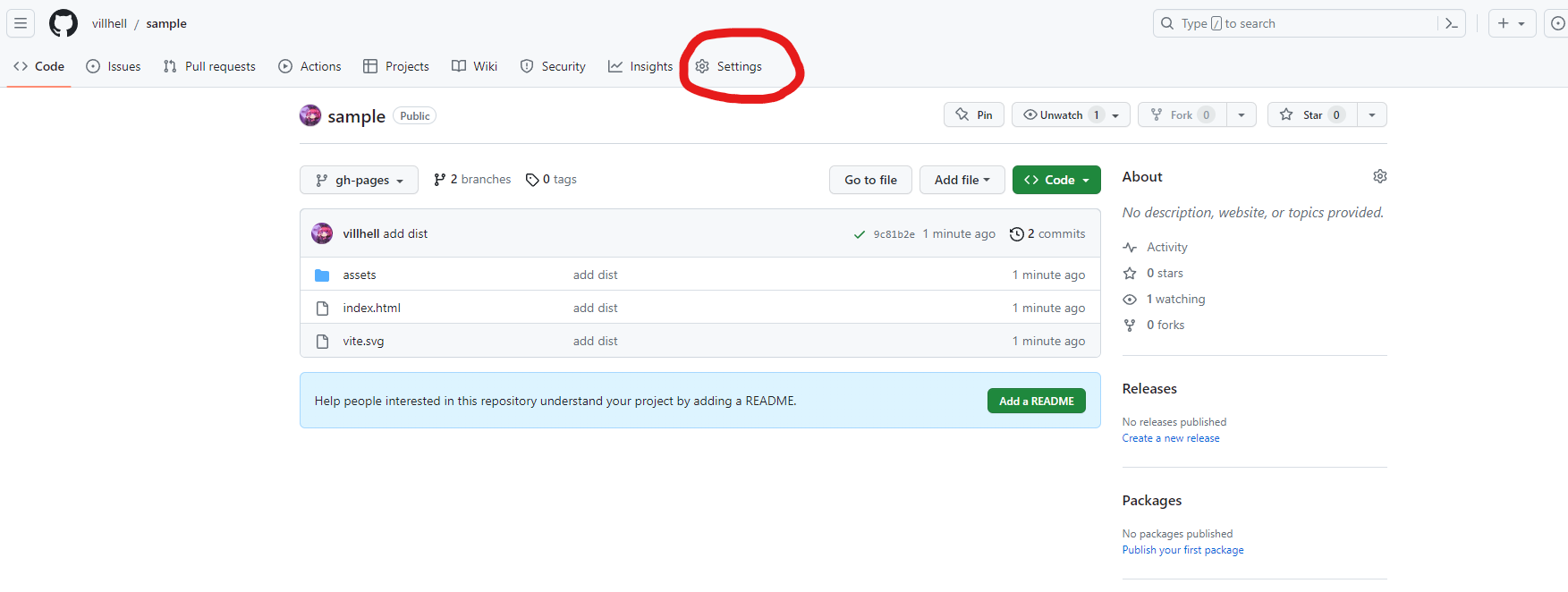
githubで先程プッシュしたページにアクセスします。
「Setting」をクリック
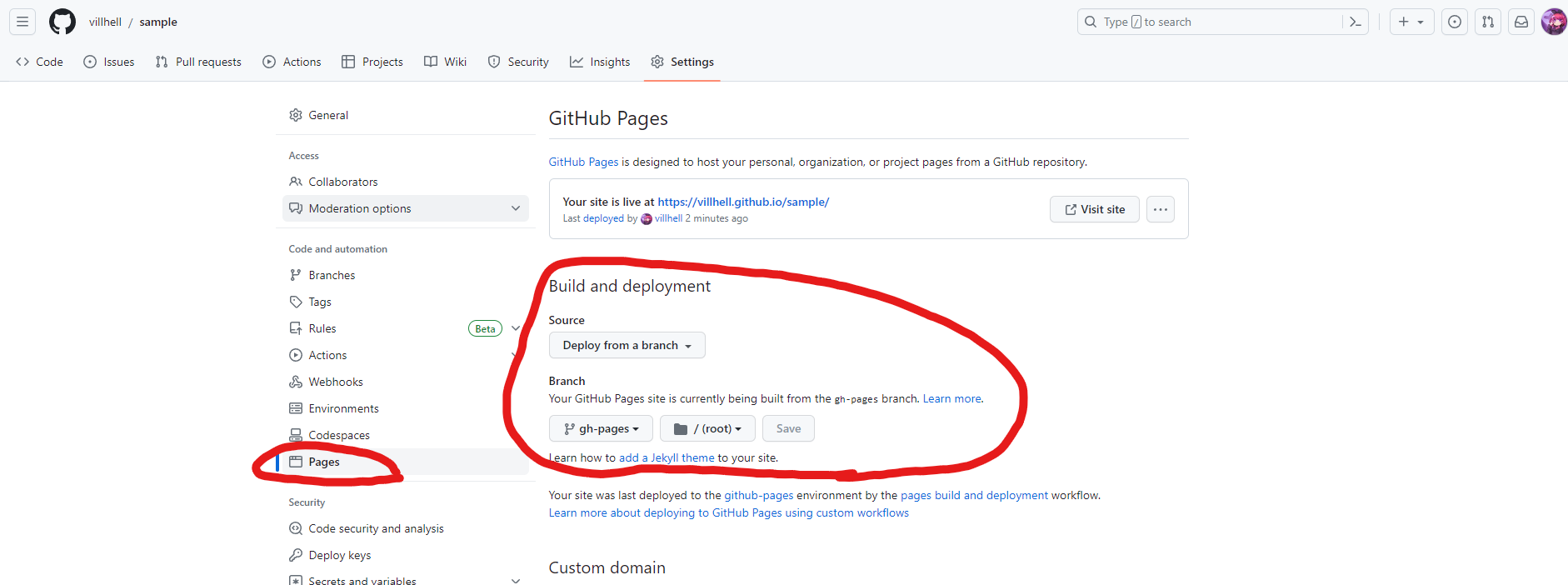
左側のメニューから「Pages」をクリックして、ブランチをgh-pagesにしてSaveしてください。
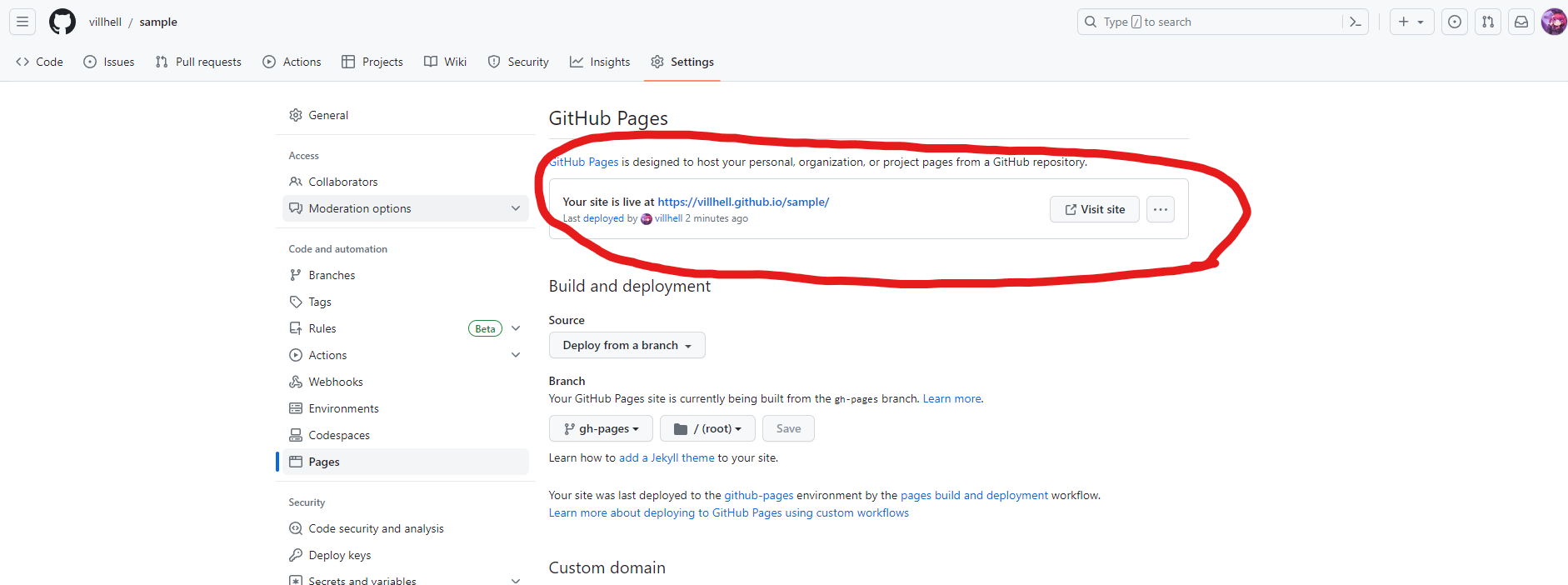
少し待つとページへのリンクが表示されるようになるので「Visit Site」をクリック
画面が表示されていればOKです!