1
0

Delete article

Deleted articles cannot be recovered.

Draft of this article would be also deleted.

Are you sure you want to delete this article?

More than 5 years have passed since last update.

【Alibaba Cloud】アカウントの本人認証申請手順

1
Last updated at Posted at 2019-05-15

Alibaba Cloudでの本人認証申請

Alibaba Cloudでは、アカウント作成直後では機能が制限されており、本人認証を申請する事によって全機能(例えば、特大のインスタンスタイプを作成する)が利用可能となります。

1. アカウント管理画面への表示

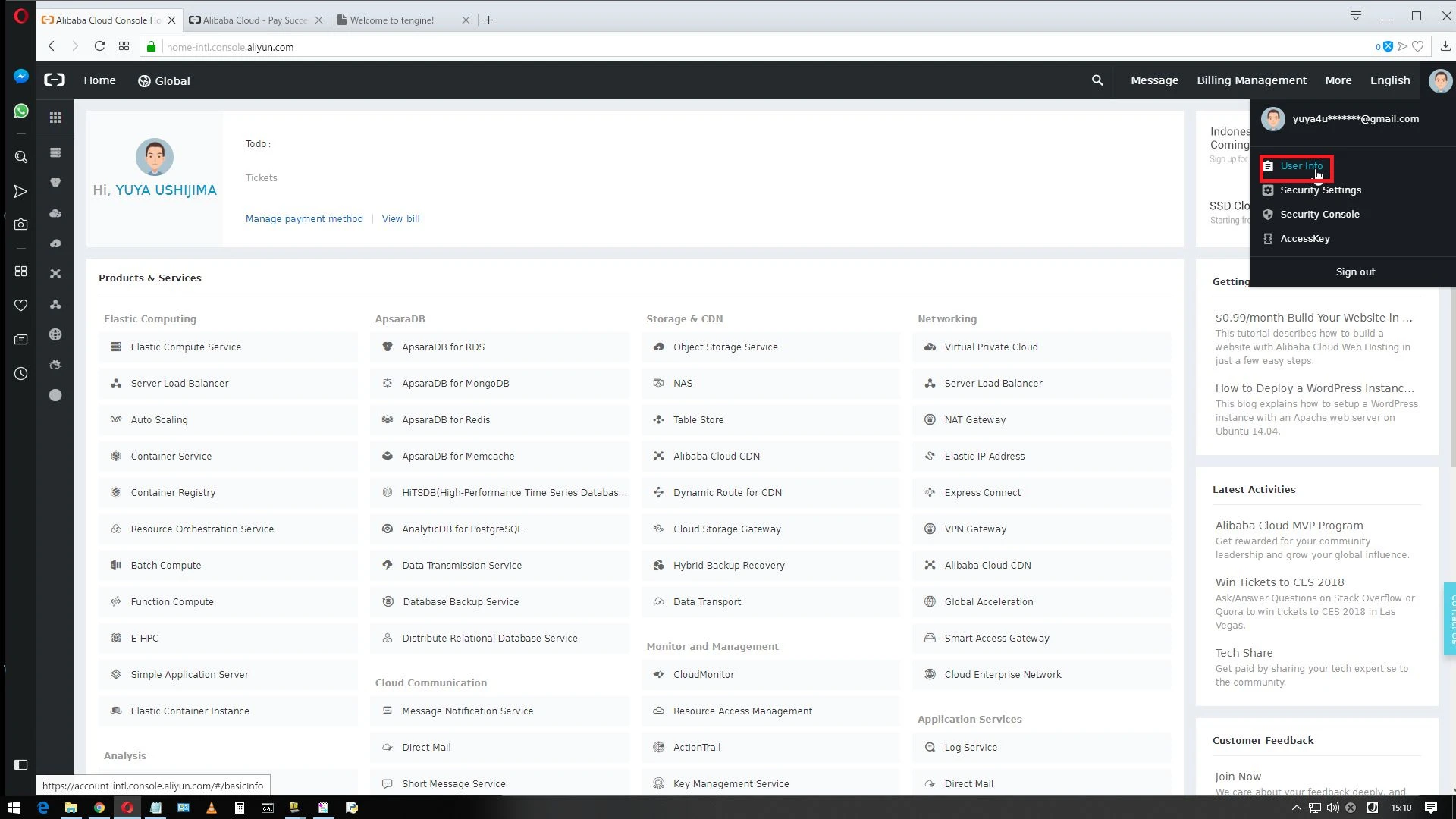
ログイン後のコンソールで、右上のアイコンをクリックして、「User Info」をクリックします。
WS000001.JPG

2. 本人情報の入力

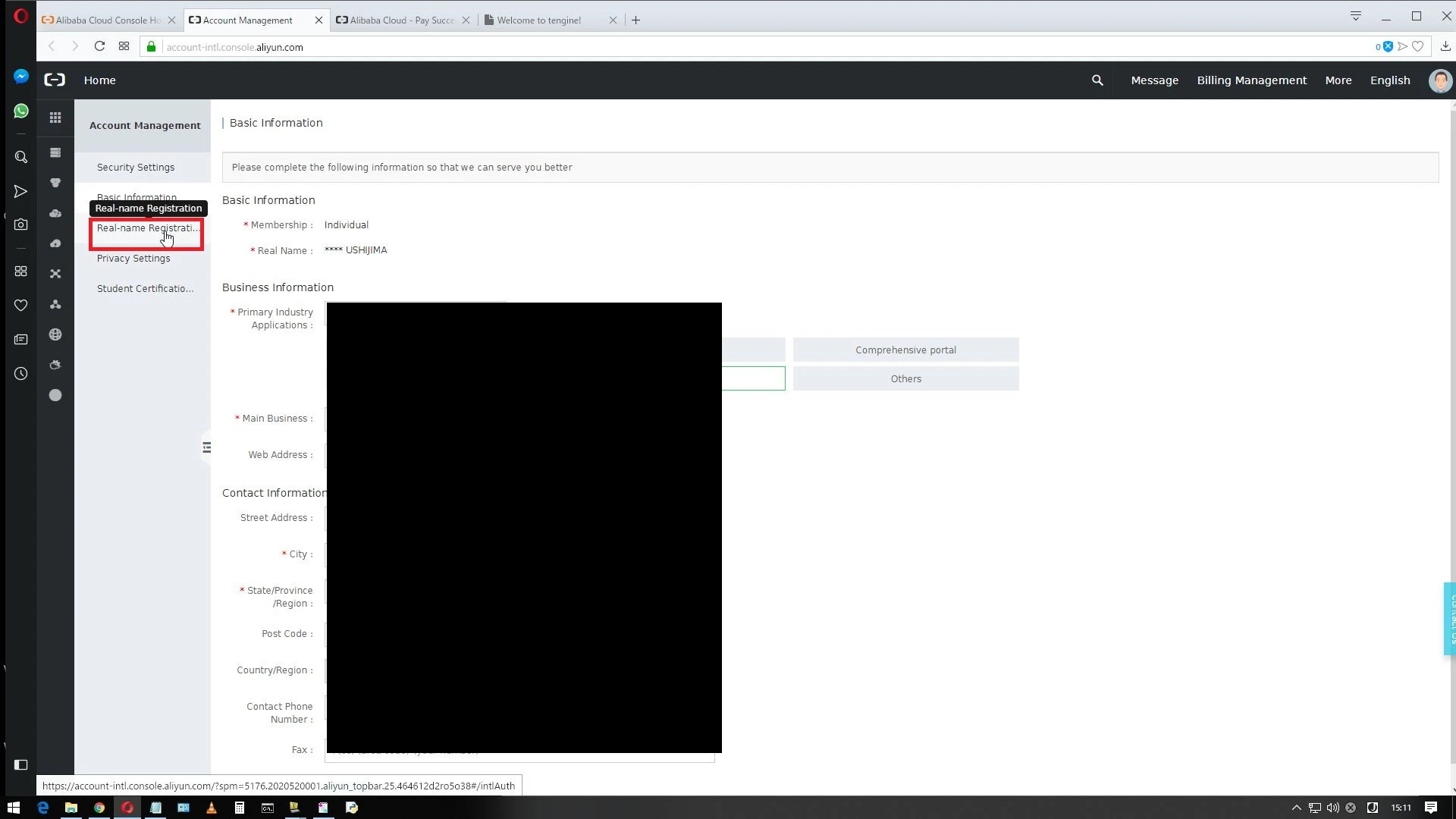
「Real-name Registration」をクリックします。
WS000002.JPG
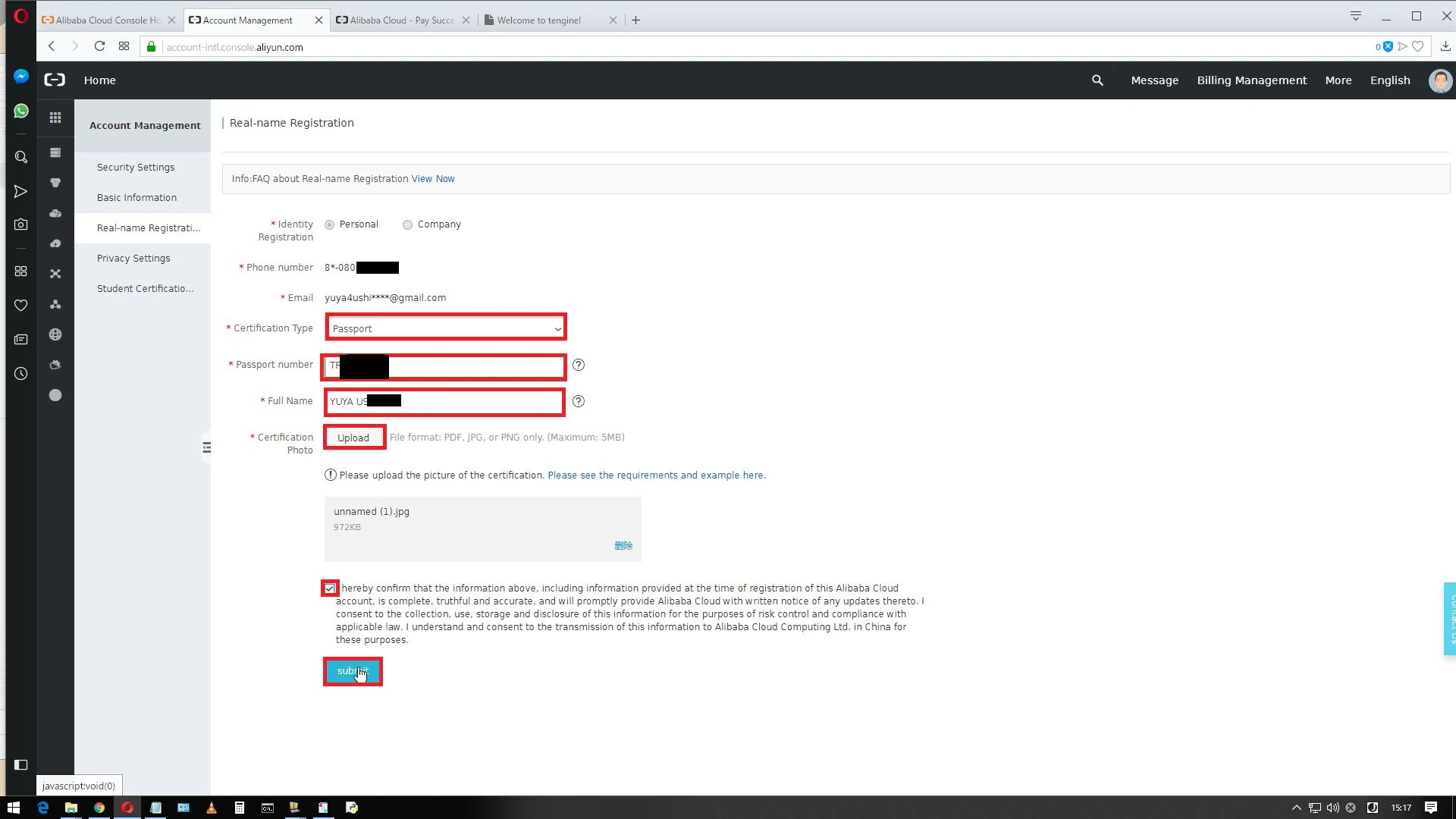
Certification Typeで、PassportもしくはDriver's Licenseを選択して、その登録番号と名前、証明画像をアップロードします。
規約にチェックを入れて、「submit」をクリックします。
WS000004.JPG

3. 申請後の確認

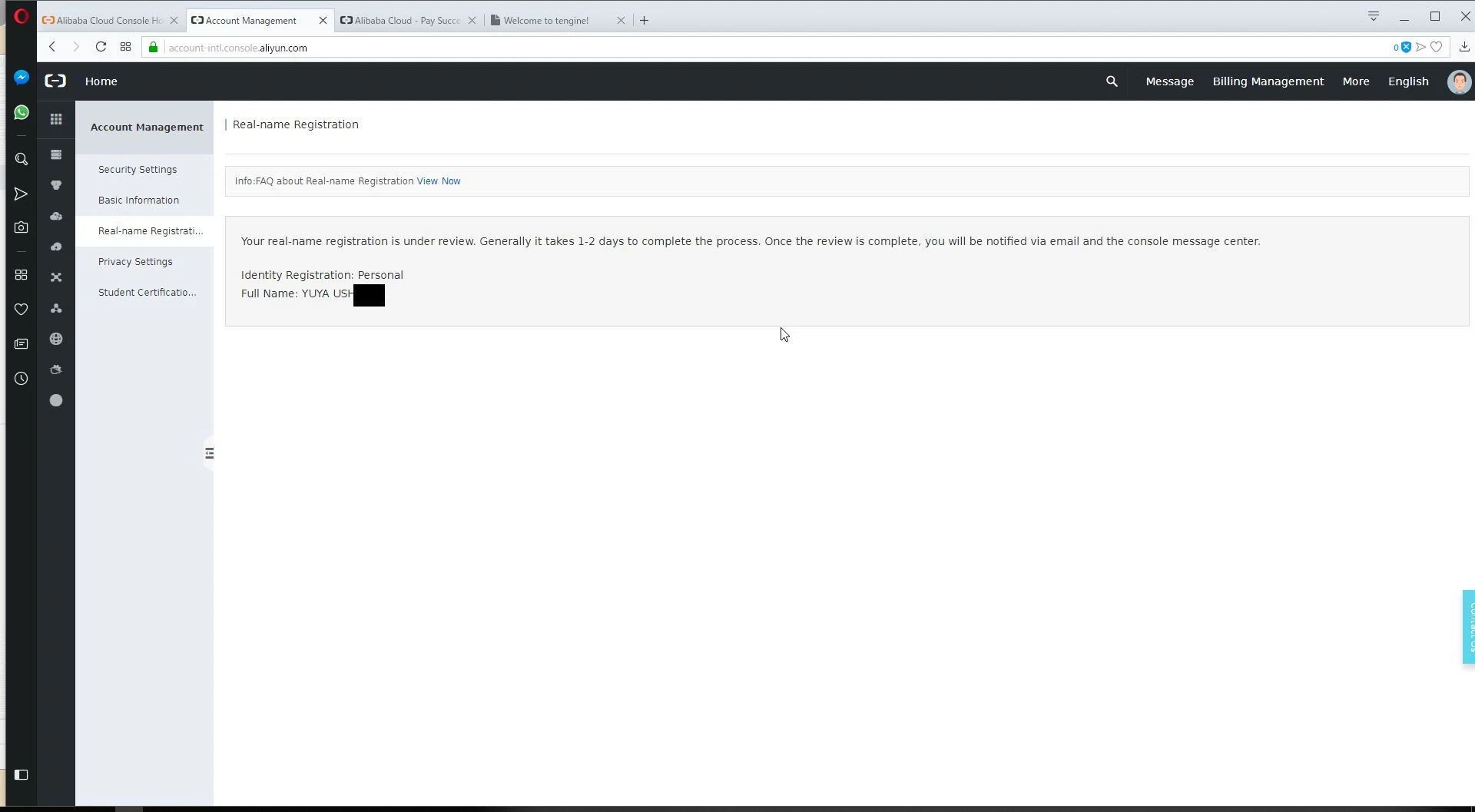
「submit」をクリックすると以下の画面が表示されます。数営業日後に、認証完了のメールが届きます。
WS000005.JPG

1
0
0

Register as a new user and use Qiita more conveniently

  1. You get articles that match your needs
  2. You can efficiently read back useful information
  3. You can use dark theme
What you can do with signing up
1
0

Delete article

Deleted articles cannot be recovered.

Draft of this article would be also deleted.

Are you sure you want to delete this article?