Delete article

Deleted articles cannot be recovered.

Draft of this article would be also deleted.

Are you sure you want to delete this article?

This article is a Private article. Only a writer and users who know the URL can access it.
Please change open range to public in publish setting if you want to share this article with other users.

More than 5 years have passed since last update.

Dialogflowでチャットボット -返事をさせる(1)ENTITY

0
Last updated at Posted at 2017-11-24

インテントとエンティティのわかりやすい解説はこちら
参考:チャットボットをAIでもっと素敵にする!自然言語処理のしくみ


botに返事をさせます。
まずは単語の追加から。

ENTITY(同義語)を定義する

左のタブから「Entities」を選び、右上の「CREATE ENTITY」をクリックします。
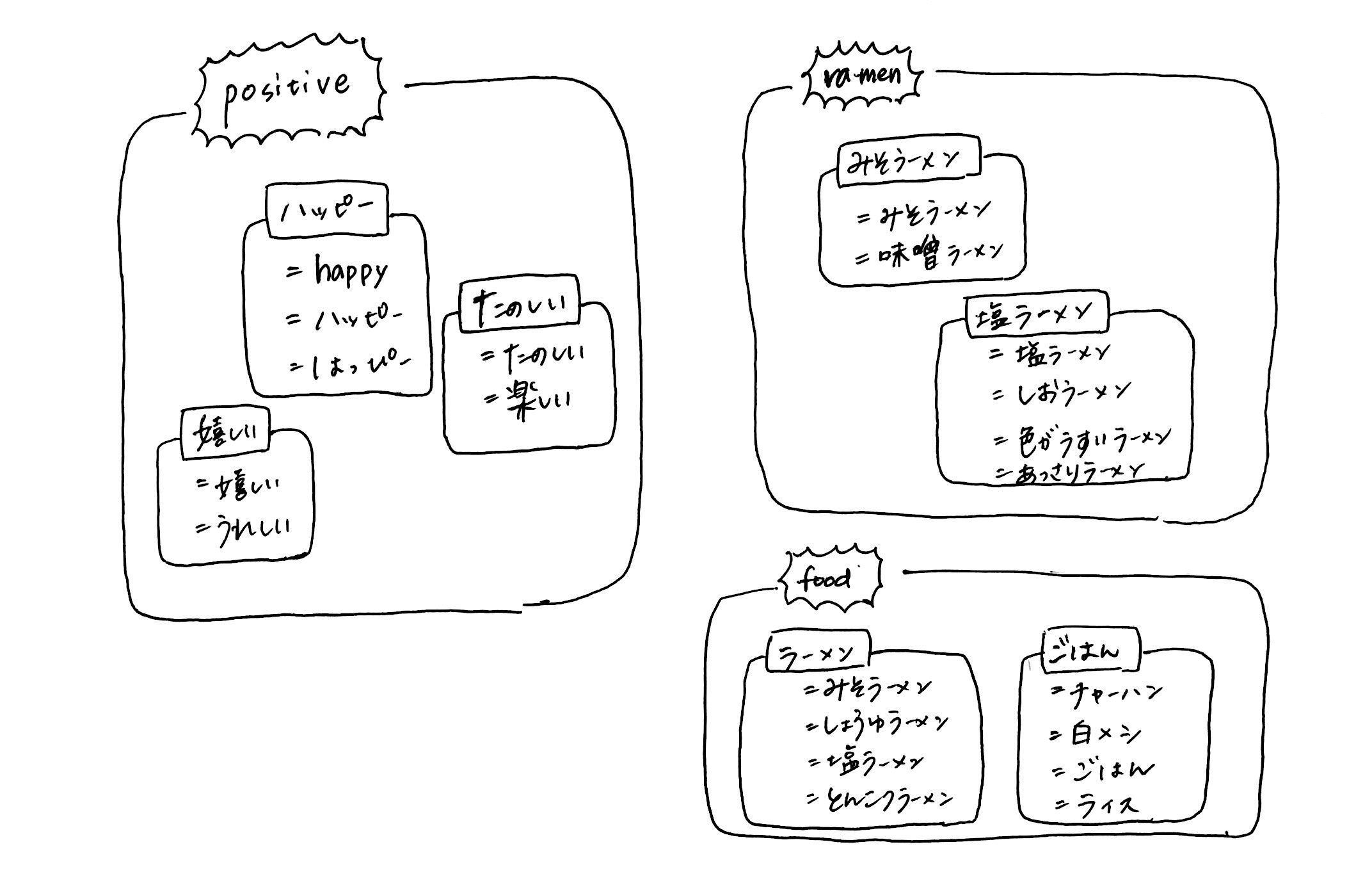
枠の左側に、単語名を、右側に同義語を定義していきます。
enterキー、tabキー次へ進めます。

スクリーンショット 2017-11-24 12.42.48.png エンティティの組み方も様々です。会話の内容によって変えましょう。 ![新規ドキュメント 2017-11-24 12.39.35_1.jpg](https://qiita-image-store.s3.amazonaws.com/0/192887/5f4d6e47-c6de-20b1-d5f9-d04048d17926.jpeg)

日本語の場合、漢字とひらがななど、様々なバリエーションで書いておくと、より認識度が上がります。
終わったら、必ず「SAVE」をします。

次→Dialoglowでチャットボット -返事をさせる(1)INTENT

0

Register as a new user and use Qiita more conveniently

  1. You get articles that match your needs
  2. You can efficiently read back useful information
  3. You can use dark theme
What you can do with signing up

Delete article

Deleted articles cannot be recovered.

Draft of this article would be also deleted.

Are you sure you want to delete this article?