
こんばんは、うえむーです。
最近はAIを使った業務改善や技術検証など、日々いろいろと模索しているのですが、
「たまには純粋におもしろいものを作りたい!」と思い立ち、
Babylon.jsで8番出口っぽいのを作ってみました。
完成したものがこちらです
https://babylonjs-two.vercel.app/the_exit_8/
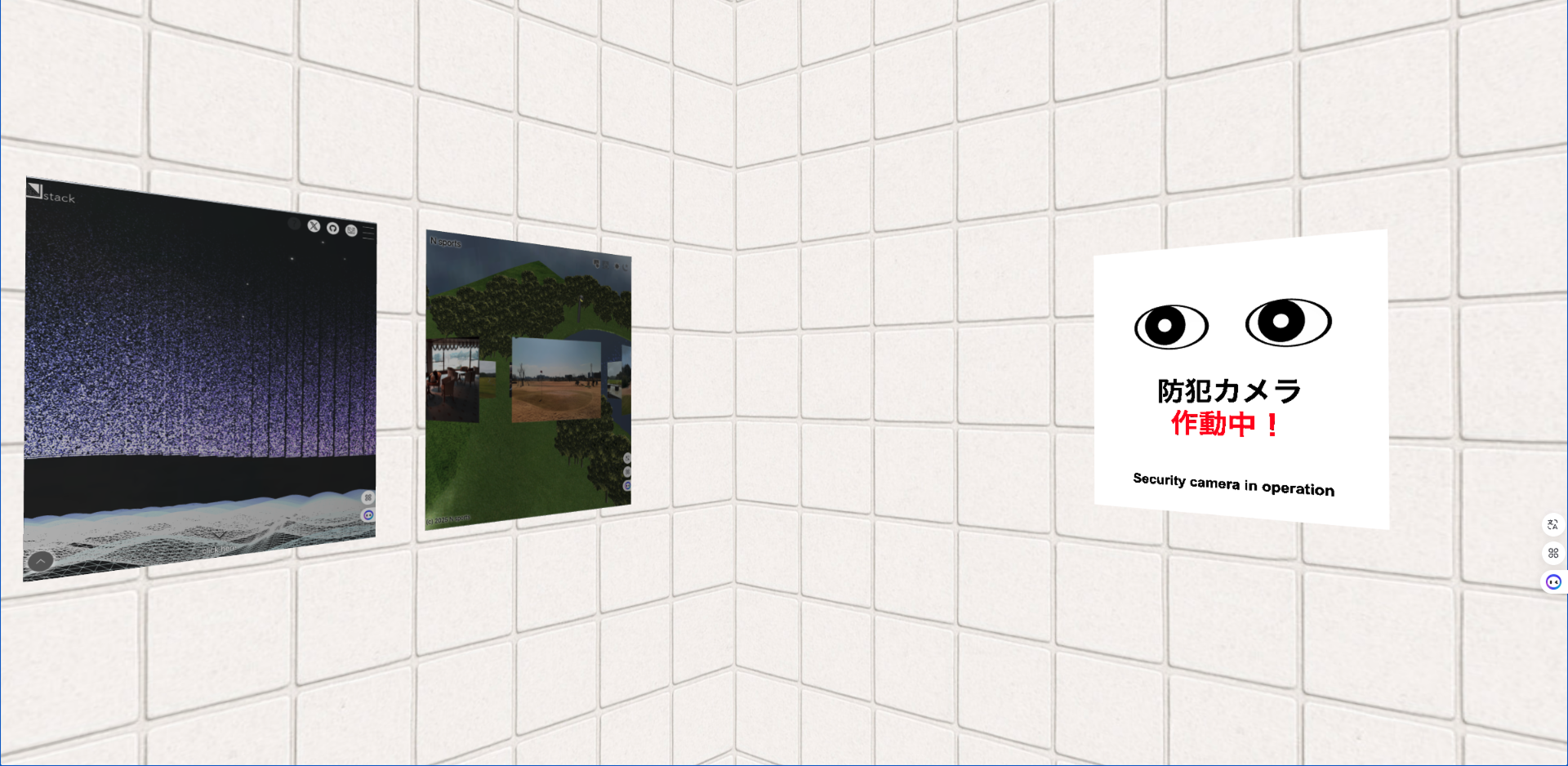
半分くらいは過去に自分で書いたコードを流用しつつ、
残りは Claude Code と ChatGPT を併用して実装しております。
以下では、仕掛けのいくつかを紹介します。
壁・テクスチャ周り
まずは世界観づくりから。
壁・床などのテクスチャ画像は ChatGPT に指示して生成しました。
怪しげな雰囲気が出るようにタイル調のデザインにしています。
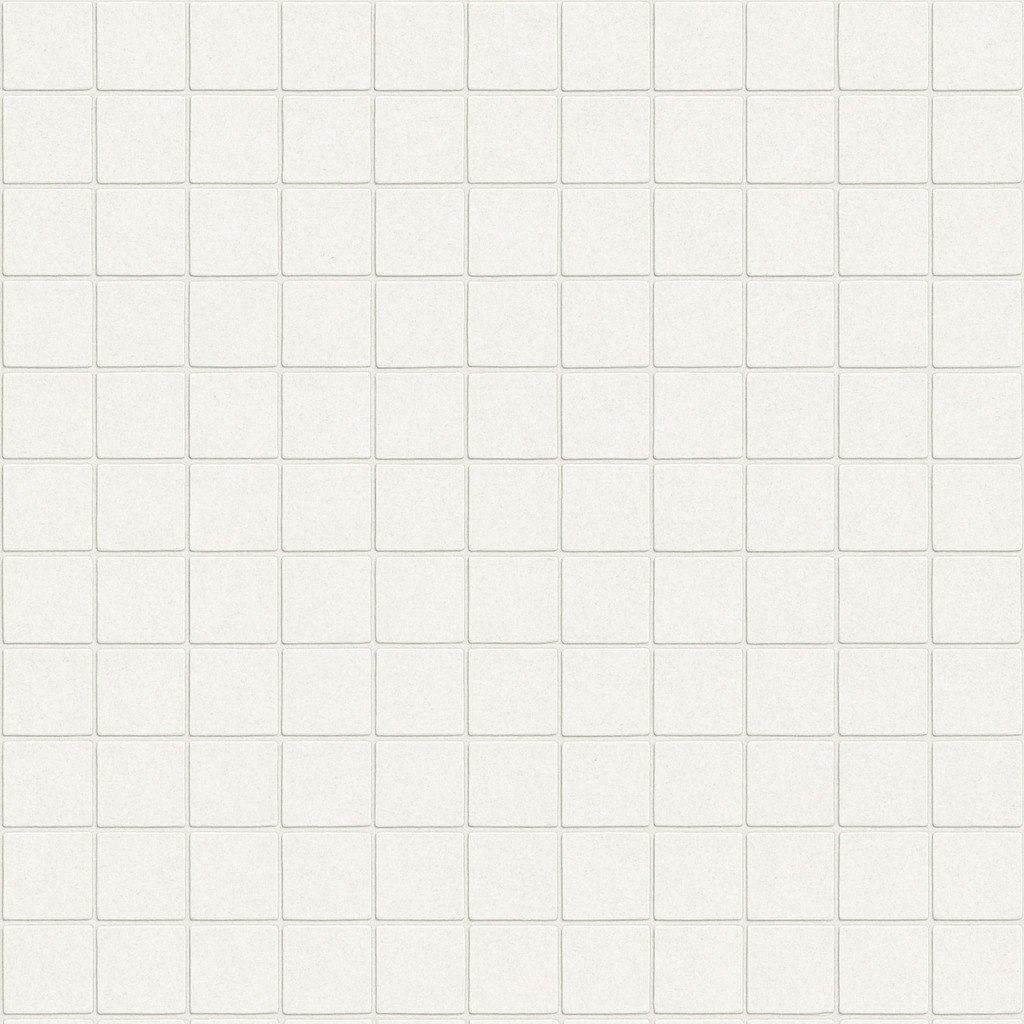
上記のテクスチャを利用して、怪しげな雰囲気が出るようにしました。
          const skybox = BABYLON.MeshBuilder.CreateBox("skyBox", {size: 1000}, scene);
          const skyboxMaterial = new BABYLON.StandardMaterial("skyBox", scene);
                skyboxMaterial.backFaceCulling = false;
          const skyboxTexture = "textures/skybox";

                skyboxMaterial.reflectionTexture = new BABYLON.CubeTexture(skyboxTexture, scene);
                skyboxMaterial.reflectionTexture.coordinatesMode = BABYLON.Texture.SKYBOX_MODE;
                skyboxMaterial.diffuseColor = new BABYLON.Color3(0, 0, 0);
                skyboxMaterial.specularColor = new BABYLON.Color3(0, 0, 0);
                skybox.material = skyboxMaterial;
防犯ポスター:目が追従する仕掛け
カーソルをぐりぐり動かすと、ポスターの目が追従します。
(本家にある「異変が起きると目がついてくるアレ」です!)
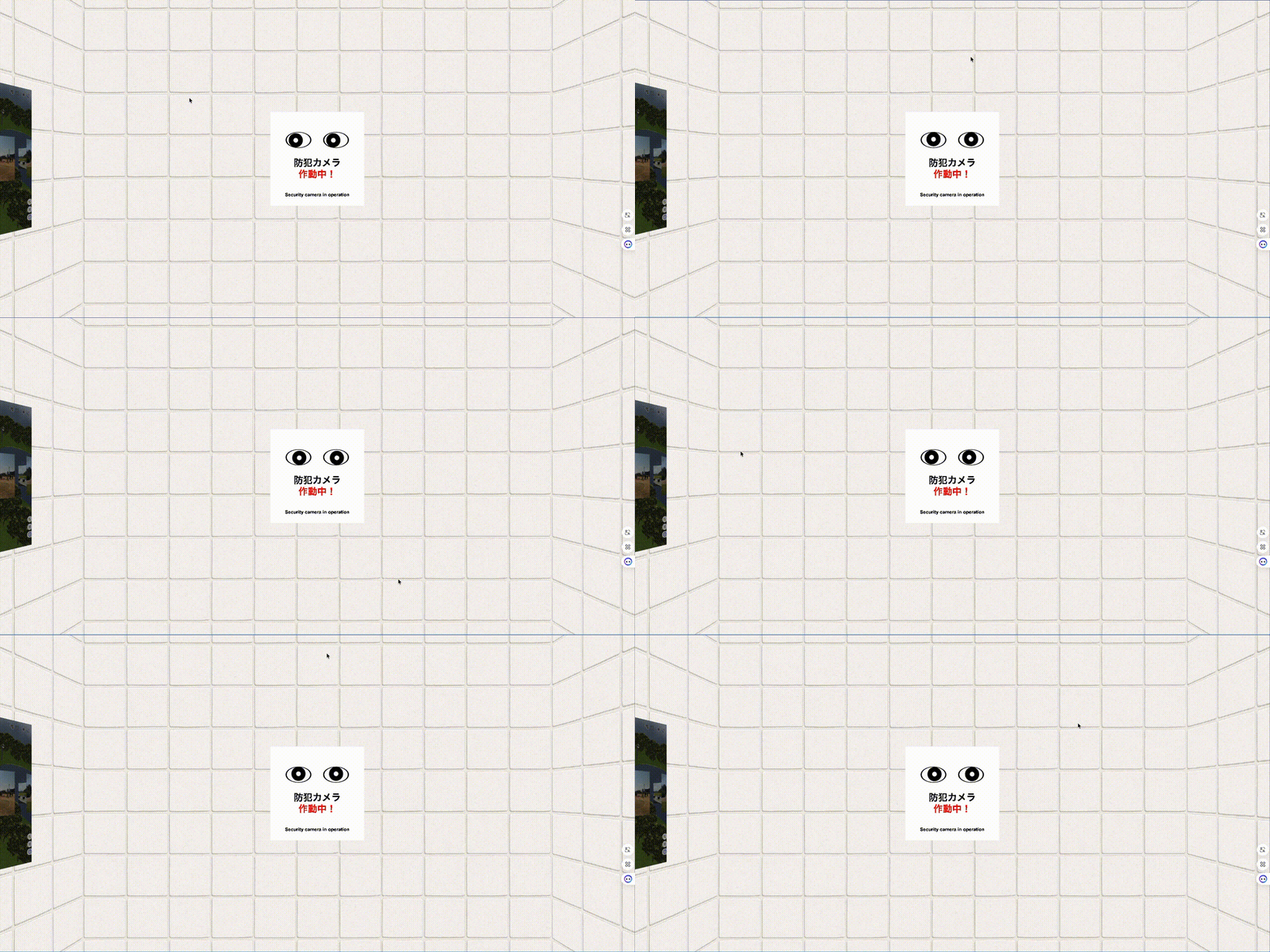
実装としては、カーソル位置を正規化して、
ポスター内の眼球スプライトの位置を微妙にズラすことで実現しています。
          // 目を作成
          // テキスト用の平面を作成
          var myText = BABYLON.MeshBuilder.CreatePlane("textPlane", {width: 200, height: 200}, scene);
          myText.position.z = -0;
          myText.parent = cameraGroup;

          // テクスチャにテキストを描画
          var dynamicTexture = new BABYLON.DynamicTexture("dynamic texture", {width: 1000, height: 1000}, scene);
          dynamicTexture.hasAlpha = true;
          dynamicTexture.drawText("防犯カメラ", null, 580, "600 100px Arial", "#000", "transparent", true);
          dynamicTexture.drawText("作動中!", null, 700, "600 100px Arial", "#ff0000", "transparent", true);
          dynamicTexture.drawText("Security camera in operation", null, 900, "600 50px Arial", "#000", "transparent", true);

          // テキスト材質
          var textMaterial = new BABYLON.StandardMaterial("textMaterial", scene);
          textMaterial.diffuseTexture = dynamicTexture;
          textMaterial.backFaceCulling = false; // 両面表示

          myText.material = textMaterial;

          const box = BABYLON.MeshBuilder.CreateBox("box", {height: 200, width: 200, depth: 0.25}, scene);
          box.position.z = 1;
          box.parent = cameraGroup;

          const boxMaterial = new BABYLON.StandardMaterial("boxMaterial", scene);
          boxMaterial.diffuseColor = new BABYLON.Color3(1, 1, 1); // 白色
          boxMaterial.emissiveColor = new BABYLON.Color3(1, 1, 1); // 自己発光で明るく
          boxMaterial.backFaceCulling = false; // 両面をレンダリング
          box.material = boxMaterial;

          // 左目の楕円
          const leftEllipseblack = BABYLON.MeshBuilder.CreateSphere("leftEllipse", {diameterX: 11, diameterY: 17, diameterZ:1}, scene);
          leftEllipseblack.scaling.x = 5;
          leftEllipseblack.scaling.y = 2;
          leftEllipseblack.scaling.z = 0.5;
          leftEllipseblack.position.x = -40;
          leftEllipseblack.position.y = 40;
          leftEllipseblack.position.z = 0.5;
          leftEllipseblack.parent = cameraGroup;

          // 右目の楕円
          const rightEllipseblack = BABYLON.MeshBuilder.CreateSphere("rightEllipseblack", {diameterX: 11, diameterY: 17, diameterZ:1}, scene);
          rightEllipseblack.scaling.x = 5;
          rightEllipseblack.scaling.y = 2;
          rightEllipseblack.scaling.z = 0.5;
          rightEllipseblack.position.x = 40;
          rightEllipseblack.position.y = 40;
          rightEllipseblack.position.z = 0.5;
          rightEllipseblack.parent = cameraGroup;

          // 楕円の材質を設定
          const ellipseMaterialblack = new BABYLON.StandardMaterial("ellipseMaterialblack", scene);
          ellipseMaterialblack.diffuseColor = new BABYLON.Color3(0, 0, 0); // 薄い青色
          leftEllipseblack.material = ellipseMaterialblack;
          rightEllipseblack.material = ellipseMaterialblack;

          // 楕円形の追加装飾をグループ化
          const ellipseGroup = new BABYLON.TransformNode("ellipseGroup", scene);
          ellipseGroup.parent = cameraGroup;

          // 左目の楕円
          const leftEllipse = BABYLON.MeshBuilder.CreateSphere("leftEllipse", {diameterX: 10, diameterY: 16, diameterZ:1}, scene);
          leftEllipse.scaling.x = 5;
          leftEllipse.scaling.y = 2;
          leftEllipse.scaling.z = 0.5;
          leftEllipse.position.x = -40;
          leftEllipse.position.y = 40;
          leftEllipse.position.z = 0;
          leftEllipse.parent = ellipseGroup;

          // 右目の楕円
          const rightEllipse = BABYLON.MeshBuilder.CreateSphere("rightEllipse", {diameterX: 10, diameterY: 16, diameterZ:1}, scene);
          rightEllipse.scaling.x = 5;
          rightEllipse.scaling.y = 2;
          rightEllipse.scaling.z = 0.5;
          rightEllipse.position.x = 40;
          rightEllipse.position.y = 40;
          rightEllipse.position.z = 0;
          rightEllipse.parent = ellipseGroup;

          // 左目をグループ化
          const leftEyeGroup = new BABYLON.TransformNode("leftEyeGroup", scene);
          leftEyeGroup.parent = cameraGroup;

          // 左目
          const leftEye = BABYLON.MeshBuilder.CreateDisc("leftEye", {radius: 5}, scene);
          leftEye.position.x = -40;
          leftEye.position.y = 40;
          leftEye.position.z = -1;
          leftEye.parent = leftEyeGroup;

          // 左目の瞳
          const leftPupil = BABYLON.MeshBuilder.CreateDisc("leftPupil", {radius: 15}, scene);
          leftPupil.position.x = -40;
          leftPupil.position.y = 40;
          leftPupil.position.z = -0.5;
          leftPupil.parent = leftEyeGroup;

          // 右目をグループ化
          const rightEyeGroup = new BABYLON.TransformNode("rightEyeGroup", scene);
          rightEyeGroup.parent = cameraGroup;

          // 右目
          const rightEye = BABYLON.MeshBuilder.CreateDisc("rightEye", {radius: 5}, scene);
          rightEye.position.x = 40;
          rightEye.position.y = 40;
          rightEye.position.z = -1;
          rightEye.parent = rightEyeGroup;

          // 右目の瞳
          const rightPupil = BABYLON.MeshBuilder.CreateDisc("rightPupil", {radius: 15}, scene);
          rightPupil.position.x = 40;
          rightPupil.position.y = 40;
          rightPupil.position.z = -0.5;
          rightPupil.parent = rightEyeGroup;

          // 目の材質を設定
          const eyeMaterial = new BABYLON.StandardMaterial("eyeMaterial", scene);
          eyeMaterial.diffuseColor = new BABYLON.Color3(1, 1, 1); // 白い眼球
          leftEyeGroup.material = eyeMaterial;
          rightEye.material = eyeMaterial;

          // 瞳の材質を設定
          const pupilMaterial = new BABYLON.StandardMaterial("pupilMaterial", scene);
          pupilMaterial.diffuseColor = new BABYLON.Color3(0, 0, 0); // 黒い瞳
          leftPupil.material = pupilMaterial;
          rightPupil.material = pupilMaterial;

          // 楕円の材質を設定
          const ellipseMaterial = new BABYLON.StandardMaterial("ellipseMaterial", scene);
          ellipseMaterial.diffuseColor = new BABYLON.Color3(1, 1, 1); // 薄い青色
          leftEllipse.material = ellipseMaterial;
          rightEllipse.material = ellipseMaterial;

          cameraGroup.position.z = 499;
アニメーションは以下の処理を入れております。
          // マウスの動きで目を動かす
          canvas.addEventListener('mousemove', (event) => {
            const rect = canvas.getBoundingClientRect();
            const mouseX = ((event.clientX - rect.left) / rect.width) * 2 - 1; // -1 to 1
            const mouseY = -((event.clientY - rect.top) / rect.height) * 2 + 1; // -1 to 1

            // 目の動きの範囲を制限
            const eyeMovementRangeX = 6;
            const eyeMovementRangeY = 2;

            const eyeOffsetX = mouseX * eyeMovementRangeX;
            const eyeOffsetY = mouseY * eyeMovementRangeY;

            // 左目グループの位置を更新
            leftEyeGroup.position.x = 0 + eyeOffsetX;
            leftEyeGroup.position.y = 0 + eyeOffsetY;

            // 右目グループの位置を更新
            rightEyeGroup.position.x = 0 + eyeOffsetX;
            rightEyeGroup.position.y = 0 + eyeOffsetY;


          });
ポスターが徐々に拡大していく仕掛け
時間経過に応じて、じわじわとポスターのサイズが大きくなります。
「気づかないうちに少しずつ異変が進行している」系の演出。
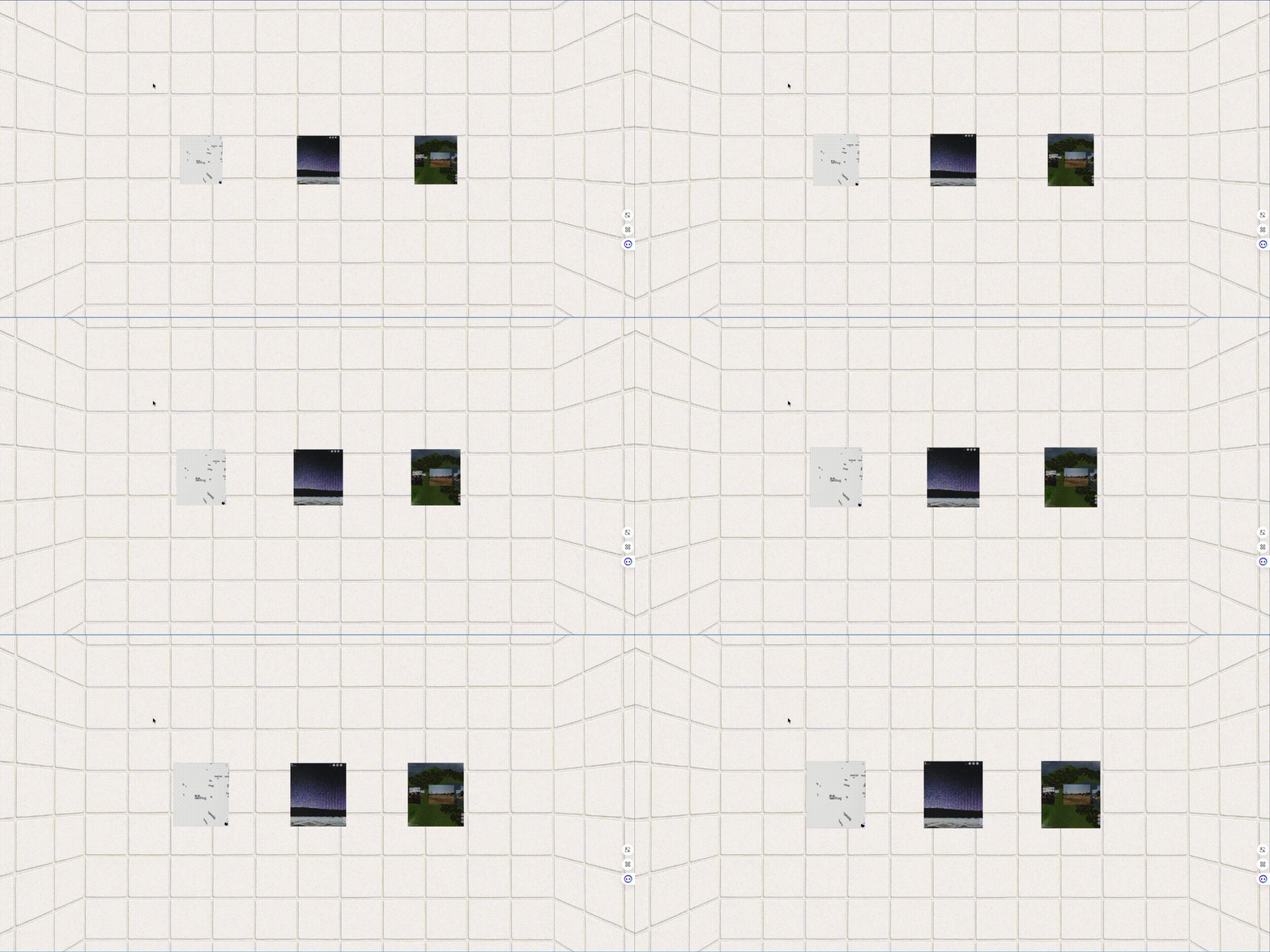
Babylon.js の scaling を使い、
animation で一定速度で拡大していくだけのシンプルな構造ですが、
視覚的にかなり “不穏さ” が出ます。
          // ポスター
          const postersGroup = new BABYLON.TransformNode("postersGroup", scene);
          const posters_array = Array.from({length: 3}, (_, i) => `poster${i + 1}.png`);
          posters_array.map((poster, index) => {
            createposter(poster, index);
          });

          postersGroup.rotation.y = -Math.PI / 2;

          function createposter( poster, index ) {
            const posterMat = new BABYLON.StandardMaterial("posterMat");
            posterMat.diffuseTexture = new BABYLON.Texture(`textures/${poster}`, scene);

            const posterMesh = BABYLON.MeshBuilder.CreateBox("box", {height: 79.8, width: 70.0, depth: 0.1}, scene);
            posterMesh.material = posterMat;
            posterMesh.position.y = 0;
            posterMesh.position.x = (index * 250) - 250;
            posterMesh.position.z = 499;
            posterMesh.parent = postersGroup;

            // 初期スケールを1に設定
            posterMesh.scaling = new BABYLON.Vector3(1, 1, 1);
            const scaleAnimation = new BABYLON.Animation("scaleAnimation", "scaling", 30, BABYLON.Animation.ANIMATIONTYPE_VECTOR3, BABYLON.Animation.ANIMATIONLOOPMODE_CONSTANT);

            const keys = [];
            keys.push({frame: 0, value: new BABYLON.Vector3(1, 1, 1)});
            keys.push({frame: 600, value: new BABYLON.Vector3(3, 3, 3)}); // 10秒 = 300フレーム (30fps)

            scaleAnimation.setKeys(keys);
            posterMesh.animations.push(scaleAnimation);

            // アニメーションを開始
            scene.beginAnimation(posterMesh, 0, 600, false);
           }
禁煙ポスター:クリックで消える
禁煙ポスターをクリックすると、
シュッとフェードアウトして消える仕掛けも入れました。
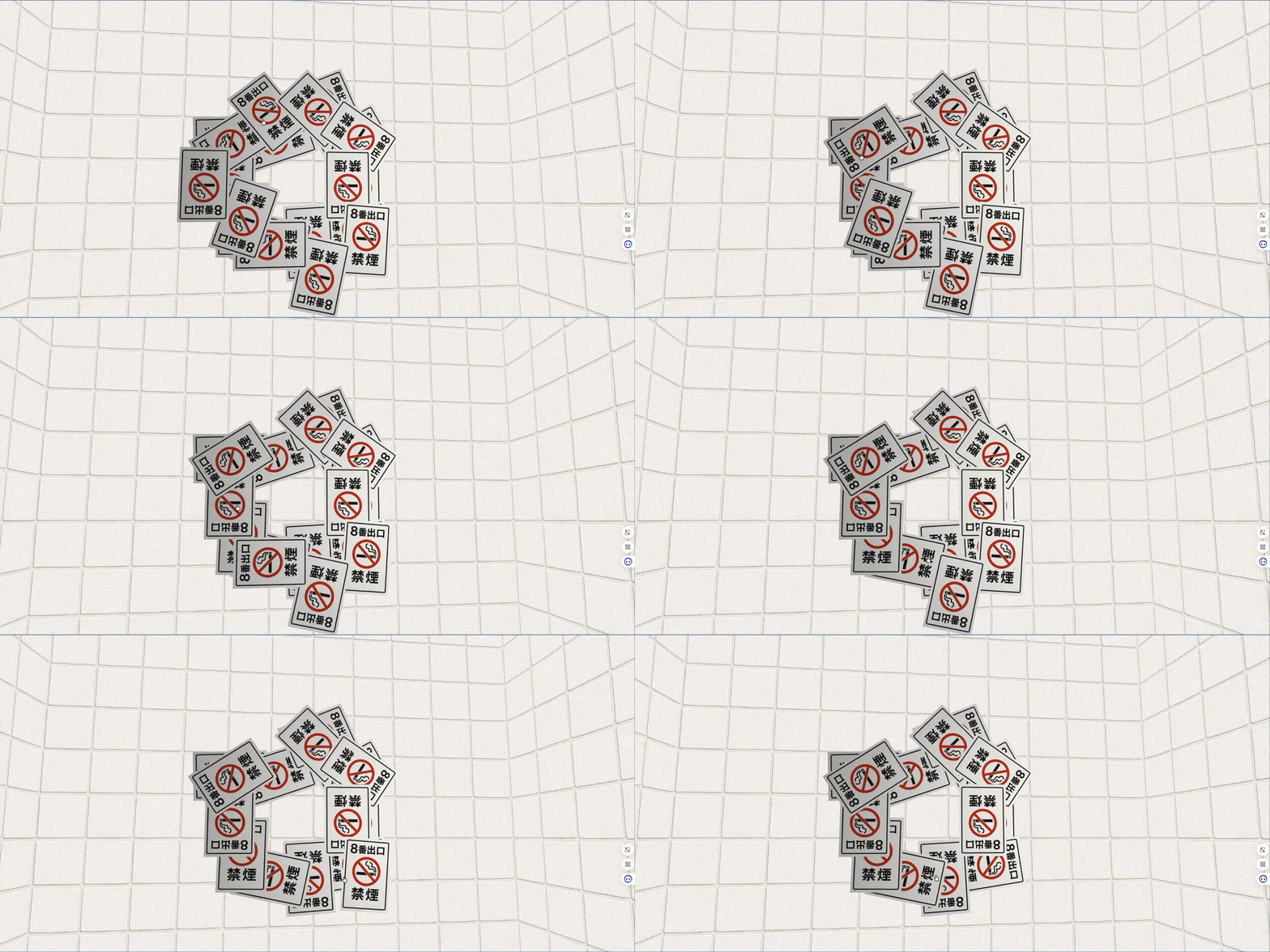
           // 禁煙ポスター
           const nosmokingGroup = new BABYLON.TransformNode("postersGroup", scene);
           nosmokingGroup.position.x = 499;
           nosmokingGroup.rotation.y = -Math.PI / 2;

           const nosmoking_array = Array.from({length: 20}, (_, i) => i + 1);
           nosmoking_array.forEach(function(element) {
            const nosmokingMat = new BABYLON.StandardMaterial("nosmokingMat");
            nosmokingMat.diffuseTexture = new BABYLON.Texture(`textures/nosmoking.png`, scene);

            const nosmokingMesh = BABYLON.MeshBuilder.CreateBox("box", {height: 153.6, width: 102.4, depth: 0.05}, scene);
            nosmokingMesh.material = nosmokingMat;
            const angle = (element / 10) * Math.PI * 2; // 0から2πまで
            const radius = Math.random() * 100 + 100; // ランダムな半径(50-150)
            nosmokingMesh.position.y = Math.sin(angle) * radius;
            nosmokingMesh.position.x = Math.cos(angle) * radius;
            nosmokingMesh.position.z = element * 0.1;

            nosmokingMesh.rotation.z = Math.sin(angle) * radius;
            nosmokingMesh.parent = nosmokingGroup;

            // クリックで消せるようにする
            nosmokingMesh.actionManager = new BABYLON.ActionManager(scene);
            nosmokingMesh.actionManager.registerAction(new BABYLON.ExecuteCodeAction(BABYLON.ActionManager.OnPickTrigger, function () {
                nosmokingMesh.dispose();
            }));

           });
防犯カメラの光が追従
防犯ポスターの目とほぼ同じ仕組みで、
カメラのライト部分がカーソルを追従して動きます。
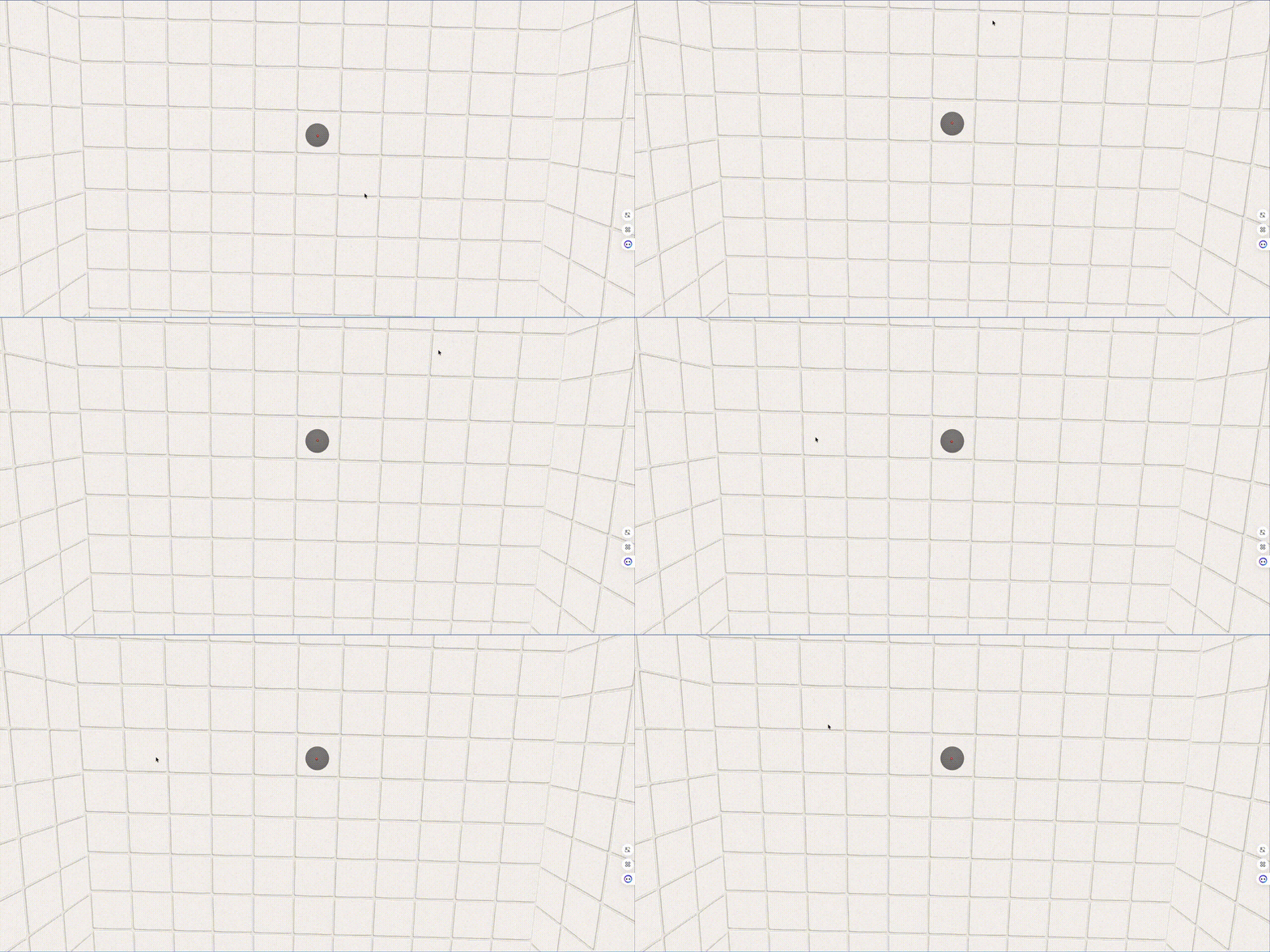
          // 防犯カメラ
          const crimeprevention = BABYLON.MeshBuilder.CreateSphere("sphere", {arc: 0.5, diameter: 50, sideOrientation: BABYLON.Mesh.DOUBLESIDE});
          crimeprevention.position.y = 500;
          crimeprevention.rotation.x = -Math.PI / 2;

          const crimepreventionMaterial = new BABYLON.StandardMaterial("crimepreventionMaterial", scene);
          crimepreventionMaterial.diffuseColor = new BABYLON.Color3(0.1, 0.1, 0.1);  // 少し明るい灰色
          crimepreventionMaterial.specularColor = new BABYLON.Color3(1, 1, 1);       // 白い光沢
          crimepreventionMaterial.specularPower = 10;                                // 光沢の強度
          crimepreventionMaterial.emissiveColor = new BABYLON.Color3(0, 0, 0); // 強い発光効果
          crimepreventionMaterial.alpha = .5;
          crimeprevention.material = crimepreventionMaterial;

          const crimepreventionlignt = BABYLON.MeshBuilder.CreateSphere("sphere", {arc: 1, diameter: 5, sideOrientation: BABYLON.Mesh.DOUBLESIDE});
          crimepreventionlignt.position.y = 477;

          const crimepreventionligntMaterial = new BABYLON.StandardMaterial("crimepreventionligntMaterial", scene);
          crimepreventionligntMaterial.diffuseColor = new BABYLON.Color3(1, .5, .5);  // 赤色
          crimepreventionligntMaterial.specularColor = new BABYLON.Color3(1, .5, .5);       // 白い光沢
          crimepreventionligntMaterial.specularPower = 100;                                // 光沢の強度
          crimepreventionligntMaterial.emissiveColor = new BABYLON.Color3(1, 0, 0); // 純粋な赤い発光効果
          crimepreventionlignt.material = crimepreventionligntMaterial;
アニメーションは以下の処理を入れています。
      // マウスの動きで目を動かす
      canvas.addEventListener('mousemove', (event) => {
        const rect = canvas.getBoundingClientRect();
        const mouseX = ((event.clientX - rect.left) / rect.width) * 2 - 1; // -1 to 1
        const mouseY = -((event.clientY - rect.top) / rect.height) * 2 + 1; // -1 to 1

        // 防犯カメラの位置を更新
        crimepreventionlignt.position.x = mouseX * 3;
        crimepreventionlignt.position.z = - mouseY * 3;
      });
8番出口イベントの思い出
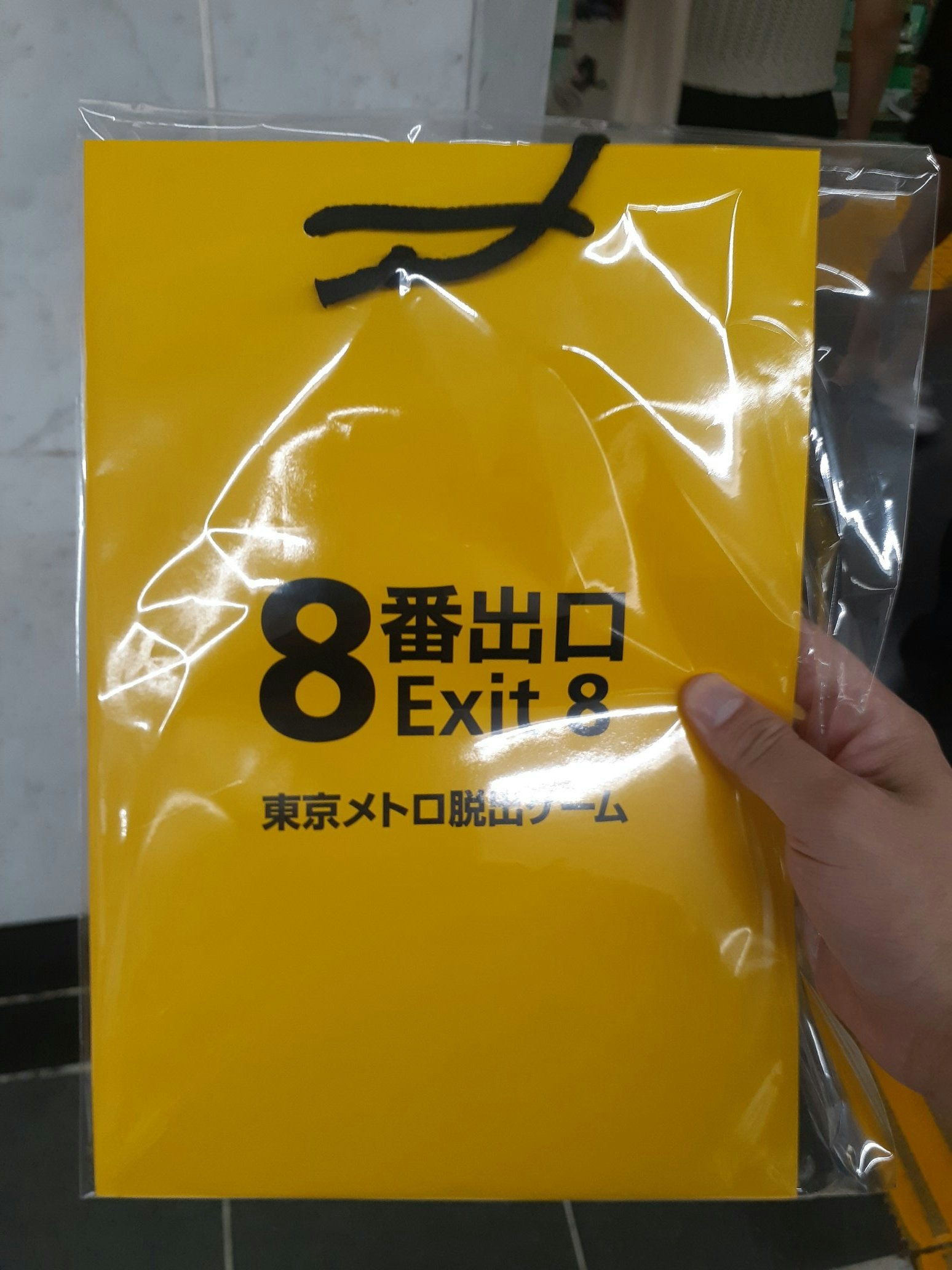
そういえば今年の8月、東京メトロで開催されていた
リアル“8番出口”謎解きイベントに参加してきました!
最初は簡単だったけど、後半は難易度がぐっと上がり、
参加者みんなで協力しながらじゃないとクリアできない感じで、
気づけば 5時間歩きっぱなし。
めちゃくちゃ大変でしたが、すごく楽しかったです!
さいごに
AIの導入や業務改善も大事ですが、「作りたいものを純粋に作る時間」もやっぱり技術者にとっての大事ですよね!
良いお年をお迎えください!
来年もいろいろ作っていきたいと思います!
リンク先URL
プルリクエスト
https://github.com/uemura5683/babylonjs/tree/main/the_exit_8