0
0

Delete article

Deleted articles cannot be recovered.

Draft of this article would be also deleted.

Are you sure you want to delete this article?

More than 5 years have passed since last update.

XephyrサーバーにコンテナのGUIアプリを表示

Last updated at Posted at 2020-05-09

シンプルな方法

  • 手元のUbuntu20.04でまずはxtermを表示してみる
sudo apt install -y \
 xserver-xephyr
Xephyr起動
Xephyr -resizeable :1 &
表示
DISPLAY=:1 xterm

Docker を使う

Dockerfile
FROM alpine
RUN apk update

RUN apk --no-cache add \
  xvfb \
  firefox-esr

ENV DISPLAY=:1
CMD firefox
run.sh
# Xサーバーを起動
Xephyr -resizeable :1 &

# コンテナをビルド
docker build . -t local/firefox

# Xを表示するため .X11-unix をマウント
# 日本語フォントのために font をマウント
docker run -it --rm \
 -v /tmp/.X11-unix/:/tmp/.X11-unix/ \
 -v /usr/share/fonts:/usr/share/fonts \
 local/firefox:latest
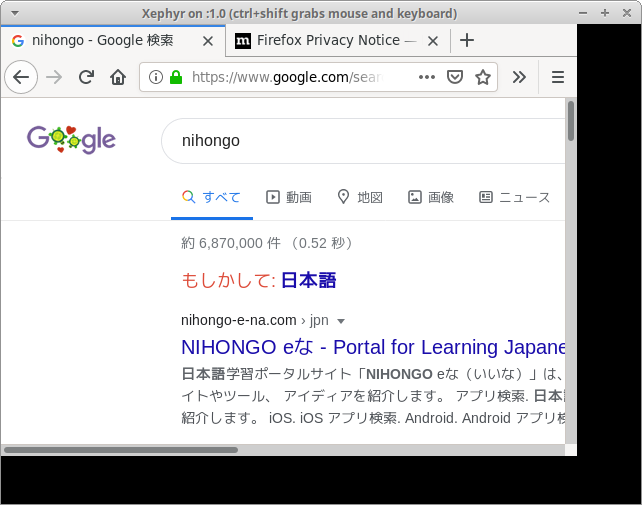
スクリーンショット_2020-05-10_05-44-59.png

0
0
0

Register as a new user and use Qiita more conveniently

  1. You get articles that match your needs
  2. You can efficiently read back useful information
  3. You can use dark theme
What you can do with signing up
0
0

Delete article

Deleted articles cannot be recovered.

Draft of this article would be also deleted.

Are you sure you want to delete this article?