
Previously: Diamond Hunter – Java 2D Game
▶️ How to Run the Game
Before moving forward, let’s make sure everything works correctly.
1. Create the four files
Main.java
GamePanel.java
KeyHandler.java
Player.java
Main.java
import javax.swing.JFrame;

public class Main {
    public static void main(String[] args) {

        JFrame window = new JFrame();
        window.setDefaultCloseOperation(JFrame.EXIT_ON_CLOSE);
        window.setResizable(false);
        window.setTitle("2D Game");

        GamePanel gamePanel = new GamePanel();
        window.add(gamePanel);

        window.pack();
        window.setLocationRelativeTo(null);
        window.setVisible(true);

        gamePanel.startGameThread();
    }
}
GamePanel.java
import javax.swing.*;
import java.awt.*;

public class GamePanel extends JPanel implements Runnable {

    final int tileSize = 48;
    final int screenCol = 16;
    final int screenRow = 12;

    Thread gameThread;

    public GamePanel() {
        this.setPreferredSize(new Dimension(tileSize * screenCol, tileSize * screenRow));
        this.setBackground(Color.BLACK);
        this.setDoubleBuffered(true);
    }

    public void startGameThread() {
        gameThread = new Thread(this);
        gameThread.start();
    }

    @Override
    public void run() {
        while (gameThread != null) {
            update();
            repaint();
        }
    }

    public void update() {
        // update player, enemies
    }

    public void paintComponent(Graphics g) {
        super.paintComponent(g);
        // draw world
    }
}
KeyHandler.java
import java.awt.event.KeyEvent;
import java.awt.event.KeyListener;

public class KeyHandler implements KeyListener {

    public boolean up, down, left, right;

    public void keyPressed(KeyEvent e) {
        int code = e.getKeyCode();

        if (code == KeyEvent.VK_W) up = true;
        if (code == KeyEvent.VK_S) down = true;
        if (code == KeyEvent.VK_A) left = true;
        if (code == KeyEvent.VK_D) right = true;
    }

    public void keyReleased(KeyEvent e) {
        int code = e.getKeyCode();

        if (code == KeyEvent.VK_W) up = false;
        if (code == KeyEvent.VK_S) down = false;
        if (code == KeyEvent.VK_A) left = false;
        if (code == KeyEvent.VK_D) right = false;
    }

    public void keyTyped(KeyEvent e) {}
}
Player.java
import java.awt.*;

public class Player {

    GamePanel gp;
    KeyHandler keyH;

    public int x;
    public int y;
    public int speed;

    public Player(GamePanel gp, KeyHandler keyH) {
        this.gp = gp;
        this.keyH = keyH;

        setDefaultValues();
    }

    public void setDefaultValues() {
        x = 100;
        y = 100;
        speed = 4;
    }

    public void update() {
        if (keyH.up) y -= speed;
        if (keyH.down) y += speed;
        if (keyH.left) x -= speed;
        if (keyH.right) x += speed;
    }

    public void draw(Graphics2D g2) {
        g2.setColor(Color.white);
        g2.fillRect(x, y, gp.tileSize, gp.tileSize);
    }
}
2. Open in IntelliJ (recommended)
Open IntelliJ
Click Open
Select the folder you extracted
3. Run the game
Right-click Main.java
Click Run
🎮 What you should see
✅ A black window
✅ A white square (player)
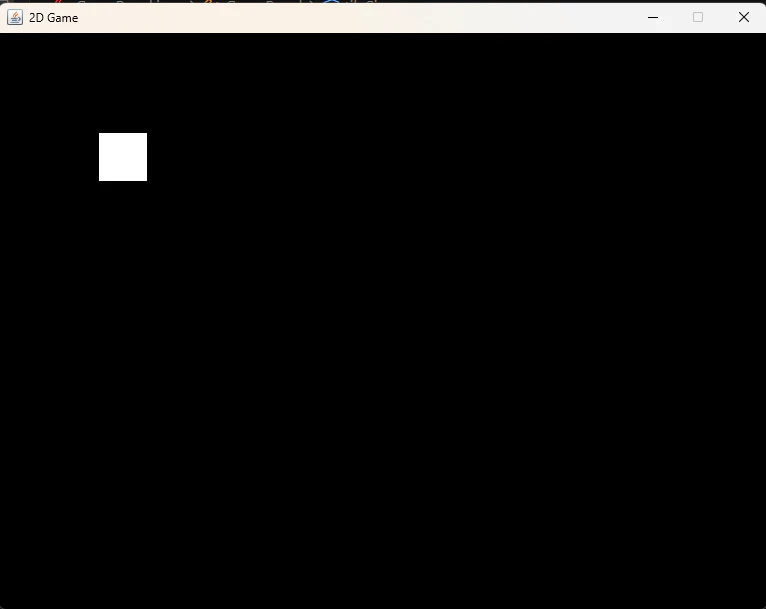
You can control the player using:
W → move up
A → move left
S → move down
D → move right
🧠 What You’ve Built So Far
At this stage, you already have the core foundation of a game engine.
✅ Core Engine
- Game loop (run)
- Update system (update)
- Render system (paintComponent)
✅ Input System
- Keyboard input via KeyHandler
- Real-time movement using WASD
✅ Basic Entity System
- A Player class with position and movement
- Separation between logic and rendering
👉 This matches the foundation of the YouTube project.
🚀 Next Step
Now it’s time to move from a blank screen to a real game world.
👉 Follow the tutorial and build the TileManager step-by-step
This will allow you to:
- Render a grid-based map
- Define walls and walkable tiles
- Introduce structure to the world
Up to this point, you’ve built a system.
From here on, you start building a world.