
背景
bash で mdbook 的なレイアウトのブログを作る記事です:
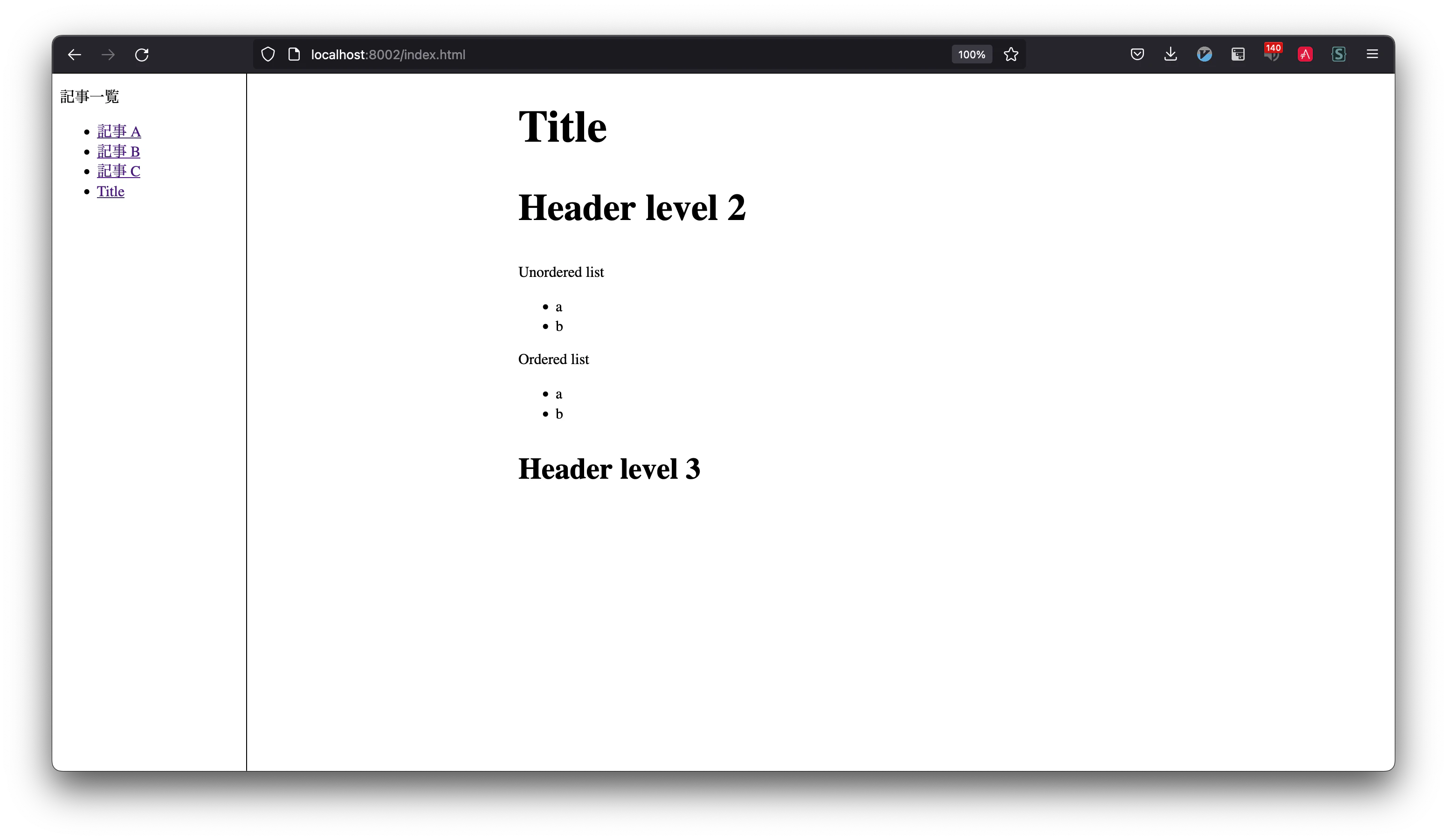
ソースはこちらにあります:
前提条件
macOS, Linux, WSL など bash シェルが動く前提とします。またシェルの PATH の設定方法を知っている必要があります。
『新しい Linux の教科書』を読破された方は、特にちょうど良いテーマだと思います:
作り方
事前準備
pandoc をインストール後、動作確認してみます:
$ which pandoc
/etc/profiles/per-user/tbm/bin/pandoc
$ cat a.md
# タイトル

あいうえお
$ # .md -> .html
$ pandoc a.md -o a.html
$ cat a.html
<h1 id="タイトル">タイトル</h1>
<p>あいうえお</p>
pandoc は Haskell 製のツールです。 Markdown → html 変換の定番中の定番ですので、あえて避けようという人もいそうですが、本来イカしたツールだと思います。存分に使いましょう!
ファイル構成
次のファイル構成とします:
.
├── build
├── dst/
│   ├── index.html
│   ├── a.html
│   └── style.css
├── src/
│   ├── index.md
│   ├── a.md
│   └── style.css
└── template.html
./build スクリプトを実行すると、 src/ 以下の .md ファイルを変換して dst/ ディレクトリ以下に html が生成されることを目指します。
build スクリプトの作成
まずは bash スクリプトの雛形を作成します:
#!/usr/bin/env -S bash -euE
set -o pipefail

echo 'hello!'
実行してみましょう:
$ chmod +x ./build
$ ./build
hello!
.md -> .html 変換
src/ 以下のファイルを HTML に変換し、 dst/ 以下に出力してみます:
#!/usr/bin/env -S bash -euE
set -o pipefail

rm dst/*

for f in $(ls src/ | grep '\.md$') ; do
    out="$(printf '%s' "$f" | sed 's;\.md$;.html;g')"
    echo "src/$f -> dst/$out"

    article="$(pandoc "src/$f" -o '-')"
    printf '%s' "$article" > "dst/$out"
done
これで dst/ ディレクトリの中身を生成できるようになりました:
$ ./build
src/a.md -> dst/a.html
src/index.md -> dst/index.html
テンプレーティング
現在の html は記事の中身に相当します。記事の外枠を事前に作っておき、中身だけ後から埋め込むことにします:
$ cat a.md
# タイトル

あいうえお
$ cat template.html
<!DOCTYPE html>
<html lang="en">
  <body>
    $a$
    $body$
  </body>
</html>
ここで $body$ は .md ファイルの変換結果に置換されます。また $a$ の部分は変数として -V 引数で渡します:
$ pandoc a.md --template tempalte.html -V a='<p>here!</p>'
<!DOCTYPE html>
<html lang="en">
  <body>
    <p>here!</p>
    <h1 id="タイトル">タイトル</h1>
    <p>あいうえお</p>
  </body>
</html>
サイドバーの生成
以上の通り、記事の変換とテンプレートができたので、後はサイドバーをはめ込むだけです。サイドバーの生成は、シェルスクリプティングの腕の見せ所ですね。
一応チュートリアルのつもりで作成した記事にあたりますので、最後の内容は挑戦用に伏せておきます。
まとめ
bash と pandoc でブログ生成する方法について、簡単ですがご紹介しました。一度シェルさえ書いてしまえば、後は何だってコンピュータで処理できるようになれます  Git であろうと、 Vim であろうと、何であろうと……