
なんか仕事でPowerAutomateを使っているんですが、
めっちゃ使いづらいのでそれを書いていきます。
AIにはこんな記事は書けまい。。。
エラーメッセージがわかりにくい
"BadRequest" and details "{"error":{"code":"InvalidOpenApiFlow","message":"Flow save failed with code 'InvalidVariableInitialization' and message 'The variable action 'Initialize_variable' of type 'InitializeVariable' cannot be nested in an action of type 'For_each'.'."}}". Code: 0x80060467 InnerError: '.
とかいうエラーが出ます。
ChatGPTに聞くと、
❌ ダメな構造

こうなってるはずです:

For_each
 ├ Initialize variable  ← NG
 ├ Append to array

Power Automateでは変数の初期化はループ内禁止です。
とか言ってきますので、それを修正します。
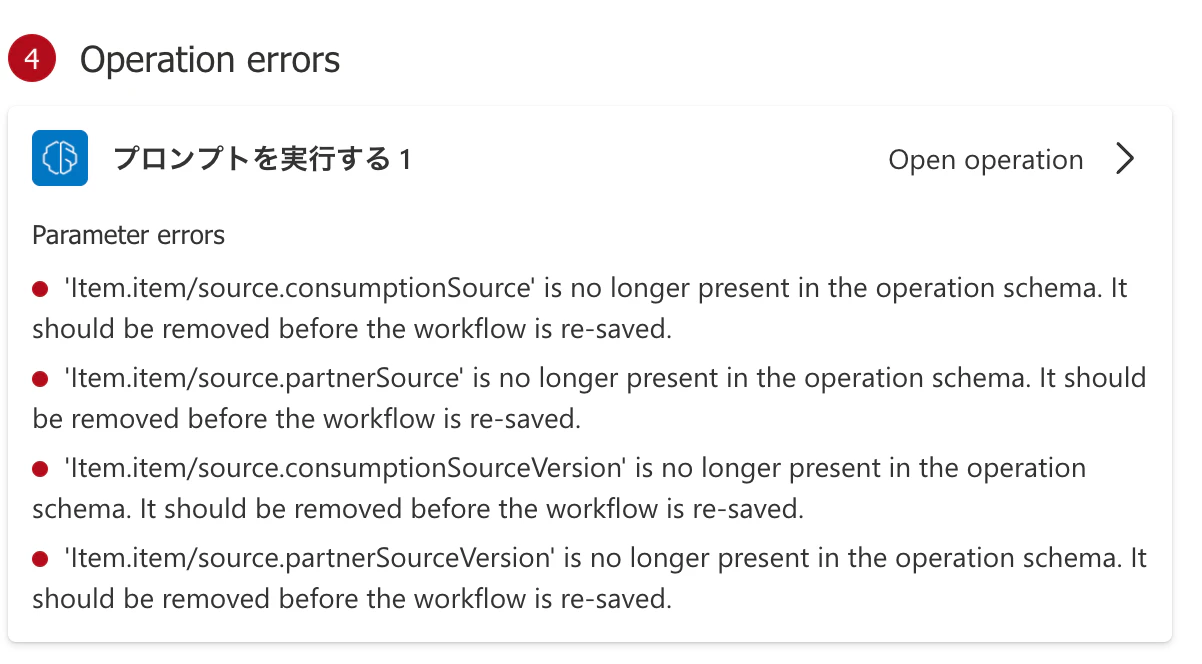
AI埋め込みに毎回謎の変数が追加される
しかも編集して(AIではない部分を)保存しようとすると、エラーになるので、
そこを"Clear All"して保存し直さないといけない。
かなり謎仕様。

AI埋め込みのプロンプトを変更すると、入力が消される
というかAIを使わなくてもそう?
作りながら確認できない
zapierでは毎回ステップごとにテストが走るんですが、
それができない。
excel businessがテーブル単位指定
なぜか「テーブル」という概念が必要。
今までの人生でexcelでテーブルを使ったことがほとんどないんだが。
カジュアルにrowを追加したりしたい。
↑の仕様のため、新しいexcelファイルを作り、そこにデータを追加できない
テーブルを指定しないと動かせないので、、、
コピーして、コピー元を消して、みたいな面倒なことをやったりしてる
基本的に作成した時にはフローはオフだが、それを問題と言ってくる

いやいや、あなたがそう設定したんでしょうが、、、