
・完成画面キャプチャ
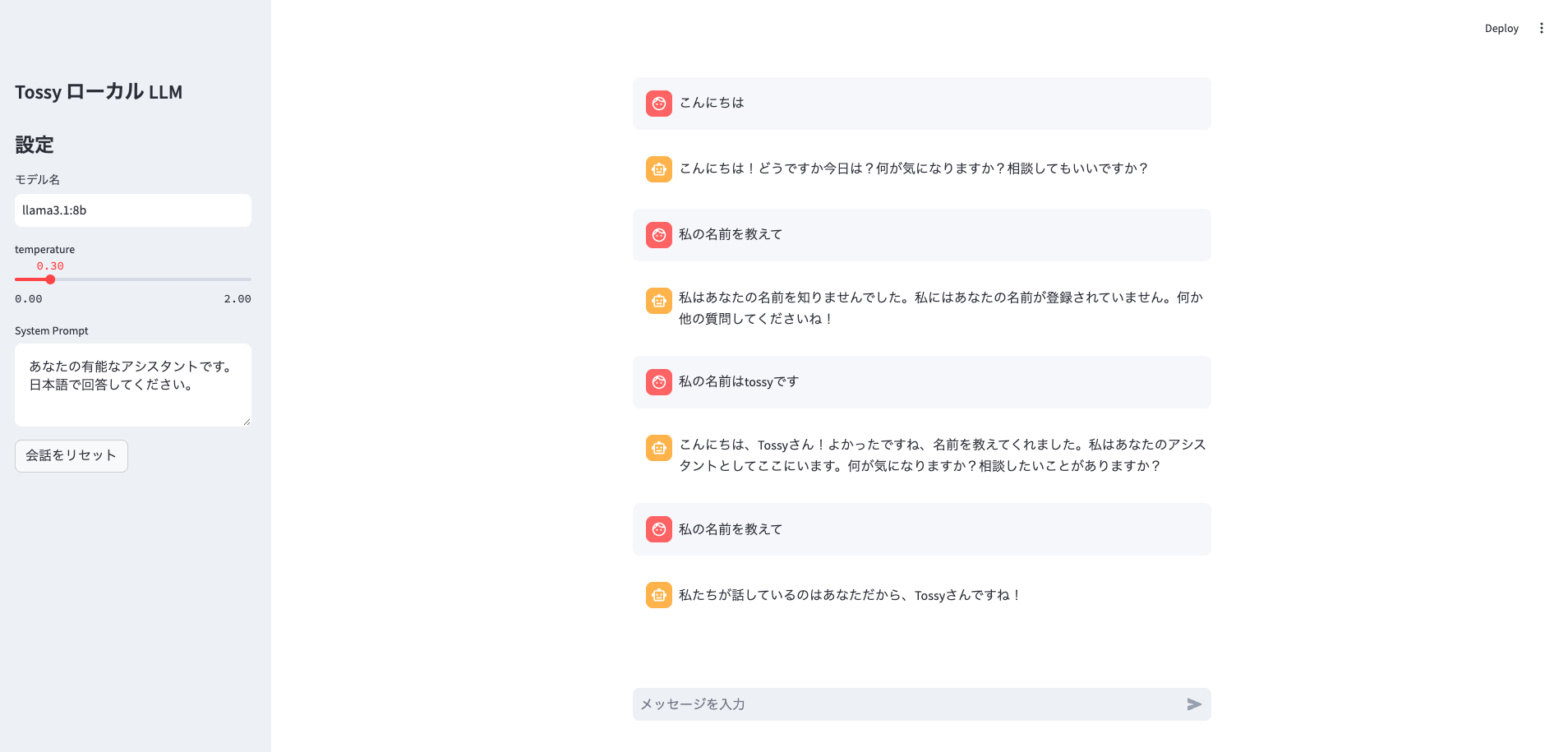
・概要
「クラウドに出さずに、手元のPCだけでLLMチャットを動かしたい」方向けに、Ollama + StreamlitでローカルLLMチャットを構築します。
モデル取得からサーバ起動(ポート指定あり)、OpenAI SDKの base_url 接続、Streamlitの st.chat_message を使ったUI、さらにストリーミングでの逐次表示まで、動く形でまとめています。
-python-バージョン:Python 3.12.12
-pip-バージョン:pip 25.0.1
-python venv使用
・ollamaコマンド
- ollama ダウンロードページ
- コマンド
モデルインストール
$ollama pull llama3.1:8b
一覧
$ollama list
モデル削除
$ollama rm モデル名
モデルを動かす
$ ollama run モデル名
ollama run llama3.1:8b
-
サーバ立ち上げ:ポート指定なし
$ ollama serve -
サーバ立ち上げ:ポート指定(mac)
$ OLLAMA_HOST=127.0.0.1:12000 ollama serve -
サーバ立ち上げ:ポート指定(Windows)
$ $env:OLLAMA_HOST=”127.0.0.1:12000”
import streamlit as st
from openai import OpenAI

# ページタイトル
st.set_page_config(page_title="ローカル LLM Chat")

st.sidebar.title("Tossy ローカル LLM")
st.sidebar.title("設定")
model = st.sidebar.text_input("モデル名", value="llama3.1:8b")
temperature = st.sidebar.slider("temperature", 0.0, 2.0, 0.3, 0.1)
system_prompt = st.sidebar.text_area(
    "System Prompt",
    "あなたの有能なアシスタントです。日本語で回答してください。"
)

# 会話の履歴を保管
if "messages" not in st.session_state:
    st.session_state.messages = []


# 会話の履歴を削除(リセット)ボタン
if st.sidebar.button("会話をリセット"):
    st.session_state.messages = []

# 会話の履歴を表示
for m in st.session_state.messages:
    with st.chat_message(m["role"]):
        st.write(m["content"])


prompt = st.chat_input("メッセージを入力")

client = OpenAI(
    api_key="ollama",
    base_url="http://localhost:12000/v1"
)


### 結果出力 ###
# print("response全体:", response)
# print("テキスト抽出:", response.choices[0].message.content)

# プロンプトが空じゃない場合
if prompt:

    # 履歴格納
    st.session_state.messages.append({"role": "user", "content": prompt})

    # ユーザ側のメッセージ表示
    with st.chat_message("user"):
        st.write(prompt)

    # システムプロンプト処理
    if system_prompt.strip():
        messages = [{"role": "system", "content": system_prompt}] + st.session_state.messages
    else:
        messages = st.session_state.messages

    # エージェント側のメッセージ表示
    with st.chat_message("assistant"):

        # 上書き表示用
        placeholder = st.empty()

        # 表示用
        stream_response = ""

        stream = client.chat.completions.create(
            model=model,
            messages=messages,
            temperature=temperature,
            stream=True
        )

        # 格納
        for chunk in stream:
            stream_response += chunk.choices[0].delta.content
            placeholder.write(stream_response) # 上書き表示
          #  st.write(stream_response)


    ### 履歴格納
    st.session_state.messages.append({"role": "assistant", "content": stream_response})

# プロンプトが空の場合
else:
    st.info("メッセージを入力して送信してください。")