諸用でPILを使用する必要があったのでメモ
PILはPythonでお絵かき(画像生成,処理)するためのライブラリ
HomeBrewの導入法は割愛
PythonはMacにインストールされていたもの(HomeBrewで落としてない)
brew install pil
ln -s /usr/local/Cellar/pil/1.1.7/lib/python2.7/site-packages/PIL /Library/Python/2.7/site-packages/PIL
Python側が使おうとしているところ(その方向にはなにもない)にPILがあるところをシンボリックリンク張る感じ?
インストールしただけではimport Imageとかが出来なかった。
実行チェック
Pythonを起動して
>>> from PIL import Image,ImageDraw
>>> img = Image.new('RGB', (200,200),(255,255,255)) # 200*200の白背景
>>> draw = ImageDraw.Draw(img)
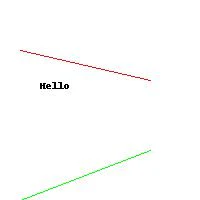
>>> draw.line((20,50,150,80),fill=(255,0,0)) # 赤い直線
>>> draw.line((150,150,20,200),fill=(0,255,0)) # 緑の直線
>>> draw.text((40,80),'Hello',(0,0,0)) # 黒文字
>>> img.save('test.jpg','JPEG')  # test.jpgとして保存
実行結果