0
0

Delete article

Deleted articles cannot be recovered.

Draft of this article would be also deleted.

Are you sure you want to delete this article?

Google Colabで作る「誕生日 → 星座」自動判定アプリをGradioで簡単Web化してみた

Last updated at Posted at 2025-12-01

この記事では、Python と Gradio を使って、
誕生日を入力すると星座が分かるミニWebアプリ
Google Colaboratory 上で作る方法を紹介します。

🎨完成イメージ(完成版のアプリ画面)
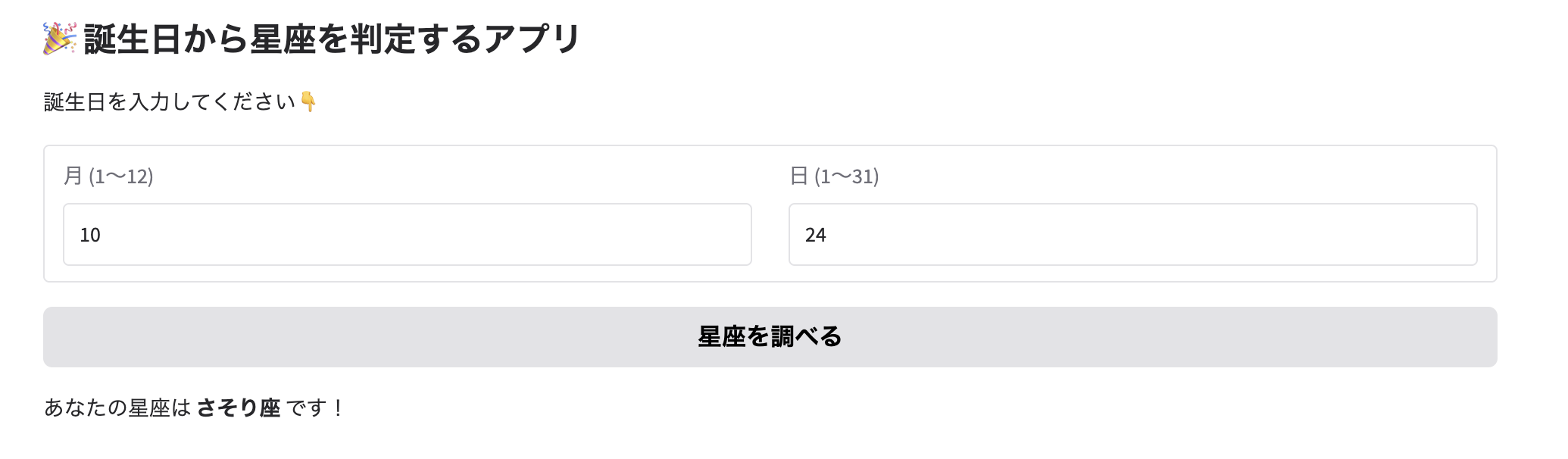
Screenshot 2025-11-14 at 18.12.13.png

1. Python 初心者でも動かせる
2. インストール不要(ColabでOK)
3. 完成版のアプリはブラウザで動く
4. スマホからもアクセスできる
という便利な内容になっています。

🌟できること

完成すると、次のようなアプリが動きます👇
1. 誕生日(例:10月24日)を入力
→ 星座(さそり座)が自動で表示
2. Webアプリ形式なのでURL共有も可能
3. スマホでも使える

🛠 使用技術

1. Python(3.x)
2. Gradio(UIライブラリ)
3. Google Colab(実行環境)

🚀 1. Google Colab の準備

Colab を開いて、次のセルを実行します。
Screenshot 2025-11-14 at 18.06.08.png

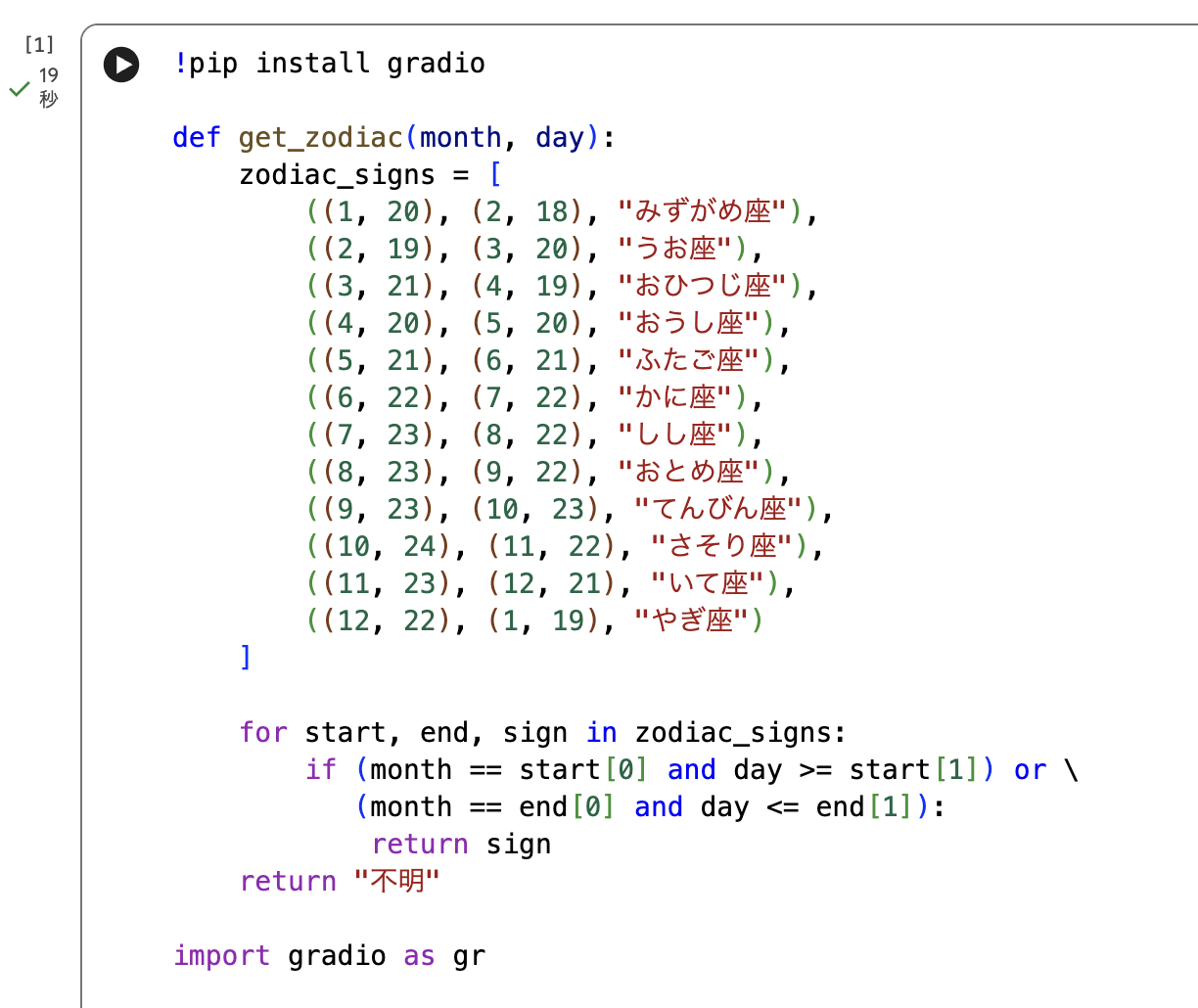
⭐ 2. 星座を判定する関数を作る

Screenshot 2025-11-14 at 18.06.51.png

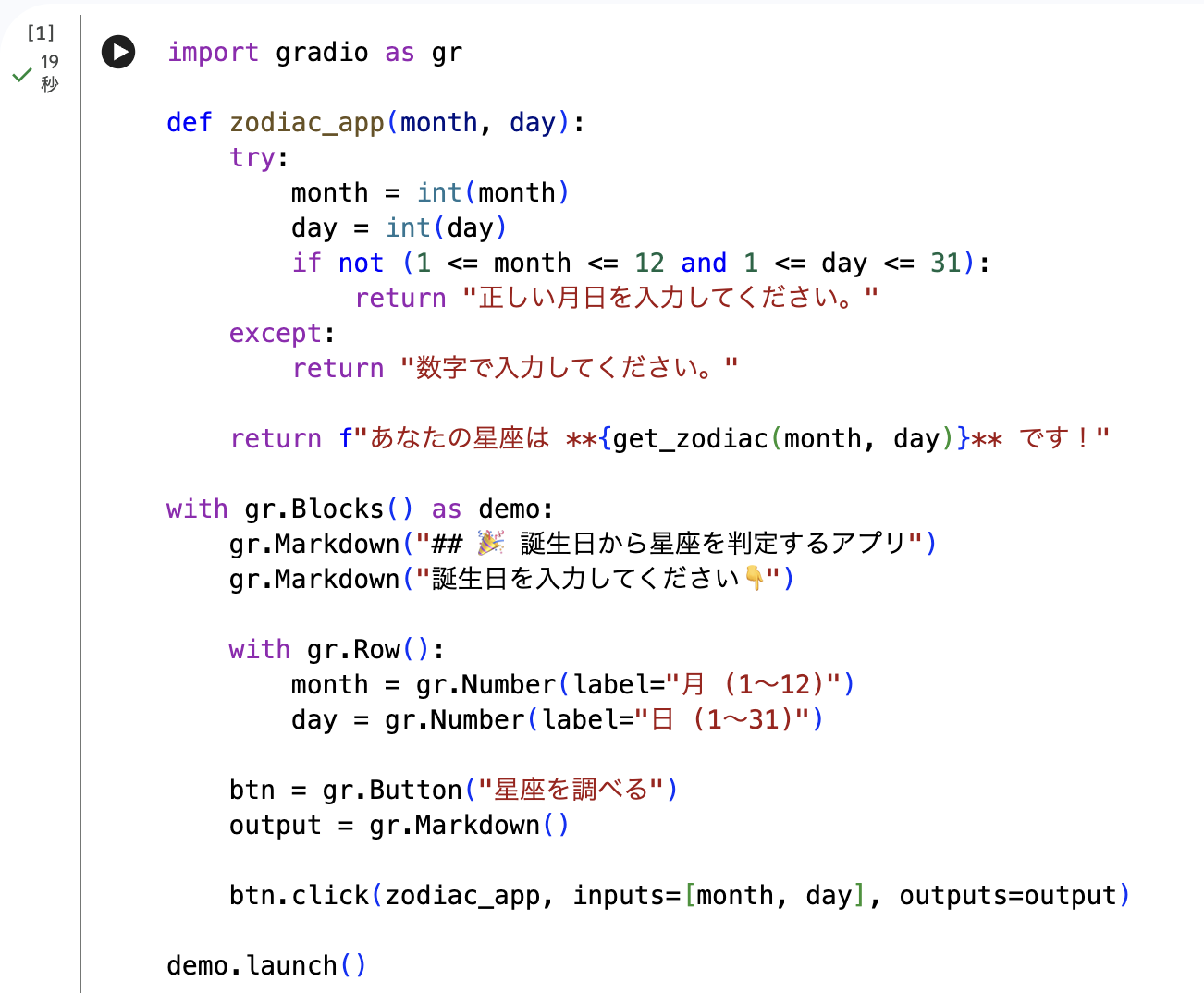
🌈 3. Gradio で Web アプリ化する

Screenshot 2025-11-14 at 18.07.36.png

🔍 4. 実行してアプリを開く

セルを実行すると、最後にURL(Public URL) が表示されます。

スマホからアクセスするとこんな感じ👇

1. 誕生日を入れる → 星座が一瞬で表示
2. URL を友達にも共有できる

✏️ 5. コード全体(まとめ)
Screenshot 2025-11-14 at 18.09.02.png
Screenshot 2025-11-14 at 18.09.14.png

📝 6. まとめ

この記事では、Google Colab と Gradio を使って
誕生日から星座を判定できるミニWebアプリを作成しました。

1. プログラミング初心者でも簡単
2. Gradio で UI が整う
3. URL 共有で友達も使える
Gradio は他にも色々なミニアプリに応用できるので、ぜひ試してみてください!

0
0
0

Register as a new user and use Qiita more conveniently

  1. You get articles that match your needs
  2. You can efficiently read back useful information
  3. You can use dark theme
What you can do with signing up
0
0

Delete article

Deleted articles cannot be recovered.

Draft of this article would be also deleted.

Are you sure you want to delete this article?