1
0

Delete article

Deleted articles cannot be recovered.

Draft of this article would be also deleted.

Are you sure you want to delete this article?

More than 5 years have passed since last update.

ConoHaでMinecraftBedrockserverを建てる

1
Posted at

Minecraftの公式サーバーをConoHaで建てるための備忘録

やること

  1. ConoHaで新規サーバーを建てる
  2. SSH接続する
  3. Minecraft公式サーバーをネットからダウンロードする
  4. unzipする
  5. screenで起動

Step1 ConoHaで新規サーバーを建てる

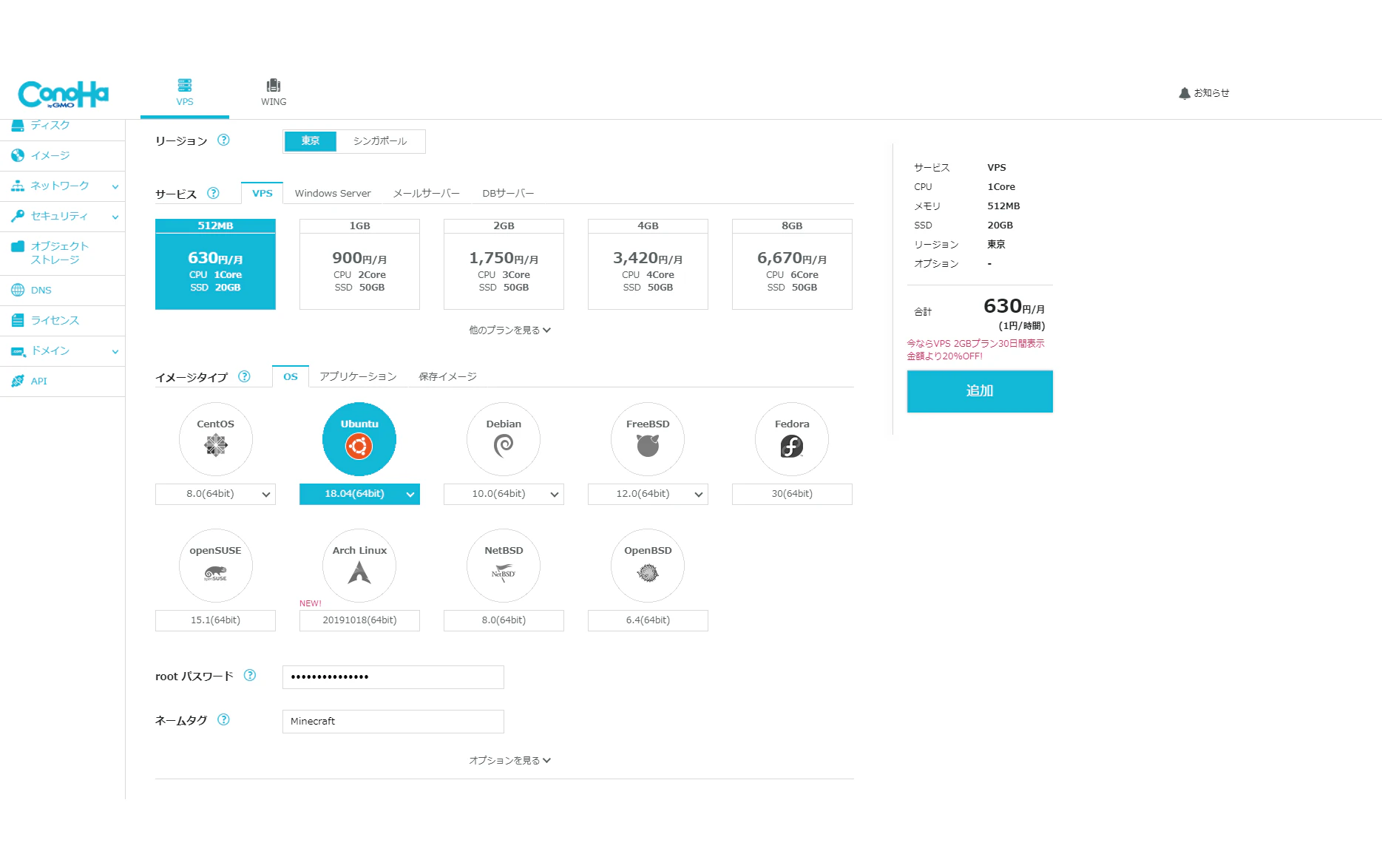
ココを参考にサーバーを追加していきます
2019-11-11 22.55.58 manage.conoha.jp cf7b00c47a50.png
図では512MBプランを選択していますが足りないので1GBプランのほうがおすすめです

Step2 SSH接続する

ぶっちゃけ**ココ**見ればなんとかなるので割愛

Step3 Minecraft公式サーバーをネットからダウンロードする

minecraft公式サイトからUbuntu用のダウンロードリンクをコピーして
wgetでダウンロードする
wget downloadlink

Step4 unzipする

unzipが入ってないのでインストールする
sudo apt install unzip
エラー出たら再起動しよう
インストールできたら
unzip bedrock-server-X.XX.X.XX.zip
で解凍
ファイル名はtabキーを押すと自動補完してくれるよ(Hacknetやるまで知らなかった)

step5 screenで起動

ココを参考にscreenで起動
$ LD_LIBRARY_PATH=. screen -S bds ./bedrock_server
これでSSHを切ってもマイクラにアクセスできます

1
0
0

Register as a new user and use Qiita more conveniently

  1. You get articles that match your needs
  2. You can efficiently read back useful information
  3. You can use dark theme
What you can do with signing up
1
0

Delete article

Deleted articles cannot be recovered.

Draft of this article would be also deleted.

Are you sure you want to delete this article?