
はじめに
このプラグインは、自分が今、どのブラウザー(Chrome、Edge)で見ているのかを一目でわかるものです。それは、例えば、Yahoo! JAPANニュースを見ているとき、このページは、ChromeブラウザーでもEdgeブラウザーでもほとんど同じに見えます。
広告は異なる表示になっていますが、それでも、よく見ないとどちらのブラウザーでみているのかは一目でわかりません。
この一目でわかるようにするためのプラグインです。
識別方法
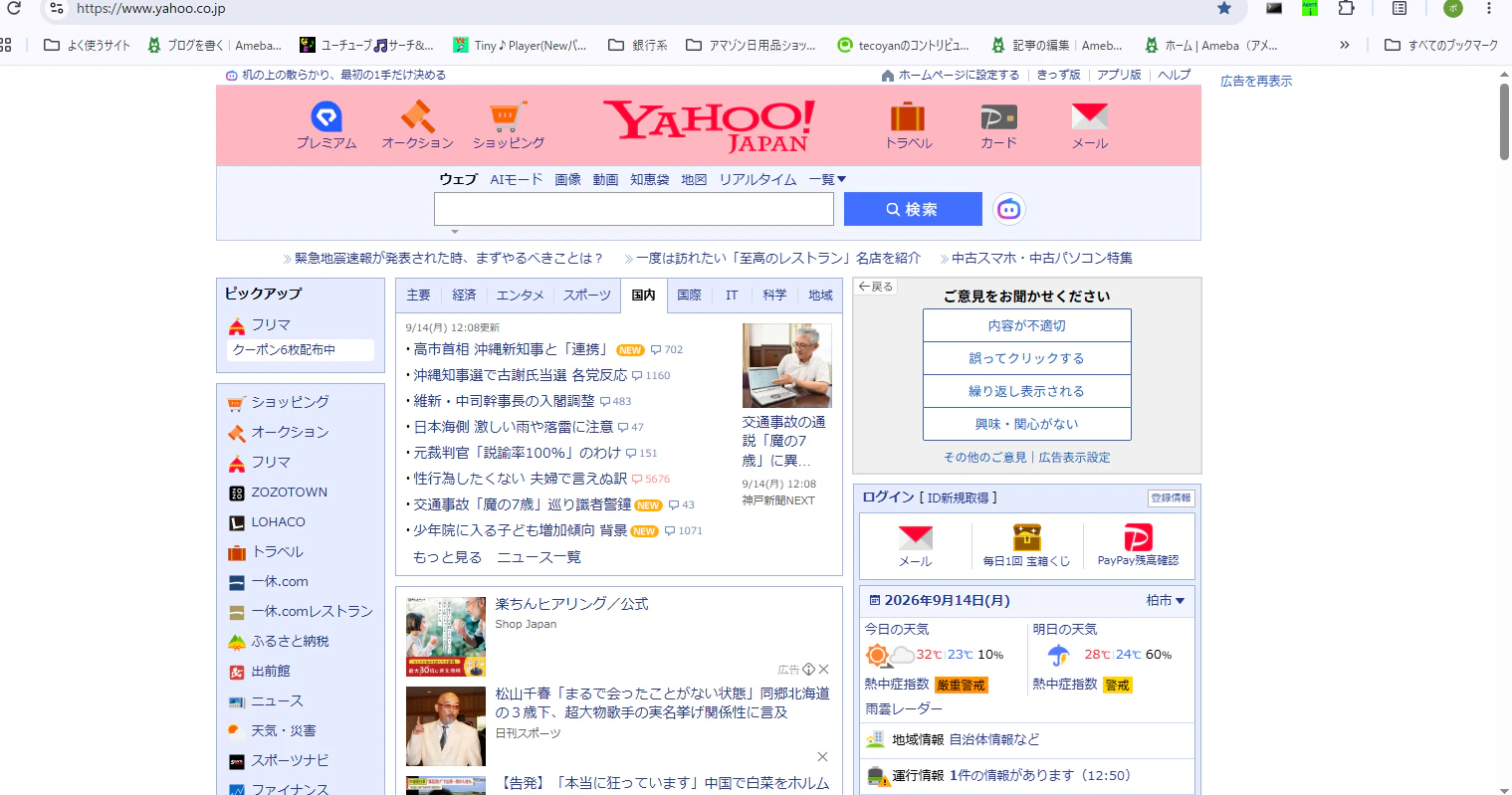
一目でわかる方法として、ページのヘッダーを色付けしてみました。現状、背景色は白色ですが、これを色付けします。例えば、Chromeでは、薄いピンク色にして、Edgeは薄いグリーン色にします。
そのサンプルが下図です。
Chrome:
Edge:
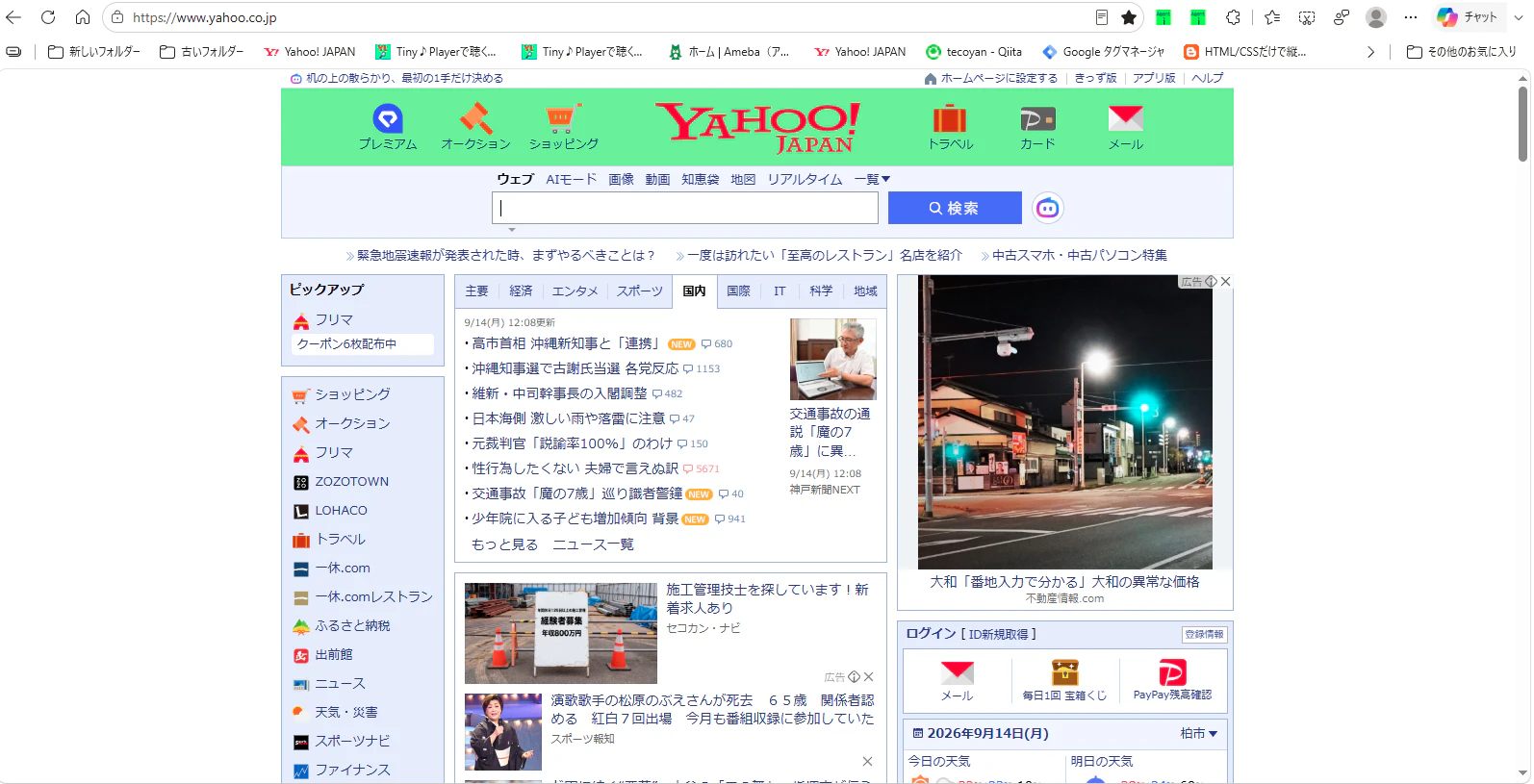
このように、色付けするとわかりやすいです。
プラグインの処理コード
content.js
function process() {
    //
  function getBrowser() {
  const userAgent = window.navigator.userAgent.toLowerCase();
  let browserName = "不明なブラウザ";
  if (userAgent.indexOf("edg") > -1) {
    browserName = "Microsoft Edge";
    $("#Masthead").css("background-color","lightgreen");
    $("#msthd").css("background-color","lightgreen");
  } else if (userAgent.indexOf("chrome") > -1) {
    browserName = "Google Chrome";
    $("#Masthead").css("background-color","lightpink");
    $("#msthd").css("background-color","lightpink");
  } else if (userAgent.indexOf("safari") > -1) {
    browserName = "Safari";
  }
  return browserName;
}

let bb = getBrowser();

    function check_PopupSite(host){
        let sw=false;
        let enable_host = ["news.yahoo.co.jp","newsdig.tbs.co.jp","www.jiji.com","www.iza.ne.jp"];
        //
        for (let el of enable_host){
            //
            if(el === host){
                //true
                sw = true;
                break;
            }else{
                //false
                continue;
            }
        }
        return sw;


    }
この処理コードでは、ブラウザーの識別を行い、それぞれに対して、色付けを行っています。
 if (userAgent.indexOf("edg") > -1) {
 //Edge
    browserName = "Microsoft Edge";
    $("#Masthead").css("background-color","lightgreen");
    $("#msthd").css("background-color","lightgreen");
  } else if (userAgent.indexOf("chrome") > -1) {
  //Chrome
    browserName = "Google Chrome";
    $("#Masthead").css("background-color","lightpink");
    $("#msthd").css("background-color","lightpink");
  } else if (userAgent.indexOf("safari") > -1) {
    browserName = "Safari";
  }
上記のコードで、ブラウザー毎に、背景色を色付けしています。
あとがき
このプラグインは、現在、審査中です。審査が通れば、Chromeウェブストアで公開されます。