
SwinIR_で超解像やってみた
はじめに
SwinIR(Swin Transformer for Image Restoration)は Transformer を使った画像モデルで、低解像画像から高解像画像をつくる超解像(SR : Super-Resolution )によく利用されます。
超解像 SwinIR の特徴
以前は畳み込みニューラルネットワーク CNN (Convolutional Neural Network) が盛んに使用されていました。しかし、いくつかの弱点がありました。畳み込みは局所的な特徴に注目するものの、遠く離れた画素の関係を捉えのが苦手でした。
一方、Transformer は Self-Attention で画素の関係を広域的に評価できますが、 計算量が桁違いに多いとう問題がありました。
SwinIR は Window-based Self-Attention という手法で解決を図ろうとしたものです。つまり、高解像画像でも計算量を抑えながら、広域の画素関係御を評価できます。その中核をなすのが、Residual Swin Transformer Block(RSTB)です。詳しくは、原典をご覧ください。
それでは、実際にコードを動かしてみます。
Colaboratory で実装します
git clone します。
!git clone https://github.com/JingyunLiang/SwinIR.git
ワーキング・ディレクトリへ移動します。
%cd SwinIR
「学習済み」ディレクトリを作ります。
!mkdir pretrained
「学習済み」モデルを取得します。
!wget https://github.com/JingyunLiang/SwinIR/releases/download/v0.0/003_realSR_BSRGAN_DFO_s64w8_SwinIR-M_x4_GAN.pth
     -P pretrained
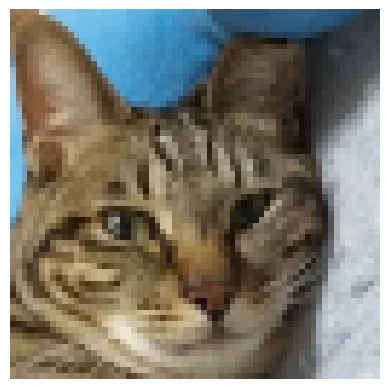
パソコンから、超解像につかう低解像度画像のファイルを読み込みます。ここでは、64×64画素の粗い画像 input.png を読み込みます。
from google.colab import files
uploaded = files.upload()
ディレクトリ inputs を作り、そこに元画像の input.png を移動させます。
!mkdir -p inputs
!mv input.png inputs/
以下で、超解像をします。
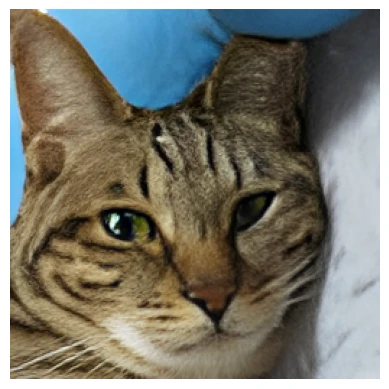
超解像してできたファイルは、results/swinir_real_sr_x4 内々に input_SwinIR.png という名前で生成されます。
!python main_test_swinir.py \
  --task real_sr \
  --scale 4 \
  --model_path pretrained/003_realSR_BSRGAN_DFO_s64w8_SwinIR-M_x4_GAN.pth \
  --folder_lq inputs \
  --tile 256 \
  --tile_overlap 32
次に、画像を表示する準備をします。
from PIL import Image
import matplotlib.pyplot as plt
元画像(64×64画素)を表示します。
img_org = Image.open("inputs/input.png")
plt.imshow(img_org)
plt.axis("off")
次に、超解像(256×256画素)になった画像を表示します。
img = Image.open("results/swinir_real_sr_x4/input_SwinIR.png")
plt.imshow(img)
plt.axis("off")
まとめ
かなり良い感じに仕上がったと思います。