こつ
3つのポイント
1.インライン要素、ブロック要素
2.グルーピング
3.float
インライン要素ブロック要素
- タグで見るとブロック要素もインライン要素も、縦に並んでいる
- インライン要素は高さを持つことができない
<!DOCTYPE html>
<html>
  <head>
    <title>hello</title>
    <meta charset="utf-8">
  </head>
  <body>
    <h2>ブロック要素</h2>
      <p>hello</p>
      <p>hello</p>
      <p>hello</p>
    <h2>インライン要素</h2>
      <span>hello</span>
      <span>hello</span>
      <span>hello</span>
  </body>
</html>
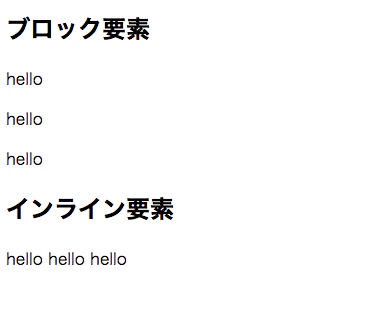
表示結果
結果はブロック要素は縦に、インライン要素は横になる、
これらの特性を利用してレイアウトを作成していく
グルーピング
特定の部分だけに適応したいcssは普通にあるその場合にグルーピングの考え方ができると良い
- body要素の中にhtmlがただある状態
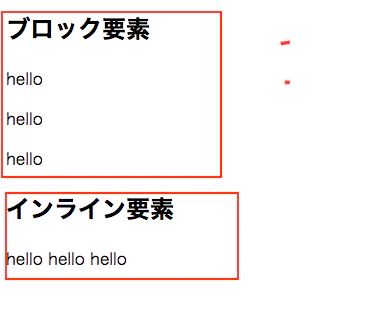
- グループ分けをしてみる
goup1のクラスがついたdiv要素で、くくってみる
<!DOCTYPE html>
<html>
  <head>
    <title>hello</title>
    <meta charset="utf-8">
    <style>
      .group1{
        padding: 20px;
      }
    </style>
  </head>
  <body>
  <div class="group1">
    <h2>ブロック要素</h2>
    <p>hello</p>
    <p>hello</p>
    <p>hello</p>
   </div>
    <h2>インライン要素</h2>
      <span>hello</span>
      <span>hello</span>
      <span>hello</span>
  </body>
</html>
- 結果
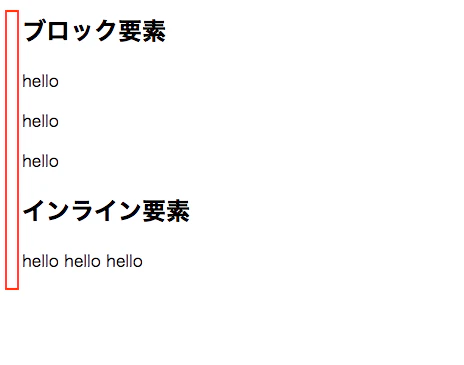
group1のエリアだけにpadding適応される
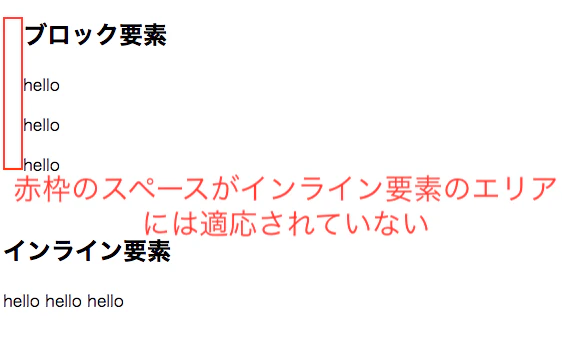
- インライン要素も、ブロックの中に入れてあげる
<!DOCTYPE html>
<html>
  <head>
    <title>hello</title>
    <meta charset="utf-8">
    <style>
      .group1{
        padding: 20px;
      }
    </style>
  </head>
  <body>
  <div class="group1">
    <h2>ブロック要素</h2>
    <p>hello</p>
    <p>hello</p>
    <p>hello</p>
    <h2>インライン要素</h2>
      <span>hello</span>
      <span>hello</span>
      <span>hello</span>
   </div>

  </body>
</html>
両方に適応された
float
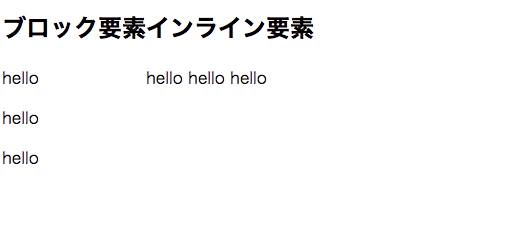
ブロック要素を横並びにできる。
<!DOCTYPE html>
<html>
  <head>
    <title>hello</title>
    <meta charset="utf-8">
    <style>
      .group1{
        float: left;
      }
      .group2{
        float: left;
      }
    </style>
  </head>
  <body>
  <div class="group1">
    <h2>ブロック要素</h2>
    <p>hello</p>
    <p>hello</p>
    <p>hello</p>
   </div>
  <div class="group2">
    <h2>インライン要素</h2>
    <span>hello</span>
    <span>hello</span>
    <span>hello</span>
   </div>
  </body>
</html>
横並びになった
- 問題
<!DOCTYPE html>
<html>
  <head>
    <title>hello</title>
    <meta charset="utf-8">
    <style>
      .group1{
        float: left;
        background-color:red;
      }
      .group2{
        float: left;
        background-color: blue;
      }
      .group3{
        background-color: green;
      }

    </style>
  </head>
  <body>
  <div class="group1">
    <h2>ブロック要素</h2>
    <p>hello</p>
    <p>hello</p>
    <p>hello</p>
   </div>
  <div class="group2">
    <h2>インライン要素</h2>
    <span>hello</span>
    <span>hello</span>
    <span>hello</span>
   </div>
   <div class="group3">
      <h2>インライン要素</h2>
      <span>hello</span>
      <span>hello</span>
      <span>hello</span>
     </div>
  </body>
</html>
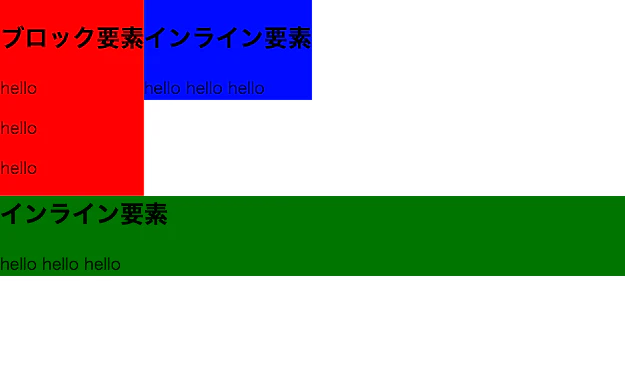
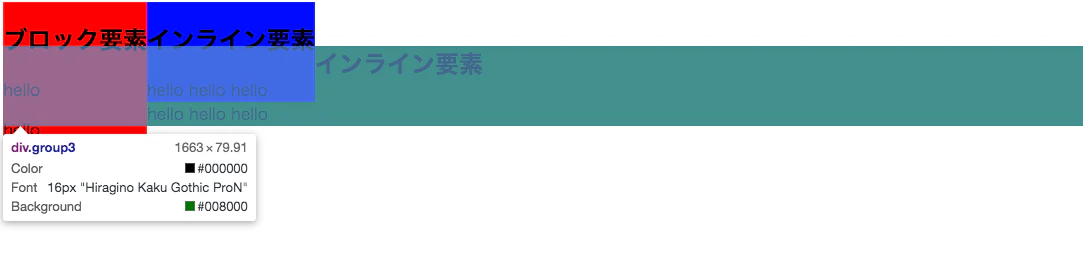
緑色の要素がしたに入り込む
- 回り込みの解除
<!DOCTYPE html>
<html>
  <head>
    <title>hello</title>
    <meta charset="utf-8">
    <style>
      .group1{
        float: left;
        background-color:red;
      }
      .group2{
        float: left;
        background-color: blue;
      }
      .group3{
        background-color: green;
        clear: both;
      }

    </style>
  </head>
結果