概要
私用のThinkPadのSSDを大きいものに換装したついでに環境構築をやりなおしてます。
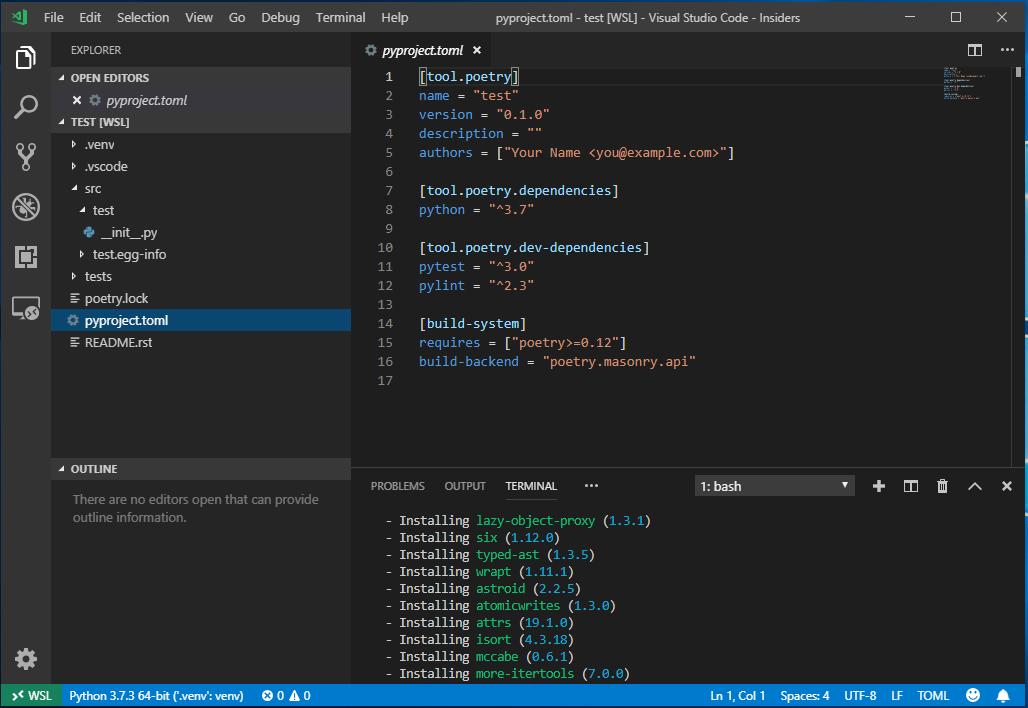
vscodeの拡張Remote WSLを試してWindows版のpythonを使わないpythonローカル環境メモ。
過去に一度wsl上のpythonをどうにかwindows側のvscodeで認識させようとしましたが途中で挫折しました。
しかし、Remote WSLのおかげでやりたかっとことがさらっとできてしまいました。すごい。
手順
wslを有効にする
https://qiita.com/Aruneko/items/c79810b0b015bebf30bb
私はUbuntu18.04を入れました。
vscode insidersを入れる
https://code.visualstudio.com/insiders/
現状remote wslの機能がinsidersの方でしか試せないようです。
なんか既存のvscodeとは分離されてインストールされました。
緑のvscode。
remote development拡張をいれる
vscode insidersを起動して「Remote Development」という拡張をいれました。
Remote WSLも一緒に入りました。
Remote SSHとかも試したいですね。Git Bash用にかいたconfigとかも認識しててすごい。
入りましたらvscode insidersの左下の><みたいなマークを押せばwslに接続されます。
terminalもwslに勝手になってるすごい。
python拡張をいれる
拡張検索で「python」といれ一番上のやつを入れました。
wsl-installとかでててどうやらwsl用のものが入れられるようです。すごい。
wsl上にpython環境をつくる
こちらを参考にさせていただきpyenvをいれました。
作業はvscode上のterminalで行いました。
(やたらaptで時間かかったので国内のミラーリポジトリを使うように最初に設定すればよかったかも)
pyenvだけ入れてpython3.7.3をbuildしました
pipenvはやめてpoetryをいれました 。
curl -sSL https://raw.githubusercontent.com/sdispater/poetry/master/get-poetry.py | python
source $HOME/.poetry/env
poetry new --src test
cd test
python -m venv .venv
poetry add -D pylint