背景
Azure network Watcher でLinux VM 間の疎通を確認してみました。
メモのためです。
条件
Linux VM01:redhat80
Linux VM02:redhat80b
同じVnetの同じSubnetに配置しております。
NSGはなし。
確認
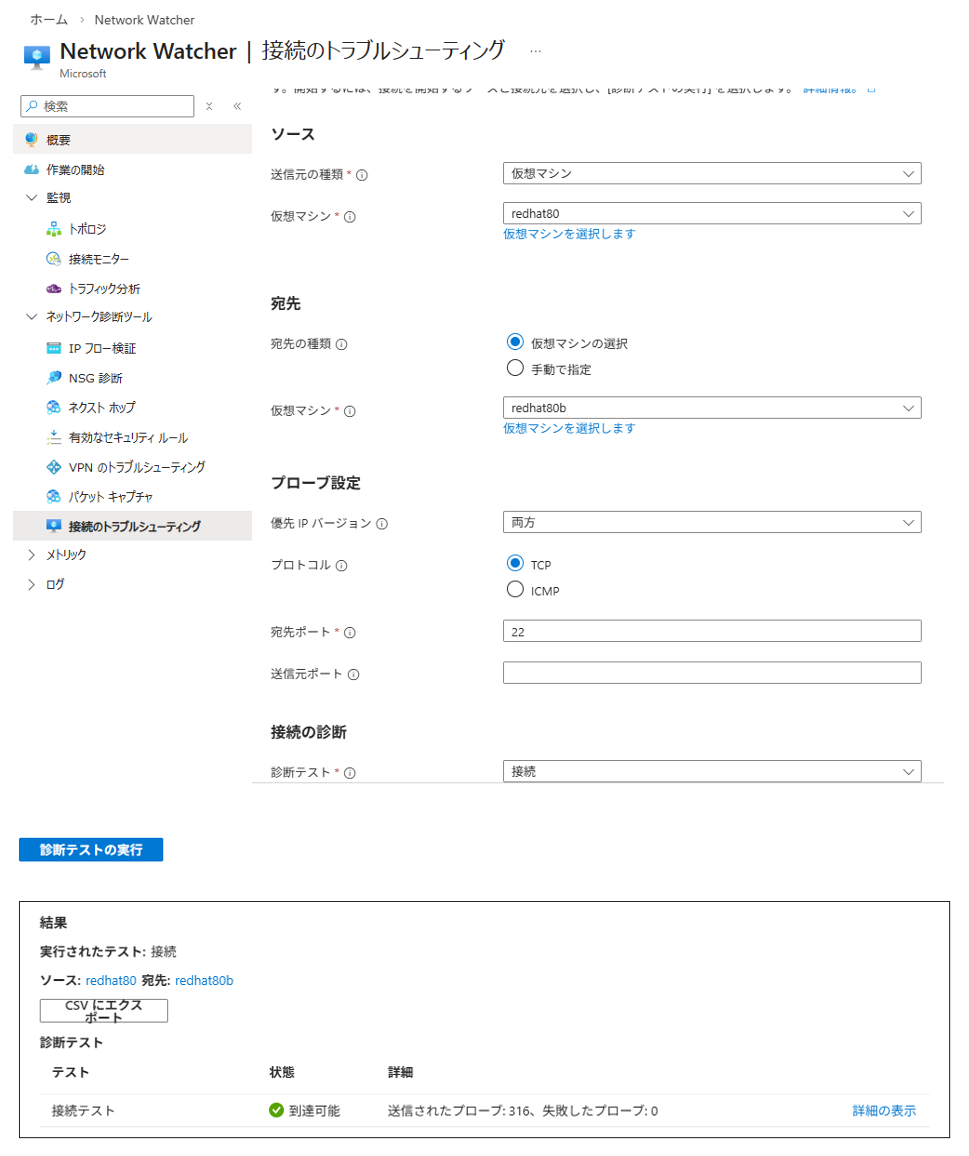
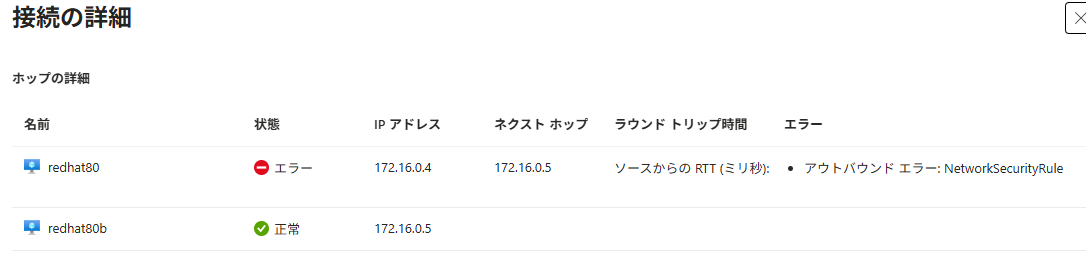
1.まずNetwork Watcherで22 portでtcpの接続を確認しました。22 portで成功しました。80 portは失敗。
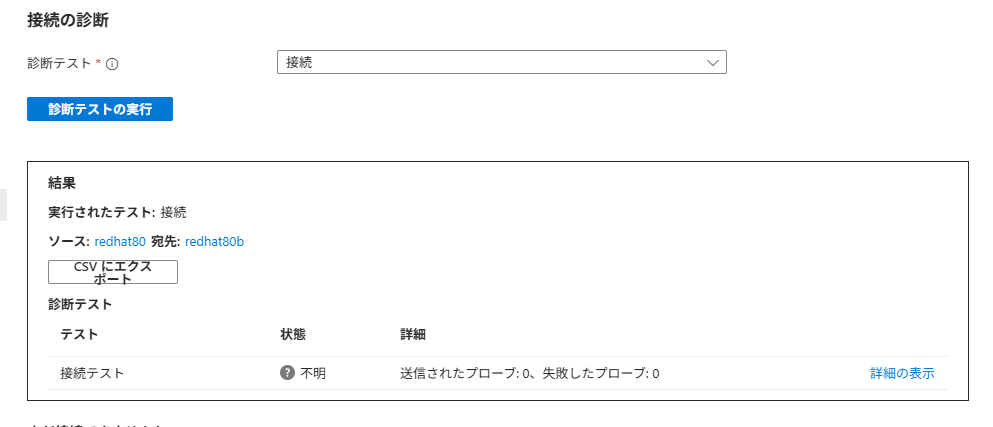
ICMP は不明の結果でしたが、2回目は成功でした。
ICMP:

TCP 22:
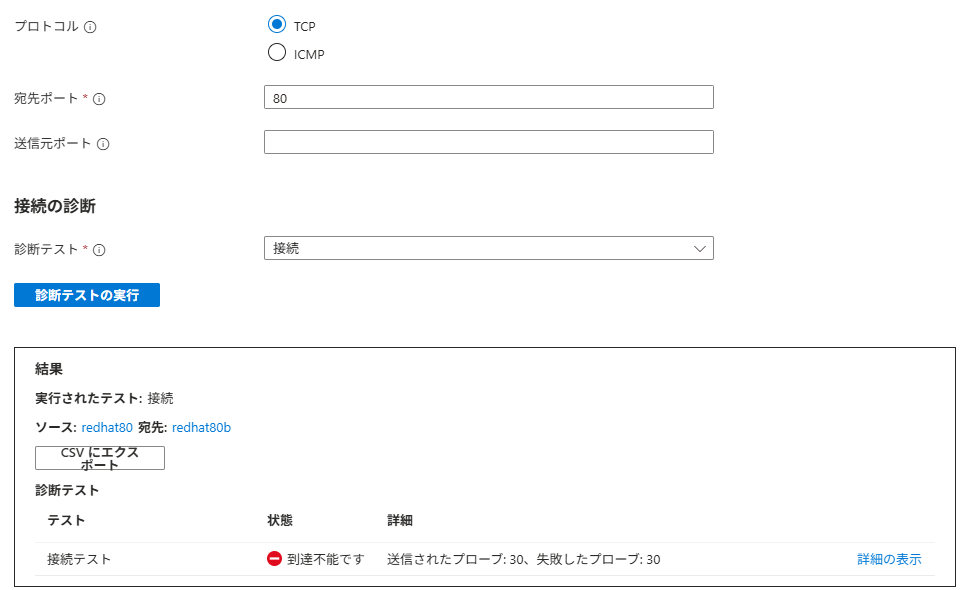
TCP 80:
2.VMにログインして、OS firewllの設定を確認しました。
[tanhiroshi@redhat80 ~]$ sudo firewall-cmd --list-all
public (active)
target: default
icmp-block-inversion: no
interfaces: eth0
sources:
services: cockpit dhcpv6-client ssh
ports:
protocols:
forward: no
masquerade: no
forward-ports:
source-ports:
icmp-blocks:
rich rules:
[tanhiroshi@redhat80 ~]$
3.VMにログインしてpingとncを打ちました。pingは問題なし。
22 portは問題なし。80portはlistnerしていないので、
nc errorも予想通りです。
[tanhiroshi@redhat80 ~]$ ping 172.16.0.5
PING 172.16.0.5 (172.16.0.5) 56(84) bytes of data.
64 bytes from 172.16.0.5: icmp_seq=1 ttl=64 time=0.808 ms
64 bytes from 172.16.0.5: icmp_seq=2 ttl=64 time=0.874 ms
64 bytes from 172.16.0.5: icmp_seq=3 ttl=64 time=0.977 ms
64 bytes from 172.16.0.5: icmp_seq=4 ttl=64 time=0.749 ms
64 bytes from 172.16.0.5: icmp_seq=5 ttl=64 time=1.91 ms
^C
--- 172.16.0.5 ping statistics ---
5 packets transmitted, 5 received, 0% packet loss, time 4093ms
rtt min/avg/max/mdev = 0.749/1.063/1.909/0.430 ms
[tanhiroshi@redhat80 ~]$
[tanhiroshi@redhat80 ~]$ nc -zv 172.16.0.5 22
Ncat: Version 7.92 ( https://nmap.org/ncat )
Ncat: Connected to 172.16.0.5:22.
Ncat: 0 bytes sent, 0 bytes received in 0.01 seconds.
[tanhiroshi@redhat80 ~]$
[tanhiroshi@redhat80 ~]$ nc -zv 172.16.0.5 80
Ncat: Version 7.92 ( https://nmap.org/ncat )
Ncat: No route to host.
補足
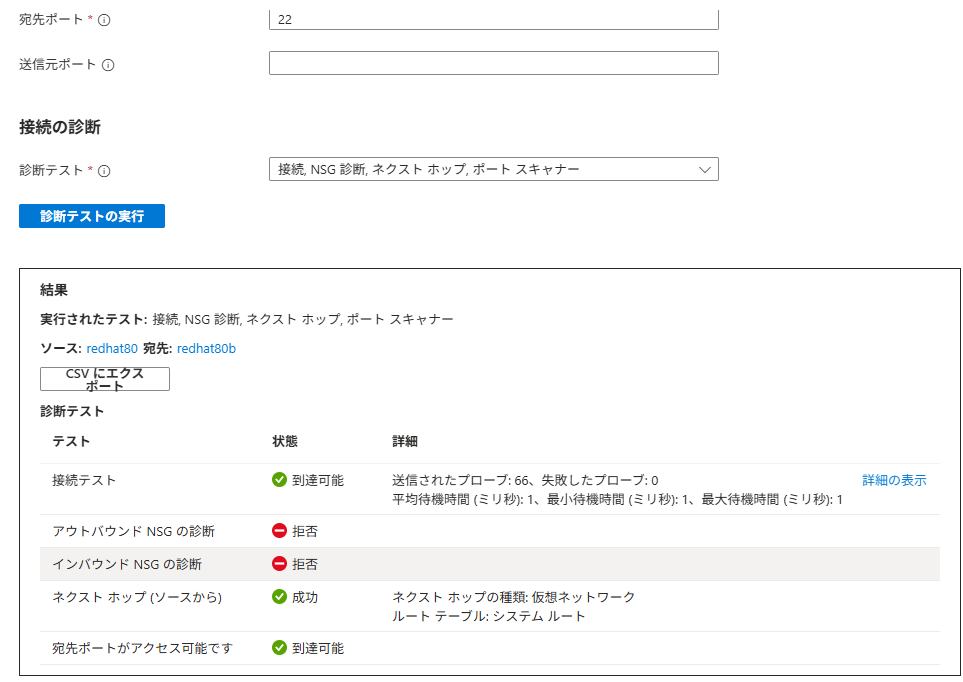
TCP 22で接続、NSG診断、next hop,port scanを選択して実行したら以下となります。
NSGがなしの状態ですが、意外に拒否がでてきますね。