1
1

Delete article

Deleted articles cannot be recovered.

Draft of this article would be also deleted.

Are you sure you want to delete this article?

Docker Desktopでコンテナアプリをローカル環境(Windows)で動かす

1
Posted at

前提

本記事では次の作業が完了している想定で、Docker Desktopを使用してサンプルアプリをローカル環境で動かしていく

前提① Docker Desktopのインストール

関連記事

前提② Dockerfileの作成

関連記事

手順

①Dockerfileをプロジェクトフォルダに配置する
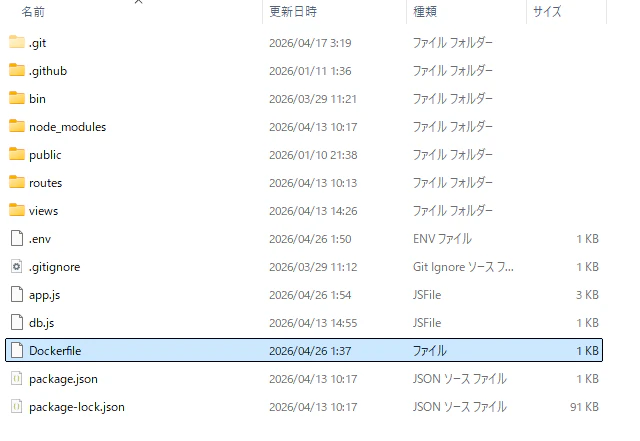
image.png

注意

.envファイルの環境変数について、DBのホスト名を書き換える必要があった。
現行では"localhost"になっている。
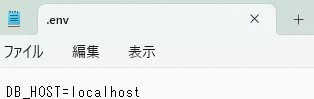
image.png

このままコンテナ化すると、コンテナ内のlocalhostはコンテナ自身を指すため、ホスト上のDBに接続できない。
そのため以下の通り書き換える。
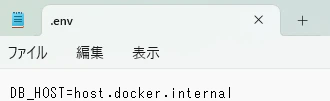
image.png
これでコンテナから見たホストPCを指定できている。

②dockerコマンド実行

コンソールアプリ上(本記事ではPowerShell)でbuildコマンドとrunコマンドを実行

# プロジェクトフォルダ配下で実行する
docker build -t sample-web-app .
docker run -p 3001:3001 sample-web-app

無事完了するとリンクが出力される

image.png

③localhostへアクセス

表示されたURLにアクセスし、実際にアプリがlocalhost上で動いていることを確認
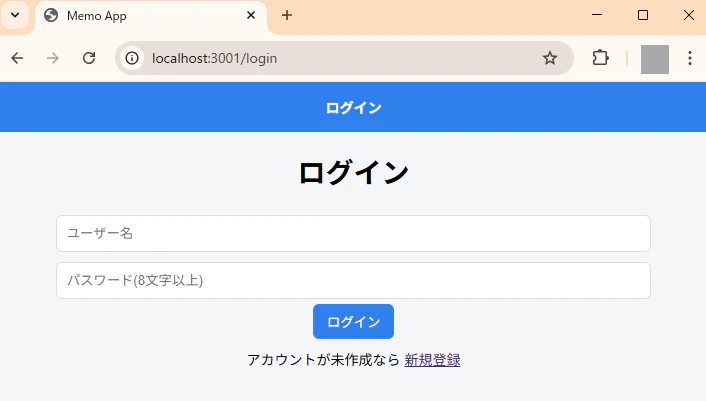
image.png

1
1
0

Register as a new user and use Qiita more conveniently

  1. You get articles that match your needs
  2. You can efficiently read back useful information
  3. You can use dark theme
What you can do with signing up
1
1

Delete article

Deleted articles cannot be recovered.

Draft of this article would be also deleted.

Are you sure you want to delete this article?