
VSCode Copilotを使っているとき、チャットのテキストエリアで上カーソルキーを入力して意図せずヒストリーが表示されてしまって、とてもイライラしますよね?
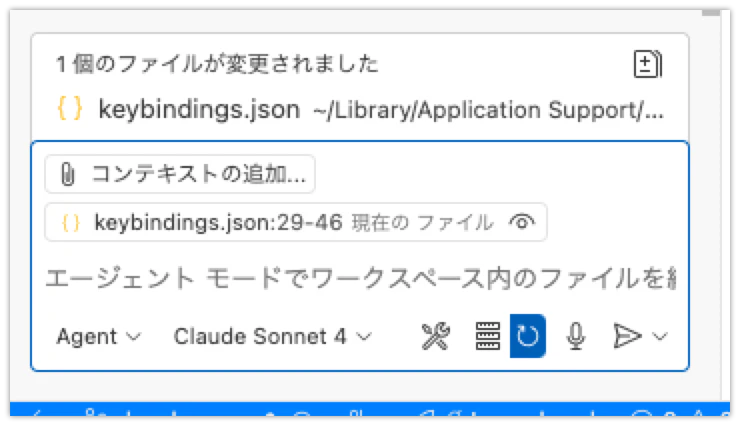
チャットのテキストエリアが、検索のテキストエリアなどと同様にヒストリ機能を持っているからなんですが、マルチラインなテキストエリアの場合は、正直この仕様って嬉しくないです。
Githubで以下のIssueが挙がっていますが、長らくunder-discussion状態のままですので、当面仕様の再検討は期待できそうにありません。
対策として、上記Issueに roblourensさんがポストしてくれているキーボードショートカット設定をすると、チャットのテキストエリアのヒストリ移動を無効化できます。
設定
- コマンドパレットを開いて (
Cmd + Shift + P/Ctrl + Shift + P) -
Preferences: Open Keyboard Shortcuts (JSON)を選ぶ- →
keybindings.jsonがエディタで開く
- →
- 以下を追加する
keybindings.json
[
  ...
  // VSCode Copilot Chat テキストエリアでの上下キーによるヒストリー移動を無効化
  // SeeAlso: https://github.com/microsoft/vscode-copilot-release/issues/6390#issuecomment-2723370358
  {
    "command": "-history.showPrevious",
    "key": "up"
  },
  {
    "command": "-history.showNext",
    "key": "down"
  },
  {
    "command": "history.showPrevious",
    "key": "up",
    "when": "historyNavigationBackwardsEnabled && historyNavigationWidgetFocus && !isComposing && !suggestWidgetVisible && !inChat"
  },
  {
    "command": "history.showNext",
    "key": "down",
    "when": "historyNavigationForwardsEnabled && historyNavigationWidgetFocus && !isComposing && !suggestWidgetVisible && !inChat"
  }
]
最後に
私が日本語での情報を見つけられなかったので、
誰かが見つけやすくなればと思い、日本語記事を書くことにしました。
ありがとう roblourens!