Delete article

Deleted articles cannot be recovered.

Draft of this article would be also deleted.

Are you sure you want to delete this article?

This article is a Private article. Only a writer and users who know the URL can access it.
Please change open range to public in publish setting if you want to share this article with other users.

More than 3 years have passed since last update.

衣装セットアップ手順(Costume Setup Procedure)

0
Last updated at Posted at 2023-07-20

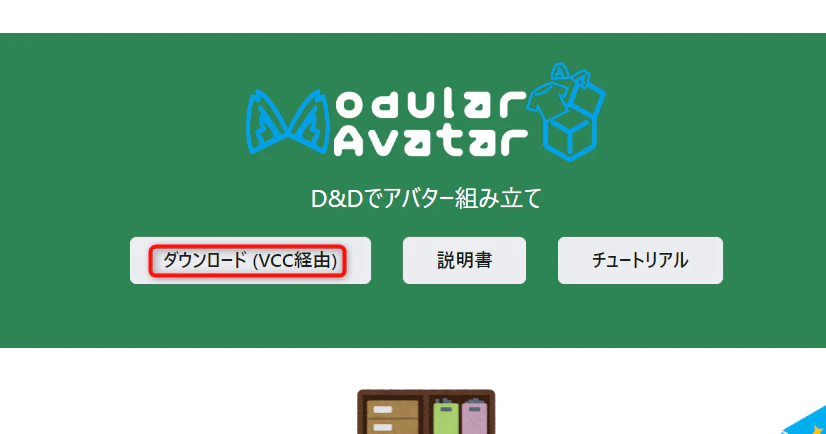
❶ModularAvatarをVCC経由でインポート
(Import ModularAvatar via VCC)

【日本語】https://modular-avatar.nadena.dev/ja/
【English】https://modular-avatar.nadena.dev/
2023-07-20_11h39_14.png

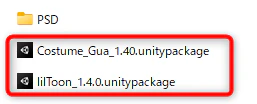
❷衣装データをUnityにインポート
(Import costume data into Unity)
2023-07-20_12h55_47.png

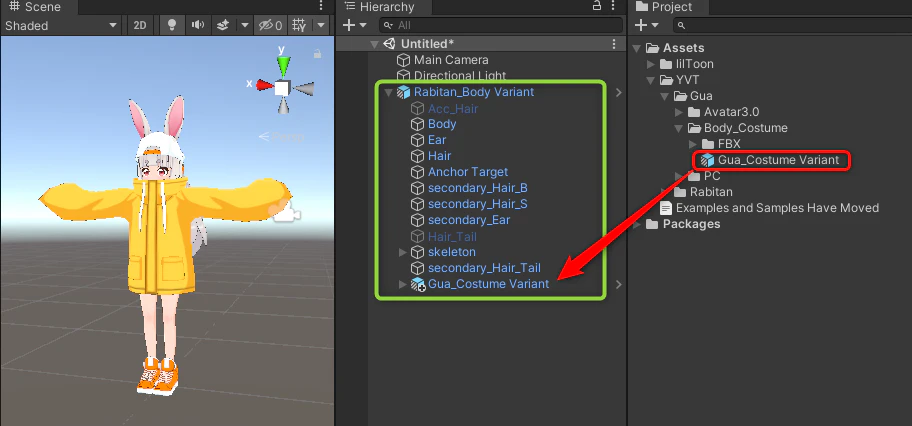
❸衣装prefabを素体prefabの中に置く
(Put the costume prefab in the element prefab)
2023-07-20_11h46_55.png

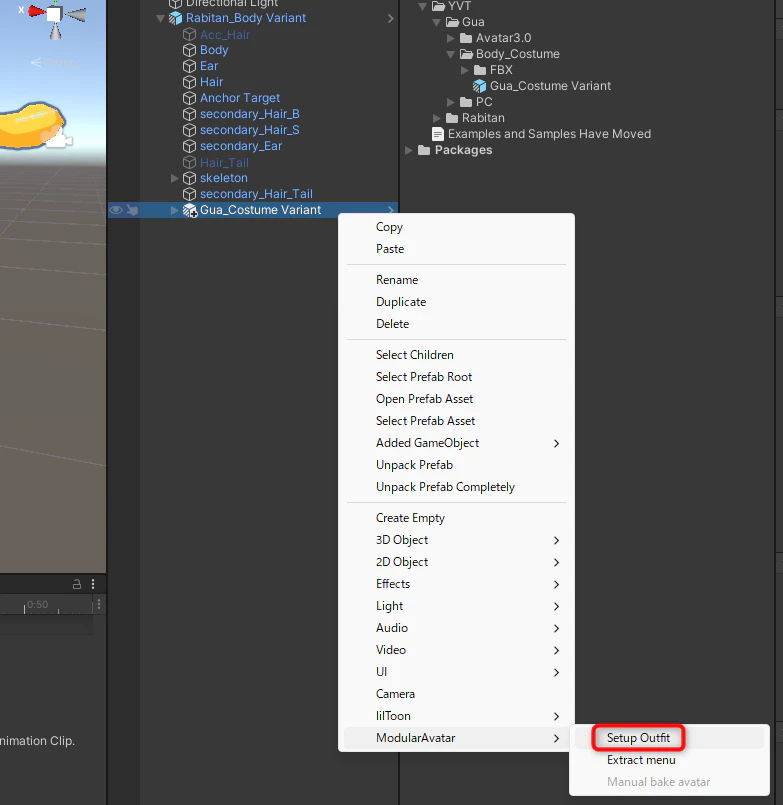
❹衣装Prefabを右クリック(Right-click on Costume Prefab)
→ ModularAvatar>Setup Outfit

基本設定はこれで完了です
(Basic setup is now complete.)
スクリーンショット 2023-07-20 114749.png

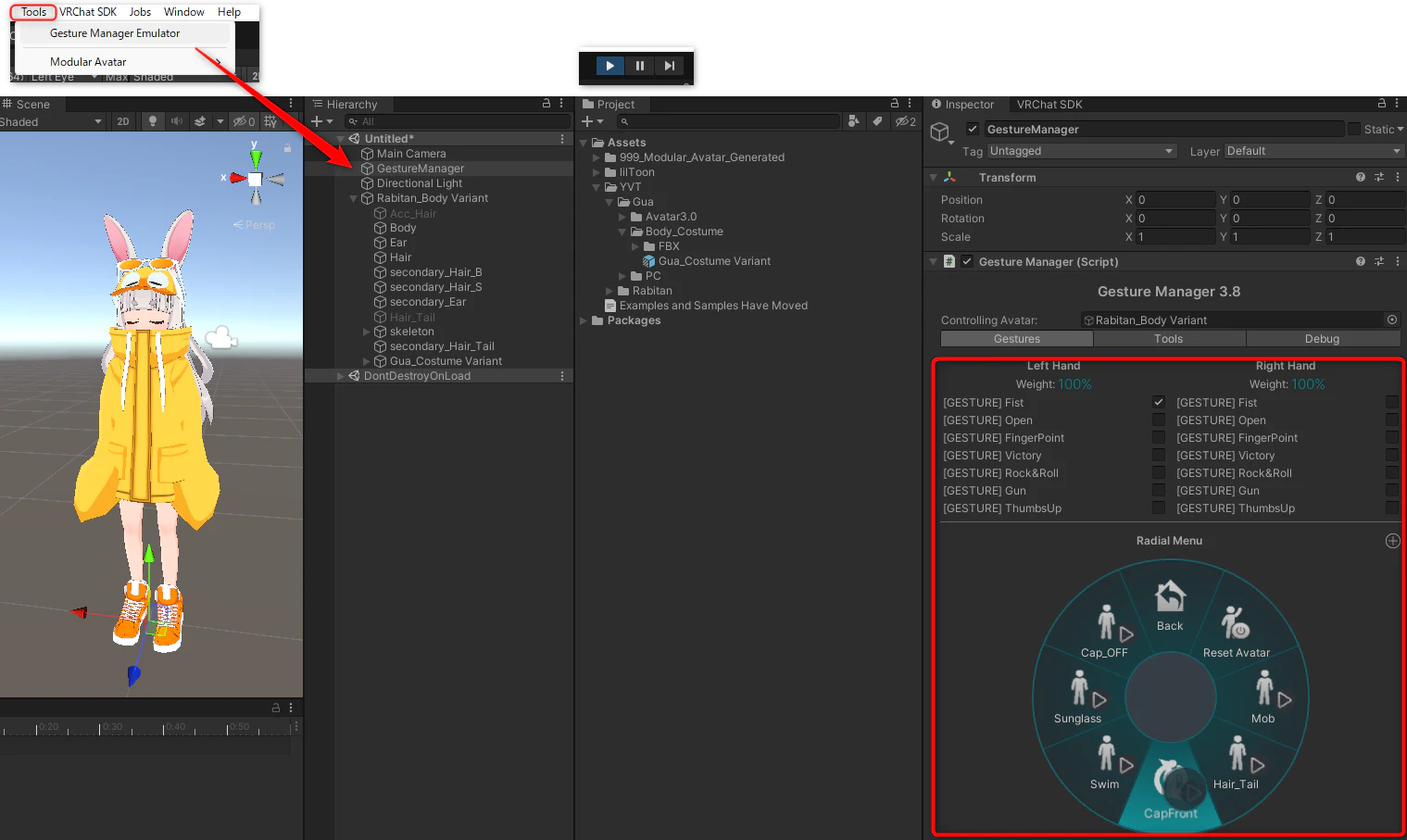
❺GestureManagerを置いて再生 → 動作確認
(Place GestureManager and play → Confirm operation)

2023-07-20_11h54_08.png
2023-07-20_11h53_31.png

補足(supplement)

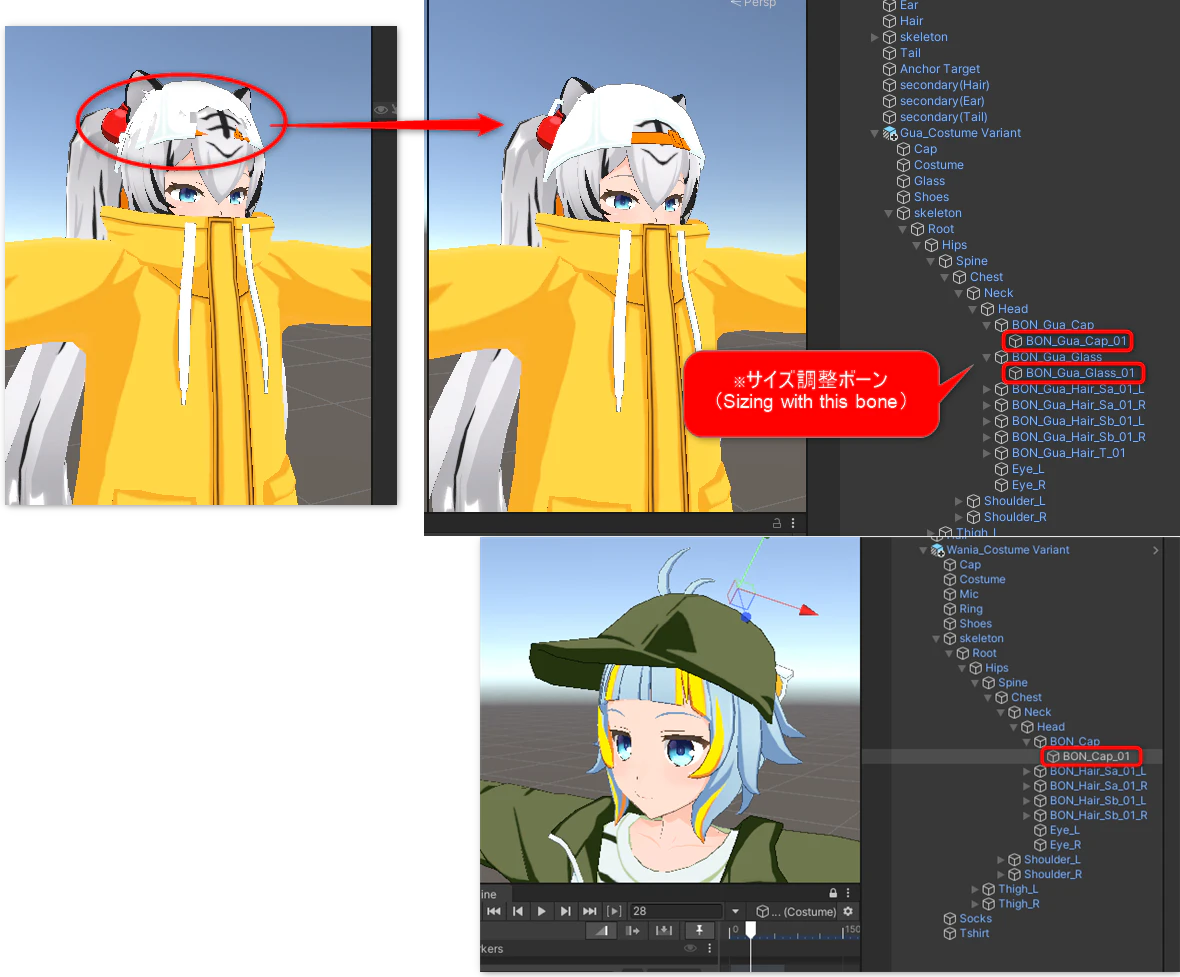
Capのサイズ調整は画像のボーンを調整してください
(To adjust Cap size, please adjust the bones in the image.

)
2023-07-21_09h38_33.png

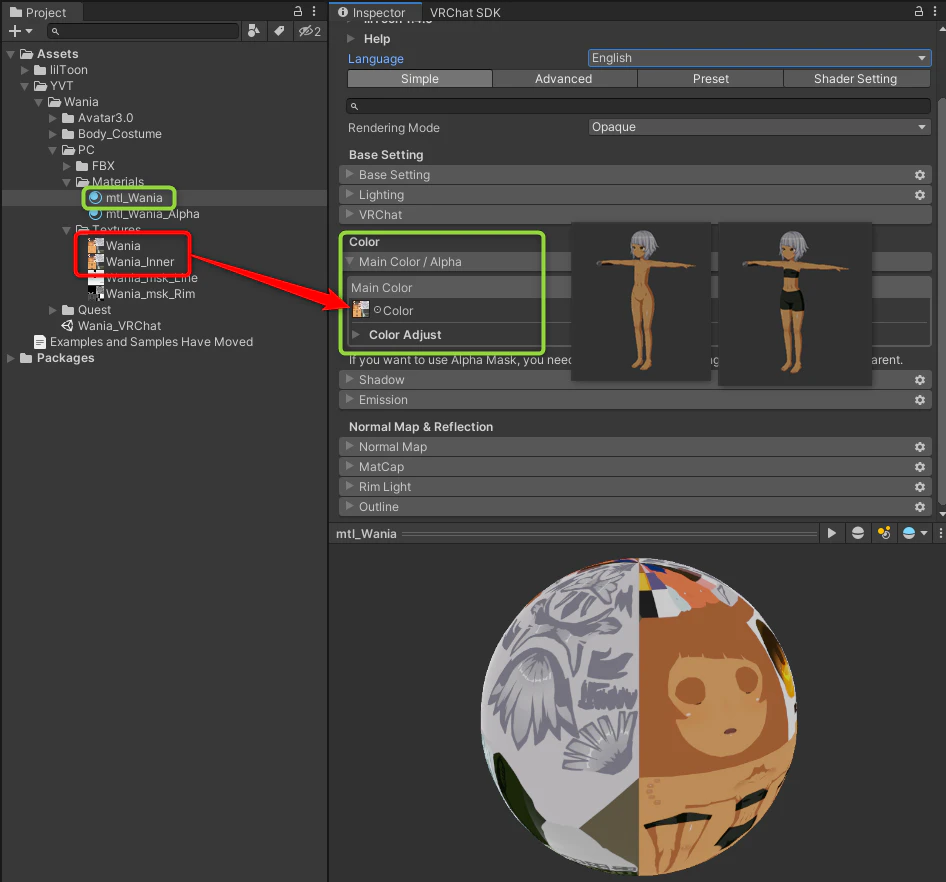
インナーON/OFF:素体マテリアルのテクスチャーを置き換え
(Inner ON/OFF: Replaces the texture of the element material

)
PSDでも編集できます(Can also be edited in PSD
)
2023-07-23_13h50_08.png

0

Register as a new user and use Qiita more conveniently

  1. You get articles that match your needs
  2. You can efficiently read back useful information
  3. You can use dark theme
What you can do with signing up

Delete article

Deleted articles cannot be recovered.

Draft of this article would be also deleted.

Are you sure you want to delete this article?