
LibreOffice Calc には「セルの書式設定:背景」プロパティに
「網掛け」や「グラデーション」の設定項目がない。(LibreOffice v25.2 時点)
「シェイプをセルの背景にする」という手法を使うと、それっぽい感じにはできる。(手間はかかる)
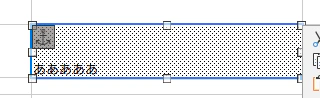
手順:
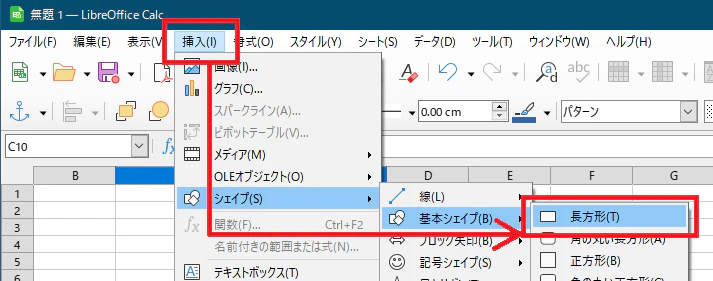
シェイプを挿入
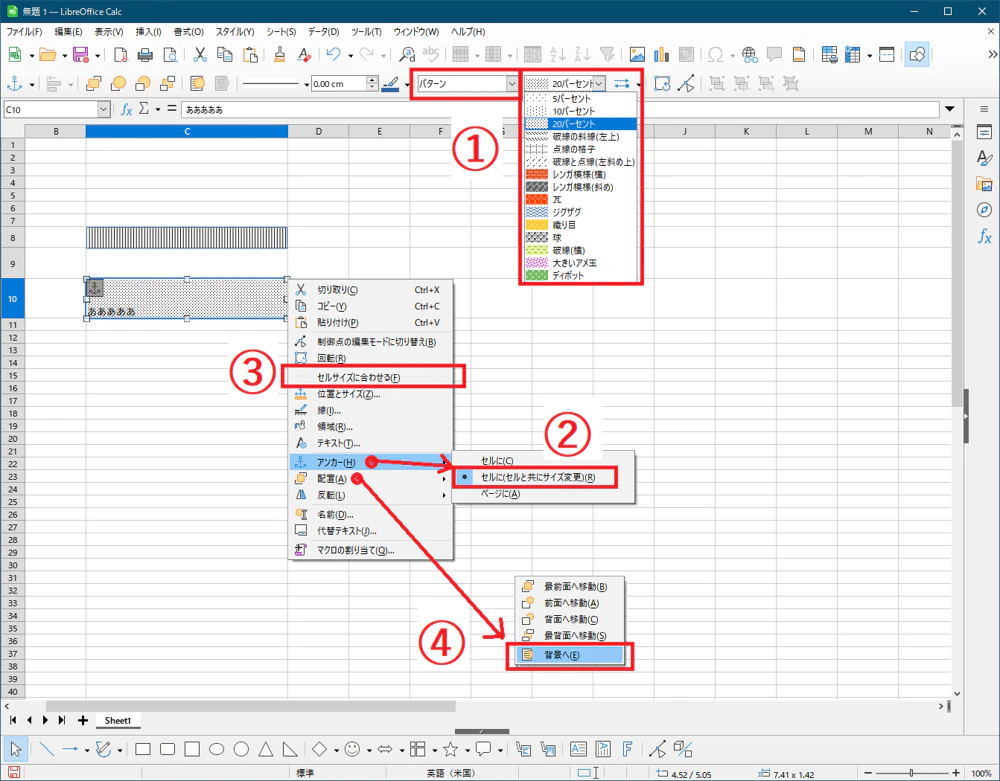
①シェイプを「パターン:網掛け」にする
②「アンカー→セルに(セルとともにサイズ変更)」
③「セルサイズに合わせる」
④「配置→背景」
ちなみに「セルと共にサイズ変更」「セルサイズに合わせる」ができるようになったのは LibreOffice v6.1 から。
https://forest.watch.impress.co.jp/docs/news/1137464.html
この文章で示した手順は拡張機能「Hatch Patterns for Cells」でやっていることを手作業で真似したものである。
参考:
拡張機能「Hatch Patterns for Cells」
https://extensions.libreoffice.org/es/extensions/show/hatch-patterns-for-cells
※拡張機能のファイルをzip展開するとドキュメントが同梱されている。実装手法の解説もされている。
※この拡張機能はツールバーボタンからの起動が壊れていて動かないのだが、
Calcメニューバーの[ツール]→[マクロ]→[マクロを実行]から「マクロセレクター」を開き、[calchatchcells]→[HatchDialogV1.2] を選択すれば実行できる。