
はじめに
複数エージェントを Slack で動かしたかったため、
OpenClaw を Slack 連携するまでの手順をまとめます。
前提
- node.js 22以上
- openclaw未インストールの場合は下記実行
npm install -g openclaw@latest
openclaw --version
slack側の設定
https://api.slack.com/apps
にアクセスし、「Create New App」からアプリを作成します。
From a manifest でも From scratch でも問題ありません。
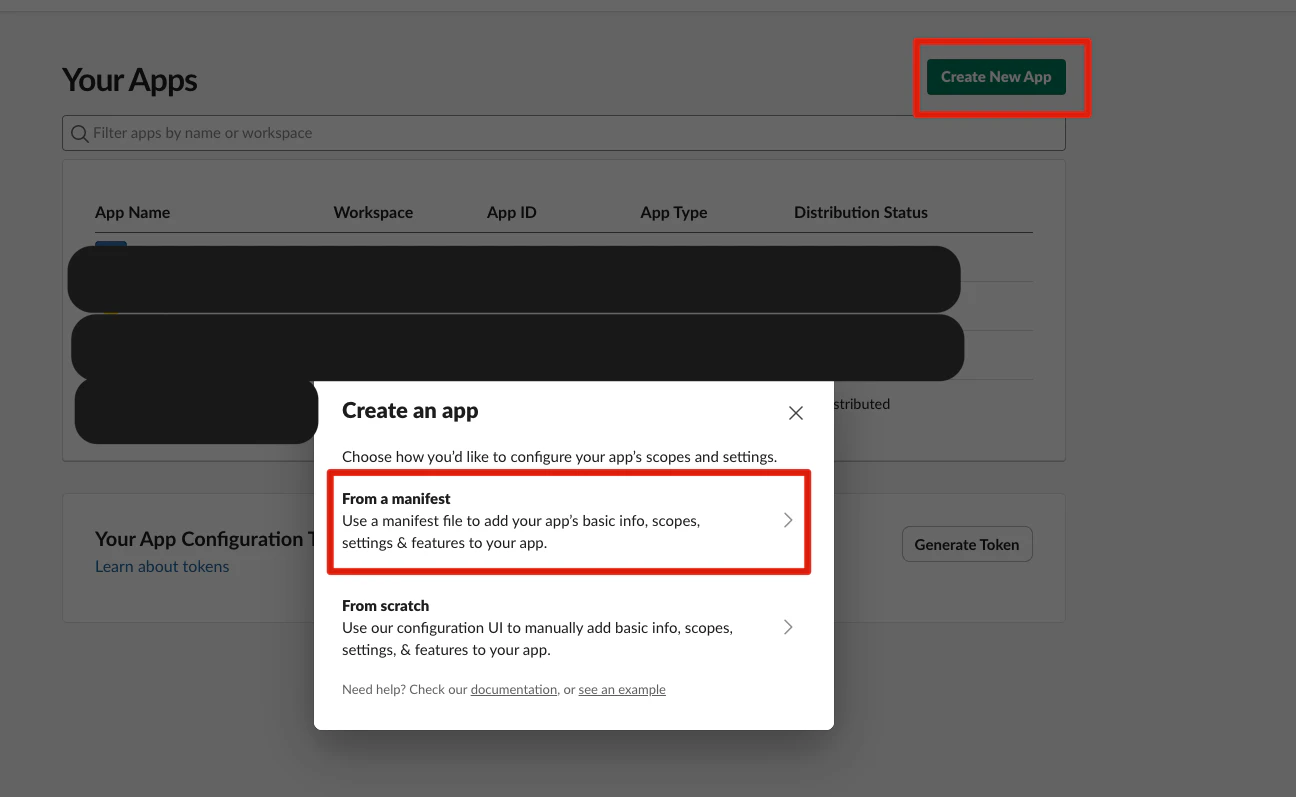
※from a manifest , from scratch どちらでも大丈夫です。自分の望ましいmanifestにしてください。
sample.json
{
  "display_information": {
    "name": "[好きな名前]",
    "description": "OpenClaw AI secretary bot",
    "background_color": "#559100"
  },
  "features": {
    "app_home": {
      "home_tab_enabled": false,
      "messages_tab_enabled": true,
      "messages_tab_read_only_enabled": false
    },
    "bot_user": {
      "display_name": "[好きな名前]",
      "always_online": false
    }
  },
  "oauth_config": {
    "scopes": {
      "bot": [
        "chat:write",
        "channels:history",
        "channels:read",
        "groups:history",
        "groups:read",
        "groups:write",
        "im:history",
        "im:read",
        "im:write",
        "mpim:history",
        "mpim:read",
        "mpim:write",
        "users:read",
        "app_mentions:read",
        "reactions:read",
        "reactions:write",
        "pins:read",
        "pins:write",
        "emoji:read",
        "commands",
        "files:read",
        "files:write"
      ]
    }
  },
  "settings": {
    "event_subscriptions": {
      "bot_events": [
        "app_mention",
        "message.channels",
        "message.groups",
        "message.im",
        "message.mpim",
        "reaction_added",
        "reaction_removed",
        "member_joined_channel",
        "member_left_channel",
        "channel_rename",
        "pin_added",
        "pin_removed"
      ]
    },
    "interactivity": {
      "is_enabled": true
    },
    "socket_mode_enabled": true,
    "token_rotation_enabled": false
  }
}
Slack 管理画面で以下を取得します。
-
App-Level Token
Basic Information → App-Level Tokens
・Scope: connections:write
・xapp- で始まるトークン -
Bot OAuth Token
Install App → OAuth Tokens
・xoxb- で始まるトークン
OpenClawの設定
現状の確認
# accountの確認
openclaw config get channels.slack.accounts
# profileの確認
ls -d ~/.openclaw*
0から作る時
openclaw configure
openclaw channels add
openclaw gateway --port 18789 or openclaw gateway --force
gateway分けるとき
openclaw --profile gemini configure
openclaw --profile gemini channels add
openclaw --profile gemini config get channels.slack.accounts
openclaw --profile gemini config set gateway.port 18889
openclaw --profile gemini config set gateway.auth.token $(openssl rand -hex 32)
openclaw --profile gemini config get gateway.auth.token
openclaw --profile gemini config get gateway.port
openclaw --profile gemini gateway --port 18889
command memo
# account削除
openclaw config unset channels.slack.accounts.[account名]
profile / account / agent の整理
profile
Gateway単位の実行環境。
• 使用モデルの既定
• gatewayのポート
• thinking方針
• skills などの全体設定
account
接続先のチャネル資格情報。
• Slack / Telegram など
• botToken / appToken
agent
実際の動作単位。
• system prompt
• モデル指定
• 使用ツール
• heartbeat設定