
概要
この2つを使って、表示を行う。
手順
前提として、
https://github.com/raspberrypi/pico-sdk.git
をgit cloneして、PICO_SDK_PATHの環境変数にそのパスを設定していること。
Raspberry pi picoとアダプタ基板は、以下のとおり接続する。ジャンパワイヤで直結でいい。
| Good Display / DESPI | Pico |
|---|---|
| VCC | 3.3V |
| GND | GND |
| SCK | GP18 |
| SDI / MOSI | GP19 |
| CS | GP17 |
| DC | GP20 |
| RST | GP21 |
| BUSY | GP22 |
表示用のサンプルコードを用意したので、それを使う場合は、
をCloneして、
mkdir build
cd build
cmake -DPICO_BOARD=pico ..
make -j4
できあがった、gdew0213c38_pico.uf2をRaspberry pi picoにコピーすると、
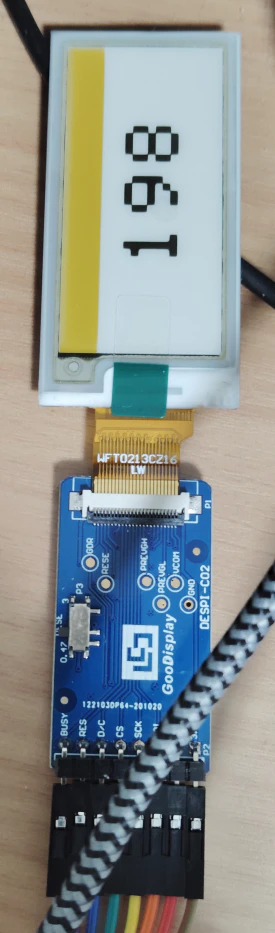
こんな感じで表示できた。
表示を調整したら、スーパーの値札みたいにできるはず。